הקדמה
This manual provides essential instructions for the proper setup, operation, and maintenance of your White Shark GH-2044 Wolf Gaming Headset. Please read this guide thoroughly before using the product to ensure optimal performance and longevity. Keep this manual for future reference.
פּראָדוקט איבערview
The White Shark GH-2044 Wolf is a wired over-ear gaming headset designed for immersive audio experiences. It features a built-in microphone for communication and a USB connection for compatibility with multiple devices.
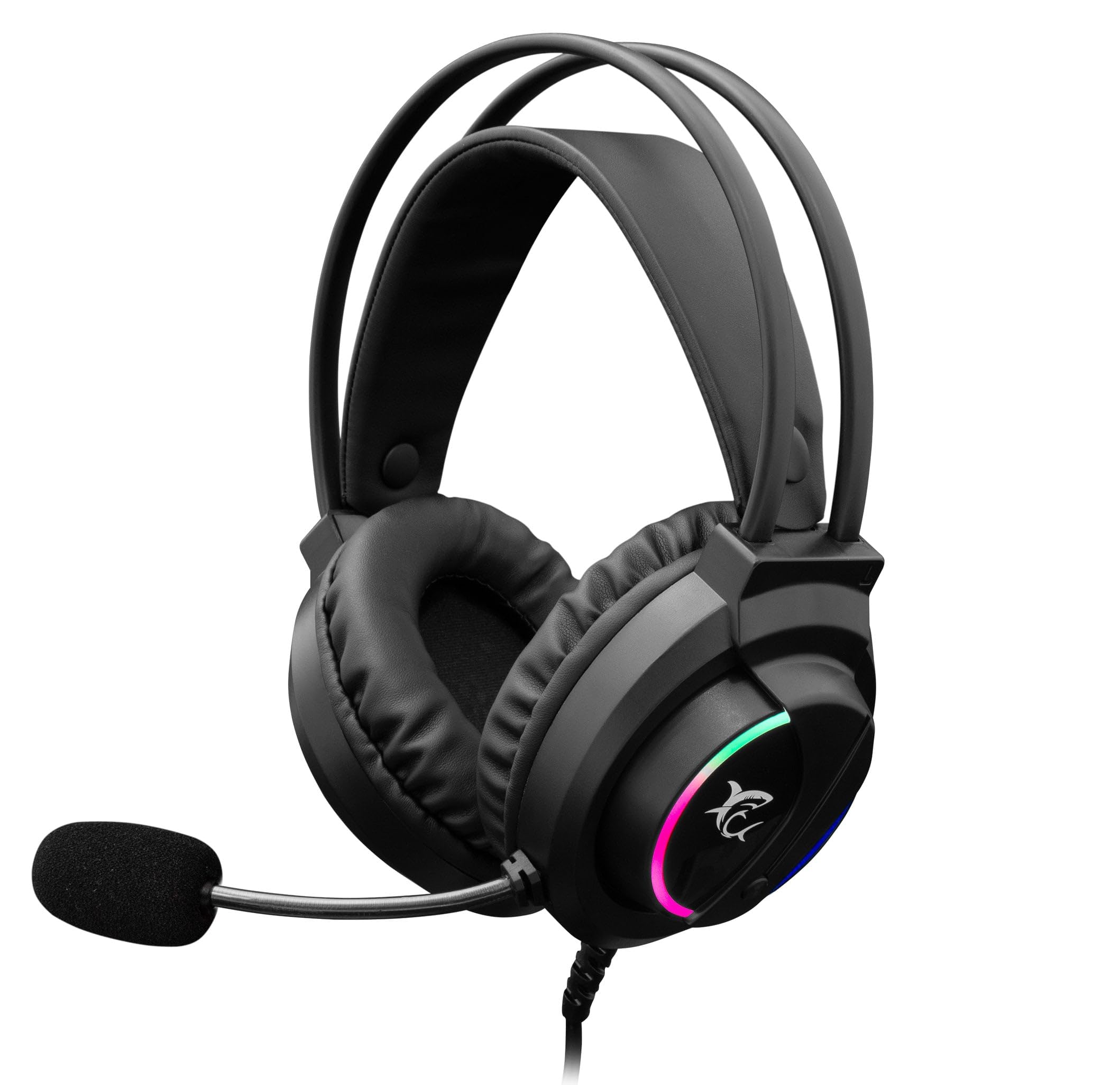
Image: The White Shark GH-2044 Wolf Gaming Headset packaging box, displaying the headset and key features.

Image: The White Shark GH-2044 Wolf Gaming Headset, showcasing its illuminated earcups and flexible microphone.

בילד: א נאָענטע בילד view of the earcup on the White Shark GH-2044 Wolf Gaming Headset, highlighting the integrated volume control wheel.

Image: A detailed close-up of the flexible microphone, showing its foam cover for clear voice capture.
סעטאַפּ אינסטרוקציעס
- פֿאַרבינדן דעם כעדסעט: Plug the USB connector of the GH-2044 Wolf Gaming Headset into an available USB port on your computer, gaming console, or other compatible device.
- דרייווער ינסטאַלירונג (אויב נייטיק): For most operating systems, the headset will be recognized automatically, and standard drivers will be installed. If prompted, follow the on-screen instructions to complete any driver installation.
- Audio Output/Input Selection: Navigate to your device's sound settings. Select the White Shark GH-2044 Wolf as your primary audio output device (for sound) and as your primary audio input device (for the microphone).
- סטרויערן באַנד: Use the volume control wheel located on the headset's earcup to adjust the audio level to your preference.
אַפּערייטינג ינסטראַקשאַנז
- באַנד קאָנטראָל: The headset features an integrated volume control wheel on the left earcup. Rotate the wheel up to increase volume and down to decrease volume.
- מיקראָפאָן באַניץ: The flexible microphone can be adjusted to your desired position for optimal voice pickup. Ensure the microphone is positioned close to your mouth for clear communication.
- מיקראָפאָן שטום: (Information not explicitly provided in product data, assume software control or inline control if present.) If an inline mute button is present on the cable, press it to mute/unmute the microphone. Otherwise, use your device's software settings to control microphone mute.
- LED לייטינג: The earcups feature spectrum LED lighting. This lighting is typically powered by the USB connection and operates automatically.
וישאַלט
- רייניקונג: Use a soft, dry cloth to clean the headset. Do not use liquid cleaners or abrasive materials, as these can damage the finish and internal components.
- סטאָרידזש: האַלט די כעדסעט אין אַ קיל, טרוקן אָרט אַוועק פון דירעקט זונשייַן און עקסטרעמע טעמפּעראַטורן. ויסמיידן צו שטעלן שווערע זאַכן אויף די כעדסעט.
- קאַבלע זאָרגן: פֿאַרמײַדט שאַרפֿע בייגן אָדער איבערגעטריבענעם ציען דעם USB קאַבל כּדי צו פֿאַרמײַדן אינערלעכע שאָדן.
- אויער קישן: Periodically check ear cushions for wear and tear. Replacement cushions may be available from the manufacturer or authorized retailers.
טראָובלעשאָאָטינג
- קיין קול:
- זיכער מאַכן אַז דער USB קאַנעקטאָר איז גאָר אַרײַנגעשטעקט אין דעם פּאָרט.
- Check your device's sound settings to confirm the White Shark GH-2044 Wolf is selected as the output device.
- Verify the volume control wheel on the headset is turned up.
- פּרובירט דעם כעדסעט אויף אַן אַנדער מיטל צו אויסשליסן אַ מיטל-ספּעציפֿישן פּראָבלעם.
- מיקראָפאָן איז נישט ארבעטן:
- Ensure the microphone is not muted (check inline control or software settings).
- Confirm the White Shark GH-2044 Wolf is selected as the input device in your device's sound settings.
- Adjust microphone sensitivity in your device's sound settings.
- פּרובירט דעם מיקראָפאָן מיט אַן אַנדער אַפּליקאַציע אָדער מיטל.
- פאַרקרימט אַודיאָ:
- Lower the volume on both the headset and your device.
- זיכער מאַכן אַז די אַודיאָ מקור איז נישט פאַרקרימט.
- פּרוּווט קאַנעקטינג צו אַ אַנדערש וסב פּאָרט.
ספּעסאַפאַקיישאַנז
| שטריך | באַשרייַבונג |
|---|---|
| סאָרט | ווייסע שאַרק |
| מאָדעל נומער | GH-2044 Wolf |
| קאַנעקטיוויטי טעכנאָלאָגיע | ווייערד וסב |
| כעדסעט טיפּ | איבער-אויער |
| מיקראָפאָן אַרייַנגערעכנט | יא |
| ראַש קאָנטראָל | קיינער |
| קאַמפּאַטאַבאַל דעוויסעס | קייפל |
| קאָנטראָל טיפּ | באַנד קאָנטראָל |
| מאַטעריאַל | לעדער (אויער קישן) |
| רעקאָממענדעד ניצט | גיימינג |
| פּראָדוקט דימענשאַנז | 20 X 10 X 24.5 סענטימעטער |
| וואָג | 300 גראַמז |
| קאָליר | שוואַרץ |
| אַרייַנגערעכנט קאַמפּאָונאַנץ | Headband, Ear Cushions |
וואָראַנטי און שטיצן
For warranty information and technical support, please refer to the documentation provided with your purchase or contact your retailer. Specific warranty terms may vary by region and retailer.


