1. הקדמה
Thank you for choosing the AULA S606 Wired Gaming Headset. This manual provides detailed instructions for the proper setup, operation, maintenance, and troubleshooting of your new headset. Please read this manual thoroughly before using the product to ensure optimal performance and longevity.
2. פּראָדוקט איבערview
The AULA S606 is a wired over-ear gaming headset designed for clear audio communication and immersive sound. It features an omnidirectional microphone with active noise cancellation for clear voice pickup and reduced background noise.
2.1 שליסל פֿעיִקייטן
- Wired Connectivity via 3.5mm Jack
- אָמנידירעקטיאָנאַל מיקראָפאָן
- אַקטיוו ראַש קאַנסאַליישאַן
- Over-Ear Design for Comfort
- Integrated Volume Control
- דוראַבאַל פּלאַסטיק קאַנסטראַקשאַן
2.2 קאַמפּאָונאַנץ
The package includes the AULA S606 Wired Gaming Headset with an integrated microphone and headband.
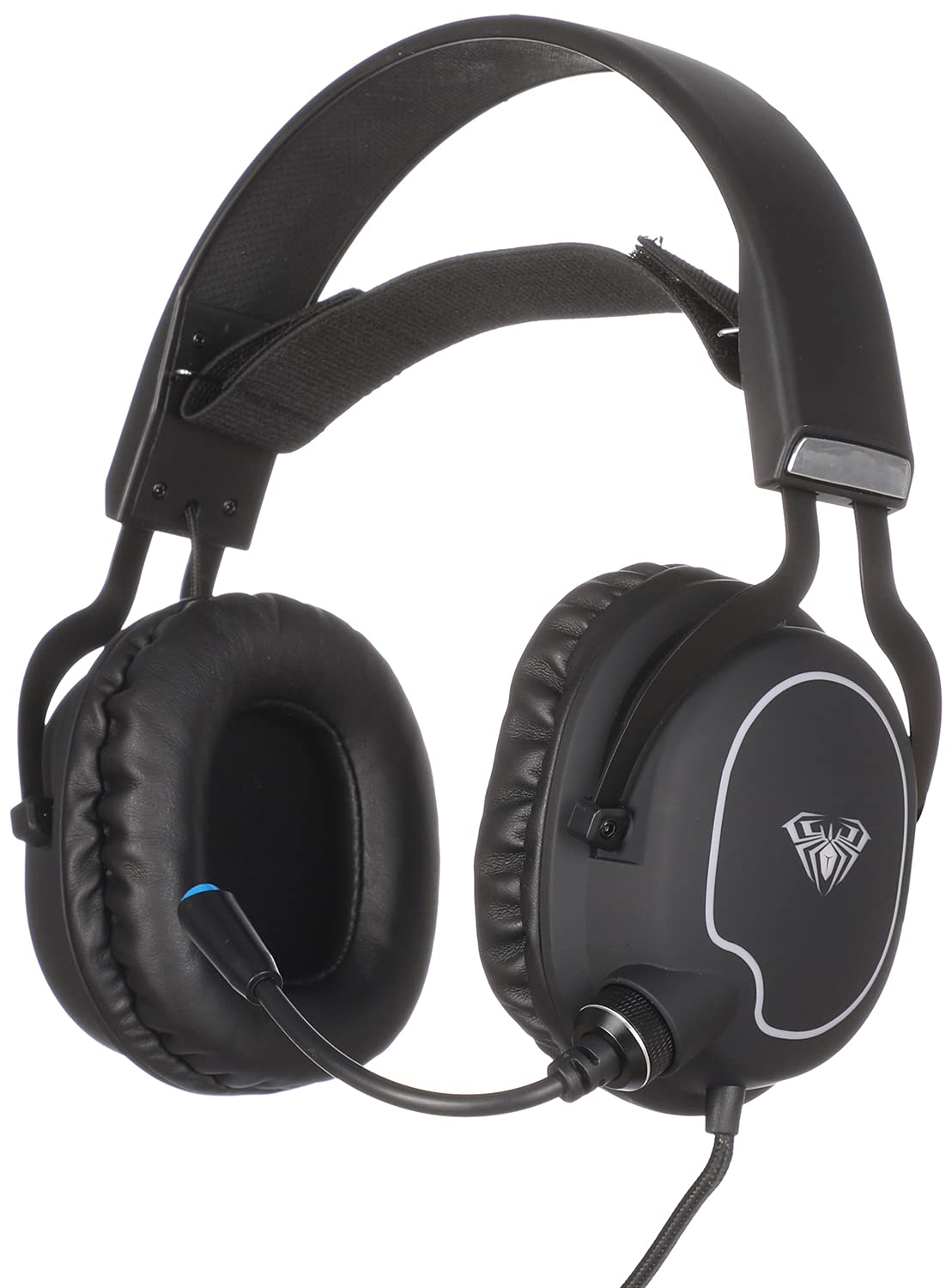
פיגורע 1: פראָנט view of the AULA S606 Wired Gaming Headset.

Figure 2: Close-up of the AULA S606 headset's earcup and flexible microphone.

פיגורע 3: דעטאַילעד view of the AULA S606 headset's earcup, highlighting the volume control dial.
3. סעטאַפּ
Follow these steps to set up your AULA S606 headset:
- פֿאַרבינדן דעם כעדסעט: Plug the 3.5mm jack of the headset cable into the corresponding audio port on your device (PC, gaming console controller, smartphone, etc.). Ensure the connection is secure.
- סטרויערן די העאַדבאַנד: Place the headset on your head and adjust the headband for a comfortable and secure fit. The earcups should fully cover your ears.
- שטעלן די מיקראָפאָן: Adjust the flexible microphone boom to a position near your mouth, typically 2-3 centimeters away, for optimal voice clarity.
- קאָנפיגורירן אַודיאָ סעטטינגס (אויב נייטיק): On your device, ensure the AULA S606 is selected as the default audio output and input device in your sound settings.
4. אַפּערייטינג ינסטרוקטיאָנס
4.1 באַנד קאָנטראָל
The AULA S606 headset features an integrated volume control dial located on one of the earcups (refer to Figure 3). Rotate the dial to increase or decrease the audio volume to your desired level.
4.2 מיקראָפאָן באַניץ
The omnidirectional microphone captures sound from all directions, making it effective for voice communication. The active noise cancellation feature helps to reduce ambient background noise, ensuring your voice is heard clearly by others.
- שטום/אומשטום: If your headset or device has a mute function, use it to temporarily disable the microphone.
- אָפּטימאַל פּאַזישאַנינג: For best results, keep the microphone positioned consistently near your mouth.
5. וישאַלט
געהעריגע זאָרג וועט פֿאַרלענגערן דאָס לעבן פֿון אײַער כעדסעט:
- רייניקונג: ניצט אַ ווייכע, טרוקענע שטאָף צו ווישן די אויערקעפּלעך און קאָפּבאַנד. פֿאַר שווערן שמוץ, אַ ביסל טרוקןamp מען קען ניצן אַ שטאָף, אָבער זאָרגט זיך אַז קיין נעץ זאָל נישט אַרײַנגיין אין די רעדנער גרילן אָדער מיקראָפאָן. ניצט נישט קיין שאַרפע כעמיקאַלן אָדער אַברייסיוו רייניגער.
- סטאָרידזש: Store the headset in a clean, dry place away from extreme temperatures and direct sunlight. Avoid placing heavy objects on top of the headset.
- קאַבלע זאָרגן: Avoid sharp bends, twists, or excessive pulling on the cable. Always grasp the plug, not the cable, when disconnecting from a device.
- מיקראָפאָן באַהאַנדלונג: Handle the flexible microphone boom gently. Avoid excessive bending or forcing it into extreme positions.
6. טראָובלעשאָאָטינג
If you encounter issues with your AULA S606 headset, refer to the following common problems and solutions:
| פּראָבלעם | מעגלעך סיבה | לייזונג |
|---|---|---|
| קיין קלאַנג פֿון כעדסעט |
|
|
| מיקראָפאָן טוט נישט אַרבעטן |
|
|
| סאָונד דיסטאָרשאַן אָדער סטאַטיק |
|
|
7. ספּעסאַפאַקיישאַנז
| סאָרט | AULA |
| מאָדעל נומער | S606 |
| קאַנעקטיוויטי טעכנאָלאָגיע | ווייערד |
| כעדפאָון דזשאַק | 3.5 מם דזשאַק |
| כעדפאָון פאָרם פאַקטאָר | איבער-אויער |
| מיקראָפאָן | Integrated, Omnidirectional |
| ראַש קאָנטראָל | אַקטיוו ראַש קאַנסאַליישאַן |
| קאָנטראָל טיפּ | באַנד קאָנטראָל |
| קאַמפּאַטאַבאַל דעוויסעס | All devices with a 3.5mm audio jack |
| קאָליר | שוואַרץ |
| מאַטעריאַל | פּלאַסטיק |
| אַרייַנגערעכנט קאַמפּאָונאַנץ | העאַדבאַנד |
| שיפּינג דימענשאַנז | 24.6 X 21.2 X 13.2 סענטימעטער |
| וואָג | 560 גראַמז |
8. וואָראַנטי און שטיצן
Specific warranty information for the AULA S606 headset is not provided in this manual. For details regarding warranty coverage, technical support, or service inquiries, please refer to the documentation included with your purchase or contact your retailer or the manufacturer directly.


