1. הקדמה
א דאנק פארן קויפןasing the EARISE D61 Plus Bluetooth Speaker. This manual provides important information regarding the safe operation, setup, and maintenance of your device. Please read it thoroughly before use and retain it for future reference.

Image 1.1: The EARISE D61 Plus Bluetooth Speaker, showcasing its portable design and integrated RGB lighting.
2. וויכטיק סאַפעטי אינפֿאָרמאַציע
- שטעלט נישט אויס דעם רעדנער צו וואַסער אָדער צו פיל פייכטקייט, ווײַל ער איז נישט וואַסערפּרוף.
- פֿאַרמײַדן עקסטרעמע טעמפּעראַטורן, דירעקטע זונשײַן, אָדער היץ־קוואַלן.
- נישט צענעמען, פאררעכטן אדער מאדיפיצירן דאס אפאראט. איבערגעבן אלע סערוויסינג צו קוואליפיצירטע פערסאנעל.
- ניצט נאָר דעם ספּעציפֿישן טשאַרדזשינג קאַבל און מאַכט אַדאַפּטער.
- האַלטן די רעדנער אַוועק פון קינדער און פּעץ.
- לאָזט נישט אָפּ דעם רעדנער מיט צו הויכע וואָלומען פֿאַר לאַנגע פּעריאָדן כּדי צו פֿאַרמייַדן שאָדן צו די הערן.
3. פּעקל אינהאַלט
ביטע טשעק די פּאַקעט פֿאַר די פאלגענדע זאכן:
- EARISE D61 Plus Bluetooth Speaker
- וסב טשאַרדזשינג קאַבלע
- באַניצער מאַנואַל (דעם דאָקומענט)
אויב עס פעלט אדער זענען געשעדיגט עפעס, ביטע קאנטאקטירט קאסטומער סופארט.
4. פּראָדוקט איבערview
מאַכט זיך באַקאַנט מיט די רעדנער'ס קאָמפּאָנענטן און קאָנטראָלס.
בילד 4.1: פראָנט view of the EARISE D61 Plus speaker, highlighting the control panel and speaker grille.
4.1 קאָנטראָל פּאַנעל און פּאָרטן

Image 4.2: Diagram illustrating the various input options and features of the speaker, including USB, TF card, AUX, Microphone, Bluetooth, and FM radio.
- מאָדע/ליכט קנעפּל: Short press to switch between input modes (Bluetooth, AUX, USB, TF, FM). Long press to change light effects.
- M-/V- Button: Short press for previous track (in music modes) or previous station (in FM mode). Long press to decrease volume.
- MSCAN/TWS Button: Short press to Play/Pause (in music modes) or auto-scan FM stations (in FM mode). Long press to activate TWS pairing.
- M+/V+ Button: Short press for next track (in music modes) or next station (in FM mode). Long press to increase volume.
- וסב פּאָרט: פֿאַר USB פלאַש דרייוו ווידערשפּיל.
- טף קאַרד שפּעלטל: פֿאַר TF (MicroSD) קאַרטל ווידערשפּיל.
- AUX אַרייַנשרייַב: פֿאַר פֿאַרבינדן עקסטערנע אַודיאָ דעוויסעס דורך אַ 3.5 מם אַודיאָ קאַבל.
- MIC אַרייַנשרייַב: פֿאַר קאַנעקטינג אַ מיקראָפאָן.
- טשאַרדזשינג פּאָרט: פֿאַר אָפּלאָדן די רעדנער'ס אינערלעכע באַטאַרייע.
5. סעטאַפּ
5.1 אויפלאָדן דעם רעדנער
Before first use, fully charge the speaker. Connect the provided USB charging cable to the speaker's charging port and the other end to a USB power adapter (not included) or a computer's USB port. The charging indicator will illuminate during charging and turn off when fully charged.

Image 5.1: Visual representation of the speaker being charged, indicating battery status.
5.2 פּאַוערינג אויף / אַוועק
Press and hold the Power button (often integrated with the MODE button or a separate switch, refer to physical device for exact location) to turn the speaker ON or OFF. A sound prompt will indicate the power status.
5.3 בלועטאָאָטה פּערינג
- Ensure the speaker is powered on and in Bluetooth mode (indicated by a voice prompt or flashing LED). If not, short press the MODE/LIGHT button to switch to Bluetooth mode.
- אַקטיווירן בלועטוט אויף אייער מאָביל מיטל (סמאַרטפאָן, טאַבלעט, אאז"וו).
- זוכן פֿאַר available Bluetooth devices. You should see "EARISE D61 Plus" in the list.
- Select "EARISE D61 Plus" to connect. Once paired, a confirmation sound will be heard.
- The speaker will automatically reconnect to the last paired device when in Bluetooth mode, if the device is within range and Bluetooth is enabled.
5.4 TWS (אמת'ע ווירעלעס סטערעאָ) פּאָרינג
To achieve stereo sound, you can pair two EARISE D61 Plus speakers together.

Image 5.2: Illustration of two EARISE D61 Plus speakers connected via TWS for a stereo audio experience, controlled by a single smartphone.
- Ensure both EARISE D61 Plus speakers are powered on and in Bluetooth mode, but not yet connected to any device.
- On one of the speakers (this will be the primary speaker), long press the MSCAN/TWS button. You will hear a prompt indicating TWS pairing mode.
- די צוויי רעדנערס וועלן זיך אויטאמאטיש זוכן און פארבינדן איינער מיטן צווייטן. א באשטעטיגונגס-קלאנג וועט ווייזן א געלונגענע TWS פארבינדונג.
- Once paired, the primary speaker will be ready for Bluetooth connection to your mobile device. Follow the steps in "5.3 Bluetooth Pairing" to connect your device to the primary speaker.
- אַודיאָ וועט איצט שפּילן אין סטעריאָו דורך ביידע רעדנערס.
- To disconnect TWS, long press the MSCAN/TWS button on either speaker.
6. אַפּערייטינג ינסטרוקטיאָנס
6.1 מאָדע סעלעקציע
קורץ דריקן די מאָדע/ליכט button to cycle through available input modes: Bluetooth, AUX, USB, TF Card, FM Radio.
6.2 Audio Playback (Bluetooth, USB, TF Card, AUX)
- שפּיל / פּויזע: קורץ דריקן די MSCAN/TWS קנעפּל.
- ווייַטער שפּור: קורץ דריקן די M+/V+ קנעפּל.
- פֿריִערדיקע שפּור: קורץ דריקן די M-/V- קנעפּל.
- באַנד אַרויף: לאנג דריקן די M+/V+ קנעפּל.
- באַנד אַראָפּ: לאנג דריקן די M-/V- קנעפּל.
6.3 FM ראַדיאָ אָפּעראַציע
- טוישט צו FM מאָדע ניצנדיק די מאָדע/ליכט קנעפּל.
- קורץ דריקן די MSCAN/TWS button to automatically scan and save available FM stations. The speaker will play the first saved station.
- קורץ דרוק M+/V+ or M-/V- צו נאַוויגירן צווישן געראַטעוועטע סטאַנציעס.
6.4 RGB ליכט עפֿעקטן
The speaker features dynamic RGB lighting. Long press the מאָדע/ליכט button to cycle through different light modes or turn the lights off.
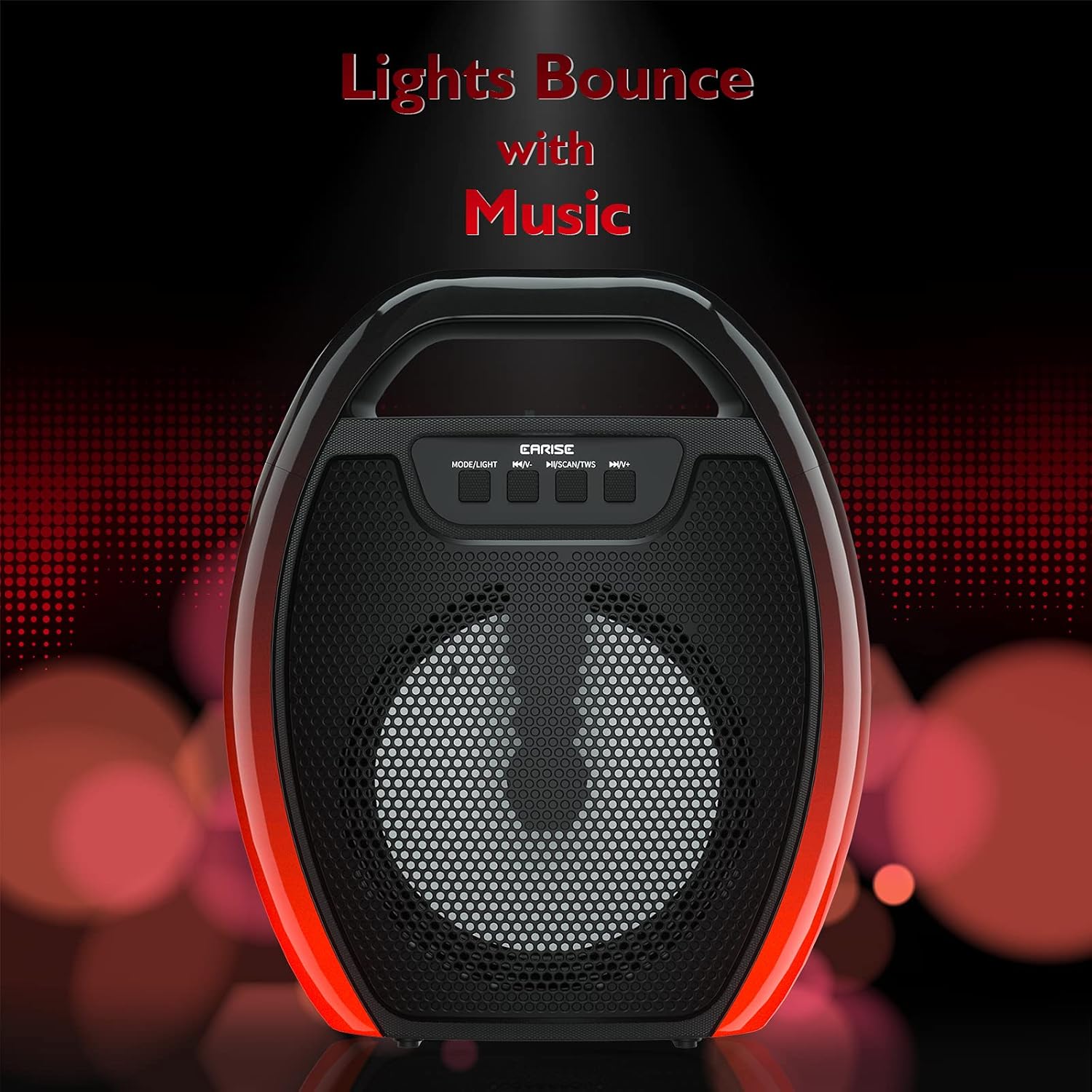
Image 6.1: The speaker displaying its light effects, which can synchronize with music playback.
6.5 מיקראָפאָן אַרייַנשרייַב
Connect a wired microphone (not included) to the MIC input port for karaoke or public address functions. Adjust the microphone volume using the connected microphone's controls or the speaker's main volume controls.
7. וישאַלט
- רייניקונג: Use a soft, dry cloth to clean the speaker. Do not use liquid cleaners or aerosols.
- סטאָרידזש: האַלט דעם רעדנער אין אַ קיל, טרוקן אָרט אַוועק פון דירעקט זונשייַן און עקסטרעמע טעמפּעראַטורן.
- באַטערי זאָרגן: To prolong battery life, fully charge the speaker before long periods of inactivity and recharge it at least once every three months. Avoid completely draining the battery frequently.
8. טראָובלעשאָאָטינג
| פּראָבלעם | מעגלעך סיבה | לייזונג |
|---|---|---|
| דער רעדנער גייט נישט אן. | נידעריגע באַטעריע; די מאַכט קנעפּל נישט ריכטיק געדריקט. | Charge the speaker; Press and hold the Power button for a few seconds. |
| קען נישט פארבינדן דורך בלוטוט. | רעדנער נישט אין פּערינג מאָדע; מיטל בלועטוט אויסגעלאָשן; רעדנער צו ווייט פון מיטל; שוין פארבונדן צו אן אנדער מיטל. | Ensure speaker is in Bluetooth pairing mode; Turn on Bluetooth on your device; Move device closer to speaker; Disconnect from other devices. |
| קיין געזונט. | קול צו נידעריג; אומרעכטע איינגאבע מאָדע; דעווייס שפּילט נישט אַודיאָ. | Increase speaker and device volume; Switch to correct input mode (Bluetooth, AUX, etc.); Ensure audio is playing on your device. |
| TWS פּאָרינג פיילז. | Speakers too far apart; One speaker already paired to a device; Not in TWS pairing mode. | Ensure speakers are close; Disconnect both speakers from any devices; Long press MSCAN/TWS on one speaker to initiate TWS pairing. |
| RGB לעמפּלעך אַרבעטן נישט. | ליכט אויסגעלאָשן; פּראָבלעם. | Long press MODE/LIGHT button to cycle through light modes; If issue persists, contact support. |
9. ספּעסאַפאַקיישאַנז
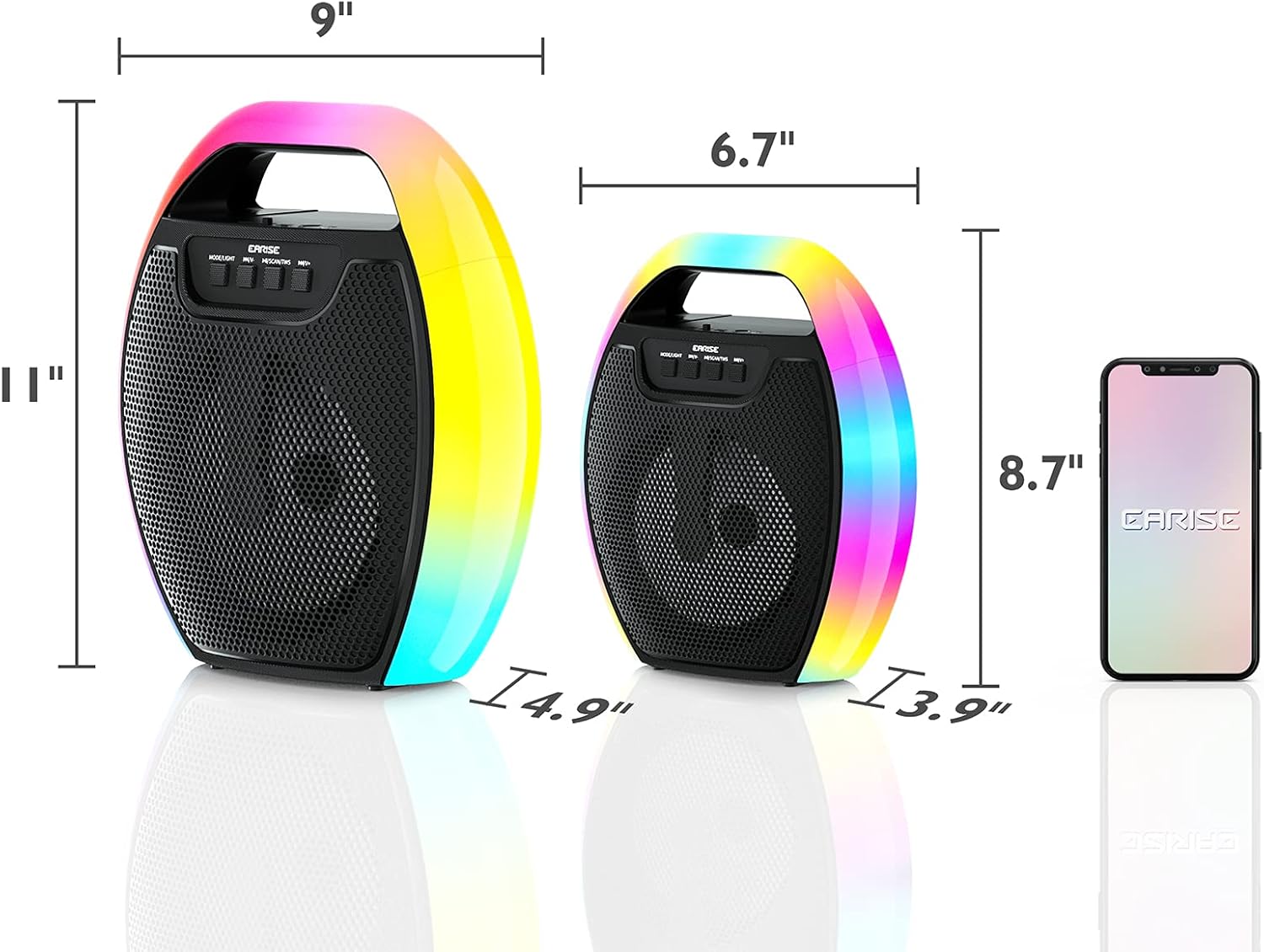
Image 9.1: Product dimensions of the EARISE D61 Plus speaker.
| שטריך | דעטאַל |
|---|---|
| מאָדעל נאָמען | D61 Plus |
| סאָרט | EARISE |
| קאַנעקטיוויטי טעכנאָלאָגיע | Bluetooth, Auxiliary (3.5mm), USB, TF Card, FM Radio |
| אַודיאָ רעזולטאַט מאָדע | סטערעאָ (מיט TWS) |
| רעדנער טיפּ | פּאָרטאַטיוו דרויסנדיק רעדנער |
| רעדנער גרייס | 4 אינטשעס |
| מאַכט מקור | באַטאַרייע פּאַוערד |
| באַטערי לעבן | Up to 12 Hours (actual playtime varies with volume and light usage) |
| וואָטערפּרוף | ניין |
| פּראָדוקט דימענשאַנז | 9 X 5 X 11 אינטשעס (L X W X H) |
| פּונקט וואָג | 2.28 פונט |
| ספּעציעלע פֿעיִקייטן | RGB Lights, TWS Pairing, Portable |
10. וואָראַנטי און שטיצן
EARISE products are designed and manufactured to the highest quality standards. For information regarding warranty coverage, technical support, or service inquiries, please refer to the warranty card included with your purchase or visit the official EARISE webפּלאַץ.
ביטע האַלטן דיין דערווייַז פון קויפן פֿאַר וואָראַנטי קליימז.


