1. הקדמה
Thank you for choosing the MAXXMEE Cordless Screwdriver Model 2112. This manual provides essential information for the safe and efficient operation, maintenance, and troubleshooting of your new tool. Please read these instructions carefully before first use and keep them for future reference.
2. זיכערקייַט אינסטרוקציעס
שטענדיק אָבסערווירן גרונטלעכע זיכערהייט מיטלען ווען איר ניצט עלעקטרישע מכשירים צו רעדוצירן דעם ריזיקאָ פון פייער, עלעקטרישן קלאַפּ און פערזענלעכע שאָדן.
- אַרבעט שטח זיכערקייַט: האַלט אייער אַרבעטס־געגנט ריין און גוט באַלויכטן. פֿאַרפּאַקטע אָדער טונקעלע געביטן לאַדן איין צו אומגליקן. ניצט נישט עלעקטרישע מכשירים אין עקספּלאָזיווע אַטמאָספֿערעס, ווי למשל אין דער אנוועזנהייט פֿון ברענענדיקע פֿליסיקייטן, גאַזן אָדער שטויב.
- עלעקטריקאַל זיכערקייַט: פֿאַרמײַדט קערפּער קאָנטאַקט מיט געערדטע אָדער פֿאַרבונדענע פֿלעכן ווי רערן, ראַדיאַטאָרן, אויוון און רעפֿרידזשעראַטאָרן. שטעלט נישט אויס עלעקטרישע מכשירים צו רעגן אָדער נאַסע באַדינגונגען.
- פערזענליכע זיכערקייט: טראָגט שטענדיק אויג שוץ. ניצט פּאַסיק זיכערהייט ויסריכט ווי שטויב מאַסקעס, ניט-גליטשיק זיכערהייט שיך, האַרטע היטן, אָדער הערן שוץ ווען נייטיק. קליידט זיך ריכטיק; ויסמיידן לויזע קליידער אָדער צירונג.
- מכשירים נוצן און זאָרגן: צווינגט נישט דעם עלעקטרישן געצייג. ניצט דעם ריכטיקן עלעקטרישן געצייג פאר אייער אנווענדונג. ציט ארויס דעם שטעקער פון דער שטראָם-מקור און/אדער דעם באַטעריע-פּאַק פון דעם עלעקטרישן געצייג איידער איר מאַכט קיין אַדזשאַסטמאַנץ, טוישט אַקסעסאָריעס, אדער לייגט אַוועק עלעקטרישע געצייג.
- באַטערי זיכערקייַט: This tool contains an integrated rechargeable battery. Do not incinerate the battery even if it is severely damaged or completely worn out. Batteries can explode in a fire. Do not short-circuit the battery.
3. פּעקל אינהאַלט
ביטע קאָנטראָלירט אַז אַלע זאכן זענען פאַראַן און אין גוטן צושטאַנד:
- 1 x MAXXMEE Cordless Screwdriver Model 2112
- 1 x 30-piece Bit Set (various screwdriver bits and drill bits)
- 1 x טשאַרדזשינג קאַבל (USB)
- 1 x באַניצער מאַנואַל

פיגורע 3.1: The included 30-piece bit set, featuring various screwdriver and drill bits for diverse applications.
4. פּראָדוקט איבערview
Familiarize yourself with the components of your MAXXMEE Cordless Screwdriver.
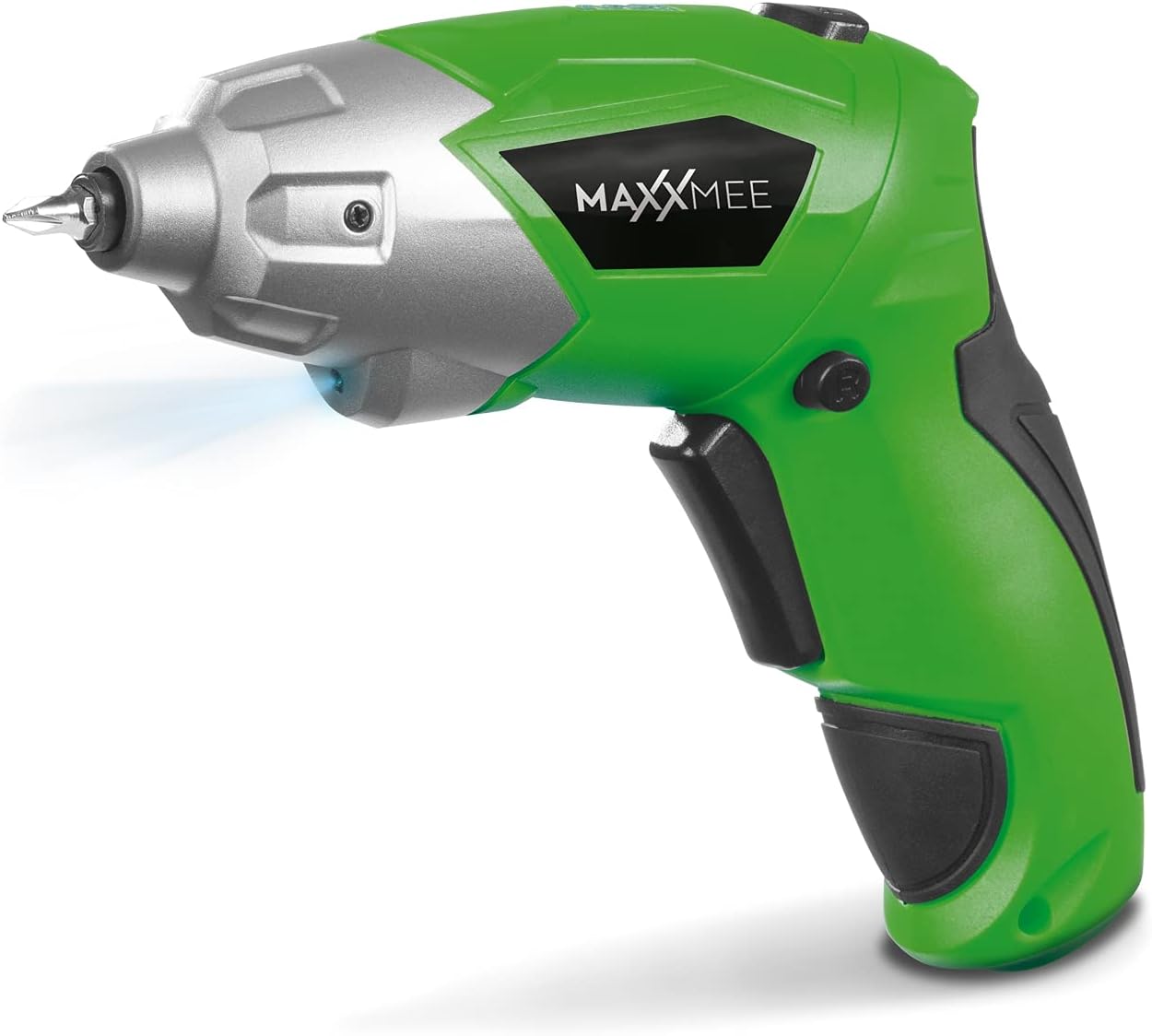
פיגורע 4.1: פראָנט view of the MAXXMEE Cordless Screwdriver, highlighting its compact design.

פיגורע 4.2: The cordless screwdriver demonstrating its flexible handle position, integrated LED light, and forward/reverse rotation switch.
- Bit Holder (Magnetic)
- געפירט אַרבעט ליכט
- פאָרויס / פאַרקערט ראָוטיישאַן סוויטש
- Flexible Handle Release Button
- צינגל סוויטש
- טשאַרדזשינג פּאָרט
- באַטערי לעוועל ינדיקאַטאָר
5. סעטאַפּ
5.1. Charging the Screwdriver
Before first use, fully charge the screwdriver's integrated battery. The battery is not fully charged at the time of purchase.
- Connect the provided charging cable to the charging port on the screwdriver.
- Connect the other end of the USB charging cable to a suitable USB power adapter (not included) or a powered USB port.
- The battery indicator lights will show the charging status. Allow several hours for a full charge.
- אַמאָל גאָר באפוילן, דיסקאַנעקט די טשאַרדזשינג קאַבלע.
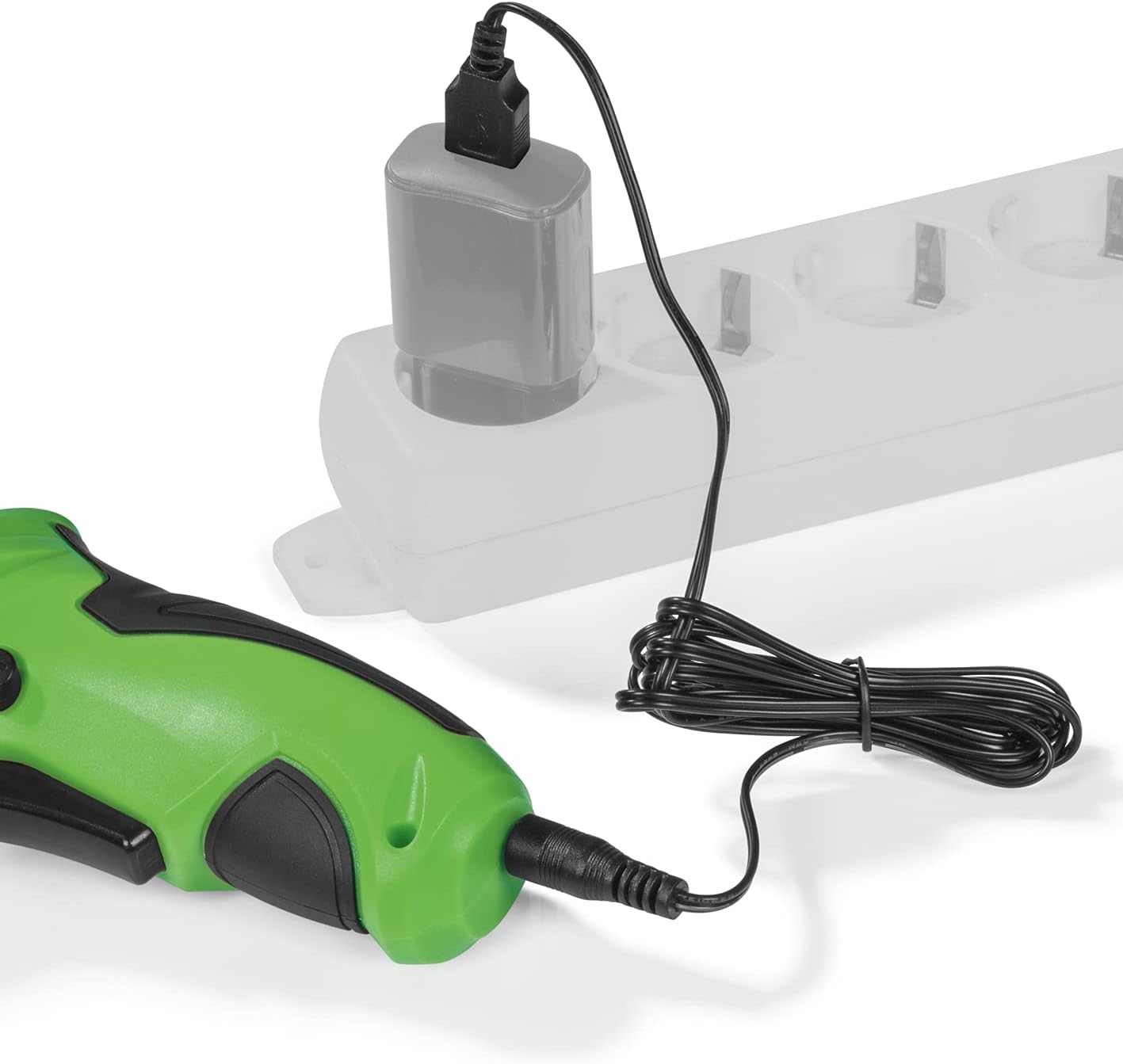
פיגורע 5.1: Connecting the charging cable to the screwdriver and a power source.
5.2. Inserting Screwdriver Bits
The screwdriver features a magnetic bit holder for quick and easy bit changes.
- Ensure the screwdriver is turned off and the forward/reverse switch is in the neutral (locked) position.
- Select the appropriate bit from the 30-piece set.
- Insert the bit firmly into the magnetic bit holder until it is securely seated.
- צו אַראָפּנעמען, פשוט ציעט ארויס דעם ביסל.
6. אַפּערייטינג ינסטרוקטיאָנס
6.1. Powering On/Off and Rotation Direction
The trigger switch activates the screwdriver, and the forward/reverse switch controls the rotation direction.
- To drive screws (forward rotation), push the forward/reverse switch to the left.
- To remove screws (reverse rotation), push the forward/reverse switch to the right.
- To lock the trigger and prevent accidental activation, place the switch in the center position.
- Press the trigger switch to operate the screwdriver. Release to stop.
6.2. Adjusting the Flexible Handle
The screwdriver features a variable curved handle for optimal comfort and access in different working conditions.
- זייט זיכער אז דער שרויפנציהער איז אויסגעלאשן.
- Press the flexible handle release button (refer to Figure 4.2 for location).
- Adjust the handle to the desired position (straight or pistol grip).
- Release the button to lock the handle in place. Ensure it is securely locked before use.
6.3. ניצן די LED אַרבעט ליכט
The integrated LED work light illuminates the work area for improved visibility, especially in dark or confined spaces.
- The LED light automatically activates when the trigger switch is pressed.
- It turns off when the trigger is released.
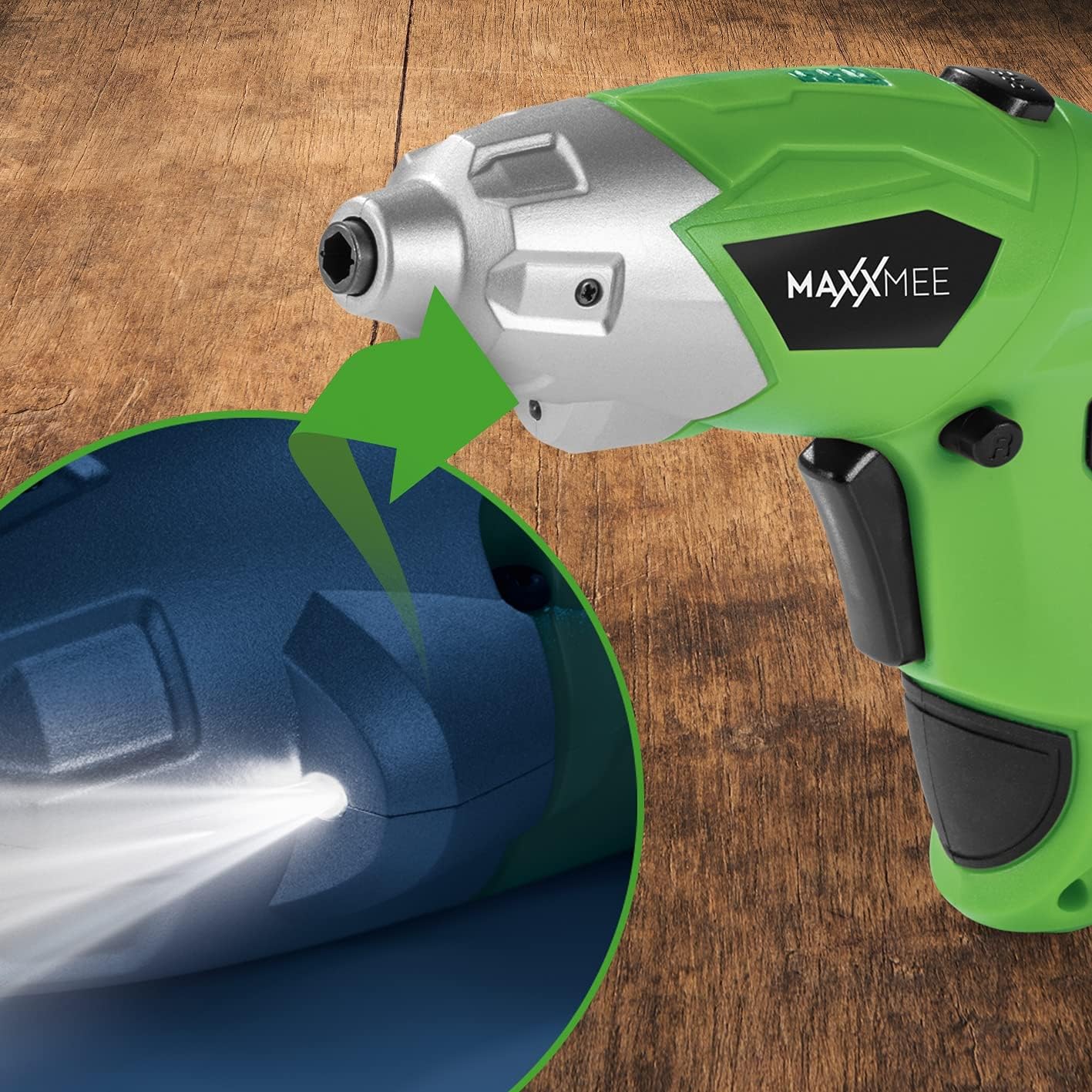
פיגורע 6.1: נאָענט-אַרויף view of the LED work light illuminating the work surface.
6.4. באַטערי לעוועל ינדיקאַטאָר
The battery level indicator provides a visual representation of the remaining battery charge.
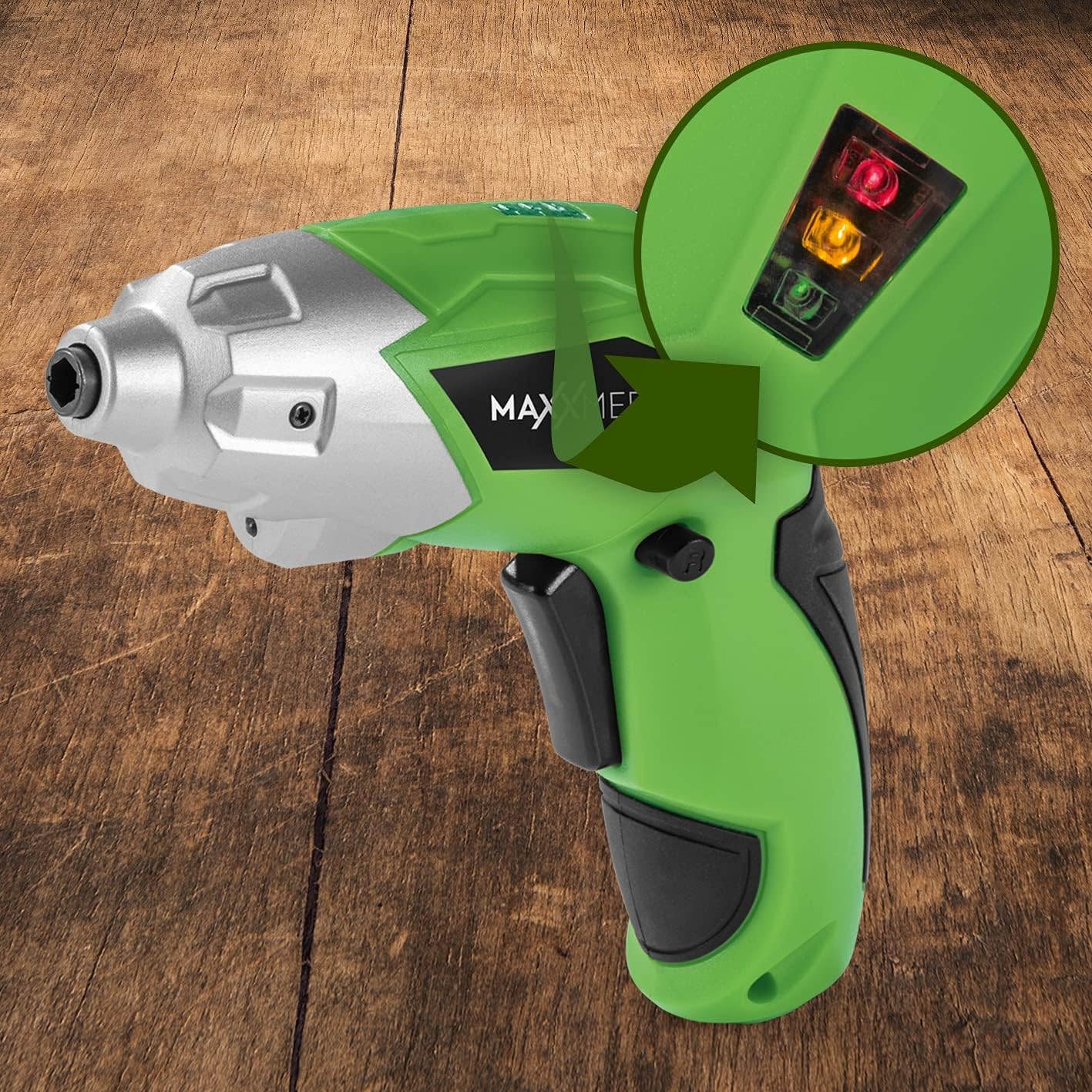
פיגורע 6.2: The battery level indicator showing the charge status with colored lights.
- Green light: High charge.
- Yellow light: Medium charge.
- Red light: Low charge, recharge soon.
For optimal performance, recharge the screwdriver when the indicator shows a low charge.
7. וישאַלט
געהעריקע אויפהאלטונג גאראנטירט די לאנגעוויטי און אפטימאלע פאָרשטעלונג פון אייער שרויפנציהער.
- רייניקונג: Always disconnect the screwdriver from any power source before cleaning. Use a soft, damp cloth to wipe down the exterior. Do not use harsh chemicals or abrasive cleaners. Keep ventilation openings free from dust and debris.
- סטאָרידזש: Store the screwdriver and its accessories in a dry, cool place, away from direct sunlight and moisture. Keep it out of reach of children.
- באַטערי זאָרגן: For long-term storage, it is recommended to charge the battery to approximately 50% every few months to maintain battery health.
8. טראָובלעשאָאָטינג
If you encounter issues with your screwdriver, refer to the following common problems and solutions:
| פּראָבלעם | מעגלעך סיבה | לייזונג |
|---|---|---|
| שרויפנציהער טוט זיך נישט אן. | באַטערי איז דיסטשאַרדזשד. | באַשולדיקן די באַטאַרייע גאָר. |
| Screwdriver lacks power. | נידעריק באַטאַרייע אָפּצאָל. | ריטשאַרדזש די באַטאַרייע. |
| דער ביסל איז לויז אדער פאלט ארויס. | Bit not fully inserted or incorrect bit size. | Ensure the bit is fully inserted into the magnetic holder. Use appropriate bit size. |
| Handle does not lock in place. | Release button not fully engaged or debris preventing lock. | Ensure the release button is fully pressed and released. Check for obstructions. |
אויב די פראבלעם בלייבט נאך פרובירן די לייזונגען, ביטע קאנטאקטירט קאסטומער סופארט.
9. ספּעסאַפאַקיישאַנז
| שטריך | באַשרייַבונג |
|---|---|
| מאָדעל נומער | 2112 |
| סאָרט | MAXXMEE |
| Voltage | 3.6 וואלטס |
| Max Torque | 4 נם |
| מאַכט מקור | באַטעריע-געטריבן (ריטשאַרדזשאַבאַל) |
| מאַטעריאַל | מעטאַל |
| ספּעציעלע פֿעיִקייטן | Cordless, Flexible Handle, LED Work Light |
| אַרייַנגערעכנט קאַמפּאָונאַנץ | 1 Cordless Screwdriver, 30-piece Bit Set, Charging Cable |
| פּעקל דימענשאַנז | 15 X 15 X 7.2 סענטימעטער |
| וואָג | 800 גראַמז |
10. וואָראַנטי און שטיצן
MAXXMEE products are manufactured to high-quality standards. In the unlikely event of a defect or malfunction, please refer to your purchase documentation for warranty details. For technical support, spare parts, or service inquiries, please contact your retailer or the MAXXMEE customer service department. Please have your model number (2112) and purchase date available when contacting support.


