1. הקדמה
This manual provides comprehensive instructions for the assembly, operation, and maintenance of your FLEXISPOT EN2 Electric Height Adjustable Standing Desk. Please read this manual thoroughly before assembly and use to ensure safe and efficient operation.
The FLEXISPOT EN2 desk features a spacious one-piece desktop, an electric height adjustment system with memory presets, and a removable clamp power strip for convenient device charging and cable management. It is designed to support a dynamic work environment, allowing seamless transitions between sitting and standing positions.
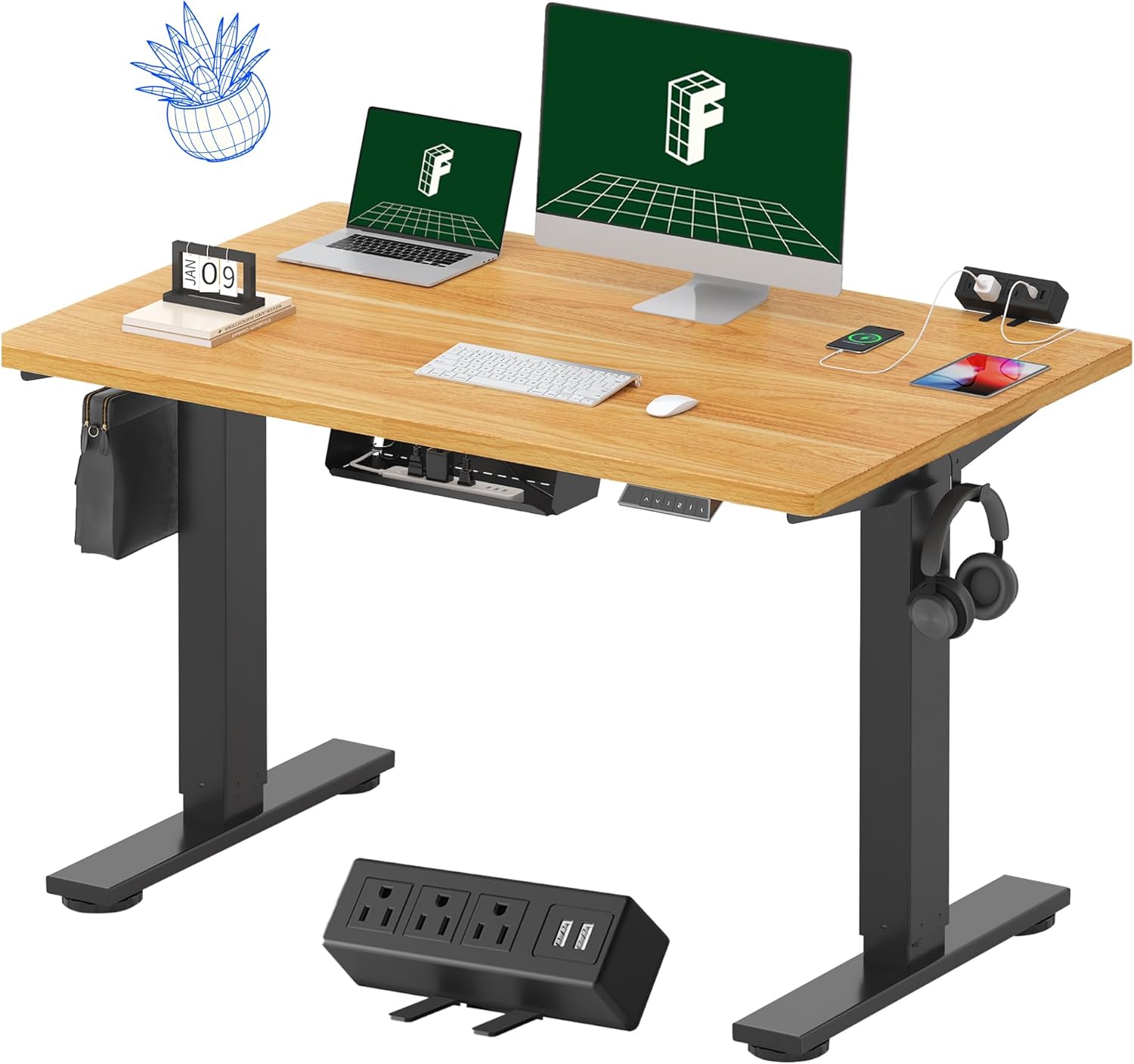
Image 1.1: FLEXISPOT EN2 Standing Desk with Maple Top and Black Frame, showcasing a typical setup with monitors, a laptop, and a clamp מאַכט פּאַס.
2. זיכערקייַט אינפֿאָרמאַציע
ווארענונג: נישט נאכפאלגן די זיכערהייט אינסטרוקציעס קען רעזולטירן אין שאָדן אדער שאָדן צום פּראָדוקט.
- שטענדיק נאָכגיין די פֿאַרזאַמלונג ינסטראַקשאַנז.
- An electric drill (not included) may be required for assembly.
- זיכער מאַכן אַז דער טיש איז ריכטיק פֿאַראַנקערט צו פֿאַרמייַדן איבערקערעניש.
- נישט איבערשטייגן די מאקסימום וואָג רעקאָמענדאַציע פון 176 פונט (80 ק"ג).
- Keep the work surface clear of items that could fall and cause injury during height adjustments.
- Always unplug the desk before performing any maintenance or making adjustments to the frame or electrical components.
- האַלט קינדער און חיות אַוועק פון דעם טיש בעת אָפּעראַציע.
3. פּעקל אינהאַלט
Your FLEXISPOT EN2 Standing Desk will arrive in two separate packages, which may be shipped separately. Please ensure you have received both packages and all components before beginning assembly.

Image 3.1: Illustration showing the desk components arriving in two separate packages: one for the desktop and one for the desk frame.
אַרייַנגערעכנט קאַמפּאָונאַנץ:
- One-piece desktop (48" x 30" Maple Top)
- Electric height-adjustable frame (Black)
- 6-קנעפל דיגיטאַל קאָנטראָללער מיט 4 זכּרון פּרעסעטס
- Removable clamp power strip (3 AC outlets, 2 USB charging ports)
- Cable management device
- Assembly hardware and tools (excluding electric drill)
4. סעטאַפּ און אַסעמבלי
Assembly typically requires two people and an electric drill (not included). Follow the detailed instructions provided in the separate assembly guide included with your product. The process involves attaching the legs to the desktop and connecting the control panel and motor.
פֿאַרזאַמלונג עצות:
- לייגט אויס אַלע קאָמפּאָנענטן אויף אַ ווייכער, ריינער ייבערפלאַך צו פאַרמייַדן קראַצן.
- זיכער מאַכן אַז אַלע שרויפן זענען זיכער אָנגעצויגן, אָבער נישט צו שטאַרק אָנצייגן.
- Properly route all cables using the provided cable management solutions to avoid interference with desk movement.
Video 4.1: Official FLEXISPOT Standing Desk Frame Installation Guide. This video demonstrates the step-by-step process of assembling the desk frame and attaching it to the desktop.
5. אַפּערייטינג ינסטרוקטיאָנס
5.1 דיגיטאַל קאָנטראָל פּאַנעל
The desk is operated using a 6-button digital controller, typically mounted on the underside of the desktop. It features up/down arrows, an LED display for height, and four programmable memory presets.

Image 5.1: Digital control panel with LED display showing current height, up/down arrows, and four numbered memory preset buttons.
5.2 הייך אַדזשאַסטמאַנט
- דריקן און האַלטן די Up Arrow (^) קנעפּל צו הייבן דעם טיש.
- דריקן און האַלטן די Down Arrow (v) קנעפּל צו נידעריקערן דעם טיש.
- The desk adjusts smoothly from 28.1 inches (71.4 cm) to 45.7 inches (116.1 cm).
- The motor operates quietly at less than 50 dB.
5.3 שטעלן זכּרון פּרעסעטס
The controller allows you to save up to four preferred height settings for quick adjustments.
- שטעל דעם טיש צו אייער געוואונטשענע הייך מיט די ארויף/אראפ פײַלן.
- דרוק די Memory (M) button. The LED display will flash.
- אינערהאלב 3 סעקונדעס, דריק איינעם פון די נומערירטע פאָרגעשטעלטע קנעפּלעך (1, 2, 3 אָדער 4) צו ראַטעווען די איצטיקע הייך צו יענעם פּרעסעט.
- כדי צוריקצורופן א געשפארטע הייך, דריקט פשוט דעם קארעספאנדירנדיקן נומערירטן פרעסעט קנעפל. דער טיש וועט זיך אויטאמאטיש באוועגן צו דער געשפארטער פאזיציע.
Video 5.2: FlexiSpot Brand Store video demonstrating the desk's height adjustment and memory preset functions.
6. פֿעיִקייטן
6.1 One-Piece Desktop
The desk features a spacious, single-piece desktop made of FSC-Certified wood. This design provides a smooth, seamless work surface, enhancing stability and aesthetics compared to multi-piece desktops.

Image 6.1: Visual comparison highlighting the smooth surface of a single-piece desktop against the visible seams of a two-piece desktop.
6.2 Removable Clamp מאַכט סטריפּ
A desktop-mounted power strip is included, featuring 3 AC outlets (125V/12A) and 2 USB charging ports (5V/2A). This allows for convenient charging of electronic devices directly from your desk. The power strip can be clipped to the back or side of your desk.

Image 6.2: Close-up of the removable clamp power strip, detailing its 3 AC outlets and 2 USB-A ports, and how it attaches to the desk edge.
6.3 קאַבלע מאַנאַגעמענט
The desk includes a cable management device to help organize and tidy up your workspace, preventing cables from dangling and interfering with desk movement.

Image 6.3: Illustration demonstrating effective cable management with an under-desk tray, showing a tidy setup compared to unmanaged cables.
7. וישאַלט
- קאָנטראָלירט רעגולער אַלע שרויפן און פֿאַרבינדונגען צו זיכער מאַכן אַז זיי זענען פֿעסט.
- רייניקט די דעסקטאַפּ ייבערפלאַך מיט אַ ווייכן, דamp שטאָף. ויסמיידן אַברייסיוו קלינערז וואָס קען שעדיקן די ענדיקן.
- האַלט דעם מאָטאָר און עלעקטרישע קאָמפּאָנענטן פריי פון שטויב און נעץ.
- Do not place hot items directly on the desktop without protective coasters.
8. טראָובלעשאָאָטינג
8.1 Desk Not Moving or Displaying Error Code (e.g., "r5t")
If your desk is not responding or the LED display shows an error code like "r5t", a system reset may be required.
- נעמט ארויס דעם טיש פון דער עלעקטרישער ווענטיל.
- וואַרט לפּחות 10-15 סעקונדעס.
- שטעקט צוריק אריין דעם טיש אין דער עלעקטרישער ווענטיל.
- Press and hold the "Down Arrow (v)" button until the desk reaches its lowest position and then slightly rises. This indicates a successful reset.
- אויב די אַרויסגעבן בלייַבט, קאָנטאַקט קונה שטיצן.
8.2 Desk Wobbling at Higher Heights
While the desk is designed for stability, minor wobbling can occur at maximum heights. Ensure the adjustable feet on the leg bases are properly leveled to compensate for uneven flooring.
9. ספּעסאַפאַקיישאַנז
| שטריך | באַשרייַבונג |
|---|---|
| סאָרט | FLEXISPOT |
| מאָדעל | EN2 |
| דעסקטאָפּ מאַטעריאַל | FSC-Certified Maple Wood |
| דעסקטאָפּ דימענשאַנז | 48" (ברייט) x 30" (דיפּ) |
| דעסקטאָפּ גרעב | 1 אינטשעס |
| ראַם מאַטעריאַל | Industrial-grade Alloy Steel (Black) |
| הייך אַדדזשוסטמענט ראַנגע | 28.1" ביז 45.7" (71.4 ס״מ ביז 116.1 ס״מ) |
| מאָטאָר ראַש לעוועל | < 50 דב |
| וואָג קאַפּאַסיטי | 176 לבס (80 קג) |
| קאָנטראָל פּאַנעל | 6-קנעפל דיגיטאַל קאָנטראָללער מיט 4 זכּרון פּרעסעטס |
| מאַכט אָוטלעט | 3 AC outlets (125V/12A), 2 USB charging ports (5V/2A) |
| אַסעמבלי פארלאנגט | Yes (electric drill recommended) |
10. וואָראַנטי און שטיצן
10.1 וואָראַנטי אינפֿאָרמאַציע
- 5 יאָר וואָראַנטי: דעקט ראמען, מאָטאָרן און אַנדערע מעכאַנישע דעוויסעס.
- 2 יאָר וואָראַנטי: דעקט קאנטראלערס, סוויטשעס און עלעקטראניק.
Please retain your proof of purchase for warranty claims. The warranty covers defects in materials and workmanship under normal use.
10.2 קונה שטיצן
For any questions, troubleshooting assistance, or warranty claims, please contact FLEXISPOT customer support through their official webוועבזייטל אדער דער הענדלער וואו איר האט געקויפט דעם פּראָדוקט.


