1. הקדמה
Thank you for choosing the REXING PRD615 Smart Home Projector. This device is designed to transform your living space into an immersive entertainment hub, offering high-definition visuals, robust audio, and smart connectivity features. This manual provides essential information for setting up, operating, and maintaining your projector to ensure optimal performance and longevity.

Image: The REXING PRD615 Smart Home Projector, a sleek, rectangular device with a lens on the front and ventilation grilles on the sides.
2. זיכערקייַט אינפֿאָרמאַציע
- מאַכט צושטעלן: ניצט נאָר דעם צוגעשטעלטן מאַכט אַדאַפּטער. זיכערט זיך אַז דער וואָלומען איזtage פּאַסט צו די פּראָיעקטאָר'ס רעקווייערמענץ.
- ווענטילאַטיאָן: בלאָקירט נישט די ווענטילאַציע עפענונגען. זאָרגט פֿאַר גענוג לופטפֿלוס אַרום דעם פּראָיעקטאָר צו פֿאַרמייַדן איבערהיצונג.
- פליסיק ויסשטעלן: Keep the projector away from water or other liquids. Do not operate in damp ינווייראַנמאַנץ.
- רייניקונג: אָפּשטעקן די עלעקטריציטעט איידער איר רייניגט. ניצט אַ ווייכע, טרוקענע שטאָף. פֿאַרמייַדט שרײַבנדיקע רייניגער.
- Lens Care: Do not touch the projector lens directly. Use a lens cleaning cloth if necessary.
- אויג זיכערקייַט: קוק נישט גלייך אריין אין די פּראָיעקטאָר לינז ווען די לamp איז אָן, ווײַל די העל ליכט קען פאַראורזאַכן אויג-אַנשטרענגונג אָדער שאָדן.
- דיסאַססעמבלי: פרובירט נישט צו צענעמען אדער פאררעכטן דעם פראיעקטאר אליין. לאָזט איבער אלע סערוויסינג צו קוואַליפֿיצירטע פּערסאָנעל.
3. פּעקל אינהאַלט
ביטע אָפּהאַקן דאָס קעסטל פֿאַר די פֿאָלגנדיקע זאַכן:
- REXING PRD615 Smart Home Projector
- מאַכט אַדאַפּטער
- ווייַט קאָנטראָל
- באַניצער מאַנואַל
- HDMI קאַבל (קען זיין אַנדערש לויט פּאַקעט)
4. פּראָדוקט איבערview און פֿעיִקייטן
The REXING PRD615 is equipped with advanced features for a superior home entertainment experience:
- Theatre Experience: Projects stunning ultra-bright 750 ANSI DLP HD video (1280x800 resolution) with a throw ratio of 1.2:1, supporting projection sizes from 40 to 150 inches.
- Incredible Audio: Features dual built-in 3W stereo speakers for clear, lag-free audio. Supports external audio via 3.5mm headphone jack or Bluetooth.
- אַוטאָ פאָקוס: Automatically calculates the distance to the projection surface for crystal-clear imaging without manual adjustment.
- 3D פאַנגקשאַנאַליטי: Supports 3D movies and games for an immersive viewing experience (3D glasses not included).
- Multimedia Connectivity: Access thousands of apps via the Google Play Store (Android TV 9.0). Connect devices via HDMI, USB, SD card, or wirelessly via Wi-Fi and Miracast.

Image: The REXING PRD615 projector displaying its smart interface with icons for Airplay, Miracast, HDMI, App Store, YouTube, Netflix, and other apps, along with various multimedia ports on the rear.
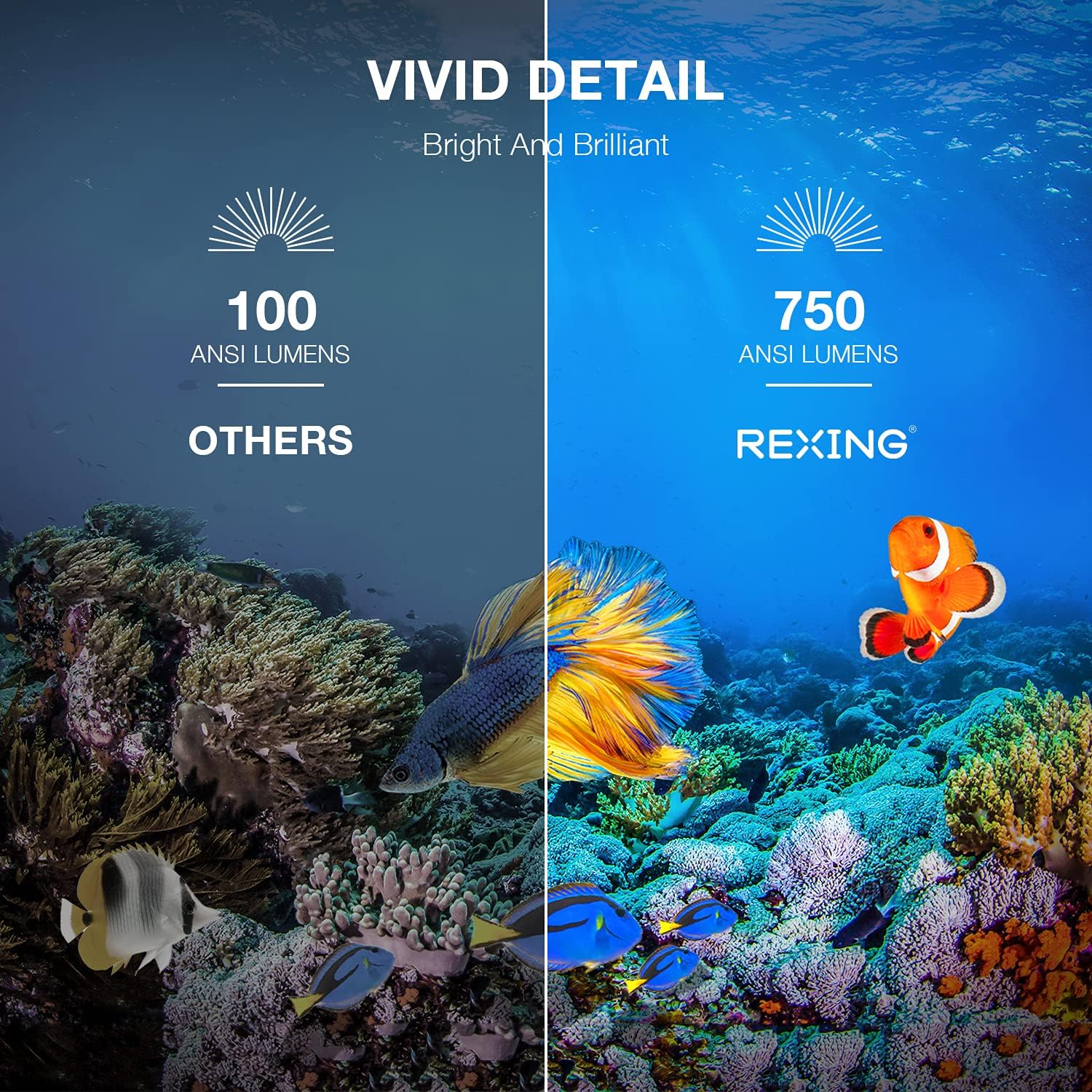
Image: A visual comparison showing the vivid detail of 750 ANSI Lumens (REXING) versus 100 ANSI Lumens (Others) in an underwater scene with colorful fish.

Image: A split screen comparison of a cityscape, demonstrating the clarity of 1080P resolution (REXING) compared to 720P (Other Projectors).
5. סעטאַפּ
5.1 פּלייסמאַנט
שטעלט דעם פּראָיעקטאָר אויף אַ סטאַבילער, גלאַטער ייבערפלאַך. פֿאַר אָפּטימאַלן viewing, ensure the projection surface (wall or screen) is clean and smooth. The projector can create an image size from 40 to 150 inches diagonally, depending on the distance from the screen.
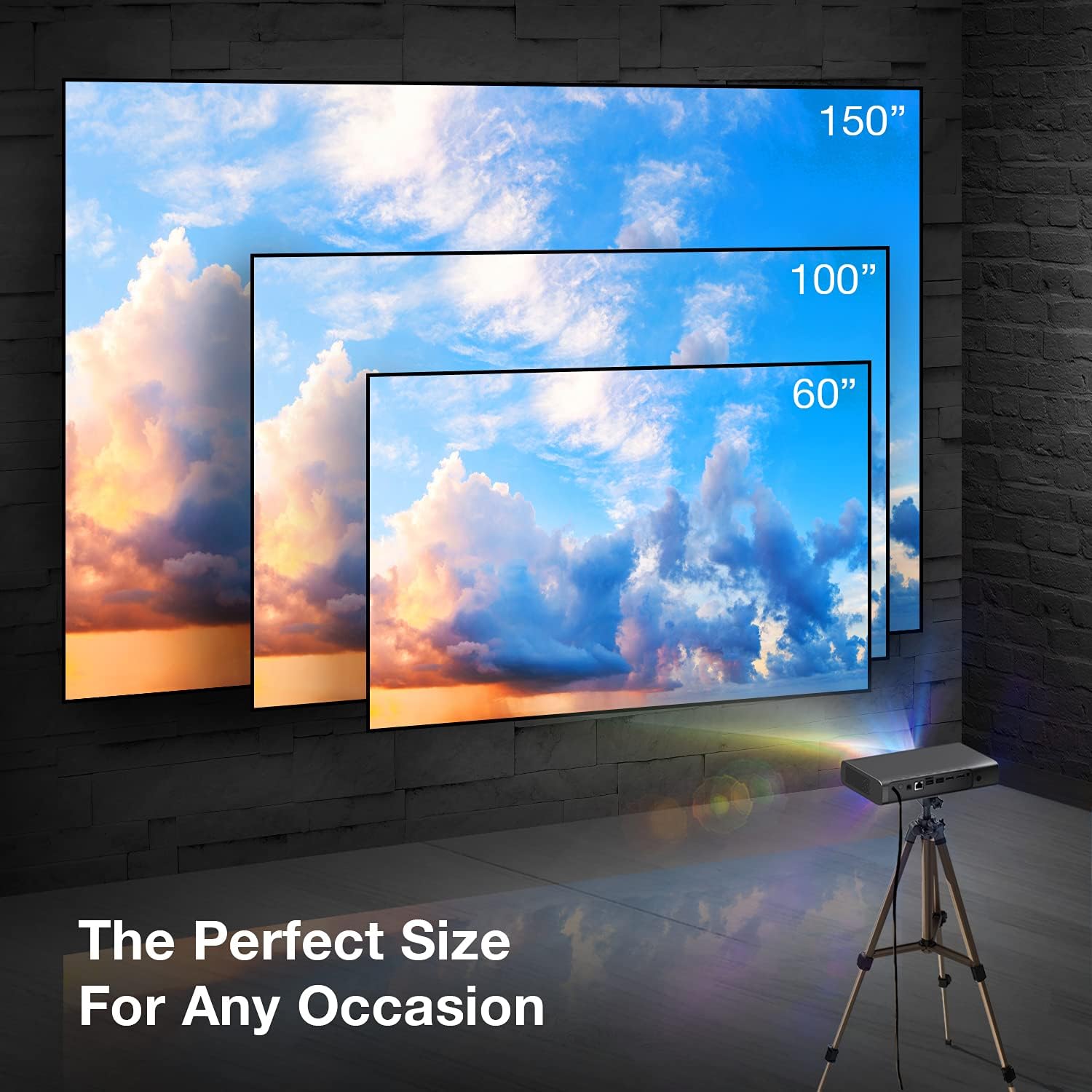
Image: A visual representation showing different projection sizes (60", 100", 150") achievable with the REXING PRD615 projector, illustrating its versatility for various room sizes.
5.2 מאַכט קאַנעקשאַן
- פֿאַרבינדט דעם מאַכט אַדאַפּטער צום DC IN פּאָרט אויף דעם פּראָיעקטאָר.
- צאַפּן די מאַכט אַדאַפּטער אין אַ וואַנט ווענטיל.
- דרוק די מאַכט קנעפּל אויף די פּראַדזשעקטער אָדער ווייַט קאָנטראָל צו קער אויף די מיטל.
5.3 Initial Configuration (Autofocus & Auto Keystone)
Upon startup, the PRD615 will automatically adjust the focus and keystone correction. This feature ensures a clear, rectangular image even if the projector is not perfectly aligned with the screen.

בילד: אן לופט-פלאן view showing the REXING PRD615 projector on a table, projecting an image onto a wall, with an overlay illustrating the automatic focus and keystone correction capabilities.
5.4 נעטוואָרק קאַנעקשאַן
To access smart features and online content, connect the projector to your Wi-Fi network:
- Navigate to the 'Settings' menu on the projector's interface.
- Select 'Network' or 'Wi-Fi'.
- קלייַבט אייער געוואונטשענע Wi-Fi נעץ פֿון דער רשימה און גיט אריין דעם פּאַראָל אויב געבעטן.
6. אַפּערייטינג ינסטרוקטיאָנס
6.1 קאַנעקטינג פונדרויסנדיק דעוויסעס
- הדמי: Connect Blu-ray players, gaming consoles, laptops, or other HDMI-enabled devices to the HDMI 1 or HDMI 2 ports.
- וסב: Insert USB flash drives into the USB 2.0 ports to play media files גלייַך.
- בלועטאָאָטה: Pair Bluetooth speakers or headphones for enhanced audio.
- TF קאָרט: Insert a TF (microSD) card into the designated slot to access media.
6.2 Using Smart Features (Android TV, Apps, Miracast)
The REXING PRD615 runs on Android TV 9.0, providing access to a wide range of applications:
- App Store/Google Play: Download and install your favorite streaming apps like Netflix, YouTube, Chrome, and more.
- מיראַקאַסט: Wirelessly mirror content from compatible smartphones, tablets, or computers to the projector screen.
- 3D ווידערשפּיל: For 3D content, ensure your media is in a compatible 3D format and use active shutter 3D glasses (sold separately).

Image: Two individuals playing a racing video game projected onto a large screen by the REXING PRD615, demonstrating the ability to cast content from a phone to the projector.
7. וישאַלט
- רייניקונג די לענס: Use a professional lens cleaning cloth or air blower to gently remove dust. Do not use liquid cleaners directly on the lens.
- רייניקונג פון די Casing: ווישט אָפּ דעם פּראָיעקטאָר'ס אויסערלעכן טייל מיט אַ ווייכן, טרוקענעם שטאָף. פֿאַר שווערע פֿלעקן, ניצט אַ ביסל טרוקן שטאָף.amp מען קען ניצן אַ שטאָף, און דערנאָך אַ טרוקענעם.
- סטאָרידזש: ווען נישט אין באַנוץ פֿאַר לענגערע פּעריאָדן, זאָל מען האַלטן דעם פּראָיעקטאָר אין אַ קיל, טרוקן אָרט, באַשיצט פֿון שטויב און עקסטרעמע טעמפּעראַטורן.
8. טראָובלעשאָאָטינג
| פּראָבלעם | מעגלעך סיבה | לייזונג |
|---|---|---|
| קיין בילד נישט פּראָיעקטירט | Power off; input source incorrect; cable loose | Check power connection; select correct input source; ensure cables are securely connected. |
| בילד בלערי | Out of focus; projector too close/far | Allow autofocus to adjust; reposition projector within recommended throw distance. |
| קיין געזונט | Volume too low; audio output incorrect; external device muted | Increase projector volume; check audio settings; unmute external device. |
| ווייַט ניט ארבעטן | Batteries low/dead; obstruction; not pointed at IR receiver | Replace batteries; remove obstructions; point remote directly at the projector's IR receiver. |
| ווי-פי קשר ישוז | Incorrect password; router too far; network interference | Verify password; move projector closer to router; restart router. |
9. ספּעסאַפאַקיישאַנז
| שטריך | דעטאַל |
|---|---|
| סאָרט | REXING |
| מאָדעל | PRD615 |
| ווייַז טעכנאָלאָגיע | DLP |
| ברייטנאַס | 750 אַנסי לומענס |
| געבוירן האַכלאָטע | 1280 רענטגענ 800 (HD) |
| מאַקסימום דיספּליי רעזאָלוציע | 1280 X 800 |
| פּרויעקציע גרייס | 40-150 אינטשעס |
| וואַרפן פאַרהעלטעניש | 1.2:1 |
| רעדנער טיפּ | Dual 3W Stereo, Built-In |
| קאַנעקטיוויטי טעכנאָלאָגיע | Bluetooth, USB, HDMI, Wi-Fi |
| ספּעציעלע פֿעיִקייטן | Wireless, Portable, Built-In Wi-Fi, Autofocus, Auto Keystone Correction |
| אָפּערייטינג סיסטעם | אַנדרויד טעלעוויזיע 9.0 |
| פּונקט וואָג | 4.8 פונט |
| פּעקל דימענשאַנז | 11.2 X 8 X 4.6 אינטשעס |
| ערשטער דאַטע בנימצא | 4 יוני 2021 |
10. וואָראַנטי און שטיצן
REXING stands behind its products. The PRD615 Smart Home Projector comes with an 18-חודש וואָראַנטי פֿון דעם קויפֿדאַטום. די וואָראַנטי דעקט פֿאַבריקאַציע־דעפֿעקטן און גאַראַנטירט אַז אייער פּראָדוקט פֿונקציאָנירט ווי בדעה.
For any questions, technical assistance, or warranty claims, please contact our US-Based Customer Support team. Our dedicated team is ready to assist you.
- בליצפּאָסט: Refer to your product packaging or the official REXING webוועבזייטל פֿאַר קאָנטאַקט אימעיל.
- טעלעפֿאָן: Refer to your product packaging or the official REXING website for customer support phone number.

Image: A customer support representative with a headset, indicating the availability of US-based customer support for the REXING PRD615 projector.


