1. הקדמה
Thank you for choosing the DAEWOO DLE-525 Cordless 3-in-1 Epilator. This manual provides essential information for the safe and effective use, maintenance, and care of your device. Please read these instructions carefully before first use and retain them for future reference.
2. פּראָדוקט איבערview
The DAEWOO DLE-525 is a versatile personal care device designed for hair removal. It features a cordless, rechargeable design and comes with three interchangeable heads for various functions: epilation, body shaving, and bikini trimming. The device also includes an LED light for enhanced visibility during use and offers two speed settings.

Image 2.1: The DAEWOO DLE-525 Cordless 3-in-1 Epilator, showcasing its ergonomic design and control button.
פּעקל אינהאַלט:
- DAEWOO DLE-525 Main Unit
- עפּילאַטאָר קאָפּ
- גוף שיווער קאָפּ
- ביקיני טרימער קאָפּ
- Charging Adapter (220/240V)
- רייניקונג באַרשט
- מעש קעריינג באַג

Image 2.2: All components included with the DAEWOO DLE-525 epilator, including the main unit, three interchangeable heads, charging adapter, cleaning brush, and mesh bag.
3. סעטאַפּ און טשאַרדזשינג
3.1 ערשט טשאַרדזשינג
- איידער ערשטער נוצן, ענשור אַז די מיטל איז גאָר באפוילן.
- Connect the charging adapter to the device and plug it into a 220/240V power outlet.
- די טשאַרדזשינג אינדיקאַטאָר ליכט וועט זיך אָנצינדן.
- Allow 8 to 12 hours for a complete charge. A full charge provides approximately 50 minutes of cordless operation.
- To optimize battery life, it is recommended to fully discharge the battery before recharging it completely. The device features overcharge protection.
3.2 צוטשעפּען/אָפּנעמען קעפּ
The DLE-525 features easily interchangeable heads. To attach a head, align it with the main unit and press gently until it clicks into place. To detach, press the release button (if present, or gently pull) and slide the head off.
4. אַפּערייטינג ינסטרוקטיאָנס
Always ensure your skin is clean and relaxed before use. Do not use on irritated, damaged, or broken skin.
4.1 אײַנשטעלן/אויסשטעלן און גיכקייט סעטטינגס
To turn the device on, slide the power switch to the desired speed setting (1 or 2). Slide it back to '0' to turn off the device. The integrated LED light will activate when the device is on, illuminating the area for better visibility.
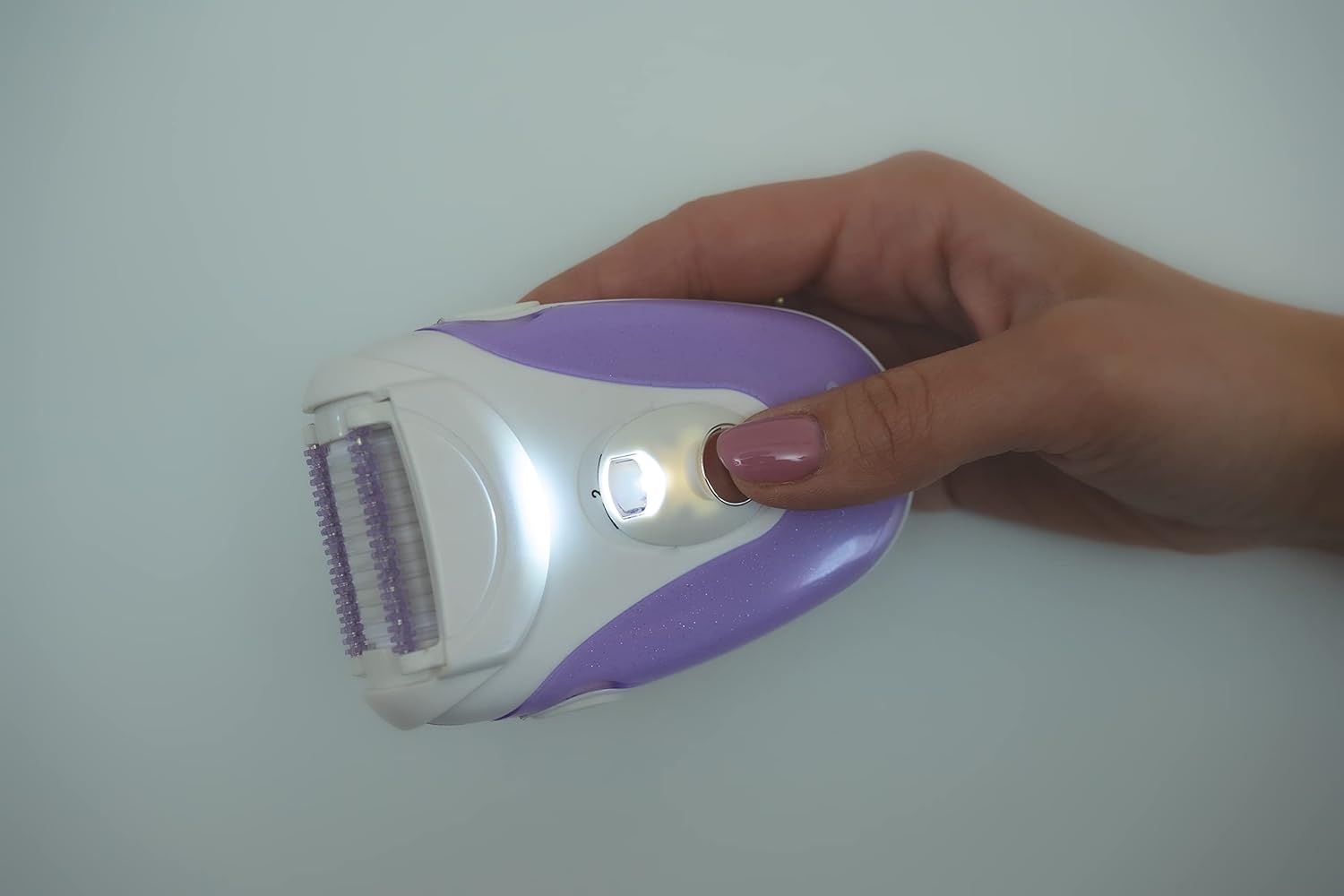
Image 4.1: The DAEWOO DLE-525 epilator in use, demonstrating the activated LED light for improved visibility.
4.2 Using the Epilator Head

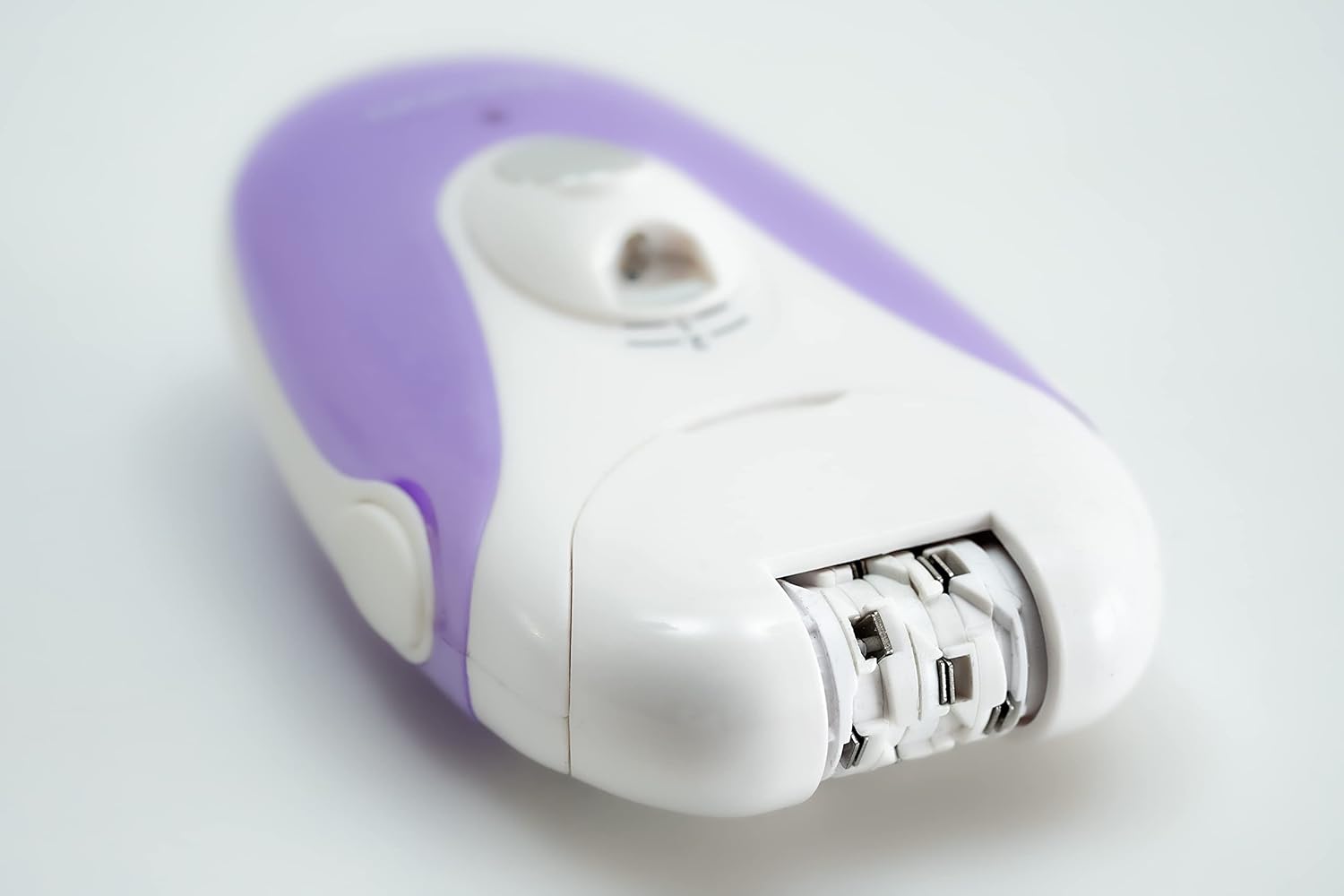
בילד 4.2: א דעטאלירטע view of the epilator head, showing the rotating tweezers designed for efficient hair removal.
Attach the epilator head. Hold the device at a 90-degree angle to your skin and move it slowly against the direction of hair growth. Stretch your skin taut with your free hand to minimize discomfort. For optimal results, ensure hair is not too short or too long.
4.3 Using the Body Shaver Head

Image 4.3: A close-up of the body shaver head, featuring a foil and trimmer for a smooth shave.
Attach the body shaver head. Move the shaver gently over the skin in the direction of hair growth for a close shave. This head is suitable for larger body areas.
4.4 Using the Bikini Trimmer Head
בילד 4.4: א דעטאלירטע view of the bikini trimmer head, designed for precise trimming in sensitive areas.
Attach the bikini trimmer head. Use this head for precise trimming and shaping in sensitive areas. Move the trimmer gently over the skin.
5. וישאַלט
5.1 רייניקונג די מיטל
- שטענדיק אויסלעשן און ארויסנעמען דעם אפאראט פון עלעקטרישן פלאטפארמע איידער איר רייניגט.
- After each use, remove the head and use the provided cleaning brush to remove any trapped hairs from the head and the main unit.
- Regularly disinfect the heads with alcohol applied using compressed cotton swabs.
- Do not rinse the main unit under water. The device is not waterproof.
5.2 סטאָרידזש
Store the device and its accessories in the mesh carrying bag in a dry place, away from direct sunlight and extreme temperatures. Ensure the device is fully charged before long-term storage to prevent battery degradation.
6. זיכערקייַט פּריקאָשאַנז
- די דעווייס איז בלויז געמיינט פֿאַר פּערזענלעכן באַנוץ.
- Do not use the epilator under the shower or immerse it in water.
- Do not use on irritated, inflamed, infected, or broken skin. Avoid using if you experience constant irritation, pain, or heavy bleeding.
- If you have a skin condition, diabetes, or poor circulation, consult a medical professional before use.
- After epilation, minor redness or small blood spots may appear on the skin. This is a normal reaction and varies by individual. Applying a cold, damp towel to the affected area can help soothe the skin.
- If symptoms persist or worsen several hours after use, discontinue use and consult a medical professional.
- האַלטן די מיטל אויס פון דערגרייכן פון קינדער.
- פרובירט נישט צו פאררעכטן אדער מאדיפיצירן דעם אפאראט אליין. קאנטאקטירט קאסטומער סופארט פאר הילף.
7. טראָובלעשאָאָטינג
7.1 אַפּאַראַט טוט זיך נישט אָן
- Ensure the device is fully charged. Connect it to the charger for 8-12 hours.
- Check that the power switch is correctly set to speed '1' or '2'.
7.2 Poor Hair Removal Performance
- Ensure the correct head is attached for the desired function (epilator for hair removal, shaver for shaving).
- Clean the head thoroughly to remove any trapped hairs or debris.
- Ensure hair length is suitable for epilation (not too short or too long).
- Move the device slowly against the direction of hair growth, keeping the skin taut.
7.3 Reduced Battery Life
- Ensure the device is fully charged for the recommended 8-12 hours.
- For best results and longer battery life, fully discharge the battery before recharging.
- Battery performance may decrease over time with regular use.
8. ספּעסאַפאַקיישאַנז
- מאָדעל: דלע-525
- סאָרט: דאַעוואָאָ עלעקטראָניקס
- דימענסיעס: 10 X 7 X 4 סענטימעטער
- וואָג: 140 ג
- מאַכט מקור: קריקאָנלאָדלעך באַטערי
- טשאַרדזשינג וואָלtage: 220/240V (Adapter included)
- טשאַרדזשינג צייט: 8-12 שעה
- אַפּערייטינג צייט: בעערעך 50 מינוט אויף אַ פול אָפּצאָל
- באַטערי טיפּ: 1 product-specific battery (included)
- פאַנגקשאַנז: 3 interchangeable heads (Epilator, Body Shaver, Bikini Trimmer), 2 speeds, LED light
9. וואָראַנטי און שטיצן
For warranty information or technical support, please refer to the warranty card included with your product or contact Daewoo Electronics customer service. Keep your proof of purchase for any warranty claims.


