1. הקדמה
Thank you for choosing the HOCO BS37 Dancer Outdoor Wireless Speaker. This manual provides detailed instructions for the safe and efficient operation of your device. Please read this manual thoroughly before use and retain it for future reference.
The HOCO BS37 is a versatile outdoor wireless speaker featuring Bluetooth V5.0 connectivity, TWS (True Wireless Stereo) support, FM radio, USB playback, and AUX input. It includes a wired microphone for karaoke functions and independent colored lights to enhance your audio experience.
2. פּעקל אינהאַלט
ביטע טשעק די פּאַקעט פֿאַר די פאלגענדע זאכן:
- HOCO BS37 Dancer Outdoor Wireless Speaker
- ווייערד מיקראָפאָן
- טשאַרדזשינג קאַבל (USB)
- באַניצער מאַנואַל
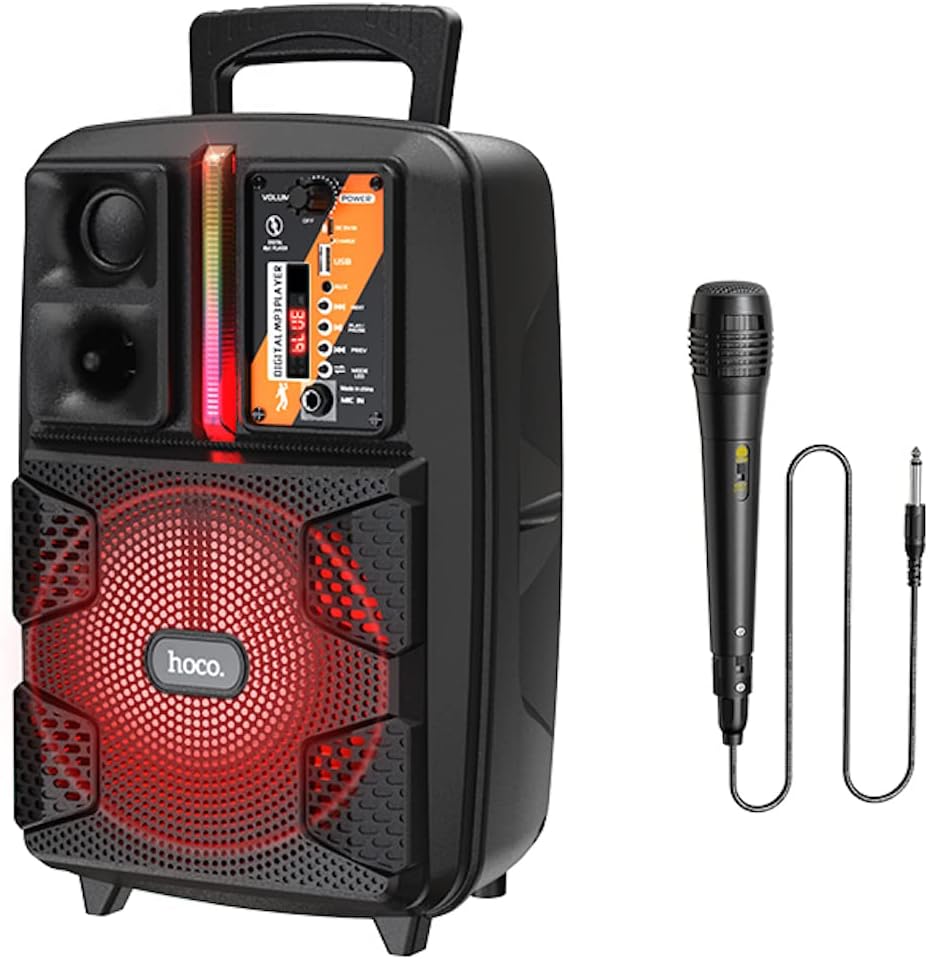
Image: The HOCO BS37 speaker shown with its included wired microphone.
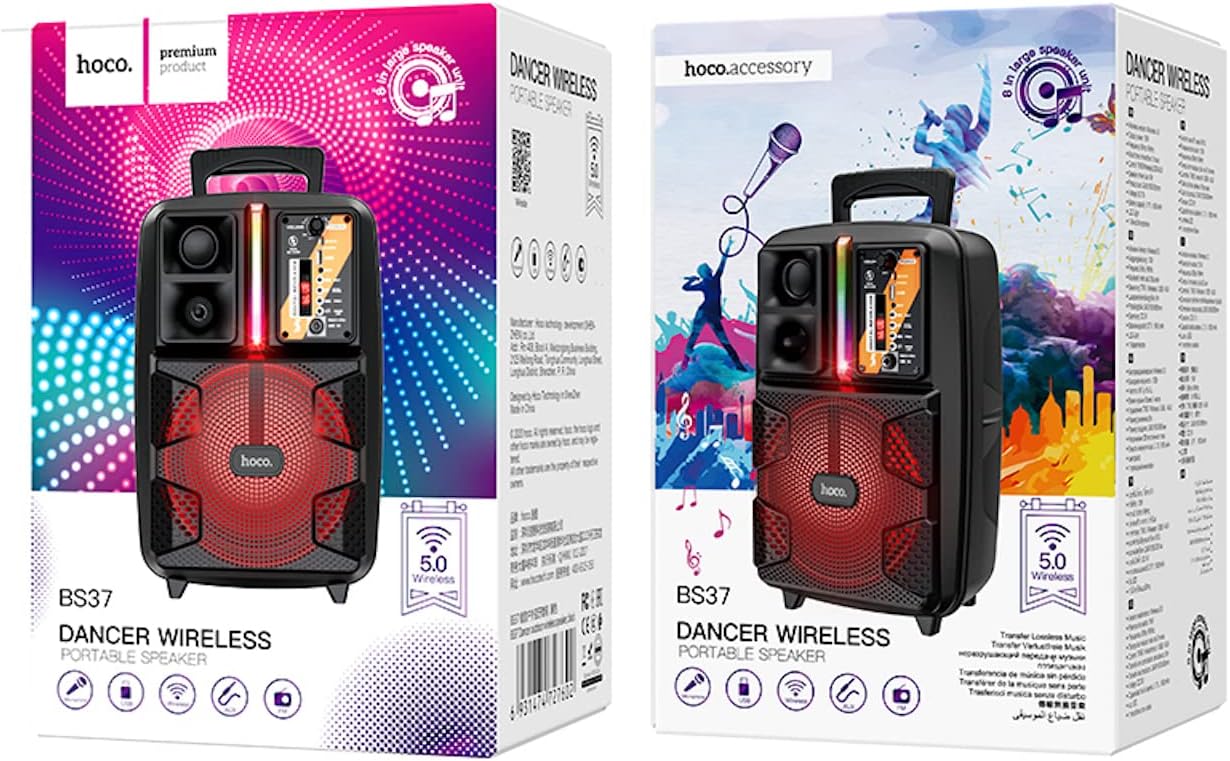
Image: The retail packaging for the HOCO BS37 Dancer Outdoor Wireless Speaker.
3. פּראָדוקט איבערview
The HOCO BS37 speaker features an 8-inch speaker unit and a control panel for various functions. Familiarize yourself with the layout of the speaker's controls and ports.

בילד: א דעטאַלירטע view of the HOCO BS37 speaker's control panel, showing volume knob, power switch, USB port, AUX input, microphone input, and mode selection buttons.
קאָנטראָל פּאַנעל פֿעיִקייטן:
- VOLUME קנופּ: Adjusts the overall speaker volume.
- מאַכט באַשטימען: טורנס די רעדנער אויף אָדער אַוועק.
- DC 5V אין: טשאַרדזשינג פּאָרט פֿאַר די רעדנער.
- וסב פּאָרט: פֿאַר USB פלאַש דרייוו ווידערשפּיל.
- AUX IN: 3.5mm audio input for external devices.
- MIC אין: 6.35mm input for the wired microphone.
- מאָדע קנעפּל: Switches between Bluetooth, FM, USB, and AUX modes.
- שפּיל / פּויזע קנעפּל: שפּילט אָדער פּויזירט אַודיאָ ווידערשפּיל.
- פריערדיגע/נעקסטע קנעפּלעך: שפּרינגט צום פריערדיקן אָדער נעקסטן ליד/סטאַנציע.
- ליכט באַשטימען: Controls the independent colored lights.
4. סעטאַפּ
4.1 ערשט טשאַרדזשינג
Before first use, fully charge the speaker. Connect the provided charging cable to the DC 5V IN port on the speaker and the other end to a suitable USB power adapter (not included). The charging time is approximately 2.5 hours.
4.2 פּאַוערינג אויף / אַוועק
צו אנצינדן דעם רעדנער, שיט די מאַכט switch to the "ON" position. To power off, slide it to the "OFF" position.
5. אַפּערייטינג ינסטרוקטיאָנס
5.1 בלועטאָאָטה פּערינג
- Turn on the speaker. It will automatically enter Bluetooth pairing mode, indicated by an audible prompt or flashing indicator light.
- אַקטיווירן בלועטוט אויף אייער מאָביל מיטל (סמאַרטפאָן, טאַבלעט, אאז"וו).
- זוכן פֿאַר "HOCO BS37" in the list of available Bluetooth devices.
- Select "HOCO BS37" to connect. Once connected, you will hear a confirmation sound.
The speaker supports Bluetooth V5.0 for stable and efficient wireless connection.
5.2 TWS (אמת'ע ווירעלעס סטערעאָ) פֿאַרבינדונג
To connect two HOCO BS37 speakers for a stereo sound experience:
- Ensure both HOCO BS37 speakers are powered on and not connected to any Bluetooth device.
- אויף איינעם פון די רעדנערס (דאָס וועט זיין דער הויפּט רעדנער), דריק און האַלט די מאָדע button or a dedicated TWS button (if available, refer to specific button labels on your device) until you hear a pairing prompt.
- The two speakers will attempt to connect to each other. Once successfully paired, you will hear a confirmation sound.
- Now, connect your mobile device to the primary speaker via Bluetooth as described in section 5.1. Audio will play in stereo through both speakers.
5.3 עפעם ראַדיאָ מאָדע
- דרוק די מאָדע button repeatedly until you enter FM radio mode.
- דרוק די שפּיל / פּויזע קנעפּל איין מאל צו אויטאָמאַטיש סקענען און ראַטעווען די בנימצא FM סטאנציעס.
- ניצן די PREV און NEXT קנעפּלעך צו נאַוויגירן צווישן געראַטעוועטע סטאַנציעס.
5.4 יו-עס-בי פּלייבּעק
- אַרײַנשטעלן אַ USB פֿלעש דרייוו מיט MP3 אַודיאָ fileס אין די וסב פּאָרט.
- The speaker will automatically switch to USB mode and begin playing audio. If not, press the מאָדע קנעפּל צו אויסקלייַבן וסב מאָדע.
- ניצן די שפּיל / פּויזע, PREV, און NEXT קנעפּלעך צו קאָנטראָלירן פּלייבאַק.
5.5 AUX מאָדע
- פֿאַרבינדט אַן עקסטערנעם אַודיאָ מיטל (למשל, MP3 שפּילער, לאַפּטאָפּ) צום AUX IN port using a 3.5mm audio cable (not included).
- דרוק די מאָדע קנעפּל צו אויסקלייבן AUX מאָדע.
- קאָנטראָליר ווידערשפּיל פֿון דיין פֿאַרבונדענע עקסטערנע מיטל.

Image: The HOCO BS37 speaker highlighting its multiple playback options: Bluetooth, USB, and AUX.
5.6 מיקראָפאָן באַניץ (קאַראָוקע)
- פֿאַרבינדט דעם דראָטיקן מיקראָפֿאָן צום מיק אין פּאָרט אויף די רעדנער.
- זייט זיכער אז דער מיקראָפאָן'ס אָן/אויס קנעפּל איז אין דער "אָן" פּאָזיציע.
- Adjust the main באַנד knob on the speaker to control the microphone's output level.
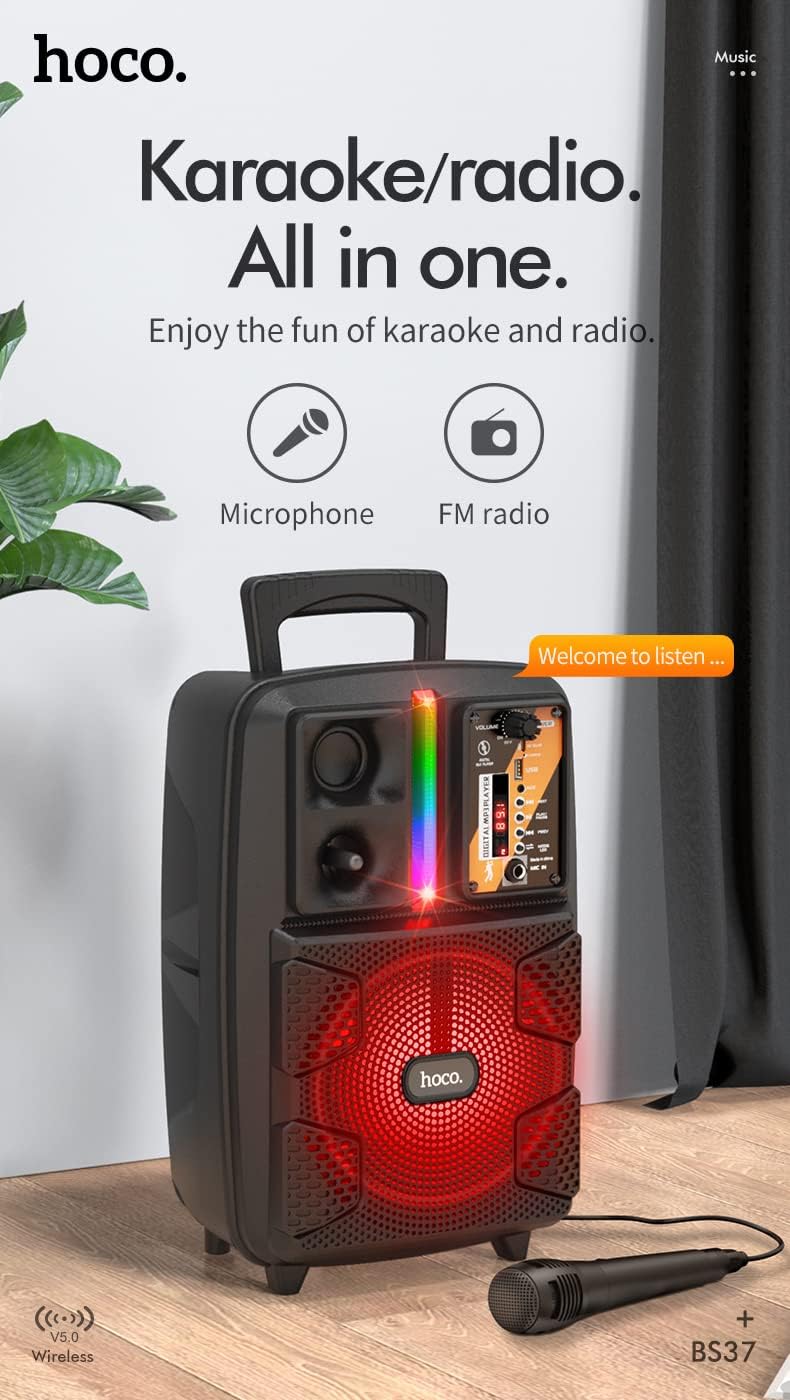
Image: The HOCO BS37 speaker with the wired microphone connected, illustrating its karaoke and radio capabilities.
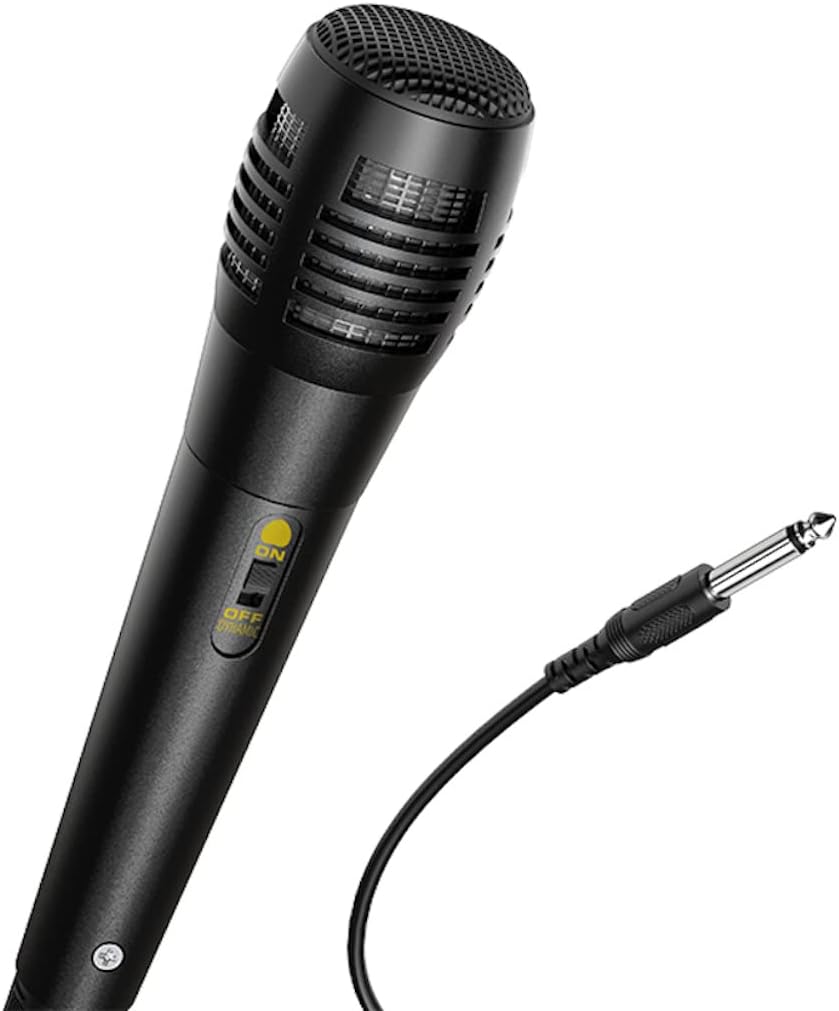
בילד: א נאָענטע בילד view of the wired microphone included with the HOCO BS37 speaker, showing its ON/OFF switch and connector.
5.7 ליכט יפעקץ
The speaker features independent colored lights. Use the dedicated ליכט סוויטש on the control panel to turn the lights ON or OFF, or to cycle through different light modes (if applicable).

Image: The HOCO BS37 speaker displaying its colorful breathing light effects.
6. טשאַרדזשינג די ספּיקער
When the battery is low, the speaker may indicate this with an audible prompt or a flashing indicator light. To charge:
- פאַרבינדן די טשאַרדזשינג קאַבלע צו די DC 5V אין פּאָרט אויף די רעדנער.
- Connect the other end of the charging cable to a standard USB power source (e.g., wall adapter, computer USB port).
- The charging indicator light will illuminate. Once fully charged (approximately 2.5 hours), the indicator light may change or turn off.
A full charge provides approximately 3 hours of music playback at 80% volume.
7. וישאַלט
- רייניקט דעם רעדנער מיט אַ ווייכן, טרוקענעם שטאָף. ניצט נישט קיין שרײַבנדיקע רייניגערס אדער סאָלווענטן.
- האַלט דעם רעדנער אַוועק פון וואַסער, נעץ און עקסטרעמע טעמפּעראַטורן.
- האַלט דעם רעדנער אין אַ קיל, טרוקן אָרט ווען עס איז נישט אין באַנוץ פֿאַר לענגערע פּעריאָדן.
- ויסמיידן דראַפּינג אָדער ונטערטעניק די רעדנער צו שטאַרק ימפּאַקץ.
8. טראָובלעשאָאָטינג
| פּראָבלעם | מעגלעך סיבה | לייזונג |
|---|---|---|
| דער רעדנער לאָזט זיך נישט אָנ. | באַטערי איז דיפּליטיד. | לאָדט אויף דעם רעדנער פֿאַר מינדעסטנס 30 מינוט. |
| קען נישט פארבינדן דורך בלוטוט. | Speaker is not in pairing mode; Bluetooth is off on device; device is too far. | זיכער מאַכן אַז דער רעדנער איז אין פּערינג מאָדע. מאַכט בלוטוט אויס/אײַן אויף אײַער מיטל. רוקט דעם מיטל נענטער צום רעדנער (אינערהאלב 10 מעטער). |
| קיין קלאַנג פֿון רעדנער. | Volume is too low; incorrect mode selected; cable not connected properly. | פֿאַרגרעסערן רעדנער און מיטל באַנד. דריקן מאָדע button to select correct input. Check all cable connections. |
| מיקראָפאָן טוט נישט אַרבעטן. | Microphone switch is off; not plugged in correctly. | Ensure microphone switch is ON. Plug microphone firmly into מיק אין פּאָרט. |
9. ספּעסאַפאַקיישאַנז
| מאָדעל | BS37 Dancer |
| רעדנער אַפּאַראַט | 8 inch, 2Ω10W |
| דימענסיעס (L X W X H) | 367 X 243 X 196 מם (14.45 X 9.57 X 7.72 אינטשעס) |
| וואָג | 1.9 קג (4.19 לבס) |
| בלועטאָאָטה ווערסיע | V5.0 (Blue trum 5322) |
| באַטאַרייע קאַפּאַציטעט | 1800mAh (A grade 18650) |
| מוזיק פּלייַבאַקק צייט | אומגעפער 3 שעה (ביי 80% פון די וואליום) |
| טשאַרדזשינג צייט | בעערעך 2.5 שעה |
| קאַנעקטיוויטי אָפּציעס | Bluetooth, TWS, FM Radio, USB, AUX |
| אַרייַנגערעכנט אַקסעסעריז | ווייערד מיקראָפאָן |
| קאַמפּאַטאַבאַל דעוויסעס | Desktop, Laptop, MP3 Player, Smartphone, Tablet |
10. זיכערקייַט אינפֿאָרמאַציע
- Do not expose the speaker to rain or moisture to prevent electric shock or fire.
- נעמט נישט אַראָפּ, ריפּערירט אָדער מאָדיפֿיצירט נישט דאָס אַפּאַראַט אַליין. לאָזט איבער אַלע סערוויסינג אַרבעטן צו קוואַליפֿיצירטע פּערסאָנעל.
- Avoid placing the speaker near heat sources, such as radiators, heat registers, stoves, or other apparatus that produce heat.
- ניצט נאָר די ספּעציפֿיצירטע טשאַרדזשינג וואָלומעןtagE און קראַנט.
- האַלטן אויס פון דערגרייכן פון קינדער.
- פּראַלאָנגד צוגעהערט אין הויך באַנד לעוועלס קען פאַרשאַפן געהער שעדיקן.
11. וואָראַנטי און שטיצן
This product is covered by a limited warranty. Please refer to the warranty card included with your purchase or contact your local HOCO distributor for details regarding warranty terms and conditions.
For technical support or service inquiries, please contact the retailer where you purchased the product or visit the official HOCO webפּלאַץ פֿאַר קאָנטאַקט אינפֿאָרמאַציע.


