1. הקדמה
This manual provides detailed instructions for the setup, operation, maintenance, and troubleshooting of your MEETION MT-KB015 One-Handed Wired RGB Gaming Keyboard. Please read this manual thoroughly to ensure proper use and to maximize your gaming experience.
2. פּראָדוקט איבערview
The MEETION MT-KB015 is a compact, one-handed gaming keyboard designed for enhanced control and comfort. It features vibrant RGB backlighting, ergonomic keycaps, and dedicated multimedia controls. Its durable membrane switches are rated for 50 million keystrokes, ensuring longevity.

דאָס בילד ווײַזט די פֿראָנט view of the MEETION MT-KB015 one-handed gaming keyboard, highlighting its compact design and vibrant RGB backlighting.

An angled perspective of the MEETION MT-KB015 keyboard, emphasizing its integrated ergonomic palm rest designed for comfortable use during extended gaming sessions.

A user's hand is shown comfortably resting on the integrated palm rest of the MEETION MT-KB015 keyboard, illustrating its ergonomic design for gaming.
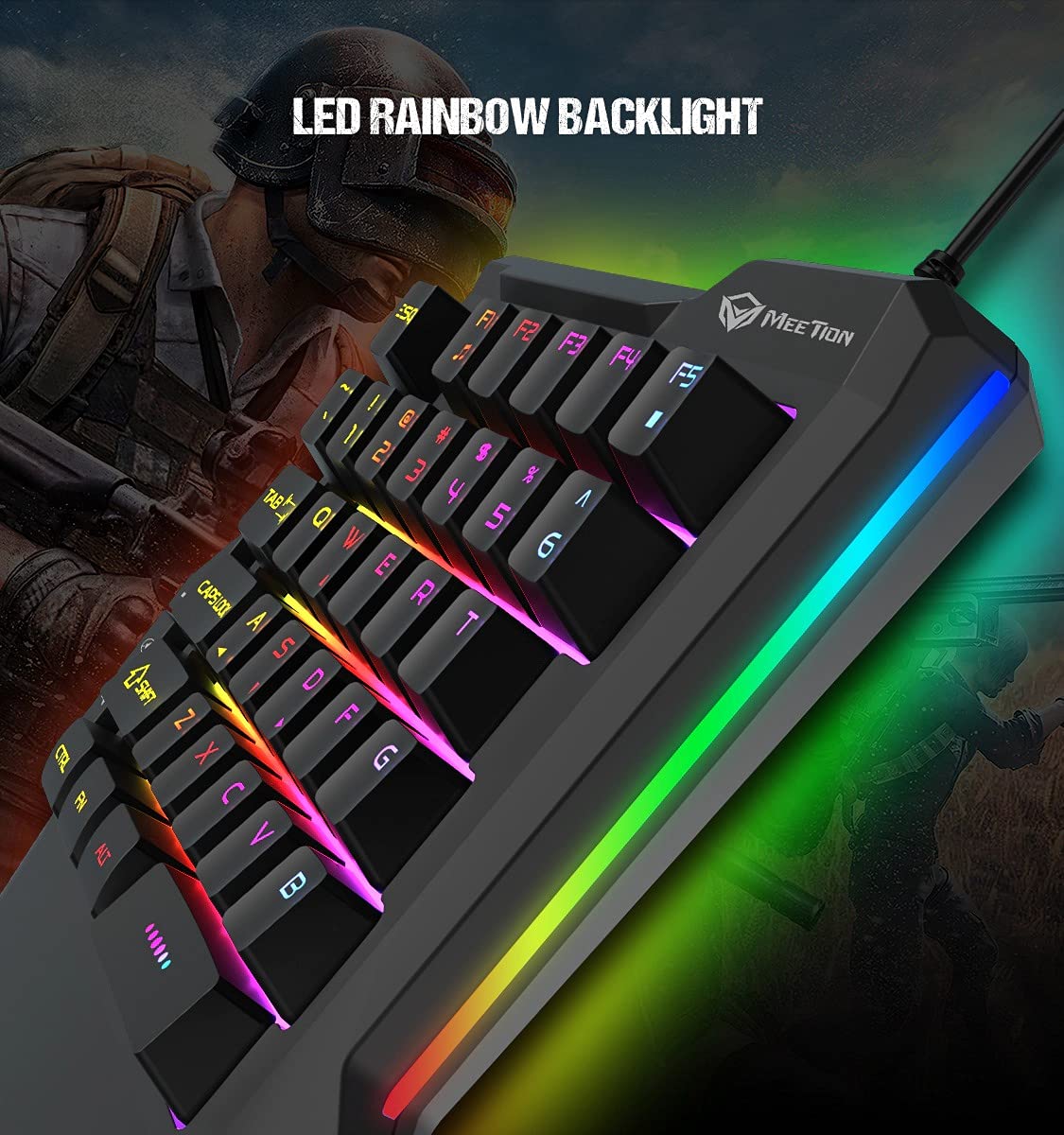
א דיטיילד view of the MEETION MT-KB015 keyboard's keys, showcasing the dynamic LED rainbow backlighting effect.

This image provides a close-up of the membrane switch keys on the MEETION MT-KB015 keyboard, illustrating their design and construction.

The MEETION MT-KB015 keyboard is depicted connected to a computer setup, demonstrating its simple plug-and-play connectivity.

אַן איבערהויפּט view of a user engaged in gaming, utilizing the MEETION MT-KB015 one-handed keyboard alongside a gaming mouse on a desk.
שליסל פֿעיִקייטן:
- 50 Million Keystroke Life: Durable membrane switches designed for extended use.
- מולטימעדיאַ שליסלען: Conveniently placed dedicated keys for volume control.
- Comfortable Palm Rest: Integrated broad palm rest for ergonomic support during long gaming sessions.
- Easy To Use Plug and Play: Simple connectivity with various devices without requiring additional drivers.
3. סעטאַפּ
The MEETION MT-KB015 keyboard is designed for plug-and-play functionality, requiring no complex installation.
קאַנעקטינג די קלאַוויאַטור:
- Locate an available USB port on your computer, laptop, or compatible smartphone.
- Plug the USB cable of the MT-KB015 keyboard into the USB port.
- The operating system (e.g., Windows 10) will automatically detect and install the necessary drivers.
- The keyboard's RGB backlight will illuminate, indicating it is ready for use.
קאַמפּאַטאַבאַל דעוויסעס: Laptop, PC, Smartphone.
4. אַפּערייטינג ינסטרוקטיאָנס
יקערדיק אָפּעראַציע:
Once connected, the keyboard functions immediately. The keys are laid out for one-handed gaming, providing quick access to essential commands.
RGB באַקלייט קאָנטראָל:
The keyboard features an LED rainbow backlight. Specific key combinations or dedicated buttons for backlight mode changes are not detailed in the product information, but the lighting will be active upon connection.
מולטימעדיאַ שליסלען:
The MT-KB015 includes dedicated multimedia keys for convenient audio control.

A diagram highlighting the location and function of the dedicated Volume Up, Mute, and Volume Down multimedia keys positioned on the left side of the MEETION MT-KB015 keyboard.
- באַנד אַרויף: Increases audio output.
- שטום: נעמט אָן/אויס די שטילקייט פון אודיאָ.
- באַנד אַראָפּ: Decreases audio output.
Additional multimedia functions (Music Player, Stop) are indicated with FN key combinations (FN + F1 for Music Player, FN + F5 for Stop).
5. וישאַלט
כדי צו זיכער מאַכן די לאַנגלעבעניש און אָפּטימאַלע פאָרשטעלונג פון דיין קלאַוויאַטור, נאָכפאָלגן די וישאַלט גיידליינז:
- רייניקונג: Use a soft, dry cloth to wipe the surface of the keyboard. For deeper cleaning, a slightly damp מען קען ניצן אַ שטאָף מיט מילדן זייף, און זיכער מאַכן אַז קיין פליסיקייט גייט נישט אַרײַן אין די שליסל-סוויטשעס אָדער אינעווייניקסטע קאָמפּאָנענטן.
- באַזייַטיקונג פון שטויב: ניצט קאמפרעסט לופט צו באַזײַטיקן שטויב און שמוץ פון צווישן די קלאַוויאַטורן.
- ויסמיידן ליקווידס: Do not spill liquids on the keyboard. In case of accidental spills, immediately disconnect the keyboard and allow it to dry completely before reconnecting.
- סטאָרידזש: האַלט די קלאַוויאַטור אין אַ קיל, טרוקן אָרט אַוועק פון דירעקט זונשייַן און עקסטרעמע טעמפּעראַטורן.
6. טראָובלעשאָאָטינג
If you encounter issues with your MEETION MT-KB015 keyboard, refer to the following common solutions:
קלאַוויאַטור ניט ריספּאַנדינג:
- קוק די USB קאַנעקשאַן: Ensure the USB cable is securely plugged into a functional USB port on your device. Try a different USB port.
- ריסטאַרט דיווייס: ריסטאַרט דיין קאָמפּיוטער אָדער סמאַרטפאָון.
- פּרובירן אויף אן אנדער מיטל: Connect the keyboard to another computer or compatible device to determine if the issue is with the keyboard or the original device.
באַקלייט ניט ארבעטן:
- זייט זיכער אז די קלאַוויאַטור איז ריכטיק פארבונדן און באַקומט מאַכט.
- If available, check for any dedicated backlight control keys or software settings.
שליסלען רעגיסטרירן זיך נישט אדער טייפן זיך צוויי מאל:
- Clean the affected keys to remove any debris that might be obstructing the switch mechanism.
- Ensure the keyboard is on a stable, flat surface.
אויב פראבלעמען בלייבן נאך פרובירן די לייזונגען, ביטע קאנטאקטירט קאסטומער סופארט.
7. ספּעסאַפאַקיישאַנז
| שטריך | דעטאַל |
|---|---|
| סאָרט | MEETION |
| מאָדעל נומער | MT-KB015 |
| סעריע | MEETION MT-KB015 |
| קאָליר | שוואַרץ |
| קאַנעקטיוויטי טעכנאָלאָגיע | ווייערד |
| קלאַוויאַטור באַשרייַבונג | גיימינג |
| באַשטימען טיפּ | מעמבראַנע סוויטש |
| Keystroke Life Cycle | 50 מיליאָן |
| ייַזנוואַרג פּלאַטפאָרמע | לאַפּטאַפּ, פּיסי, סמאַרטפאָנע |
| אַפּערייטינג סיסטעם קאַמפּאַטאַבילאַטי | Windows 10 (and compatible with other OS via Plug and Play) |
| פּראָדוקט דימענשאַנז (LxWxH) | 21 X 3.8 X 18.1 סענטימעטער |
| פּונקט וואָג | 420 ג |
| אַרייַנגערעכנט קאַמפּאָונאַנץ | וסב קאַבלע |
| באַטעריז אַרייַנגערעכנט | ניין |
8. וואָראַנטי און שטיצן
וואָראַנטי אינפֿאָרמאַציע:
The MEETION MT-KB015 One-Handed Wired RGB Gaming Keyboard comes with a 1 יאָר וואָראַנטי פֿון דעם קויפֿדאַטום. די וואָראַנטי דעקט פֿאַבריקאַציע־דעפֿעקטן אונטער נאָרמאַלן באַנוץ. ביטע באַהאַלטן אייער קויפֿבאַווײַז פֿאַר וואָראַנטי־קליימז.
קונה שטיצן:
For technical assistance, warranty claims, or any product-related inquiries, please contact MEETION customer support. Contact details for the manufacturer/importer are provided below:
- פאַבריקאַנט: Meetion, Meetion Tech Co. LTD - China
- אימפארטירער: Cavitak Marketing Pvt Ltd. 9, Vitthalbhai Patel Colony, Lakhudi, Naranpura, Ahmedabad-380014
- בליצפּאָסט: meetion@cavitak.com
- טעלעפֿאָן: 0796813-66-11


