1. הקדמה
The Saphe One+ is a compact and intelligent traffic alarm designed to enhance road safety by providing timely warnings about speed cameras and various road hazards. It connects seamlessly with your smartphone via Bluetooth and utilizes a large European traffic community, including data from Blitzer.de, to ensure reliable and up-to-date information. The device operates automatically when you approach your vehicle, requiring no manual activation once set up. It features two intuitive buttons for reporting new speed cameras or hazards, contributing to the community's data accuracy.

Figure 1: The Saphe One+ device. This compact black oval device features the 'saphe one+' logo, a central red indicator light, and blue and red curved lines on either side, indicating its two interactive buttons.
2. סעטאַפּ גייד
Setting up your Saphe One+ is a straightforward process. Follow these steps to get your device ready for use:
- ופשליסן די מיטל: Carefully remove the Saphe One+ device and the adhesive pad from its packaging.
- Download the Saphe Link App: זוכן פֿאַר "Saphe Link" in your smartphone's app store (available on both עפּל אַפּ סטאָר און Google פּלייַ סטאָר) און ינסטאַלירן עס.
- פאַרבינדן מיט דיין טעלעפאָן:
- מאַכן זיכער אַז בלועטאָאָטה איז ענייבאַלד אויף דיין סמאַרטפאָנע.
- Open the Saphe Link app and follow the on-screen instructions to pair your Saphe One+ device. The device will automatically connect via Bluetooth when you approach your car.
- ינסטאַלירן די מיטל:
- Choose a suitable location in your car, such as the dashboard or near the air vent, where the device is easily accessible and visible.
- Clean the surface thoroughly before applying the adhesive pad.
- Attach the adhesive pad to the back of the Saphe One+ and then firmly press it onto the chosen surface in your car.

Figure 2: The Saphe One+ package contents, including the device and a circular adhesive pad.

Figure 3: Side of the Saphe One+ packaging, indicating app availability on Apple App Store and Google Play.

Figure 4: The Saphe One+ device mounted on a car's dashboard, positioned for easy access and visibility.
3. אַפּערייטינג ינסטרוקטיאָנס
The Saphe One+ is designed for intuitive operation, providing automatic warnings and allowing for easy reporting of new incidents.
Automatic Warnings
Once connected, the Saphe One+ automatically warns you of various traffic incidents based on data from the large European traffic community, including Blitzer.de. These warnings include:
- Mobile Speed Cameras
- Stationary Speed Cameras
- Section Control Cameras
- Traffic Light Cameras
- אַקסידענץ
- Vehicles on the Hard Shoulder
- אַלגעמיינע כאַזערדז

Figure 5: The Saphe Link app interface displaying a map with a mobile speed camera warning and a list of various hazard types.
רעפּאָרטינג ינסידענץ
The Saphe One+ features two distinct buttons, allowing you to contribute to the community by reporting new incidents:
- Report Speed Cameras: דרוק די בלוי קנעפּל (top button) to report a new speed camera or a speed measurement.
- Report Hazards/Accidents: דרוק די רויט קנעפּל (bottom button) to report an accident or other road hazards.
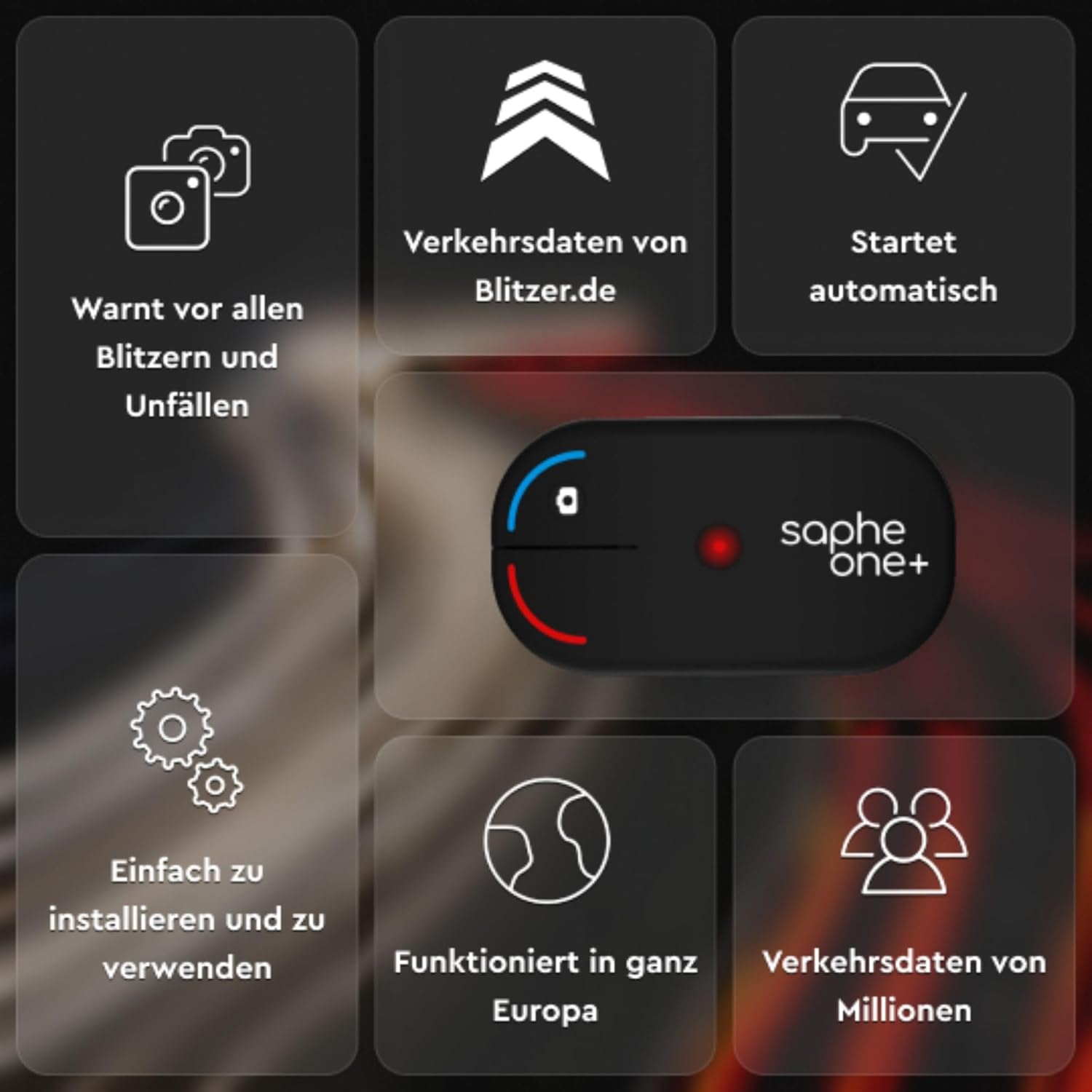
פיגורע 6: נאָענט-אַרויף view of the Saphe One+ device, highlighting the blue button for reporting speed cameras and the red button for reporting accidents or hazards.

Figure 7: A user interacting with the Saphe One+ device, demonstrating how to press a button to report an incident.
4. וישאַלט
The Saphe One+ requires minimal maintenance. The primary maintenance task is battery replacement.
באַטערי פאַרבייַט
The device uses a CR2450 battery, which typically lasts approximately 2 years. When the battery is low, the device will indicate this (e.g., via the app or a specific light pattern). To replace the battery:
- Gently open the battery compartment on the back of the device.
- אַראָפּנעמען די אַלט CR2450 באַטאַרייע.
- אַרייַנלייגן אַ נייַ CR2450 באַטאַרייע, ינשורינג די ריכטיק פּאָולעראַטי.
- פאַרמאַכן די באַטאַרייע אָפּטייל סיקיורלי.
אָפּזאָגן אַלט באַטעריז ריספּאַנסאַבלי לויט די היגע רעגיאַליישאַנז.
5. טראָובלעשאָאָטינג
If you encounter issues with your Saphe One+, refer to the following common problems and their solutions:
| פּראָבלעם | מעגלעך סיבה | לייזונג |
|---|---|---|
| Device does not connect automatically. | Bluetooth is off on phone; App not running in background; Device battery low; Pairing issue. | Ensure Bluetooth is on. Check if Saphe Link app is running or allowed to run in the background. Replace battery if needed. Re-pair the device via the app settings. |
| No warnings received. | No active connection; App permissions (location) not granted; Outdated app data. | Verify device is connected in the app. Check phone's location permissions for the Saphe Link app. Ensure app data is up-to-date (requires internet connection). |
| Phone battery drains quickly. | Continuous GPS usage by the app. | This is a known characteristic as the app uses GPS for location data. Keep your phone charged, especially during long drives. Ensure the app is closed when not in use. |
| קנעפּלעך נישט ריספּאַנדינג. | Device not connected; Device battery low; Physical damage. | Check connection status in the app. Replace battery. If physical damage is suspected, contact customer support. |
6. ספּעסאַפאַקיישאַנז
Key technical specifications for the Saphe One+ device:
- מאָדעל נומער: 5700002043269
- דימענסיעס: 6.4 X 3.6 X 1.5 סענטימעטער (2.52 X 1.42 X 0.59 אינטשעס)
- וואָג: 24 גראַמז (0.85 אונסעס)
- באַטערי: 1 רענטגענ CR2450 (אַרייַנגערעכנט)
- באַטאַרייע לעבן: בעערעך 2 יאָר
- קאַמפּאַטאַבאַל דעוויסעס: Vehicles with Bluetooth support (requires smartphone with Saphe Link app)
- מאַכט מקור: באַטערי
- Voltage: 3 וואלטס
- לאַנד פון אָריגין: כינע
7. שטיצן & וואָראַנטי
For further assistance or information regarding your Saphe One+ device, please refer to the following resources:
- Official Saphe Store: באַזוכן די באַאַמטער Saphe Store on Amazon פֿאַר פּראָדוקט אינפֿאָרמאַציע און אַקסעסאָריעס.
- פאַבריקאַנט Webפּלאַץ: For comprehensive support, FAQs, and contact options, please visit the official Saphe webזייטל. (ספּעציפֿיש URL not provided in data, but generally available via brand search).
- לעגאַל אָנזאָג: The Saphe One+ traffic alarm is developed to increase road safety. Its use is subject to local traffic regulations and is at the user's own risk. Always adhere to local laws regarding the use of such devices.
Information regarding specific warranty terms is typically provided with your purchase documentation. Please retain your proof of purchase for warranty claims.


