1. הקדמה
א דאנק פארן קויפןasing the JIMTAB M18 PRO Native 1080P Video Projector. This manual provides essential information for setting up, operating, maintaining, and troubleshooting your projector to ensure optimal performance and longevity. Please read this manual thoroughly before using the product.

Figure 1: JIMTAB M18 PRO Video Projector
2. וואָס איז אין דער קעסטל
Carefully unpack your JIMTAB M18 PRO projector and ensure all items are present:
- JIMTAB M18 PRO Video Projector
- ווייַט קאָנטראָל
- מאַכט שנור
- HDMI קאַבלע
- אב קאַבלע
- באַניצער מאַנואַל (דעם דאָקומענט)
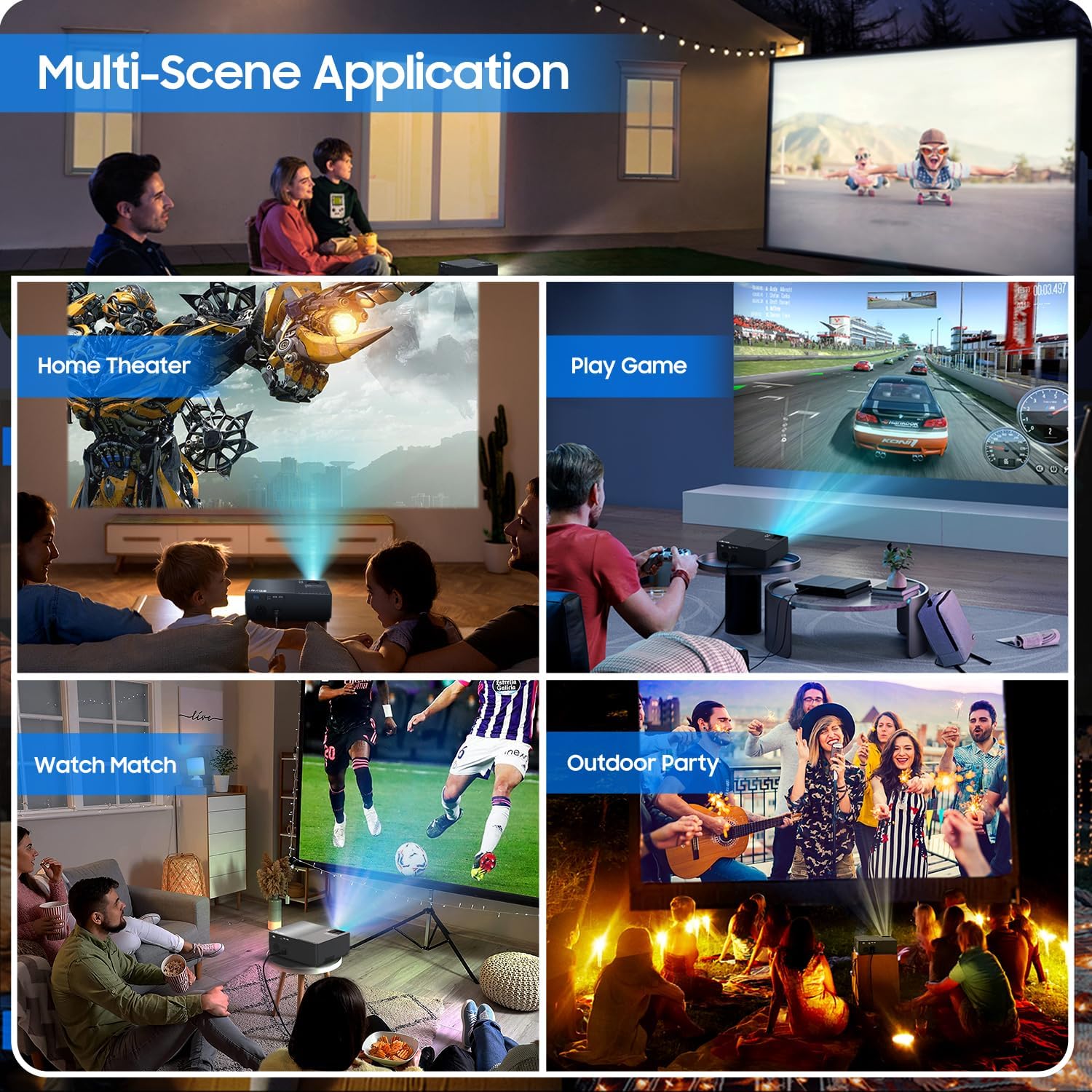
Figure 2: All included accessories and the projector
3. פּראָדוקט פֿעיִקייטן
- געבוירן 1080P רעזאָלוציע: Experience crisp and clear images with a true native resolution of 1920x1080 pixels and an 8000:1 contrast ratio. Supports 576i, 576p, 720i, 720p, 1080i, 1080p, 2k, and 4k input.
- הויך ברייטנאַס: Features 21000 lumens brightness for vibrant projections even in moderately lit environments.
- Dual-Band WiFi Screen Mirroring: Built-in 2.4G+5G WiFi allows for seamless wireless screen mirroring from your smartphone, tablet, or laptop (iOS, Android, Windows compatible).
- Built-in Dolby Sound Speakers: Equipped with 5W dual stereo speakers supporting Dolby Sound for an immersive audio experience. External speakers can also be connected.
- גרויס פאַרשטעלן ווייַז: Project images from 50 inches up to 300 inches, offering a versatile viewing experience for various room sizes.
- ברייט קאַמפּאַטאַבילאַטי: Connects to a wide range of devices including Xbox, Laptops, iPhones, Android devices, USB devices, PS4, TV Sticks, and TV Boxes via AV, VGA, USB, and HDMI ports.

Figure 3: Enhanced image sharpness and richer color details
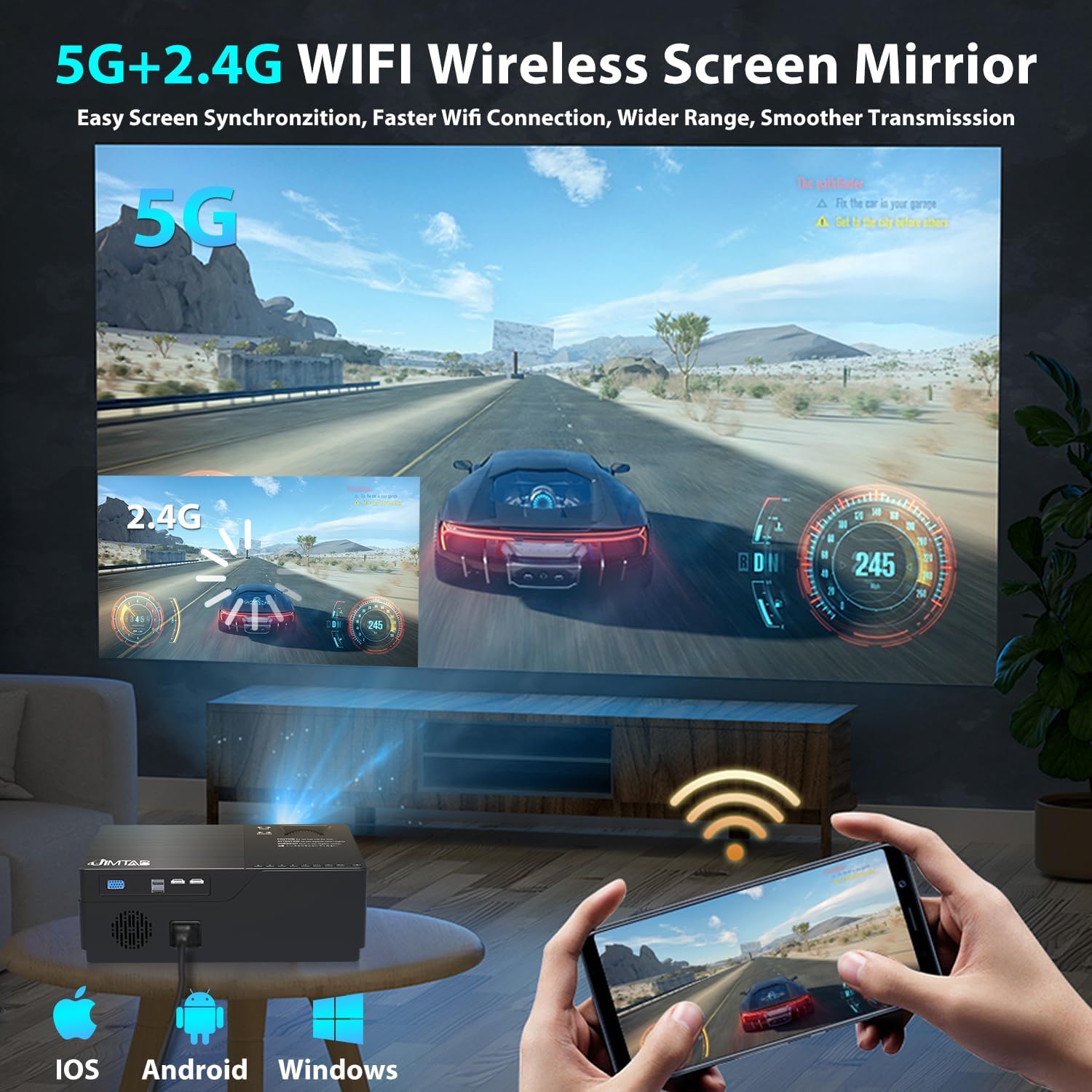
Figure 4: 5G+2.4G WiFi Wireless Screen Mirroring in action

Figure 5: Built-in 5W Dual Stereo Speaker supporting Dolby Sound

Figure 6: Projection sizes from 50 to 300 inches

Figure 7: Wide compatibility with multiple devices
4. סעטאַפּ גייד
- אָרט: Place the projector on a stable, flat surface or mount it on a tripod/ceiling. Ensure it is positioned directly in front of the projection screen or wall for best results. The optimal projection distance ranges from 5.5 feet to 30.2 feet.
- מאַכט קשר: פֿאַרבינדט דעם עלעקטרישן שנור צום פּראָיעקטאָר'ס עלעקטרישן אַרײַנגאַנג און דערנאָך צו אַ עלעקטרישן ווענטיל.
- קאָננעקט מקור מיטל: Use the appropriate cable (HDMI, AV, VGA, USB) to connect your desired source device (laptop, game console, USB drive, etc.) to the projector.
- מאַכט אויף: דרוק די מאַכט קנעפּל אויף די פּראַדזשעקטער אָדער די ווייַט קאָנטראָל צו קער אויף די מיטל.
- אויסקלייַבן אַרייַנשרייַב מקור: Use the 'Source' button on the projector or remote to select the correct input source corresponding to your connected device.
5. אַפּערייטינג ינסטרוקטיאָנס
- מאַכט אויף / אַוועק: Press the power button once to turn on. Press and hold the power button for a few seconds to turn off.
- מעניו נאַוויגאַציע: Use the arrow keys on the remote or projector panel to navigate through the on-screen menu. Press 'OK' or 'Enter' to confirm selections.
- באַנד קאָנטראָל: Use the volume buttons on the remote control to adjust the audio output level.
6. בילד אַדזשאַסטמאַנט
- פאָקוס אַדזשאַסטמאַנט: Rotate the focus dial located near the lens until the projected image is sharp and clear.
- Keystone Correction:
- מאַנואַל Keystone: Use the manual keystone adjustment lever (usually on the side or top) to correct vertical distortion (±15°).
- דיגיטאַל Keystone: Access the menu settings for digital keystone correction to adjust both vertical and horizontal distortion (up to ±50°), ensuring a perfectly rectangular image even if the projector is not perfectly aligned.
- פארגרעסער פֿונקציע: Adjust the image size from 75% to 100% via the menu settings without moving the projector.

Figure 8: Digital Horizontal & Vertical Keystone Adjustment
7. וישאַלט
- לענס רייניקונג: ניצט אַ ווייכע, לינט-פֿרייע שטאָף ספּעציעל דיזיינד פֿאַר אָפּטישע לענסעס צו פֿאָרזיכטיק ווישן די פּראָיעקטאָר לענס. פֿאַרמייַדט אַברייסיוו מאַטעריאַלן אָדער שאַרפֿע כעמיקאַלן.
- ווענטילאַטיאָן: Ensure the projector's ventilation ports are clear and unobstructed to prevent overheating. Regularly clean dust from the vents using a soft brush or compressed air.
- סטאָרידזש: ווען נישט אין באַנוץ פֿאַר לענגערע פּעריאָדן, זאָל מען האַלטן דעם פּראָיעקטאָר אין אַ קיל, טרוקן אָרט, בעסער אין זײַן אָריגינעלער פּאַקאַדזשינג אָדער אַ פּראַטעקטיוו קעסטל.
- Lamp לעבן: די געפירט לamp in your M18 Pro projector is designed for tens of thousands of hours of use, minimizing the need for frequent lamp פאַרבייַט.
8. טראָובלעשאָאָטינג
| פּראָבלעם | מעגלעך סיבה | לייזונג |
|---|---|---|
| No image or 'No Signal' | Incorrect input source selected; Loose cable connection; Source device not powered on. | Select correct input source; Check and secure all cable connections; Ensure source device is powered on. |
| בלערי בילד | Focus not adjusted; Keystone not corrected; Projector too close/far from screen. | Adjust focus dial; Use manual or digital keystone correction; Adjust projection distance. |
| Image appears dim | High ambient light; Projector settings. | Reduce ambient light (close curtains); Adjust brightness/contrast settings in the projector menu. |
| קיין געזונט | קול צו נידעריג; שטיל; אומרעכטע אודיאָ אויסגאַנג אויסגעקליבן אויף קוואַל מיטל. | Increase volume; Unmute; Check audio settings on source device. |
| אָוווערכיטינג ווארענונג | פארשטאפטע ווענטילאציע; פארלענגערטע באנוץ. | Ensure vents are clear; Allow projector to cool down before restarting. |
9. ספּעסאַפאַקיישאַנז
| שטריך | באַשרייַבונג |
|---|---|
| מאָדעל נומער | M18 Pro |
| געבוירן האַכלאָטע | 1920 רענטגענ 1080 (פול הד) |
| ברייטנאַס | 21000 לומענס |
| קאַנטראַסט פאַרהעלטעניש | 8000:1 |
| פּרויעקציע גרייס | 50" - 300" |
| פּרויעקציע דיסטאַנסע | 5.5 FT - 30.2 FT |
| קאַנעקטיוויטי טעכנאָלאָגיע | Wi-Fi (2.4G+5G), HDMI (x2), USB (x2), VGA, AV |
| אַודיאָ רעזולטאַט | Built-in 5W Dual Stereo Speaker (Dolby Sound) |
| פּראָדוקט דימענשאַנז | 11.81 X 8.66 X 3.94 אינטשעס |
| פּונקט וואָג | 7.74 פונט |
10. זיכערקייַט אינפֿאָרמאַציע
- WARNING: Do not look directly at the projector lens when the lamp איז אָן. די אינטענסיווע ליכט קען שאַטן די אויגן.
- Ensure the projector is placed on a stable surface to prevent it from falling.
- בלאָקירט נישט די ווענטילאַציע עפענונגען, ווייל דאָס קען פירן צו איבערהיצונג און שעדיקן דעם אַפּאַראַט.
- Keep the projector away from water or any liquids to avoid electric shock.
- Unplug the projector from the power outlet before cleaning or when not in use for a long period.
11. וואָראַנטי & שטיצן
JIMTAB is committed to providing high-quality products and excellent customer service. For any questions, technical assistance, or warranty inquiries, please contact our dedicated support team. We offer 7x24 hours free customer support.
You can also find more information and support on our official social media channels:
- Facebook Official Homepage: ijimtab
- YouTube Official Homepage: Jimtab


