1. הקדמה
The Poly Voyager Focus 2 UC USB-A Headset is designed to create a focused audio environment, blocking out background noise for clear communication. Featuring three levels of hybrid Active Noise Canceling (ANC) and Poly Acoustic Fence technology, it ensures you hear your calls clearly and are heard without distractions. This headset offers all-day comfort and versatile connectivity for computers (via BT700 USB-A adapter) and mobile devices (via Bluetooth v5.1). This Microsoft Teams certified version includes a dedicated Teams button for enhanced collaboration.
2. וואָס איז אין דער קעסטל
- Voyager Focus 2 UC USB-A Headset
- פירן קאַסע
- BT700 USB-A Adapter
- טשאַרדזשינג קאַבלע
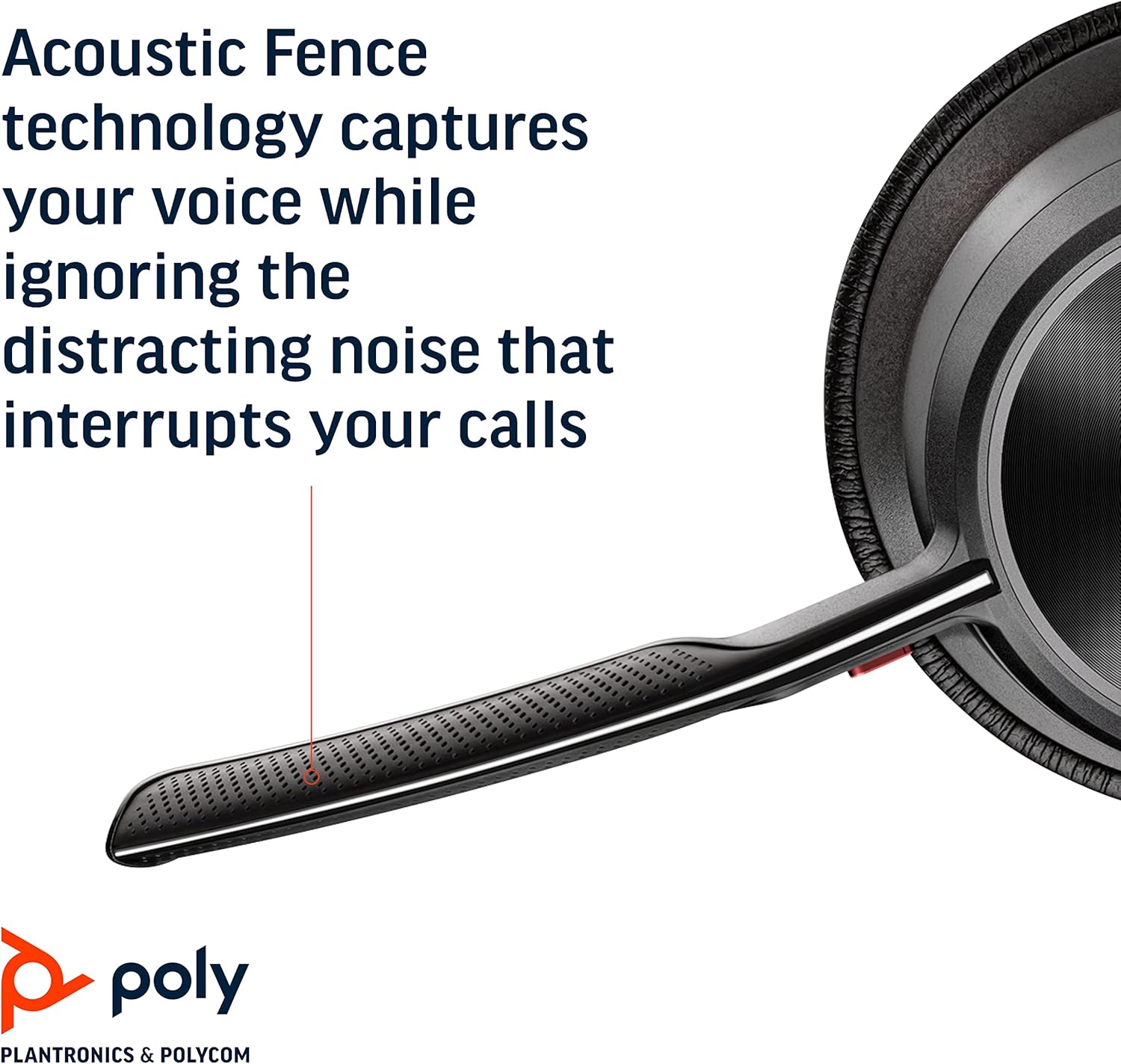
Image: Headset components including the BT700 USB-A adapter and charging cable.
3. סעטאַפּ
3.1 אויפלאָדן דעם כעדסעט
Connect the charging cable to the headset's USB port and to a power source. A full charge provides up to 19 hours of talk time. If using an optional charging stand, simply place the headset on the stand to charge.

Image: The Poly Voyager Focus 2 UC USB-A Headset placed on its charging stand.
3.2 פֿאַרבינדן זיך צו אַ קאָמפּיוטער (USB-A אַדאַפּטער)
- Insert the BT700 USB-A adapter into an available USB-A port on your computer.
- מאַכט אויף דיין כעדסעט.
- די אַדאַפּטער'ס LED וועט בליצן בלוי, און דערנאָך ווערן האַרט בלוי ווען עס איז פארבונדן צום כעדסעט.
3.3 פֿאַרבינדן זיך צו אַ מאָבילן מיטל (בלוטוט)
- With the headset powered off, slide and hold the Power switch towards the Bluetooth icon until the LED flashes red and blue.
- On your mobile device, go to Bluetooth settings and select "Poly Voyager Focus 2" from the list of available devices.
- Once successfully paired, the headset LED will stop flashing.
3.4 צופּאַסן די כעדסעט
Adjust the headband for a comfortable fit. Position the boom microphone approximately two finger-widths from the corner of your mouth. The microphone boom is flexible and can be rotated to either the left or right side, automatically adjusting audio channels.

Image: A woman wearing the headset, demonstrating a comfortable fit for work.
4. אַפּערייטינג ינסטרוקטיאָנס
4.1 מאַכט אויף / אַוועק
Slide the Power switch to the 'On' position to power on the headset. Slide it to 'Off' to power off.
4.2 באַנד קאָנטראָל
Use the volume up (+) and volume down (-) buttons located on the earcup to adjust the listening volume.

Image: Close-up of the headset earcup with visible volume controls.
4.3 שטום / ונמוט
Press the dedicated mute button on the microphone boom to mute or unmute your microphone. The Dynamic Mute Alert feature will notify you if you speak while muted.

בילד: דעטאַלירט view of the headset's boom microphone.
4.4 Active Noise Canceling (ANC)
Adjust the noise canceling level (High, Low, or Off) using the ANC switch on the earcup to suit your environment and personal preference.
4.5 רוף פאַרוואַלטונג
Press the Call button on the earcup to answer or end a call. For Microsoft Teams calls, use the dedicated Teams button for instant access to the Teams App and notifications.
5. פֿעיִקייטן
- אַודיאָ פאָרשטעלונג: Three options of Advanced Digital Hybrid Active Noise Canceling (ANC) – high, low, and off – for personalized noise control.
- פּאָלי אַקוסטישע פּלויט טעכנאָלאָגיע: Advanced multi-microphone noise canceling ensures callers hear only your voice, not your surroundings.
- סמאַרט טעכנאָלאָגיע: Dynamic Mute Alert notifies you if you speak while your microphone is muted.
- All-Day Wearing: Lightweight headband with a sling and plush ear cushions provide comfort for extended use. Up to 19 hours of talk time.
- Multiple Device Connections: Connects to a computer via the included BT700 USB-A adapter and to a mobile device via Bluetooth v5.1.
ווידעא: אן אפיציעלע איבערview of the Poly Voyager Focus 2 headset, highlighting its key features and design.
6. וישאַלט
6.1 רייניקונג
ווישט אָפּ דעם כעדסעט מיט אַ ווייכן, טרוקענעם שטאָף.amp cloth. Avoid using harsh chemicals or abrasive materials. Ensure the microphone and earcup surfaces are free from debris.
6.2 סטאָרידזש
When not in use, store the headset in its provided carry case to protect it from dust and damage. Avoid storing in extreme temperatures.
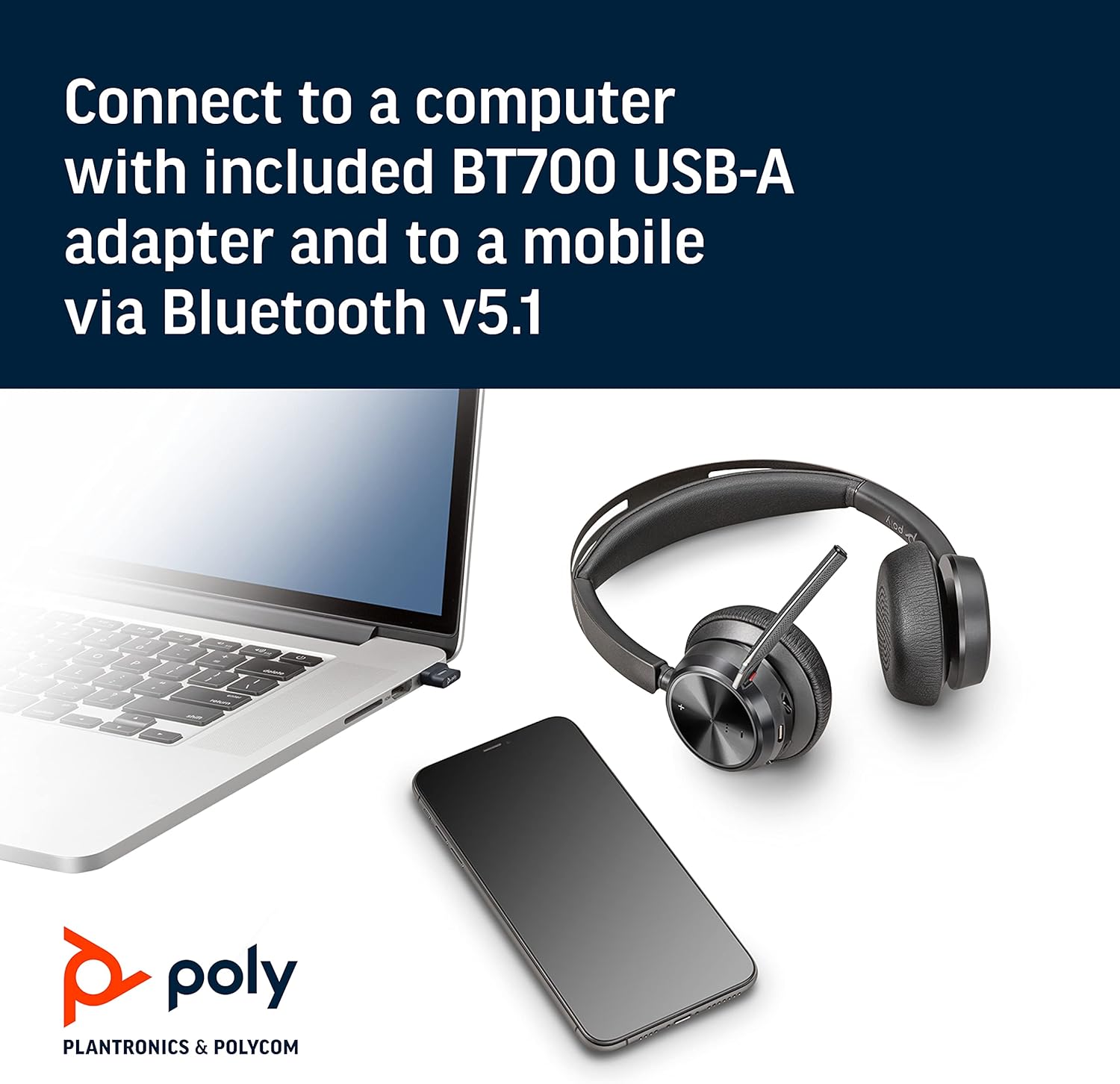
Image: The headset neatly folded and stored inside its carry case.
7. טראָובלעשאָאָטינג
7.1 No Sound/Poor Audio Quality
- זיכער מאַכן אַז די כעדסעט איז אנגעצונדן און גאָר אויפגעלאָדן.
- Check that the headset is correctly paired with your device (computer via USB adapter or mobile via Bluetooth).
- Verify the volume levels on both the headset and your connected device.
- If connected to a computer, ensure the Poly BT700 adapter is recognized as the default audio device in your system settings.
7.2 מיקראָפאָן אַרבעט נישט
- Confirm the microphone is not muted (check the mute button and Dynamic Mute Alert).
- Ensure the microphone boom is properly positioned near your mouth.
- Check your device's audio settings to ensure the headset microphone is selected as the input device.
7.3 קאָנעקטיוויטי פּראָבלעמען
- Restart both the headset and your connected device.
- Move closer to your connected device to ensure you are within the Bluetooth range (up to 10 meters for mobile, 50 meters for BT700 adapter).
- If using the BT700 adapter, try plugging it into a different USB port.
- Unpair and re-pair the headset with your device.
8. ספּעסאַפאַקיישאַנז
| מאָדעל נאָמען | Voyager Focus 2 UC-M USB-A |
| נומער מאָדעל נומער | 213726-02 |
| קאַנעקטיוויטי טעכנאָלאָגיע | בלועטאָאָטה 5.1 |
| ראַש קאָנטראָל | Active Noise Cancellation (Hybrid Digital) |
| מיקראָפאָן טעכנאָלאָגיע | פּאָלי אַקוסטישע פּלויט |
| באַטעריע לעבן (רעד צייט) | אַרויף צו 19 שעה |
| כעדפאָונז דזשאַק | וסב |
| פּונקט וואָג | 175 גראַמז (6.2 אונסעס) |
| פּראָדוקט דימענשאַנז | 4 X 6 X 2.8 אינטשעס |
| קאַמפּאַטאַבאַל דעוויסעס | PCs, Smartphones, Tablets, Laptops |
| אַרייַנגערעכנט קאַמפּאָונאַנץ | Headset, carry case, BT700 USB adapter and charging cable |
9. וואָראַנטי און שטיצן
For warranty information, technical support, or to register your product, please visit the official Poly website or refer to the documentation included with your purchase. You can also visit the POLY Store on Amazon פֿאַר נאָך רעסורסן און פּראָדוקט אינפֿאָרמאַציע.