1. הקדמה
The Numark Party Mix Live is an all-in-one compact DJ controller designed for intuitive mixing and dynamic performance. It features built-in speakers, integrated lighting effects, and seamless integration with Serato DJ Lite, making it suitable for both beginners and experienced DJs. This manual provides essential information for setting up, operating, and maintaining your device.

Figure 1: Numark Party Mix Live DJ Controller overview.
2. סעטאַפּ
2.1 פּעקל אינהאַלט
- Party Mix Live DJ Controller
- וסב קאַבלע
- מאַכט אַדאַפּטער
- Software Download Card (for Serato DJ Lite)
- קוויקקסטאַרט גייד
2.2 קאַנעקטינג די קאָנטראָללער
- מאַכט קשר: Connect the included power adapter to the Party Mix Live and then to a power outlet.
- USB קשר: Connect the Party Mix Live to your computer (Mac or Windows) using the provided USB cable. This connection facilitates data transfer and control.
- אַודיאָ רעזולטאַט:
- הויפּט רעזולטאַט: Use a 1/8-inch (3.5mm) stereo cable to connect the main output of the Party Mix Live to your external speakers or sound system.
- כעדפאָון רעזולטאַט: Plug your DJ headphones into the 1/8-inch (3.5mm) headphone jack for private monitoring.
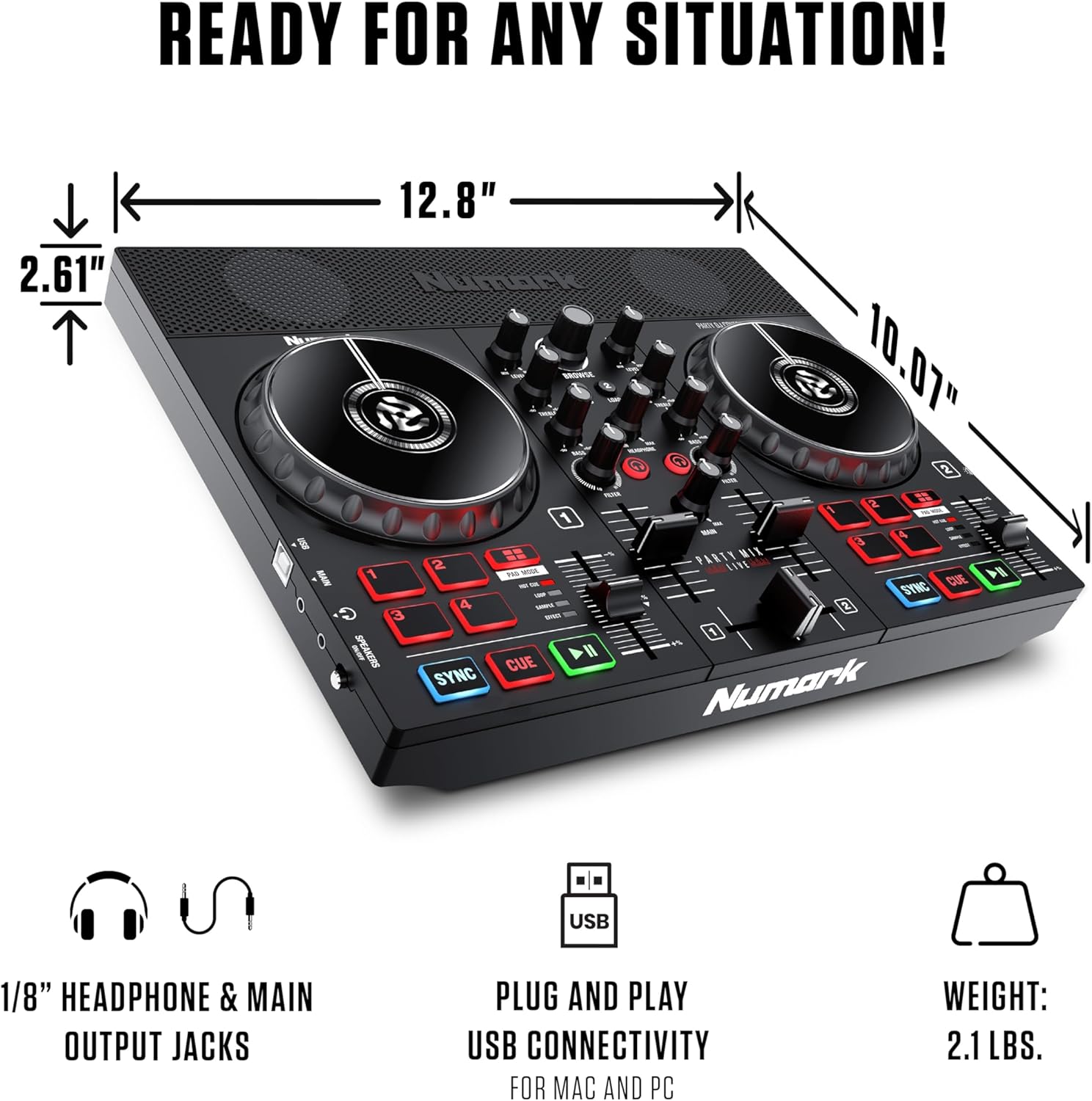
פיגורע 2: דערציען view showing USB and audio connections.
2.3 ווייכווארג ינסטאַלירונג
The Party Mix Live includes Serato DJ Lite software. Follow these steps to install:
- Visit the Serato website (serato.com/dj/lite/downloads) and download the latest version of Serato DJ Lite.
- ינסטאַלירן די ווייכווארג דורך נאָכפאָלגן די ינסטראַקשאַנז אויף דעם עקראַן.
- Once installed, launch Serato DJ Lite. The software should automatically detect your Party Mix Live controller.
3. Operating the Party Mix Live
The Party Mix Live offers a comprehensive set of controls for mixing and performance. Familiarize yourself with the layout:

פיגורע 3: דעטאַילעד view of the controller's top panel with labeled controls.
3.1 Basic DJ Controls
- דזשאַג ווילז: Large, touch-sensitive jog wheels allow for scratching, nudging, and track searching.
- Play/Pause & Cue Buttons: Control track playback and set cue points.
- סינק קנעפּל: Automatically matches the BPM (beats per minute) of tracks for seamless transitions.
- Pitch Sliders: Adjust the tempo of each track manually.
3.2 Mixer Functions
- 2-באַנד עק: Adjust the high and low frequencies for each deck to shape your sound.
- Filter Knobs: Apply high-pass or low-pass filters to create dynamic effects.
- קראָסספאַדער: Blend between the two decks.
- Level Knobs: Control the individual volume of each deck.
- Main Gain Control: Adjust the overall output volume of the controller.
3.3 פאָרשטעלונג פּאַדס
The Party Mix Live features four performance pads per deck, offering various functions:
- הייס קיו: Set and trigger instant cue points in your tracks.
- שלייף: Create and trigger automatic loops of various lengths.
- Sampלער: Trigger pre-loaded samples or create your own.
- ווירקונג: Apply various effects to your tracks.
3.4 Integrated Lighting Effects
The built-in multi-colored LEDs provide a beat-synced light show, enhancing your performance environment.
- ליכט מאָדע באַשטימען: Cycle through different lighting modes to suit your preference.
- The lights automatically sync to the beat of your music.

Figure 4: Close-up of the integrated multi-colored LED lights.
3.5 איינגעבויטע רעדנערס
The Party Mix Live includes 10W stereo speakers for immediate audio playback, ideal for practice or small gatherings.
- Speaker On/Off Switch: Allows for private headphone monitoring without external sound.
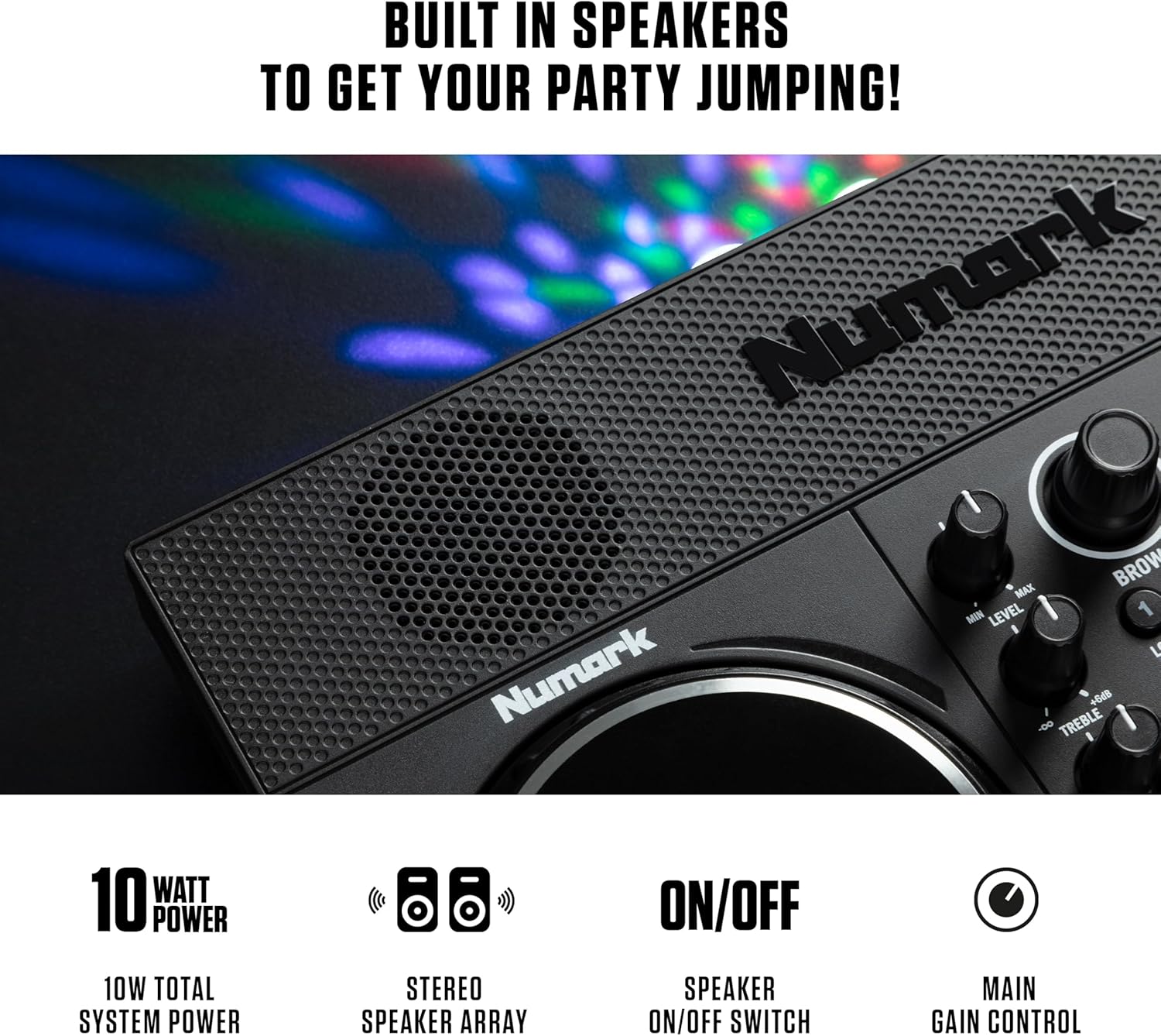
Figure 5: Detail of the built-in stereo speakers.
3.6 מוזיק סטרימינג
Serato DJ Lite provides access to millions of tracks from leading streaming platforms:
- עפּל מוזיק
- TIDAL
- SoundCloud GO
- Beatport Link
- Beatsource Link

Figure 6: Serato DJ Lite interface showing integrated streaming services.
3.7 Official Product Video: DJ Controller with Lights & Speakers
Video 1: An official video from inMusic Brands Inc. showcasing the Numark Party Mix Live DJ Controller, highlighting its built-in lights and speakers. This video demonstrates the product's features and functionality in a dynamic setting.
3.8 Official Product Video: DJ Set for Beginners with Built-In DJ Lights
Video 2: An official video from inMusic Brands Inc. demonstrating the Numark Party Mix Live as a beginner-friendly DJ set, emphasizing its ease of use and integrated lighting features.
4. וישאַלט
Proper maintenance ensures the longevity and optimal performance of your Party Mix Live.
- רייניקונג: Use a soft, dry cloth to clean the exterior of the controller. Avoid abrasive cleaners or solvents.
- סטאָרידזש: האַלט דעם קאָנטראָללער אין אַ קיל, טרוקן אָרט אַוועק פון דירעקט זונשייַן און עקסטרעמע טעמפּעראַטורן.
- קאַבלע זאָרגן: פֿאַרמײַדט צו בײַגן אָדער צו קרימפֿן קאַבלען צו פֿאַרמײַדן שאָדן.
5. טראָובלעשאָאָטינג
If you encounter issues with your Party Mix Live, refer to the following common solutions:
- קיין מאַכט: Ensure the power adapter is securely connected to both the controller and a working power outlet.
- קיין קול:
- Check all audio cable connections (main output to speakers, headphones).
- Verify that the volume levels on the controller, software, and external speakers are turned up.
- Ensure the built-in speaker switch is in the correct position if using internal speakers.
- Software Not Recognizing Controller:
- ענשור אַז די וסב קאַבלע איז סיקיורלי פארבונדן.
- Restart Serato DJ Lite and/or your computer.
- Check for updated drivers for the controller on the Numark webפּלאַץ.
- לייץ נישט ארבעטן: Ensure the controller is powered on and check the light mode switch.
6. ספּעסאַפאַקיישאַנז
| שטריך | באַשרייַבונג |
|---|---|
| סאָרט | נומאַרק |
| מאָדעל | פארטיי מיקס לייוו |
| פּונקט וואָג | 2.87 פונט (1.3 קג) |
| פּראָדוקט דימענשאַנז | 18.9 X 20.51 X 17.91 אינטשעס (48 X 52.1 X 45.5 סענטימעטער) |
| רעזולטאַט וואָסtage | 10 וואטס (איינגעבויטע רעדנערס) |
| קאַנעקטיוויטי | USB, 1/8-inch Main Output, 1/8-inch Headphone Output |
| ווייכווארג ינקלודעד | סעראַטאָ דדזש ליטע |
| ינטעגראַטעד פֿעיִקייטן | Built-in Speakers, Beat-Synced LED Light Show |
7. וואָראַנטי און שטיצן
The Numark Party Mix Live DJ Controller comes with a manufacturer's warranty. Please refer to the warranty card included in your package for specific terms and conditions.
For technical support, product registration, or additional resources, please visit the official Numark webפּלאַץ אָדער קאָנטאַקט זייער קונה סערוויס אָפּטיילונג.
- באַאַמטער Webפּלאַץ: www.numark.com
- שטיצן: זעט די שטיצע סעקציע אויף דער באַאַמטער webפּלאַץ פֿאַר FAQ, טראָובלעשאָאָטינג פירער און קאָנטאַקט אינפֿאָרמאַציע.


