1. פּראָדוקט איבערview
The Yaheetech Mesh Office Desk Chair is an ergonomic task chair designed for comfort and support during extended periods of use. It features adjustable lumbar support, a breathable mesh back, and a high-density foam padded seat. This manual provides detailed instructions for assembly, operation, and maintenance to ensure optimal performance and longevity of your chair.

Figure 1: Yaheetech Mesh Office Desk Chair (Purple)
2. וויכטיק סאַפעטי אינפֿאָרמאַציע
- דו זאלסט נישט שטיין אויף די שטול.
- פאַרזיכערן אַז אַלע סקרוז און באָלץ זענען סיקיורלי טייטאַנד איידער נוצן.
- Allow a ±1.5cm/0.6'' measurement tolerance during assembly.
- Maximum weight capacity: 300 pounds (136 kg). Do not exceed this limit.
- האַלטן קינדער אַוועק פון קליין טיילן בעשאַס פֿאַרזאַמלונג.
3. פּראָדוקט קאַמפּאָונאַנץ
Before beginning assembly, verify that all components are present and undamaged. Refer to the list below and the provided diagram.
- Mesh Backrest with Lumbar Support (A)
- Padded Seat Cushion (B)
- Armrests (C) - 2 pieces
- Mechanism Plate (E)
- Star Base (F)
- Gas Lift Cylinder (G)
- Casters (H) - 5 pieces
- Gas Lift Cover (I)
- Screws (J, K) and Hex Wrench

Figure 2: Chair Dimensions and Key Components
4. אַסעמבלי אינסטרוקציעס
For a visual guide, please refer to the official installation video provided by Yaheetech.
Video 1: Yaheetech Office Desk Chair Installation Guide. This video provides a step-by-step visual walkthrough of the assembly process for the office chair.
שריט-דורך-סטעפּ אַסעמבלי:
- צוטשעפּען ראָדלעך צו שטערן באַזע: Insert the five casters (H) into the openings at the end of each leg of the star base (F). Push firmly until they click into place.
- אַריינשטעלן גאַז ליפט: Place the gas lift cylinder (G) into the center hole of the star base (F). Cover it with the gas lift cover (I).
- Attach Armrests to Backrest: Secure the armrests (C) to the mesh backrest (A) using the appropriate screws (K) and the provided hex wrench. Ensure they are firmly attached.
- Attach Backrest Assembly to Seat Cushion: Align the armrests and backrest assembly (A+C) with the corresponding holes on the underside of the seat cushion (B). Use screws (K) to secure them.
- Attach Mechanism Plate to Seat Cushion: Position the mechanism plate (E) on the underside of the seat cushion (B), ensuring the "FRONT" label on the plate aligns with the front of the seat. Secure it with screws (J).
- פֿאַרבינדן זיץ־אַסעמבלי צום גאַז־ליפֿט: Carefully place the assembled seat (B+C+E) onto the gas lift cylinder (G) protruding from the star base. Press down firmly to ensure a secure connection.
Once assembled, test all functions and ensure stability before regular use.
5. אַפּערייטינג ינסטרוקטיאָנס
Your Yaheetech office chair offers several adjustable features for personalized comfort.
5.1. אַוועקזעצן הייך אַדזשאַסטמאַנט
To adjust the seat height, locate the lever beneath the seat on the right side. While seated, pull the lever upwards to lower the seat. To raise the seat, lift your weight off the chair and pull the lever upwards. Release the lever at your desired height.
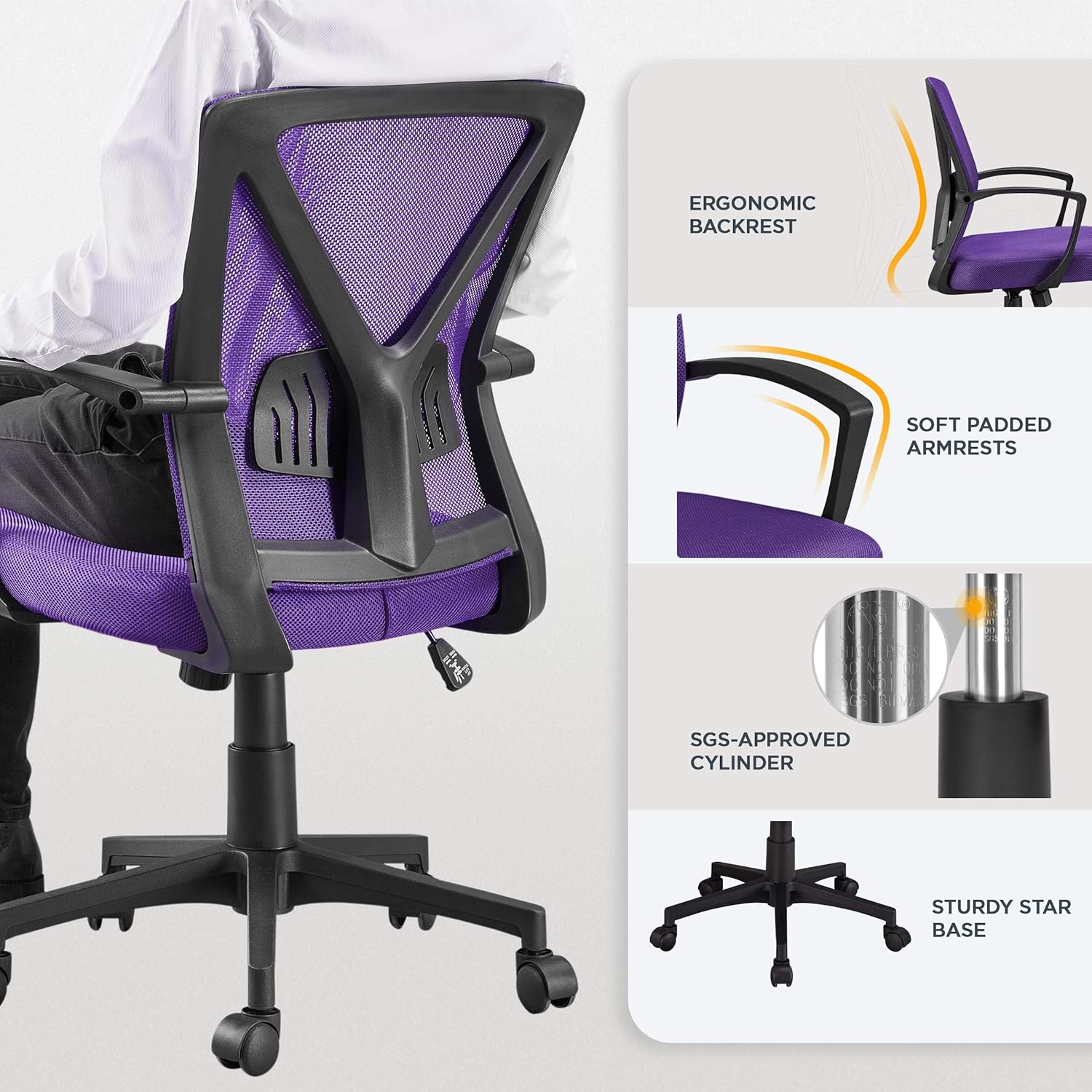
Figure 3: Seat Height and Reclining Controls
5.2. Back Height and Lumbar Support Adjustment
The backrest's lumbar support area can be positioned within a fixed range to provide customized support to your lower back. This feature helps alleviate pressure on your spine.

Figure 4: Adjustable Lumbar Support Detail
5.3. Center-Tilt Tension and Rocking Motion
Adjust the tilt tension by turning the knob located beneath the seat. Turn clockwise to tighten the tension (making it harder to recline) and counter-clockwise to loosen it (allowing easier recline). The chair supports a rocking motion between 90° and 105°.
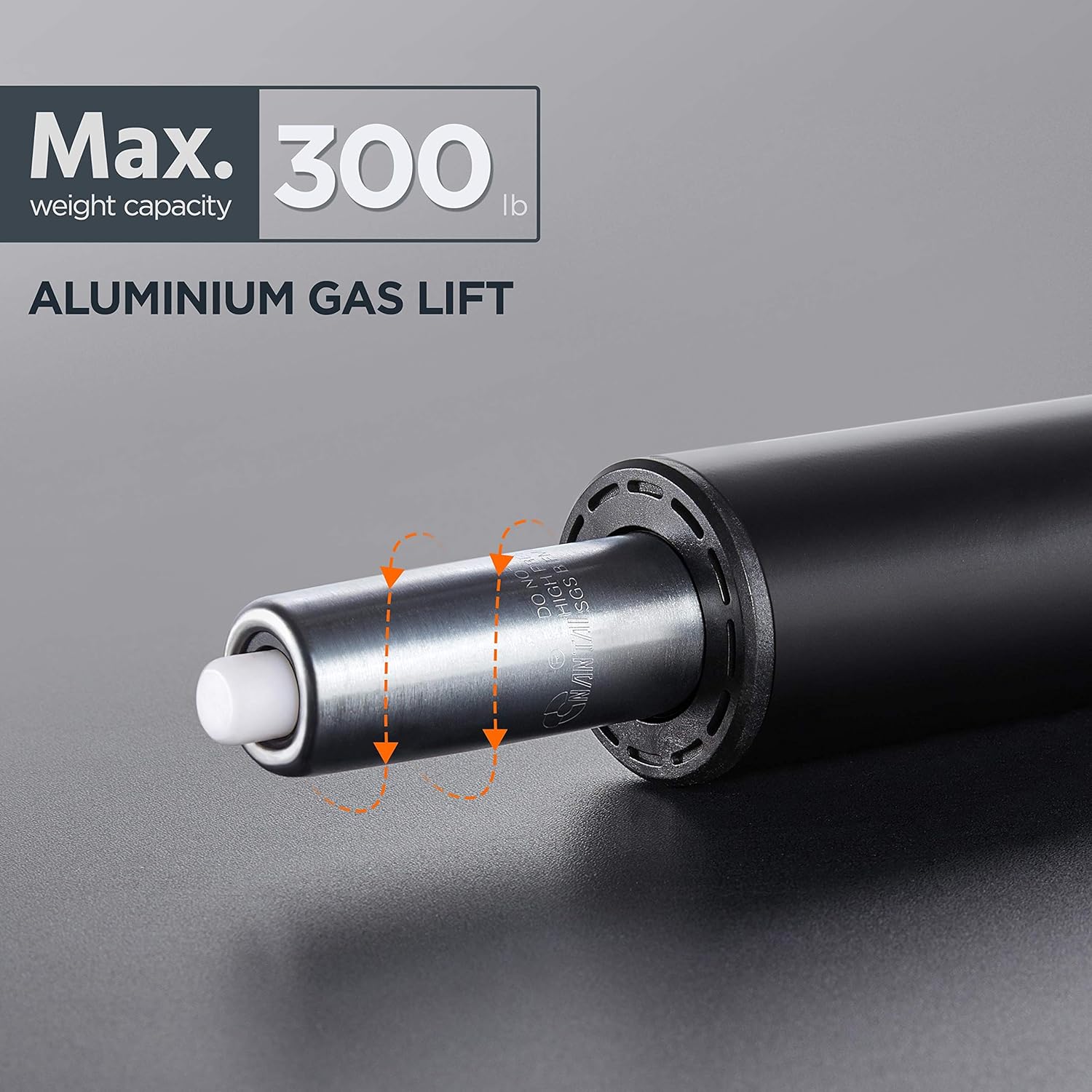
Figure 5: Rocking Motion and Tension Control
5.4. 360° דריי און באַוועגלעכקייט
The chair features a 360° swivel function and smooth-rolling casters on its nylon base, allowing for easy movement and rotation across various floor surfaces.
Video 2: Yaheetech Mesh Office Chair Features. This video highlights various features of the chair, including its mobility and ergonomic design.
6. וישאַלט און קער
To maintain the appearance and functionality of your chair, follow these simple care instructions:
- רייניקונג: ווישן ריין מיט אַדamp שטאָף. פֿאַרמײַדט שאַרפֿע כעמיקאַלן אָדער אַברייסיוו רייניגער.
- רעגולער טשעקס: קאָנטראָלירט פּעריִאָדיש אַלע שרויפן און באָלטן צו זיכער מאַכן אַז זיי בלייבן פעסט. פֿעסטשטײַערט ווידער אויב נייטיק.
- קאַסטער קער: האַלט די ראָדלעך פריי פון שמוץ (האָר, שטויב, אאז"וו) צו ענשור אַ גלאַט ראָולינג.
- ויסמיידן דירעקט זונשייַן: Prolonged exposure to direct sunlight may cause fading of the mesh and fabric.
7. טראָובלעשאָאָטינג
אויב איר טרעפט פראבלעמען מיט אייער בענקל, זעט די פאלגנדע אלגעמיינע עצות פאר פראבלעם-לייזונג:
| פּראָבלעם | מעגלעך סיבה | לייזונג |
|---|---|---|
| שטול וואָבאַלז אָדער פילז אַנסטייבאַל | לויזע שרויפן אדער אומגלייכע פֿאַרזאַמלונג. | Check and tighten all screws. Ensure the chair is assembled correctly according to the manual. |
| הייך אַדזשאַסטמענט אַרבעט נישט | Gas lift issue or lever malfunction. | זיכער מאַכן אַז דער הייבער איז גאָר איינגעלאָדן. אויב די פּראָבלעם בלייבט, דאַרף מען אפשר טוישן דעם גאַז ליפט. |
| ראָדלעך דרייען זיך נישט גלאַט | דעבריס געכאפט אין ראָדלעך אדער געשעדיגטע ראָדלעך. | Clean any debris from the casters. If damaged, consider replacing them. |
| Chair squeaks | לויזע פֿאַרבינדונגען אָדער רייַבונג צווישן טיילן. | פֿעסט צו אַלע שרויפֿן. אויב נייטיק, טראָגט אויף אַ קליינע מאָס לובריקאַנט אויף די באַוועגלעכע טיילן. |
8. פּראָדוקט ספּעסאַפאַקיישאַנז
- סאָרט: יאעטעטש
- מאָדעל נאָמען: אָפיס שטול
- נומער מאָדעל נומער: YT-0010373601
- קאָליר: לילאַ
- סטייל: מאָדערן
- פּראָדוקט דימענשאַנז: 23.5"ד רענטגענ 23"וו רענטגענ 39.5"ה
- זיצפּלאַץ הייך אַדזשאַסטמאַנט: 17.7''-21.7'' (45-55cm)
- מאַקסימום וואָג רעקאָממענדאַטיאָן: 300 פונט (136 קג)
- מאַטעריאַל: Mesh, High-Density Foam, Nylon Base, Steel Gas Spring
- ספּעציעלע פֿעיִקייטן: Adjustable Height, Ergonomic, Arm Rest, Lumbar Support, Tilting
- מעבל באַזע באַוועגונג: סוויוואַל
- נומער וואָג: 18.9 פונט
- לאַנד פון אָריגין: כינע
9. וואָראַנטי און שטיצן
Yaheetech offers protection plans for your product. For detailed information regarding warranty coverage and to purchase extended protection plans, please visit the product page on Amazon or contact Yaheetech customer service.
קונה שטיצן: For any questions, concerns, or assistance with your Yaheetech product, please visit the Yaheetech Store on Amazon or refer to the contact information provided with your purchase documentation.
אן אפיציעלע אינסטאַלאַציע מאַנואַל (PDF) איז אויך בנימצא פֿאַר דאַונלאָודינג: אָפּלאָדירן PDF מאַנואַל


