הקדמה
א דאנק פארן קויפןasing the MageGee V620 Wireless Keyboard and Mouse Combo. This manual provides detailed instructions on how to set up, operate, maintain, and troubleshoot your new wireless peripheral set. Please read this manual carefully before use to ensure optimal performance and longevity of your product.

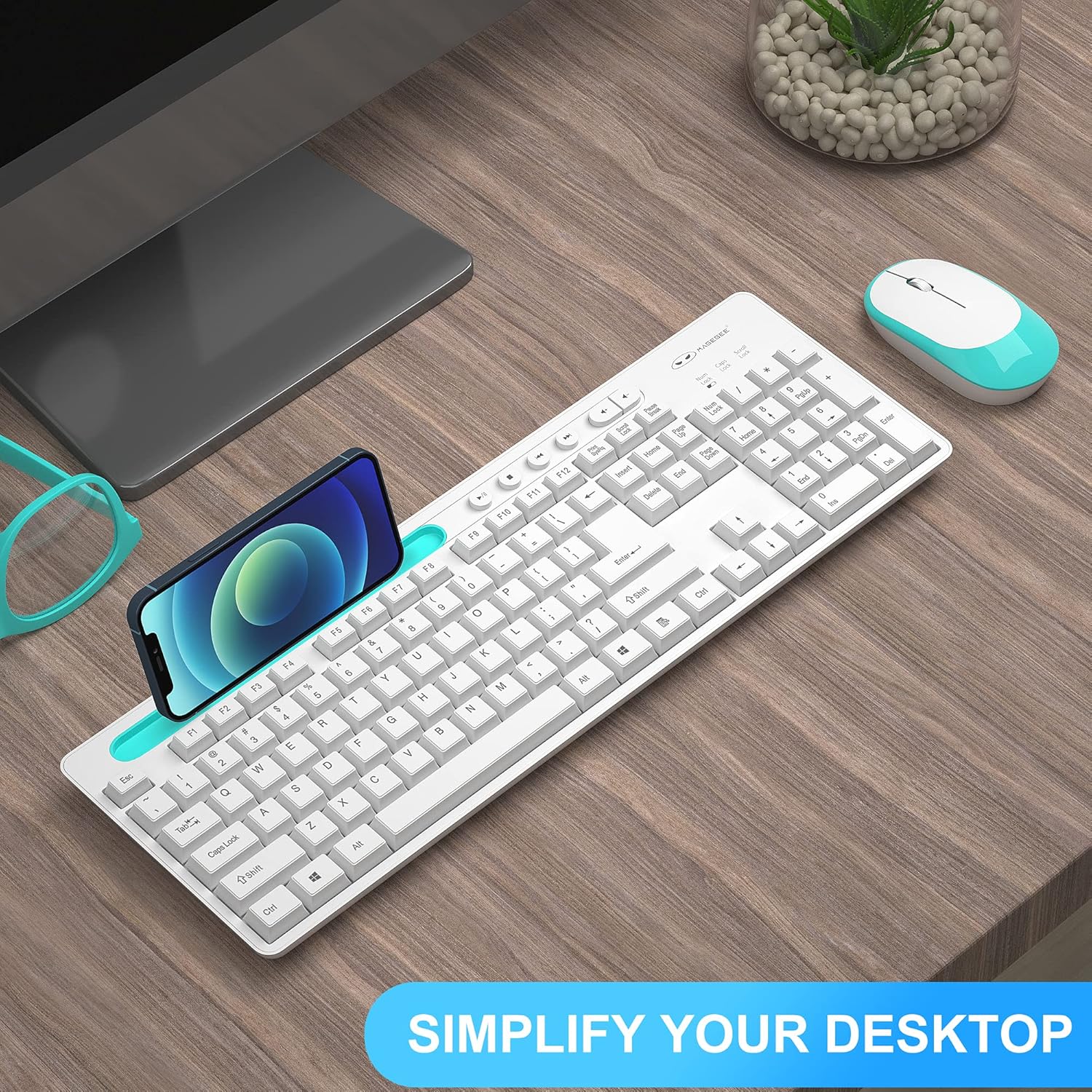
Image: The MageGee V620 wireless keyboard and mouse combo, featuring a full-size keyboard with an integrated phone holder and a compact, ergonomic mouse. A smartphone is shown placed in the keyboard's holder.
פּעקל אינהאַלט
- MageGee V620 Wireless Keyboard
- MageGee Wireless Mouse
- USB ריסיווער (געהאַלטן אין די מויז באַטאַרייע אָפּטייל)
- באַניצער מאַנואַל (דעם דאָקומענט)
- AA Battery (for mouse, pre-installed or included)
סעטאַפּ
Follow these steps to set up your MageGee V620 Wireless Keyboard and Mouse Combo:
- ינסטאַלירן באַטעריז:
- מויז: Open the battery compartment cover on the bottom of the mouse. Insert the provided AA battery, ensuring correct polarity (+/-). Close the cover.
- קלאַוויאַטור: The keyboard typically uses AAA batteries (not explicitly mentioned in JSON, but common for wireless keyboards). Open the battery compartment on the bottom of the keyboard and insert the required batteries (usually 2x AAA, not included based on JSON).
- געפינען די USB ריסיווער: The USB receiver for both the keyboard and mouse is usually stored inside the mouse's battery compartment for safekeeping during transport. Carefully remove it.
- פאַרבינדן וסב ופנעמער: Plug the USB receiver into an available USB port on your computer (desktop, laptop, PC).
- מאַכט אויף:
- מויז: קער אויף די מאַכט באַשטימען אויף די דנאָ פון די מויז.
- קלאַוויאַטור: Ensure the keyboard is powered on (some keyboards have a power switch, others activate upon key press).
- אָטאַמאַטיק קשר: The keyboard and mouse should automatically connect to your computer within a few seconds. No additional drivers are typically required for Windows, macOS, or Linux systems.

Image: Illustration demonstrating the 2.4GHz wireless connection of the MageGee V620 combo. A USB receiver is shown plugged into a laptop, wirelessly connecting to both the keyboard and mouse, indicating a range of 33 feet.
אַפּערייטינג ינסטראַקשאַנז
קלאַוויאַטור פֿעיִקייטן
- גאַנץ גרייס אויסלייג: Includes a numeric keypad for efficient data entry.
- Quiet Crater-Switch Keys: Designed for responsive and quiet typing, reducing noise during use.
- ינאַגרייטיד טעלעפאָן האָלדער: A convenient slot at the top of the keyboard allows you to prop up your smartphone or tablet for easy viewing.
- Media Shortcut Keys: Access common functions quickly with dedicated media keys (e.g., volume control, play/pause).
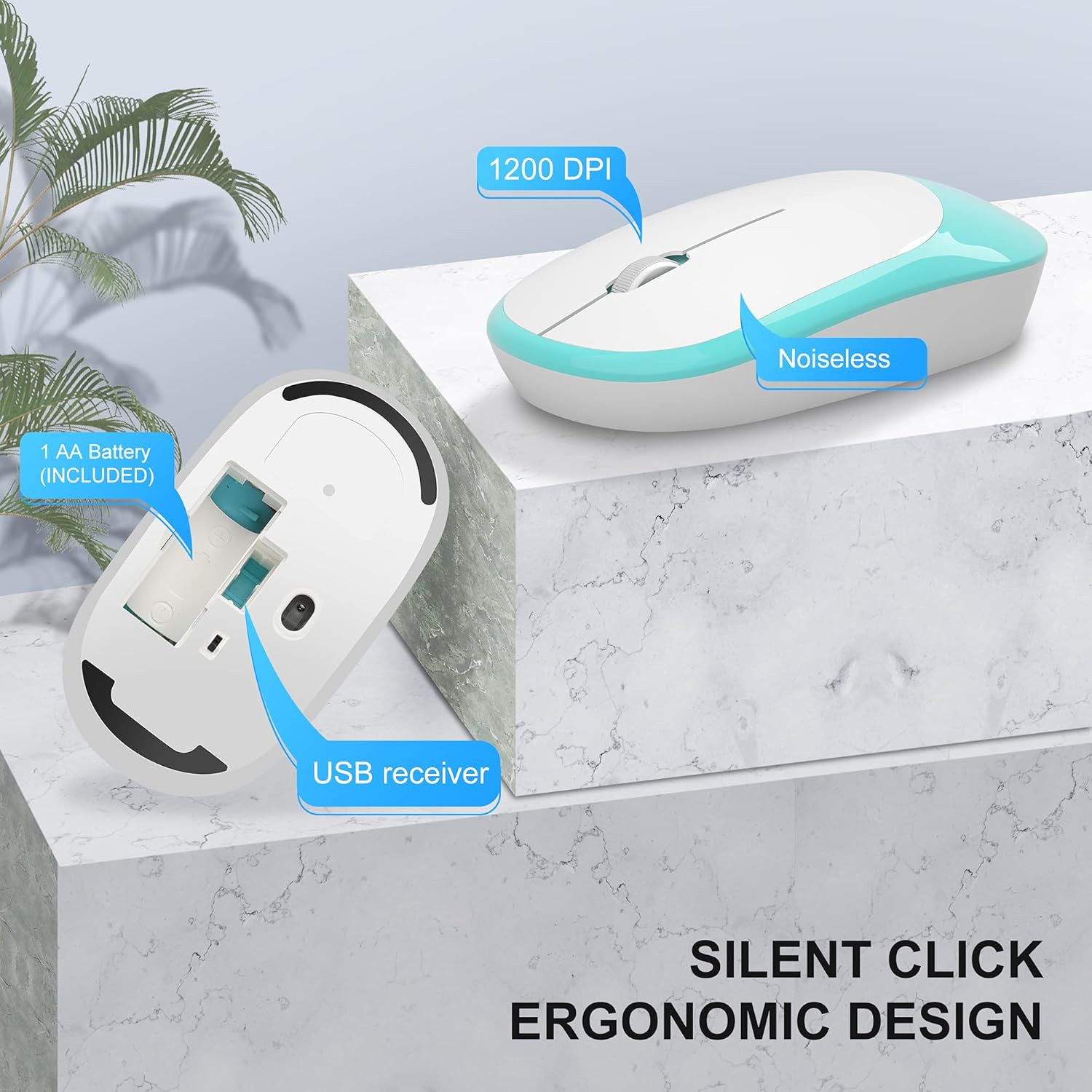
Image: The MageGee V620 wireless keyboard, with highlighted sections indicating the integrated phone holder and the location of 6 media shortcut keys.

בילד: א נאָענטע בילד view of the MageGee V620 keyboard keys, emphasizing the responsive and quiet crater-switch design. Icons below indicate anti-scratch, comfortable touch, soft click, and crater switch features.
מויז פֿעיִקייטן
- ערגאָנאָמיק פּלאַן: Shaped for comfortable use over extended periods.
- שטיל קליק: Reduces click noise, ideal for quiet environments.
- 1200 דפּי: Provides precise and smooth cursor control.
- USB ופנעמער סטאָרידזש: The USB receiver can be conveniently stored inside the mouse when not in use, preventing loss.
בילד: א דעטאַלירטע view of the MageGee V620 wireless mouse, pointing out its silent click feature, ergonomic design, 1200 DPI sensitivity, and the location of the AA battery compartment and USB receiver storage.
וישאַלט
- רייניקונג: ניצט אַ ווייכע, טרוקענע שטאָף צו ווישן די קלאַוויאַטור און מויז. פֿאַר שווערע שמוץ, אַ ביסל טרוקןamp מען קען ניצן אַ שטאָף מיט מילדער זייף, און זיכער מאַכן אַז קיין פליסיקייט גייט נישט אַרײַן אין דעם אַפּאַראַט. ניצט נישט קיין שאַרפע כעמיקאַלן אָדער אַברייסיוו רייניגער.
- באַטערי פאַרבייַט:
- When the keyboard or mouse becomes unresponsive or experiences lag, it may be time to replace the batteries.
- Refer to the "Setup" section for instructions on opening battery compartments and inserting new batteries.
- אָפּזאָגן אַלט באַטעריז ריספּאַנסאַבלי לויט די היגע רעגיאַליישאַנז.
- סטאָרידזש: When not in use for extended periods, turn off the mouse to conserve battery life. Store the USB receiver inside the mouse's compartment to prevent loss.
טראָובלעשאָאָטינג
If you encounter issues with your MageGee V620 combo, try the following solutions:
- No Connection / Unresponsive:
- זייט זיכער אז דער USB ריסיווער איז זיכער אריינגעשטעקט אין א ארבעטנדיקן USB פּאָרט אויף אייער קאמפיוטער.
- Check if the mouse and keyboard are powered on.
- טוישט די באַטעריעס אין ביידע די קלאַוויאַטור און מויז.
- פּרוּווט פּלאַגינג די וסב ופנעמער אין אַ אַנדערש וסב פּאָרט.
- Move the keyboard and mouse closer to the USB receiver to rule out range issues.
- ריסטאַרט דיין קאָמפּיוטער.
- פארשפּעטיקטע אדער איבערצייטיגע פארבינדונג:
- Ensure there are no large metal objects or other electronic devices (like Wi-Fi routers, other wireless devices) between the keyboard/mouse and the receiver that might cause interference.
- Try using a USB extension cable to position the receiver closer to the keyboard and mouse, away from potential interference sources.
- טשעק די באַטאַרייע לעוועלס.
- Keys Not Working / Mouse Cursor Not Moving:
- Clean any debris from around the affected keys or the mouse sensor.
- Ensure the Num Lock or Caps Lock indicators are functioning correctly (for keyboard).
- Re-establish connection by unplugging and re-plugging the USB receiver.
ספּעסאַפאַקיישאַנז
| שטריך | דעטאַל |
|---|---|
| סאָרט | MageGee |
| מאָדעל | V620 |
| קאַנעקטיוויטי טעכנאָלאָגיע | 2.4GHz ווירעלעס (USB ריסיווער) |
| קאַמפּאַטאַבאַל דעוויסעס | Gaming Console, Laptop, Personal Computer (Windows, PC) |
| ספּעציעלע שטריך | Ergonomic Design, Quiet Keys, Phone Holder |
| מויז דפּי | 1200 דפּי |
| קלאַוויאַטור באַשרייַבונג | Full-size with Number Pad |
| פּונקט וואָג | 1.44 פונט (אומגעפער 0.65 ק"ג) |
| פּעקל דימענשאַנז | 17.48 x 8.62 x 1.5 אינטשעס (אומגעפער 44.4 x 21.9 x 3.8 ס״מ) |

Image: Technical drawing showing the dimensions of the MageGee V620 wireless keyboard: approximately 440mm (length), 145mm (width), and 27mm (height).

Image: Technical drawing showing the dimensions of the MageGee V620 wireless mouse: approximately 108mm (length), 60mm (width), and 26mm (height).
וואָראַנטי און שטיצן
MageGee products are designed for reliability and performance. For warranty information or technical support, please refer to the contact details provided with your purchase or visit the official MageGee webזייטל. האַלט אייער קויף קוויטל ווי אַ באַווייַז פון קויפן פֿאַר וואָראַנטי קליימז.
For further assistance, you may contact MageGee customer service through their official channels. You can often find support information on the MageGee Store on Amazon.


