1. הקדמה
This manual provides detailed instructions for the setup, operation, and maintenance of your AULA F2058 Mechanical Gaming Keyboard. Designed for an optimal gaming and typing experience, this keyboard features durable mechanical blue switches, customizable rainbow backlighting, and a comfortable magnetic wrist rest. Please read this manual thoroughly before using the product to ensure proper functionality and longevity.
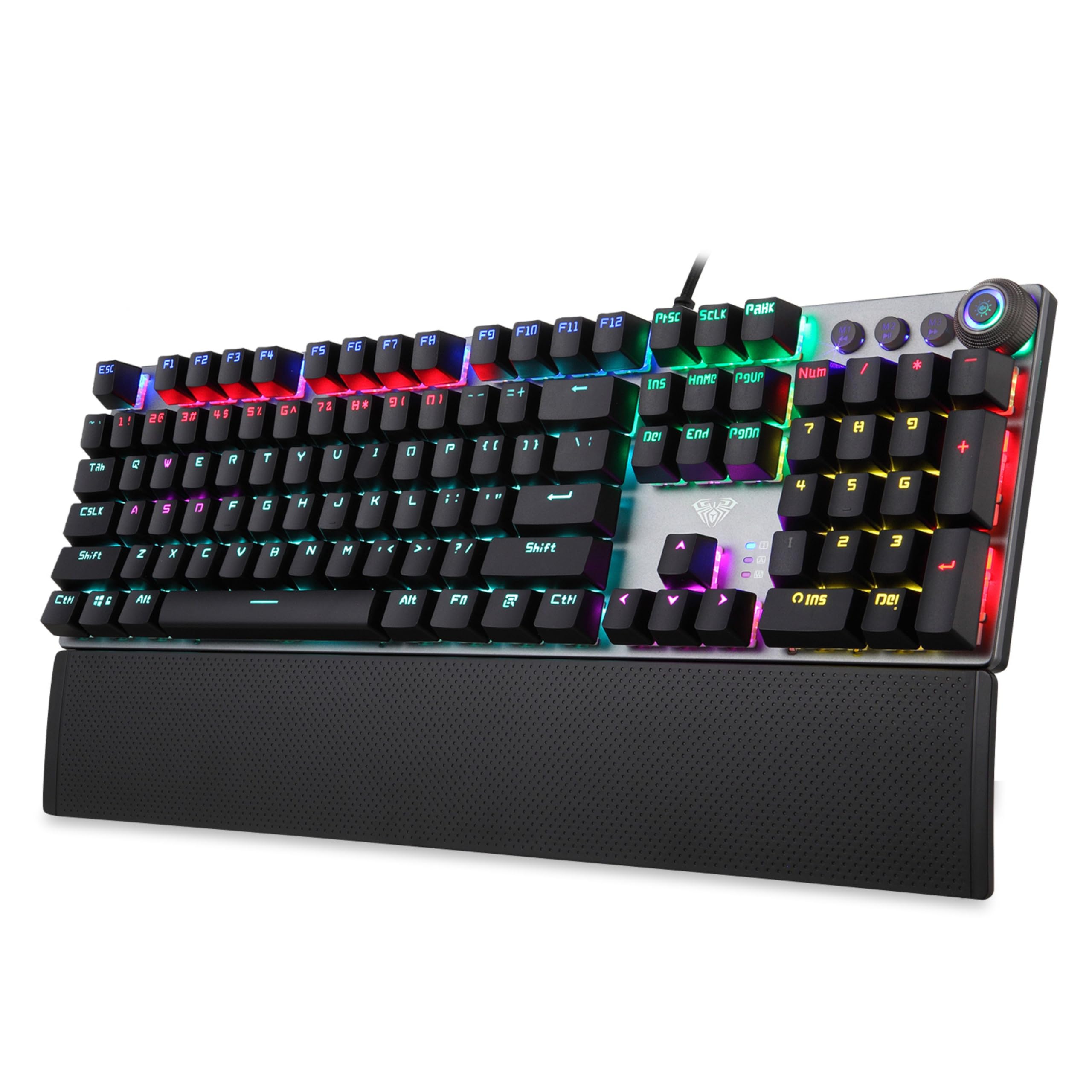
Image 1.1: AULA F2058 Mechanical Gaming Keyboard with its detachable wrist rest and vibrant rainbow backlighting.
2. פּעקל אינהאַלט
באַשטעטיקן אַז אַלע זאכן זענען פאַראַן אין פּעקל:
- AULA F2058 Mechanical Gaming Keyboard
- Detachable Magnetic Wrist Rest
- יו-עס-בי קאַבל (אינטעגרירט)
- באַניצער מאַנואַל (דעם דאָקומענט)
3. סעטאַפּ אינסטרוקציעס
- פֿאַרבינדן די קלאַוויאַטור: Plug the integrated USB cable from the keyboard into an available USB port on your computer. The keyboard is plug-and-play and does not require additional drivers for basic functionality.
- באַפעסטיקט די האַנטגעלענק רו: Align the magnetic wrist rest with the bottom edge of the keyboard. The magnets will secure it in place, providing ergonomic support.

Image 3.1: The detachable magnetic wrist rest provides comfort during extended use.
4. שליסל פֿעיִקייטן
- מעכאנישע בלויע סוויטשעס: Experience tactile feedback and an audible click with each keystroke, ideal for gaming and typing.
- רעגנבויגן באַקלייטונג: Customizable lighting modes enhance visibility and aesthetics.
- אַנטי-גהאָסטינג: Full N-key rollover ensures every keypress is registered accurately, even during simultaneous inputs.
- מולטימעדיאַ קאָנטראָלס: Dedicated keys and a multi-function knob for easy access to volume and media playback.
- דוראַבאַל קאַנסטראַקשאַן: Built for longevity with a key life of up to 60 million keystrokes.

Image 4.1: Detail of the mechanical blue switches, known for their tactile and clicky response.
5. אַפּערייטינג ינסטרוקטיאָנס
5.1. באַקלייטונג קאָנטראָל
The AULA F2058 keyboard features customizable rainbow backlighting with multiple effects and brightness levels.
- טוישן לייטינג מאָדעס: Use the dedicated lighting control keys or the multi-function knob to cycle through 22 different backlighting modes.
- אַדזשאַסטינג ברייטנאַס: Rotate the multi-function knob to increase or decrease the backlight brightness (5 adjustable levels).
- מנהג לייטינג יפעקץ: The keyboard supports custom lighting effects. Refer to the specific key combinations or software (if applicable) for advanced customization.

Image 5.1: The keyboard features 22 backlighting modes, 5 adjustable brightness levels, and a knob for control.
5.2. Multimedia Controls
The keyboard includes a multi-function knob and dedicated keys for convenient control over media playback and volume.
- באַנד קאָנטראָל: Rotate the multi-function knob to adjust the system volume.
- שטום/אומשטום: Press the multi-function knob to mute or unmute audio.
- פּלייבאַק קאָנטראָלס: Use the dedicated media keys (e.g., Play/Pause, Previous Track, Next Track) for media management.
5.3. מאַקראָ פּראָגראַמירן
The AULA F2058 supports macro programming for enhanced gaming and productivity. Specific instructions for macro setup may vary. Typically, this involves:
- Accessing the macro recording function (often via a dedicated key or key combination, e.g., Fn + M1/M2/M3).
- Recording your desired key sequence.
- Saving the macro to a designated key.
For detailed macro programming instructions, please refer to the official AULA software or support resources, if available.
6. וישאַלט
געהעריגע אויפהאלטונג גאראנטירט די לאנגעוויטי און עפעקטיווקייט פון אייער קלאַוויאַטור.
- רייניקונג: Use a soft, dry cloth to wipe the keyboard surface. For deeper cleaning, use compressed air to remove dust and debris from between the keycaps. Avoid using harsh chemicals or abrasive materials.
- קלאַוויאַטור אַראָפּנעמען: If necessary, keycaps can be carefully removed for cleaning or replacement using a keycap puller (not included). Exercise caution to avoid damaging the switches.
- סטאָרידזש: האַלט די קלאַוויאַטור אין אַ קיל, טרוקן אָרט אַוועק פון דירעקט זונשייַן און עקסטרעמע טעמפּעראַטורן ווען נישט אין באַנוץ פֿאַר לענגערע פּעריאָדן.
7. טראָובלעשאָאָטינג
If you encounter issues with your AULA F2058 keyboard, refer to the following common solutions:
| פּראָבלעם | מעגלעך לייזונג |
|---|---|
| קלאַוויאַטור ניט ריספּאַנדינג |
|
| באַקלייטונג אַרבעט נישט אָדער איז נישט ריכטיק |
|
| שליסלען טאָפּל-טייפּן אָדער נישט רעגיסטרירן |
|
| Wrist rest not attaching securely |
|
If these solutions do not resolve the issue, please contact AULA customer support for further assistance.
8. ספּעסאַפאַקיישאַנז
| שטריך | דעטאַל |
|---|---|
| מאָדעל נומער | פ2058 |
| באַשטימען טיפּ | מעטשאַניקאַל בלוי סוויטשיז |
| באַקלייט | Rainbow LED, 22 Modes, 5 Brightness Levels |
| קאַנעקטיוויטי | ווייערד וסב |
| אַנטי-גהאָסטינג | גאַנץ N-Key ראָולאָוווער |
| שליסל לעבן | אַרויף צו 60 מיליאָן קיסטראָוקס |
| האַנטגעלענק מנוחה | Detachable Magnetic Palm Rest |
| פּראָדוקט דימענשאַנז | 43.4 X 12.3 X 3.8 סענטימעטער |
| פּונקט וואָג | 830 ג |
| לאַנד פון אָריגין | כינע |
9. וואָראַנטי און שטיצן
AULA products are designed for quality and performance. For warranty information, technical support, or service inquiries, please refer to the warranty card included with your product or visit the official AULA webזייטל. האַלט אייער קויף קוויטל ווי אַ באַווייַז פון קויפן פֿאַר וואָראַנטי קליימז.
Manufacturer: AULA, Dongguan Suoai Electronics Co Ltd
Importer: ODIOZONE PRIVATE LIMITED


