1. הקדמה
Thank you for choosing the boAt Airdopes 641 Truly Wireless Earbuds. This manual provides essential information for setting up, operating, and maintaining your earbuds to ensure optimal performance and longevity. Please read this guide carefully before using the product.
2. פּראָדוקט איבערview
The boAt Airdopes 641 are designed for a seamless audio experience, featuring advanced connectivity and intuitive controls.

בילד: Key features of the Airdopes 641, highlighting RGB LEDs, Instant Wake N' Pair (IWP) technology, Bluetooth 5.0 connectivity, 6mm Dual Drivers for audio, and a Capacitive Touch Panel for controls.
2.1 קאַמפּאָונאַנץ
- עאַרבודז: Left and Right truly wireless earbuds with in-ear design.
- טשאַרדזשינג קאַסע: פּאָרטאַטיוו פאַל פֿאַר טשאַרדזשינג און סטאָרינג די עאַרבודז.
- וסב טיפּ-C קאַבלע: פֿאַר טשאַרדזשינג די קאַסטן.
- באַניצער מאַנואַל: דעם דאָקומענט.
2.2 פֿעיִקייטן
- בלועטאָאָטה 5.0: פֿאַר סטאַבילע און עפֿעקטיווע וויירלעסע קאָנעקטיוויטי.
- IWP (Instant Wake N' Pair): Enables quick pairing with your device once the case lid is opened.
- Capacitive Touch Panel: For easy control of music, calls, and voice assistant.
- 6mm Dual Drivers: Delivers immersive audio experience.
- רגב לעדס: Indicator lights for status.
- BEAST מאָדע: Low latency mode for gaming.
- IPX5 Water & Sweat Shield: גיט שוץ קעגן שפּריצן און שווייס.
- Up to 30 Hours Total Playback: Combined battery life of earbuds and charging case.
- USB Type-C טשאַרדזשינג: מאָדערן און באַקוועם טשאַרדזשינג פּאָרט.
3. סעטאַפּ
3.1 אויפלאָדן די אויערקנעפּלעך און קעסטל
פארן ערשטן באַנוץ, זיכערט זיך אז ביידע די אויערקנעפּלעך און די טשאַרדזשינג קעסטל זענען גאָר אויפגעלאָדן.
- Place both earbuds into the charging case, ensuring they are correctly seated. The earbuds will automatically begin charging.
- Connect the USB Type-C charging cable to the charging port on the case and plug the other end into a compatible USB power adapter (not included).
- The LED indicators on the case will show the charging status. Once fully charged, the indicators may change or turn off.
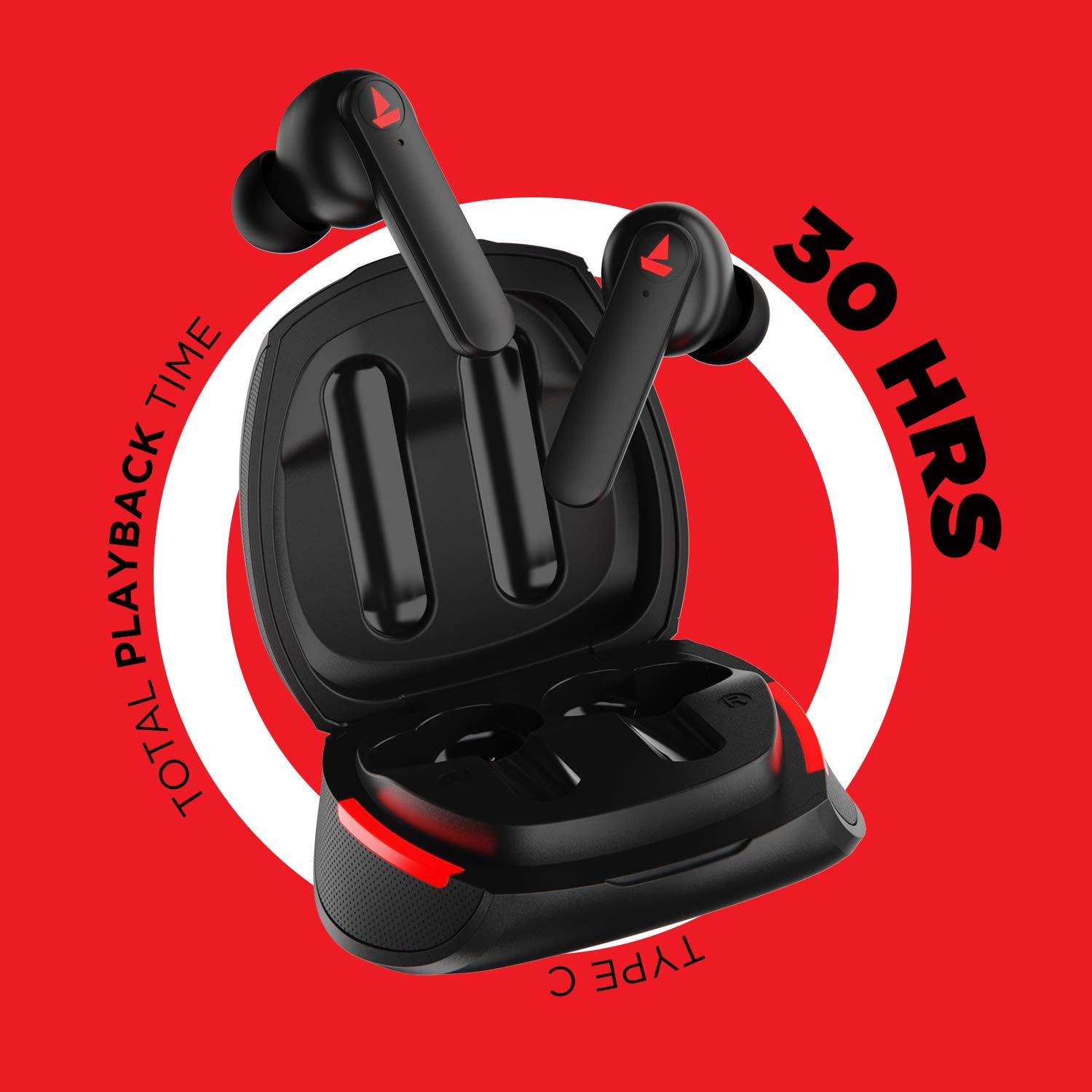
בילד: The Airdopes 641 earbuds resting in their charging case, illustrating the Type-C charging capability and the impressive 30 hours of total playback time.
3.2 Initial Pairing (IWP Technology)
The Airdopes 641 feature Instant Wake N' Pair (IWP) technology for quick and effortless connection.
- עפענען די דעקל פון די טשאַרדזשינג פאַל. די עאַרבודז וועט אויטאָמאַטיש קער אויף און אַרייַן פּערינג מאָדע.
- אויף אייער סמאַרטפאָון אָדער בלועטוט-ענייבאַלד מיטל, אַקטיוויזירט בלועטוט.
- זוכן פֿאַר "Airdopes 641" in the list of available devices and select it to pair.
- Once paired, you will hear an audio prompt, and the earbuds will be ready for use.
- The earbuds will automatically connect to the last paired device when the case lid is opened, provided Bluetooth is enabled on the device.
4. אַפּערייטינג ינסטרוקטיאָנס
4.1 מאַכט אויף / אַוועק
- מאַכט אויף: Open the charging case lid. The earbuds will power on automatically. Alternatively, long-press the Capacitive Touch Control (CTC) on both earbuds for 3 seconds.
- מאַכט אַוועק: Place the earbuds back into the charging case and close the lid. They will power off automatically. Alternatively, long-press the CTC on both earbuds for 5 seconds.
4.2 Capacitive Touch Controls (CTC)
The Airdopes 641 feature intuitive touch controls on each earbud.
- שפּיל / פּויזע: Single tap on either earbud's CTC.
- ווייַטער שפּור: Double tap on the right earbud's CTC.
- פֿריִערדיקע שפּור: Double tap on the left earbud's CTC.
- ענטפֿערן / סוף רופן: Single tap on either earbud's CTC.
- אָפּוואַרפן רופן: Long press on either earbud's CTC for 2 seconds.
- אַקטאַווייט קול אַססיסטאַנט: Triple tap on either earbud's CTC.
- באַנד אַרויף: Long press the right earbud's CTC.
- באַנד אַראָפּ: Long press the left earbud's CTC.
4.3 BEAST Mode (Low Latency Gaming)
Activate BEAST Mode for a low-latency audio experience, ideal for gaming.

בילד: The Airdopes 641 earbuds and their sleek charging case, emphasizing the "BEAST Mode" feature designed to provide a low-latency audio experience for gamers.
- Activate BEAST Mode: Triple tap on the right earbud's CTC.
- Deactivate BEAST Mode: Triple tap on the right earbud's CTC again.
5. וישאַלט
Proper care ensures the longevity and performance of your Airdopes 641.
5.1 רייניקונג
- ווישט אָפּ די אויערקנעפּלעך און די טשאַרדזשינג קעסטל מיט אַ ווייכן, טרוקענעם, לינט-פֿרייע שטאָף.
- ניצט נישט קיין שרײַבנדיקע רייניגער, אַלקאָהאָל, אדער כעמישע סאָלווענטן.
- Regularly clean the ear tips and mesh to prevent wax buildup, which can affect sound quality.
5.2 Water and Sweat Resistance (IPX5)

בילד: The Airdopes 641 earbuds and their charging case surrounded by water splashes, illustrating their IPX5 rating for water and sweat resistance.
The Airdopes 641 are rated IPX5, meaning they are protected against low-pressure water jets from any direction. This makes them suitable for workouts and light rain.
- טונקט נישט די אויערן-קנעפּלעך אין וואַסער.
- Do not expose them to high-pressure water or steam.
- זיכער מאַכן אַז די אויערקנעפּלעך זענען טרוקן איידער איר לייגט זיי צוריק אין די טשאַרדזשינג קעסטל צו פאַרמייַדן שעדיקן.
5.3 סטאָרידזש
סטאָר די עאַרבודז אין זייער טשאַרדזשינג פאַל ווען ניט אין נוצן צו באַשיצן זיי און האַלטן זיי טשאַרדזשינג.
6. טראָובלעשאָאָטינג
If you encounter issues with your Airdopes 641, try the following solutions.
6.1 אויערקנעפּלעך נישט פארבינדן/פארבינדן זיך נישט
- מאַכן זיכער אַז ביידע עאַרבודז זענען באפוילן.
- Make sure Bluetooth is enabled on your device and the earbuds are within range.
- Try forgetting "Airdopes 641" from your device's Bluetooth list and re-pairing.
- Perform a factory reset as described below.
6.2 פאַבריק באַשטעטיק
A factory reset can resolve many common issues by restoring the earbuds to their original settings.

בילד: A visual guide detailing the steps for a factory reset of the Airdopes 641. It emphasizes clearing the device from pairing history first, then long-pressing the Capacitive Touch Control (CTC) on both earbuds inside the case for 10 seconds until a green LED flashes three times, followed by closing and reopening the case.
- שריט 1: Before performing the reset, clear "Airdopes 641" from your pairing device history by forgetting the device on your phone/tablet.
- שריט 2: Place both earbuds back inside the charging case in the correct orientation.
- שריט 3: Long press the Capacitive Touch Control (CTC) on both earbuds inside the case for up to 10 seconds. The successful reset will be indicated by the flashing of a green LED three times.
- שריט 4: פאַרמאַכן די דעקל פון די טשאַרדזשינג פאַל און דעמאָלט שייַעך-עפענען עס ווידער.
- שריט 5: Once you take the earbuds out from the charging case, they automatically restart and are ready for a new pairing.
Note: Please make sure the case is charged before performing a factory reset.
6.3 No Sound/Low Volume
- קאָנטראָלירט די וואָלומען לעוועלס אויף ביידע אייער דעווייס און די אויערקנעפּלעך.
- זייט זיכער אז די אויערקנעפּלעך זענען ריכטיק אײַנגעזעצט אין אייערע אויערן.
- Clean any debris from the earbud mesh.
- פרובירט ווידער צו פארבינדן די אויערקנעפלעך.
7. ספּעסאַפאַקיישאַנז
| מאָדעל נאָמען | אַירדאָפּעס 641 |
| קאַנעקטיוויטי טעכנאָלאָגיע | ווירעלעסס (בלועטאָאָטה) |
| ווירעלעסס קאָמוניקאַציע טעכנאָלאָגיע | בלועטאָאָטה 5.0 |
| קאָנטראָל טיפּ | ריר, שטימע קאנטראל |
| אַודיאָ דרייווער טיפּ | דינאַמישער דרייווער (6 מ״מ) |
| אויער פּלייסמאַנט | אין אויער |
| פאָרם פאַקטאָר | אין אויער |
| מאַטעריאַל | פּלאַסטיק |
| וואַסער קעגנשטעל שאַץ | IPX5 |
| טשאַרדזשינג פּאָרט | וסב טיפּ-C |
| קאַמפּאַטאַבאַל דעוויסעס | Tablets, Cellphones, Laptops, Desktops, Smart Speaker, Television |
8. וואָראַנטי און שטיצן
For warranty information and customer support, please refer to the warranty card included with your product or visit the official boAt webפּלאַץ. האַלטן דיין קויפן קאַבאָלע פֿאַר וואָראַנטי קליימז.
פאַבריקאַנט: Imagine Marketing Pvt Ltd


