1. הקדמה
Thank you for choosing the LIECTROUX C30B Hybrid Robot Vacuum and Mop. This intelligent cleaning device is designed to simplify your home maintenance with its advanced features, including dynamic navigation, powerful 4KPA suction, and versatile 2-in-1 vacuuming and mopping capabilities. It integrates seamlessly with smart home systems like Amazon Alexa and Google Assistant for convenient control. Please read this manual thoroughly before operating the device to ensure proper use and maintenance.

Figure 1.1: LIECTROUX C30B Robot Vacuum and Mop with its accompanying mobile application interface and the interchangeable dustbin/water tank.
2. וויכטיק סאַפעטי אינסטרוקציעס
To reduce the risk of injury or damage, read these safety instructions carefully and keep them handy for future reference. This appliance is for household use only.
- Do not operate the robot in environments with open flames or fragile objects.
- Ensure all power cords, small objects, and loose items are cleared from the floor before operation to prevent entanglement.
- Do not allow children or pets to play with the robot. Supervise children when the robot is in use.
- ניצט נאָר די אָריגינעלע טשאַרדזשינג דאָק און מאַכט אַדאַפּטער וואָס ווערט צוגעשטעלט דורך דעם פאַבריקאַנט.
- Do not use the robot to pick up large debris, liquids, or burning/smoking materials.
- רעגולער רייניגן די ברושעס און סענסארן צו האַלטן די אָפּטימאַלע פאָרשטעלונג.
- Do not immerse the robot or its electronic components in water.
- If the robot is not used for a long period, fully charge it and store it in a cool, dry place.
3. פּעקל אינהאַלט
באַשטעטיקן אַז אַלע קאָמפּאָנענטן זענען פאַראַן און אין גוטן צושטאַנד ביים אויספּאַקן.
- Robot Host (Main Unit)
- טשאַרדזשינג סטאַנציע
- רימאָוט קאָנטראָל (באַטעריז ניט אַרייַנגערעכנט)
- מאַכט אַדאַפּטער
- וואַסער טאַנק
- מיסט
- רייניקונג טול
- HEPA פילטערס (2x)
- זייט ברושעס (4x)
- Mopping Pads (2x)
- ינסטראַקשאַנז מאַנואַל
- אַפּ ינסטאַללאַטיאָן גייד
4. פּראָדוקט איבערview
Familiarize yourself with the main components of your LIECTROUX C30B robot vacuum.
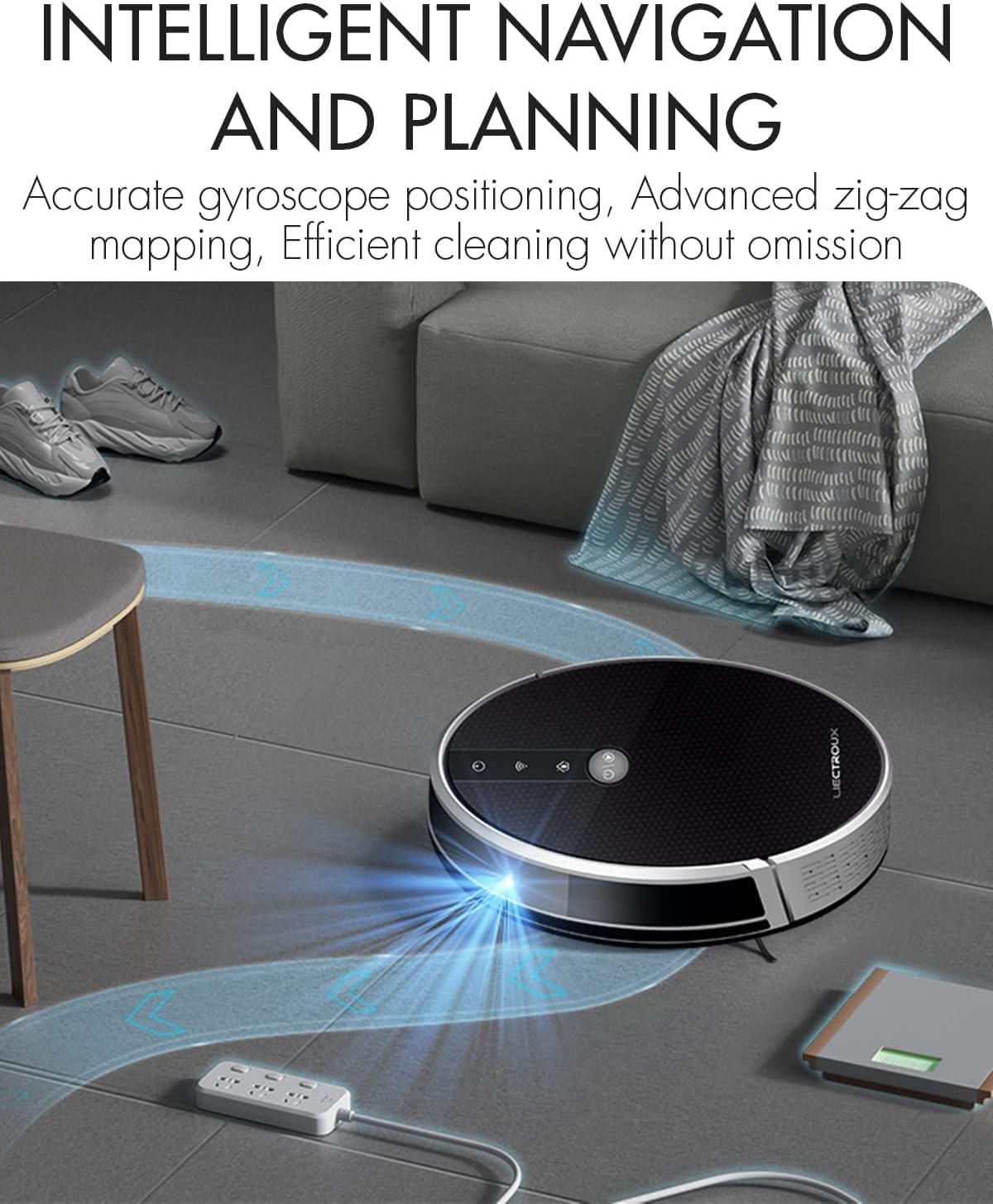
Figure 4.1: The robot vacuum utilizing its intelligent navigation system to plan and execute efficient cleaning paths, ensuring thorough coverage of your home.
4.1. שליסל פֿעיִקייטן
- Gyroscope Smart Navigation: Detects the entire house and builds a real-time cleaning roadmap for efficient, room-to-room cleaning.
- Super Suction & 2-in-1 Functionality: Equipped with a NIDEC brushless motor and V-shaped floating central brush for deep cleaning. Interchangeable 600ml dustbin and water tank allow for simultaneous vacuuming and mopping.
- שלאַנק גוף פּלאַן: At 7.4 cm (2.9 inches) thin, it can easily clean under furniture and hard-to-reach areas.
- אַנטי-פאַל סענסאָרן: Integrated infrared sensors detect obstacles and prevent falls from stairs or ledges.
- שטיל אָפּעראַציע: Designed to operate at a low noise level (45 dB), minimizing disturbance.
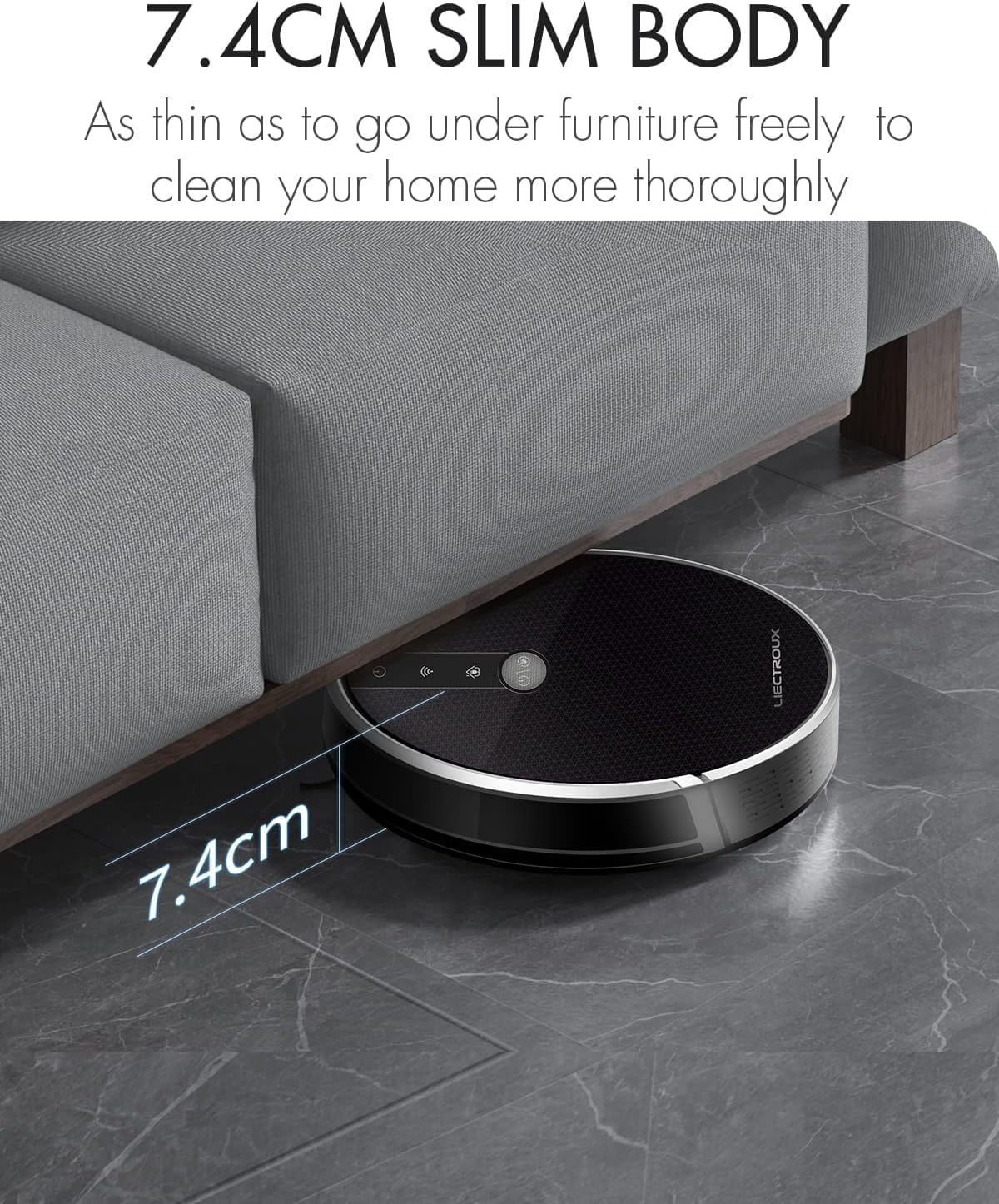
Figure 4.2: The robot's ultra-slim 7.4 cm body allows it to effortlessly clean under low-lying furniture, ensuring no dust or debris is left behind.
5. סעטאַפּ
5.1. טשאַרדזשינג די ראָבאָט
- Place the charging station against a wall in an open, uncluttered area. Ensure there is at least 1 meter (3.3 feet) of clear space on both sides and 2 meters (6.6 feet) in front of the station.
- Connect the power adapter to the charging station and plug the other end into a wall outlet.
- Place the robot onto the charging station, ensuring the charging contacts align. The robot will automatically begin charging. A full charge takes approximately 4-5 hours.
- For initial use, it is recommended to fully charge the robot before its first cleaning cycle.
5.2. אינסטאַלירן זייט ברושעס
Attach the side brushes by pressing them onto the square posts at the bottom of the robot until they click into place. Ensure the left (L) and right (R) brushes are installed on the correct sides.
5.3. Installing Dustbin or Water Tank
The LIECTROUX C30B comes with an interchangeable dustbin and water tank. Choose the appropriate container for your cleaning needs.
- פֿאַר וואַקוום: Insert the dustbin into the designated slot at the rear of the robot until it locks securely.
- פֿאַר מאַפּינג: Fill the water tank with clean water (do not use detergents or harsh chemicals). Attach a mopping pad to the bottom of the water tank. Insert the water tank into the designated slot at the rear of the robot until it locks securely.
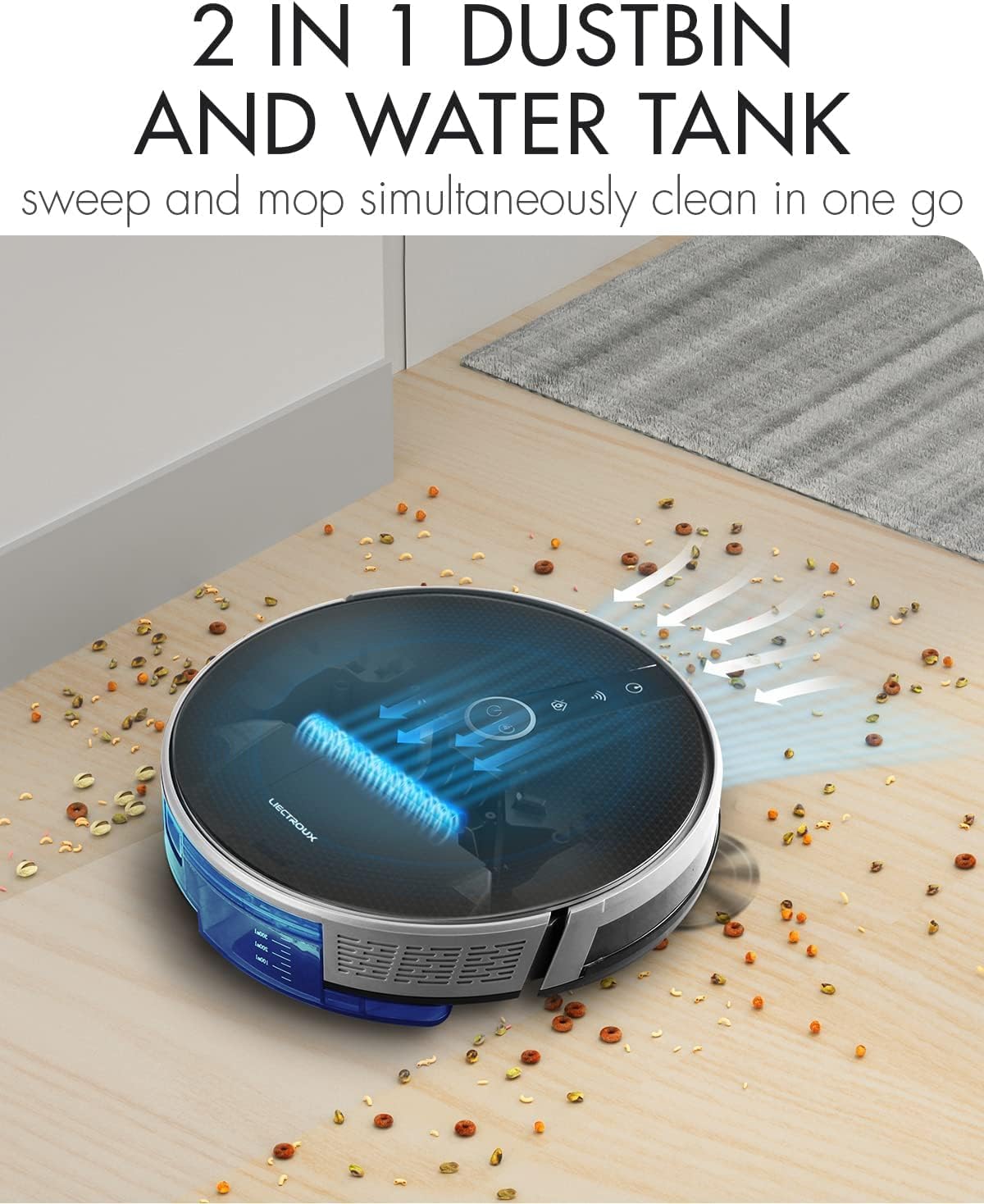
Figure 5.1: The robot's innovative 2-in-1 design allows for easy switching between the dustbin for vacuuming and the water tank for mopping, enabling simultaneous sweep and mop functions.
5.4. אַפּ ינסטאַלירונג און קאַנעקשאַן
The LIECTROUX C30B can be controlled via the Tuya Smart app. It also supports voice control through Amazon Alexa and Google Assistant.
- Download the "Tuya Smart" app from the App Store (iOS) or Google Play Store (Android).
- רעגיסטרירן אַ חשבון און קלאָץ אין.
- Ensure your robot is charged and powered on.
- In the app, tap "+" to add a device. Select "Small Home Appliance" > "Robot Vacuum".
- Follow the on-screen instructions to connect the robot to your home Wi-Fi network (2.4GHz only).
- Once connected, you can control the robot, schedule cleanings, and monitor its status from your smartphone.

Figure 5.2: The mobile application provides comprehensive remote control, allowing users to manage cleaning modes, schedules, and monitor the robot's status from anywhere.
6. אַפּערייטינג ינסטרוקטיאָנס
6.1. רייניקונג מאָדעס
The LIECTROUX C30B offers 6 cleaning modes to suit various needs:
- אָטאַמאַטיק רייניקונג: The robot intelligently plans its route to clean the entire area.
- Mopping Mode: When the water tank is installed, the robot will perform wet mopping.
- רייניקונג פֿאַר איין אָרט: Cleans a specific room. Close the door to confine the robot to that area.
- ברעג רייניקונג: דער ראָבאָט רייניקט לעבן ווענט און מעבל עדזשאַז.
- אָרט רייניקונג: Concentrates cleaning on a specific dirty area in a spiral pattern.
- סקעדזשולד רייניקונג: Set specific times for the robot to start cleaning automatically via the app.
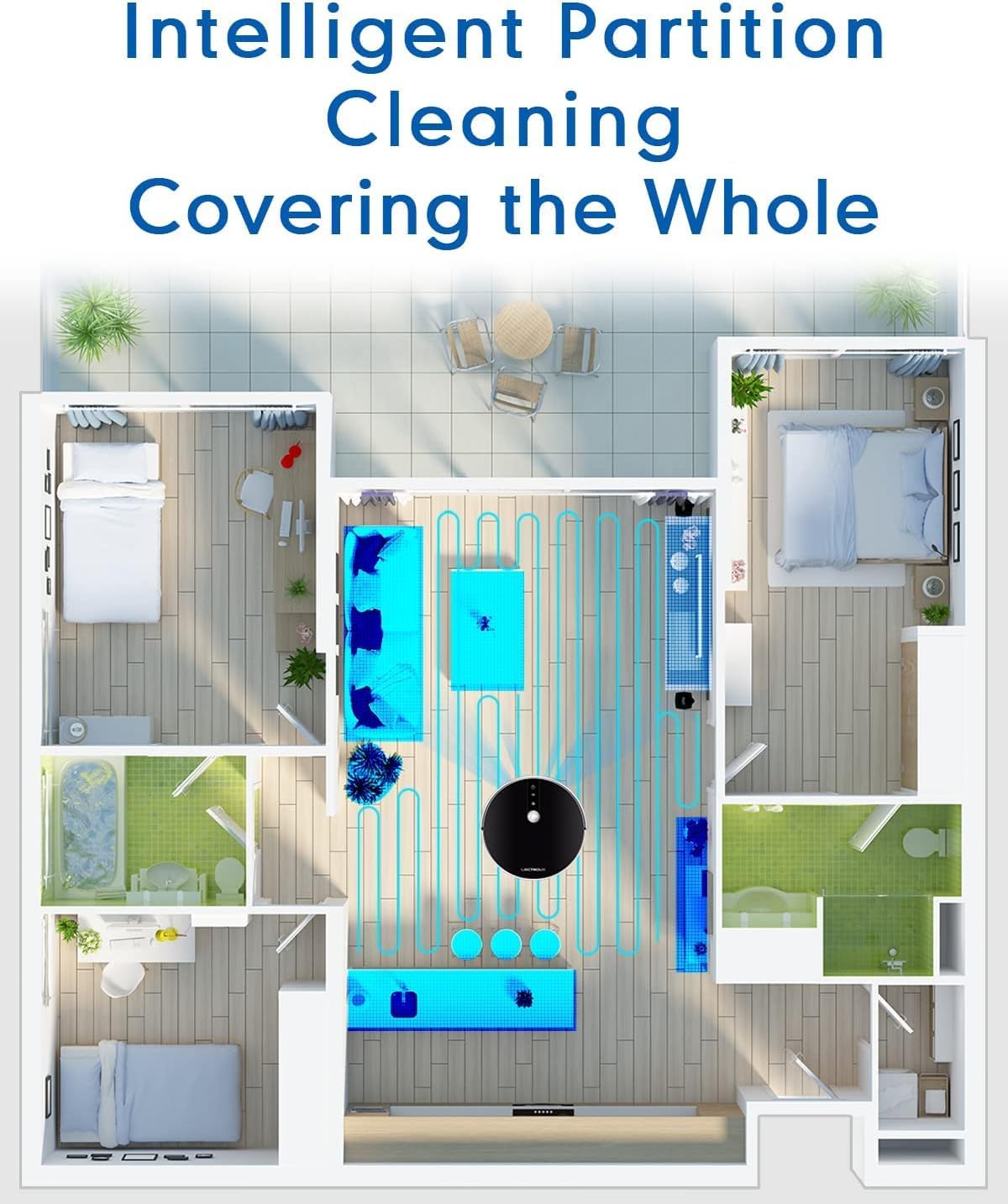
Figure 6.1: The robot's intelligent partition cleaning capability allows it to map and clean different areas of your home systematically, ensuring comprehensive coverage.
6.2. Starting/Pausing Cleaning
- אויף דעם ראָבאָט: Press the power button on the robot's top panel to start or pause cleaning.
- ניצן ווײַטקאָנטראָל: Use the "Auto Clean" button on the remote control.
- דורך אַפּ: Use the "Start" or "Pause" buttons within the Tuya Smart app.
6.3. Voice Control (Alexa/Google Assistant)
Once connected to the Tuya Smart app, you can link your robot to Amazon Alexa or Google Assistant for voice commands.
- Enable the "Tuya Smart" skill in your Alexa or Google Home app.
- Link your Tuya Smart account.
- אַנטדעקן דעוויסעס.
- איר קענט איצט נוצן קאמאנדעס ווי:
- "Alexa, start cleaning the robot vacuum."
- "Hey Google, tell the robot vacuum to go back to charging."
- "Alexa, stop the robot vacuum."

Figure 6.2: The robot vacuum seamlessly integrates with smart home assistants like Amazon Alexa and Google Assistant, allowing for convenient voice-activated control of cleaning tasks.
7. וישאַלט
Regular maintenance is crucial for optimal performance and longevity of your robot vacuum.
7.1. ליידיקן דעם מיסטקאסטן
Empty the dustbin after each use or when the "Dustbin Full" indicator appears on the app.
- דריק דעם מיסטקאסטן אויסלאז קנעפל און ציעט ארויס דעם מיסטקאסטן.
- עפֿנט דעם דעקל פֿונעם מיסטקאַסטן און ליידיקט אויס דעם אינהאַלט אין אַ מיסטקאַסטן.
- Clean the dustbin with the provided cleaning tool or a soft cloth. It can also be rinsed with water, but ensure it is completely dry before re-installing.
7.2. רייניקונג פילטערס
Clean the HEPA filter and sponge filter weekly. Replace HEPA filters every 3-6 months, depending on usage.
- אַראָפּנעמען די אָפּפאַל.
- Take out the HEPA filter and sponge filter.
- Tap the filters gently to remove dust. Do not wash HEPA filters with water.
- Rinse the sponge filter with water if necessary, and ensure it is completely dry before re-installing.
7.3. Cleaning Main Brush and Side Brushes
Clean the main brush and side brushes weekly to remove tangled hair and debris.
- הויפּט באַרשט: Flip the robot over. Press the release tabs on the brush guard to remove it. Lift out the main brush. Use the cleaning tool to cut and remove any tangled hair. Reinstall the brush and guard.
- זייט ברושעס: Gently pull the side brushes off their posts. Remove any hair or debris. If brushes are worn, replace them.
7.4. Cleaning Water Tank and Mopping Pads
נאך יעדער וואַש-סעסיע:
- ליידיק קיין רוען וואַסער פון דעם טאַנק.
- Remove the mopping pad and rinse it thoroughly with water. Allow it to air dry completely.
- Clean the water tank interior if necessary.
7.5. רייניקונג סענסאָרן און טשאַרדזשינג קאָנטאַקטן
Wipe the sensors and charging contacts regularly with a clean, dry cloth to ensure proper function.
- אַנטי-פאַל סענסאָרן: Located on the bottom of the robot.
- Wall Sensors: Located on the front bumper.
- טשאַרדזשינג קאָנטאַקטן: On the bottom of the robot and on the charging station.

Figure 7.1: The robot is equipped with anti-drop sensors that detect changes in elevation, such as stairs, preventing it from falling and ensuring safe operation.
8. טראָובלעשאָאָטינג
אויב איר טרעפט פּראָבלעמען מיט אייער ראָבאָט וואַקוום, זעט די טאַבעלע אונטן פֿאַר געוויינטלעכע פּראָבלעמען און לייזונגען.
| פּראָבלעם | מעגלעך סיבה | לייזונג |
|---|---|---|
| ראָבאָט טוט נישט קער אויף. | נידעריגע באַטעריע אָדער נישט אויפגעלאָדן. | Place the robot on the charging station and ensure it is fully charged. |
| ראָבאָט בלייבט אָפט שטעקן. | Obstacles, tangled brushes, or dirty sensors. | Clear obstacles from the cleaning path. Clean main brush, side brushes, and all sensors. |
| שלעכטע רייניקונג פאָרשטעלונג. | Full dustbin, clogged filter, or worn brushes. | Empty dustbin. Clean/replace filters. Clean/replace brushes. |
| Robot does not return to charging station. | Charging station obstructed or out of range. Dirty charging contacts. | Ensure charging station is in an open area. Clean charging contacts on both robot and station. |
| אַפּ קאַנעקשאַן פּראָבלעמען. | Incorrect Wi-Fi password, 5GHz network, or robot too far from router. | Ensure you are using a 2.4GHz Wi-Fi network. Re-enter Wi-Fi password. Move robot closer to router. Restart robot and router. |
אויב די פראבלעם בלייבט נאך פרובירן די לייזונגען, ביטע קאנטאקטירט קאסטומער סופארט.
9. טעכניש ספּעסאַפאַקיישאַנז
| שטריך | באַשרייַבונג |
|---|---|
| מאָדעל נומער | C30B |
| סאָרט | LIECTROUX |
| דימענסיעס (L X W X H) | 33 X 33 X 7.4 סענטימעטער (13 X 13 X 2.9 אינטשעס) |
| וואָג | 2.7 קג (5.95 לבס) |
| מאַכט | 28 וואטס |
| Voltage | 14.4 וואלטס |
| באַטערי טיפּ | ליטיום-יאָן (2500mAh) |
| ראַש מדרגה | 45 דב |
| דוסטבין קאַפּאַציטעט | 0.6 ליטער |
| פילטער טיפּ | העפּאַ |
| ייבערפלאַך רעקאָמענדאַציע | Hard Floors, Carpets |
| קאָנטראָל טיפּ | App Control, Voice Control (Alexa, Google Assistant), Remote Control |
| רונטימע | 100-120 minutes (approx. 170-220 sq meters) |
10. וואָראַנטי & שטיצן
The LIECTROUX C30B Hybrid Robot Vacuum and Mop comes with a 24-month professional warranty פֿון דעם קויפֿדאַטום. די וואָראַנטי דעקט פֿאַבריקאַציע חסרונות און מאַלפאַנגקשאַנז אונטער נאָרמאַל נוצן.
10.1. וואָראַנטי עקסקלוסיאָנס
די וואָראַנטי טוט נישט דעקן:
- Damage caused by improper use, negligence, or accident.
- Normal wear and tear of consumable parts (e.g., brushes, filters, mopping pads).
- שעדיקן געפֿירט דורך אַנאָטערייזד ריפּערז אָדער מאָדיפיקאַטיאָנס.
- שאָדן געפֿירט דורך עקסטערנע פֿאַקטאָרן ווי עלעקטרישע שטערונגען אָדער נאַטירלעכע קאַטאַסטראָפֿעס.
10.2. קונה שטיצן
For technical assistance, warranty claims, or general inquiries, please contact LIECTROUX customer support through the retailer where you purchased the product or visit the official LIECTROUX webפּלאַץ פֿאַר קאָנטאַקט אינפֿאָרמאַציע.
Please have your model number (C30B) and proof of purchase ready when contacting support.


