1. הקדמה
Thank you for choosing the IKEA NOLLATTA Digital Alarm Clock. This manual provides essential information for the safe and efficient use of your new alarm clock. Please read it thoroughly before use and keep it for future reference.
The IKEA NOLLATTA is a modern digital alarm clock featuring a clear LED display, adjustable brightness, and a compact design suitable for various spaces. It operates via a USB power cable and includes a battery backup for time memory.
2. זיכערקייַט אינפֿאָרמאַציע
- Ensure the product is connected to a compatible USB power source (5V/1A adapter, not included).
- Do not expose the clock to water or excessive humidity.
- Keep the clock away from direct sunlight and heat sources.
- Only use the specified CR2032 3V lithium battery for time memory. Incorrect battery type may cause damage.
- Do not attempt to disassemble or repair the clock yourself. Contact qualified service personnel for assistance.
- Keep batteries out of reach of children. Swallowing batteries can be fatal.
3. פּעקל אינהאַלט
באַשטעטיקן אַז אַלע זאכן זענען פאַראַן אין פּעקל:
- IKEA NOLLATTA Digital Alarm Clock (Main Unit)
- USB Power Cable (1.5m)
- Desktop Stand
- באַניצער מאַנואַל
Note: A CR2032 3V lithium battery is required for time memory backup but is sold separately and not included in the package. A 5V/1A USB power adapter is also required and sold separately.
4. פּראָדוקט איבערview
The IKEA NOLLATTA features a minimalist design with a clear LED display. The main unit includes control buttons on the back for setting time and alarms, and a light sensor for automatic brightness adjustment.
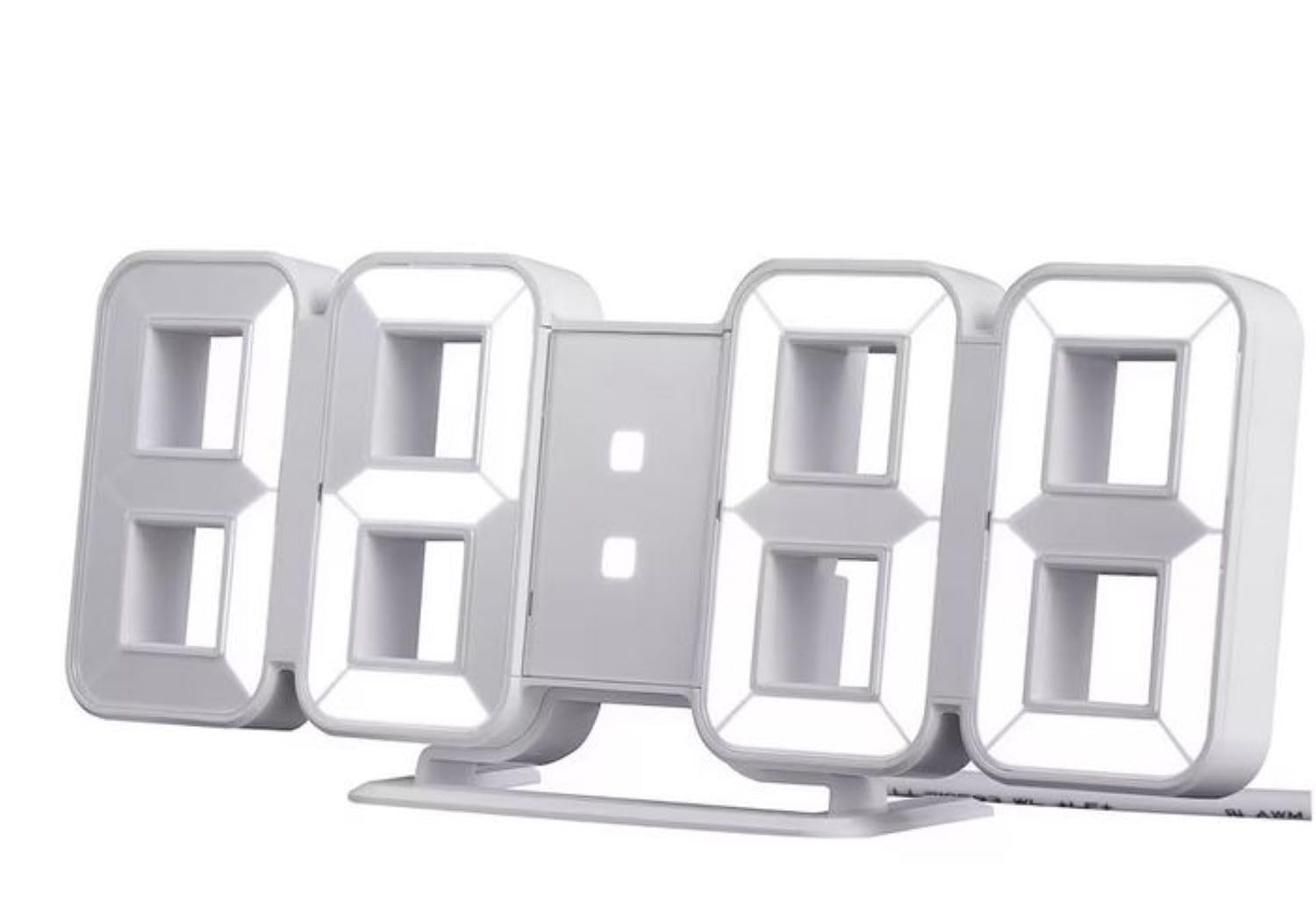
Figure 1: IKEA NOLLATTA Digital Alarm Clock in a bedroom setting.

פיגורע 2: דערציען view of the clock, highlighting the control buttons, USB port, and battery compartment.
Control Buttons (Rear of Clock):
- מאָדע קנעפּל: Used to switch between time, date, and temperature display modes, and to enter setting modes.
- UP קנעפּל: Used to increase values during setting, or to adjust brightness.
- אַראָפּ קנעפּל: Used to decrease values during setting, or to adjust brightness.
אנדערע פֿעיִקייטן:
- ליכט סענסאָר: אויטאָמאַטיש אַדזשאַסטירט די ברייטקייט פון די פאַרשטעלן באַזירט אויף אַמביאַנט ליכט.
- USB מאַכט פּאָרט: Connects the clock to a power source using the included USB cable.
- באַטערי אָפּטייל: Holds a CR2032 3V lithium battery for time memory backup.
5. סעטאַפּ
5.1. מאַכט קאַנעקשאַן
- Insert the small end of the included USB power cable into the USB power port on the back of the clock.
- Connect the other end of the USB cable to a 5V/1A USB power adapter (not included) and plug it into a wall outlet. The display will light up.
5.2. Installing Time Memory Battery (CR2032, sold separately)
The CR2032 battery provides backup power to retain time settings in case of a power outage or when the USB cable is disconnected. The display will not be active on battery power alone, but the internal clock and alarm settings will be preserved.
- געפינען די באַטאַרייע אָפּטייל אויף די צוריק פון די זייגער.
- עפענען די באַטאַרייע אָפּטייל דעקן.
- Insert one CR2032 3V lithium battery, ensuring correct polarity (+/-).
- פאַרמאַכן די באַטאַרייע אָפּטייל דעקן סיקיורלי.
קסנומקס. פּלאַסעמענט
The IKEA NOLLATTA can be placed on a flat surface using the included desktop stand or mounted on a wall.
- דעסקטאַפּ פּלייסמאַנט: Attach the desktop stand to the bottom of the clock. Place the clock on a stable, flat surface.
- וואַנט מאָונטינג: The clock has keyhole slots on the back for wall mounting. Use appropriate screws and wall plugs (not included) for your wall type. Ensure the clock is securely mounted before releasinג עס.
6. אַפּערייטינג ינסטרוקטיאָנס
6.1. באַשטעטיקן צייט און דאַטע
- דריקן און האַלטן די מאָדע button for 3 seconds to enter time setting mode. The hour digits will start blinking.
- ניצן די UP און אַראָפּ קנעפּלעך צו סטרויערן די שעה.
- דרוק מאָדע נאכאמאל צו גיין צו מינוט איינשטעלונג. ניצט UP און אַראָפּ צו סטרויערן די מינוט.
- פאָרזעצן דרינגלעך מאָדע צו דורכגיין דעם סעטינג פון יאר, חודש און טאג, צופאסענדיג יעדעס מיט די UP און אַראָפּ קנעפּלעך.
- נאכדעם וואס איר שטעלט איין דעם טאג, דריקט מאָדע צו אַרויסגאַנג די באַשטעטיקן מאָדע.
6.2. 12/24-שעה פֿאָרמאַט אויסוואַל
אין נאָרמאַל צייט אַרויסווייַזן מאָדע, דריקן די UP button to toggle between 12-hour and 24-hour formats.
6.3. שרעק באַשטעטיקן
The alarm function works even when the display is turned off.
- דרוק די מאָדע button repeatedly until "AL" appears on the display, indicating alarm mode.
- דריקן און האַלטן די מאָדע button for 3 seconds. The alarm hour digits will start blinking.
- ניצן די UP און אַראָפּ קנעפּלעך צו שטעלן די געוואונטשענע אַלאַרם שעה.
- דרוק מאָדע again to move to alarm minute setting. Use UP און אַראָפּ צו שטעלן די מינוט.
- דרוק מאָדע צו באַשטעטיקן און אַרויסגאַנג שרעק באַשטעטיקן.
- To activate/deactivate the alarm, in alarm mode ("AL" displayed), press the UP קנעפּל. אן אלארם אייקאן וועט דערשיינען/פארשווינדן אויפן דיספלעי.
- When the alarm sounds, press any button to snooze. To turn off the alarm, press and hold the מאָדע קנעפּל.
6.4. ברייטנאַס אַדדזשוסטמענט
The clock offers 3 levels of brightness (High, Medium, Low) and an automatic adjustment mode, as well as an OFF setting for the display.
- אין נאָרמאַל צייט אַרויסווייַזן מאָדע, דריקן די אַראָפּ button repeatedly to cycle through brightness levels: High → Medium → Low → OFF.
- The clock also features an automatic brightness adjustment function via its built-in light sensor.
6.5. Display Rotation Mode
The clock can cycle through displaying time, date, and temperature.
- אין נאָרמאַל צייט אַרויסווייַזן מאָדע, דריקן די מאָדע button briefly to switch between Time, Date, and Temperature displays.
- To activate automatic cycling through Time, Date, and Temperature, press and hold the מאָדע button until the display starts rotating.
- To stop automatic cycling and return to a static display, press the מאָדע קנעפּל בעקיצער ווידער.
7. וישאַלט
7.1. רייניקונג
Wipe the clock surface with a soft, dry cloth. Do not use abrasive cleaners or solvents, as they may damage the finish.
7.2. באַטערי פאַרבייַט
If the time memory function is no longer working during power disconnection, replace the CR2032 3V lithium battery in the battery compartment (refer to section 5.2).
8. טראָובלעשאָאָטינג
| פּראָבלעם | מעגלעך סיבה | לייזונג |
|---|---|---|
| Display is off, but alarm still works. | USB power cable disconnected, or power outage. | This is normal behavior if a CR2032 battery is installed for time memory. Reconnect the USB cable to restore the display. |
| די זייגער טוט זיך נישט אן. | קיין מאַכט צושטעלן. | Ensure the USB cable is securely connected to both the clock and a working 5V/1A USB power adapter. Check the power outlet. |
| Time/Date settings are lost after power disconnection. | CR2032 battery is dead or not installed. | Install a new CR2032 3V lithium battery (sold separately) in the battery compartment. |
| דער עקראַן איז צו העל/טונקעל. | די ליכטיקייט איינשטעלונג דאַרף אַדזשאַסטמענט. | דרוק די אַראָפּ button to cycle through brightness levels (High, Medium, Low, OFF). The clock also has an automatic brightness feature. |
9. ספּעסאַפאַקיישאַנז
- מאָדעל: NOLLATTA (704.993.50)
- קאָליר: ווייַס
- דימענשאַנז (בעערעך): לענג: 21.5 ס״מ, הייך: 8.5 ס״מ, טיפקייט: 4 ס״מ
- מאַטעריאַלס: Clock face: Polystyrene plastic; Back cover/feet: ABS plastic
- מאַכט מקור: USB (5V/1A adapter required, not included)
- באַטאַרייע באַקאַפּ: 1 x CR2032 3V Lithium Battery (sold separately) for time memory
- קאַבלע לענג: 1.5m USB cable included
- ווייַז טיפּ: געפירט דיגיטאַל
- פֿעיִקייטן: 3-level dimming, 12/24-hour format, alarm function, automatic brightness adjustment
10. וואָראַנטי און שטיצן
For information regarding warranty, returns, or technical support, please refer to the purchase documentation or contact your IKEA retailer directly. Keep your proof of purchase for any warranty claims.