1. הקדמה
The Edifier TWS1 PRO True Wireless Earbuds offer a superior audio experience with advanced features designed for convenience and durability. This manual provides detailed instructions for setup, operation, and maintenance to ensure optimal performance.
- Bluetooth V5.2 + CVC 8.0: Ensures a reliable connection, clear sound, and minimal latency.
- Qualcomm AptX-Adaptive: Provides high-resolution and uninterrupted audio.
- 42 Hours Battery and Rapid Charging: Enjoy extended playtime with quick charging capabilities.
- IP65 Sweat, Water, and Dust Resistant: Designed for durability in various environments.
- ריר קאָנטראָל: Intuitive control over music and calls.
2. וואָס איז אין דער קעסטל
Upon unboxing your Edifier TWS1 PRO earbuds, please ensure all the following items are present:
- Edifier TWS1 PRO Earbuds
- טשאַרדזשינג קאַסע
- וסב-C טשאַרדזשינג קאַבלע
- אויער קישן (פאַרשידענע גרייסן)
- באַניצער מאַנואַל
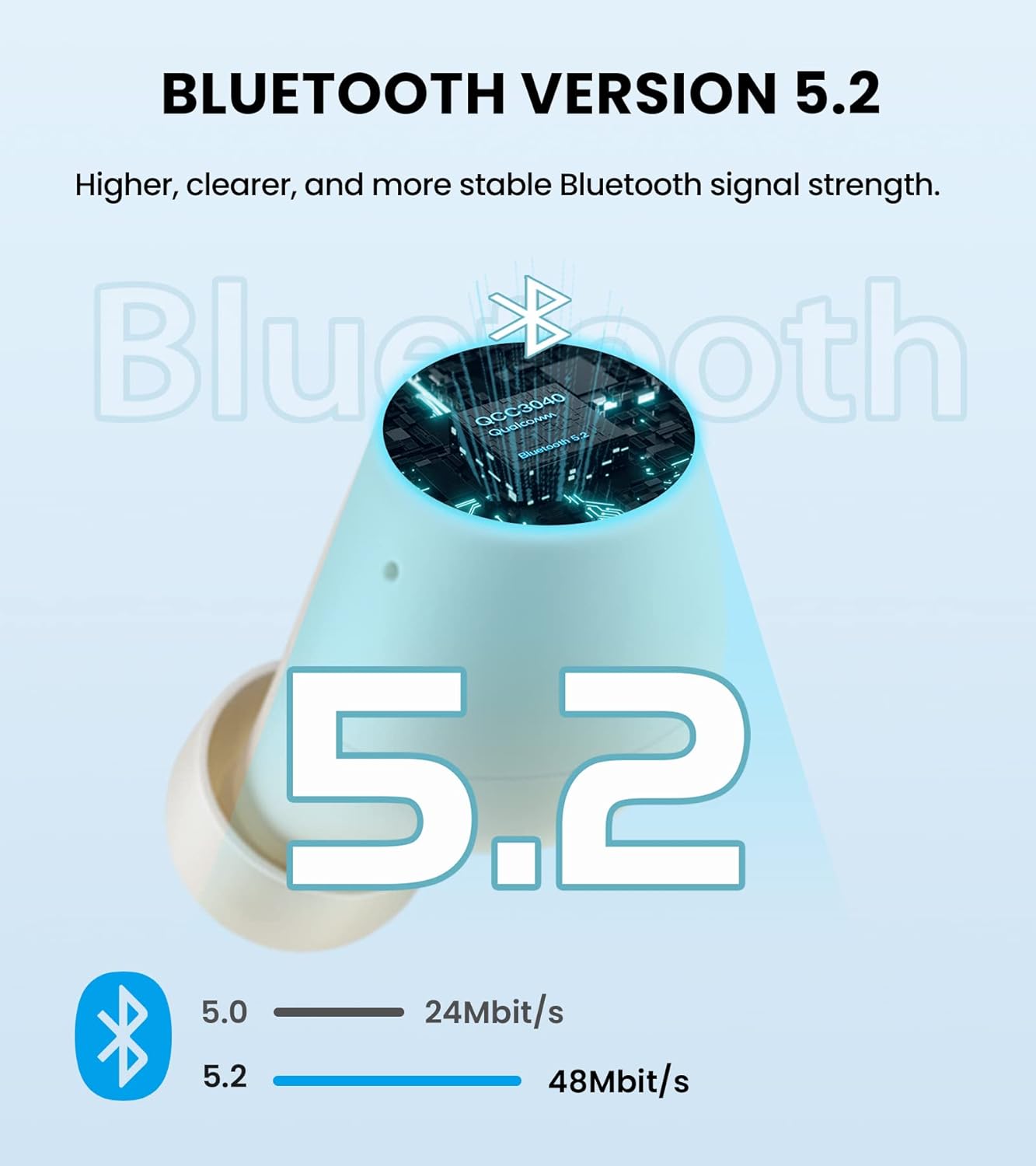
Image: Edifier TWS1 PRO Earbuds and Charging Case, showcasing the product and its compact design.
Video: An unboxing demonstration of the Edifier TWS1 PRO, showing all included components.
3. סעטאַפּ און פּערינג
Automatic Pairing (First Use)
- Take both earbuds out of the charging case. The earbuds will automatically power on and enter pairing mode.
- On your mobile device, enable Bluetooth and search for "EDIFIER TWS1 Pro" in the available devices list.
- Select "EDIFIER TWS1 Pro" to connect. Once connected, the indicator light on the earbuds will flash slowly.
Manual Pairing (Connecting to a New Device)
- זיכער מאַכן אַז די אויערקנעפּלעך זענען אין דער טשאַרדזשינג קעסטל און דער דעקל פון דער קעסטל איז אָפֿן.
- Press and hold the touch button on either the left or right earbud for approximately 2-3 seconds until the indicator light flashes rapidly in blue and red. This indicates pairing mode.
- On your new mobile device, enable Bluetooth and search for "EDIFIER TWS1 Pro" in the available devices list.
- Select "EDIFIER TWS1 Pro" to connect. Once connected, the indicator light will flash slowly.
Video: A demonstration of the Bluetooth connection process for the Edifier TWS1 PRO earbuds.
Video: Instructions on how to pair the Edifier TWS1 PRO earbuds for the first time.
4. אַפּערייטינג ינסטרוקטיאָנס
ריר קאָנטראָלס
The Edifier TWS1 PRO earbuds feature intuitive touch controls for managing your audio and calls.
- Single Tap (Left or Right Earbud): Play/Pause music, Accept/End a call.
- טאָפּל צאַפּן (רעכט עאַרבוד): ווייַטער שפּור.
- טאָפּל צאַפּן (לינקס עאַרבוד): פֿריִערדיקע שפּור.
- לאַנג דריקן (רעכטע אויערקנעפּל): פאַרגרעסערן באַנד.
- לאַנג דריקן (לינקע אויערקנעפּל): פאַרמינערן באַנד.
- Long Press (Left or Right Earbud during incoming call): אָפּזאָגן אַ רופן.

Image: Diagram illustrating the touch control functions for the Edifier TWS1 PRO earbuds.
Video: A demonstration of call handling and music playback controls on the Edifier TWS1 PRO earbuds.
5. טשאַרדזשינג
The Edifier TWS1 PRO earbuds provide up to 12 hours of playtime on a single charge, with an additional 30 hours provided by the charging case, totaling 42 hours. The charging case supports rapid charging, fully charging in less than 40 minutes.
טשאַרדזשינג די עאַרבודז און קאַסטן
- לייגט די אויערן-קנעפּלעך אין דעם טשאַרדזשינג קעסטל. מאַכט זיכער אַז זיי זענען ריכטיק אײַנגעזעצט צו אָנהייבן טשאַרדזשינג.
- פאַרבינדן די טשאַרדזשינג פאַל צו אַ מאַכט מקור מיט די צוגעשטעלט וסב-C טשאַרדזשינג קאַבלע.
- The indicator light on the case will show charging status. A steady red light indicates charging.

Image: Visual representation of the 42-hour total battery life and rapid charging feature.
Video: A demonstration of how to charge the Edifier TWS1 PRO earbuds and case.
6. וישאַלט
The Edifier TWS1 PRO earbuds are IP65 rated, meaning they are sweat, water, and dust resistant. Proper maintenance ensures longevity and optimal performance.
- רייניקונג: רייניקט רעגולער די אויערקנעפּלעך און די טשאַרדזשינג קעסטל מיט אַ ווייכן, טרוקענעם שטאָף. פֿאַרמייַדט די נוצן פון שאַרפע מאַטעריאַלן אָדער שאַרפע כעמיקאַלן.
- וואַסער ויסשטעלן: While water resistant, it is recommended to wipe off any water droplets from the earbuds before placing them back into the charging case or charging them.
- סטאָרידזש: Store the earbuds and case in a cool, dry place away from extreme temperatures.

Image: Illustration highlighting the IP65 dust and water resistance of the Edifier TWS1 PRO earbuds.


