1. הקדמה
The VJOYCAR R1 is a universal 3D Head-Up Display (HUD) GPS speedometer designed to enhance driving safety by projecting essential vehicle data directly into your line of sight. Unlike traditional HUDs, the R1 features a 3D reflection display, eliminating the need for windshield film and preventing double images, even under direct sunlight. It operates by collecting data such as speed, trip time, trip distance, satellite quantity, and altitude directly from GPS satellites, ensuring compatibility with all vehicle types, including electric, diesel, hybrid, LPG, trucks, buses, SUVs, and ATVs.
This device connects via a standard USB cable, drawing power from your car's USB port or a car adapter. Its design ensures no interference with your vehicle's engine or computer systems.

Image 1.1: The VJOYCAR R1 3D HUD Head Up Display unit.
2. פּעקל אינהאַלט
- VJOYCAR R1 3D HUD Unit
- וסב מאַכט קאַבלע
- אַנטי-צעטל מאַטע
- באַניצער מאַנואַל (דעם דאָקומענט)
3. סעטאַפּ און ייַנמאָנטירונג
- ופשליסן די מיטל: Carefully remove the HUD unit and all accessories from the packaging.
- אַראָפּנעמען פּראַטעקטיוו פילמען: Before first use, peel off any protective films from both sides of the display screen.
- אָרט: Place the HUD unit on your dashboard in a position that does not obstruct your view of the road. Ensure it is stable. An anti-slip mat is provided for secure placement.
- פאַרבינדן מאַכט: Connect the provided USB cable to the HUD unit and then to a 5V USB power source in your vehicle. This can be a car USB port or a car adapter.

Image 3.1: Connecting the HUD via USB cable.

Image 3.2: The VJOYCAR R1 HUD is universally compatible with various vehicle types.

בילד 3.3: פראָנט און זייט views of the VJOYCAR R1, illustrating its compact design for dashboard placement.
The HUD is designed to power on and off automatically with your vehicle's engine, simplifying operation.
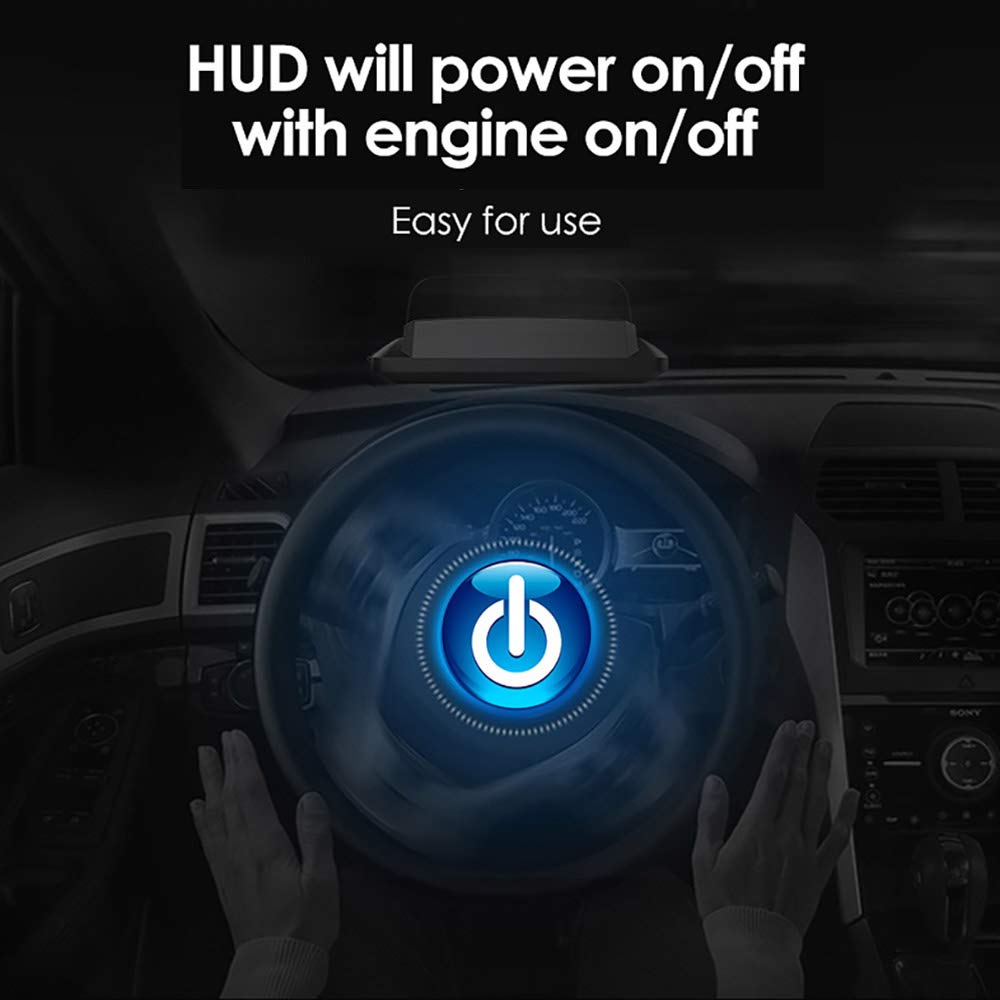
Image 3.4: The HUD automatically synchronizes power with the vehicle's engine.
4. אַפּערייטינג ינסטרוקטיאָנס
4.1 אַרויסווייַזן מאָדעס
The VJOYCAR R1 offers six different display interfaces, which can be switched to show various combinations of driving data. The default speed unit is MPH, but this can be changed to KM/H in the settings.
- בלויז גיכקייַט
- Speed + Real-time Clock
- Speed + Single Driving Distance
- גיכקייַט + הייך
- Speed + Satellite Number
- Speed + Single Driving Time

Image 4.1: Various multi-function display interfaces available on the HUD.
4.2 שרעק פאַנגקשאַנז
The HUD includes two primary alarm functions to enhance driving safety:
- יבער גיכקייַט שרעק: This alarm can be configured for a single speed threshold or multiple levels (e.g., 60-100-120-180 MPH/KM/H). Each value can be individually enabled or disabled.
- מידקייַט דרייווינג שרעק: This alarm activates after a set duration of continuous driving (e.g., every 4 hours) to remind the driver to take a break.

Image 4.2: Visual representation of the speed alarm and fatigue driving alarm indicators.
4.3 Display Visibility
The 3D reflection display ensures clear visibility in various lighting conditions, including bright daylight and nighttime driving, without requiring additional reflective film on the windshield.

Image 4.3: The HUD display showing clear visibility during both daytime and nighttime driving conditions.
5. וישאַלט
To ensure the longevity and optimal performance of your VJOYCAR R1 HUD, follow these simple maintenance guidelines:
- רייניקונג: ניצן אַ ווייך, טרוקן, אָדער אַ ביסל דamp cloth to clean the exterior of the unit. Avoid using harsh chemicals, abrasive cleaners, or solvents, as these can damage the display or casing.
- סטאָרידזש: ווען נישט אין באַנוץ פֿאַר לענגערע פּעריאָדן, זאָל מען דאָס אַפּאַראַט אויפֿהיטן אין אַ קיל, טרוקן אָרט, אַוועק פֿון דירעקטער זון און עקסטרעמע טעמפּעראַטורן.
- קאַבלע זאָרגן: Handle the USB power cable gently. Avoid bending or crimping it excessively to prevent internal damage.
6. טראָובלעשאָאָטינג
If you encounter issues with your VJOYCAR R1 HUD, refer to the following common problems and solutions:
| פּראָבלעם | מעגלעך סיבה | לייזונג |
|---|---|---|
| No display/Unit does not power on | קיין מאַכט צושטעל אָדער דעפעקטיווע פֿאַרבינדונג. | Ensure the USB cable is securely connected to both the HUD and a functional 5V USB power source in the vehicle. Check if the vehicle's USB port or adapter is working. |
| נישט פּינקטלעכע גיכקייט לייענען | Initial GPS signal acquisition delay or calibration needed. | Allow a few moments for the device to acquire a stable GPS signal after powering on. If the inaccuracy persists, contact VJOYCAR customer support for assistance with calibration. |
| No GPS signal / Speedometer useless | Obstruction of GPS signals (e.g., tunnels, parking garages, dense urban areas with tall buildings). | This is a limitation of GPS-based devices. The signal will return once the device has a clear view of the sky. Consider this characteristic when driving in areas prone to signal loss. |
| Display is dim or difficult to read | Brightness settings or extreme ambient light. | The device typically adjusts brightness automatically. Ensure no objects are blocking the light sensor (if present). In very bright direct sunlight, some dimming may occur, but the 3D reflection display is designed to minimize this. |
| Unit does not turn off with engine | Constant power supply from the vehicle's USB port. | Some vehicle USB ports remain powered even when the engine is off. If this occurs, manually unplug the device or use a USB port that powers down with the ignition. |
7. ספּעסאַפאַקיישאַנז
| שטריך | דעטאַל |
|---|---|
| מאָדעל נומער | R1 |
| פּראָדוקט דימענשאַנז (L x W x H) | 13.5 X 6.7 X 5.4 סענטימעטער |
| פּונקט וואָג | 0.1 קילאָגראַם (100 ג) |
| מאַטעריאַל | אַקרילאָניטרילע בוטאַדיענע סטירענע (אַבס) |
| מאַכט צושטעלן | וסב 5 וו |
| דאַטאַ מקור | דזשי-פי-עס סאַטעליטן |
| ווייַז טיפּ | 3D LCD TFT Reflection Display |
| ספּיד וניץ | MPH / KM/H (Switchable) |
| UPC | 610521672466 |
8. שטיצן
For further assistance, technical support, or warranty inquiries, please contact VJOYCAR customer service through the retailer where the product was purchased or refer to the official VJOYCAR webפּלאַץ פֿאַר קאָנטאַקט אינפֿאָרמאַציע.


