1. הקדמה
Thank you for choosing the Hoco HC2 Wireless Speaker. This manual provides essential information for setting up, operating, and maintaining your device. Please read it carefully before use to ensure optimal performance and longevity of your speaker.
2. פֿעיִקייטן
- בלועטאָאָטה 5.0 פֿאַר סטאַביל און עפעקטיוו וויירליס קאַנעקטיוויטי.
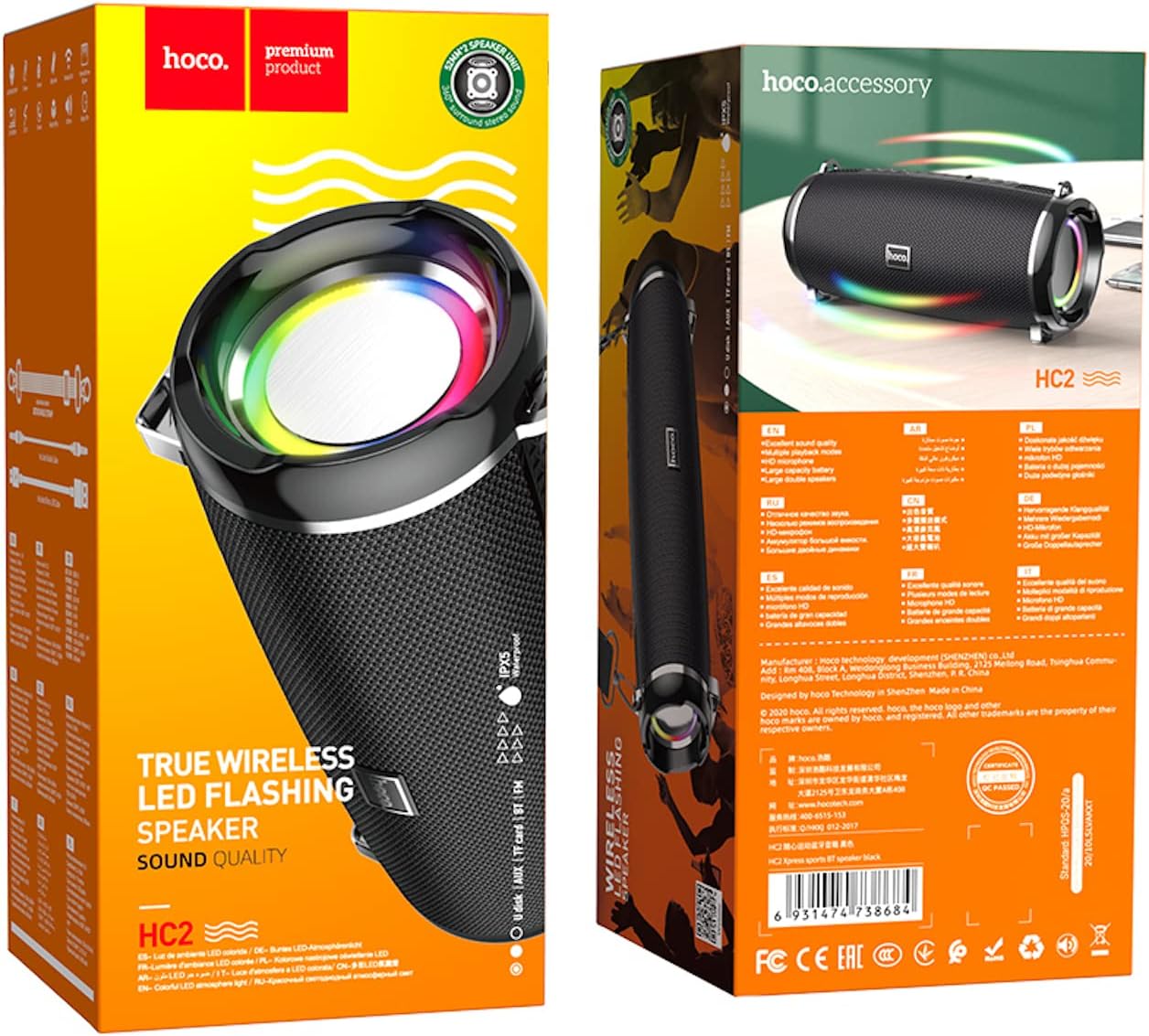
- Dual 52mm speaker units with 5W x 2 power output for rich, clear audio.
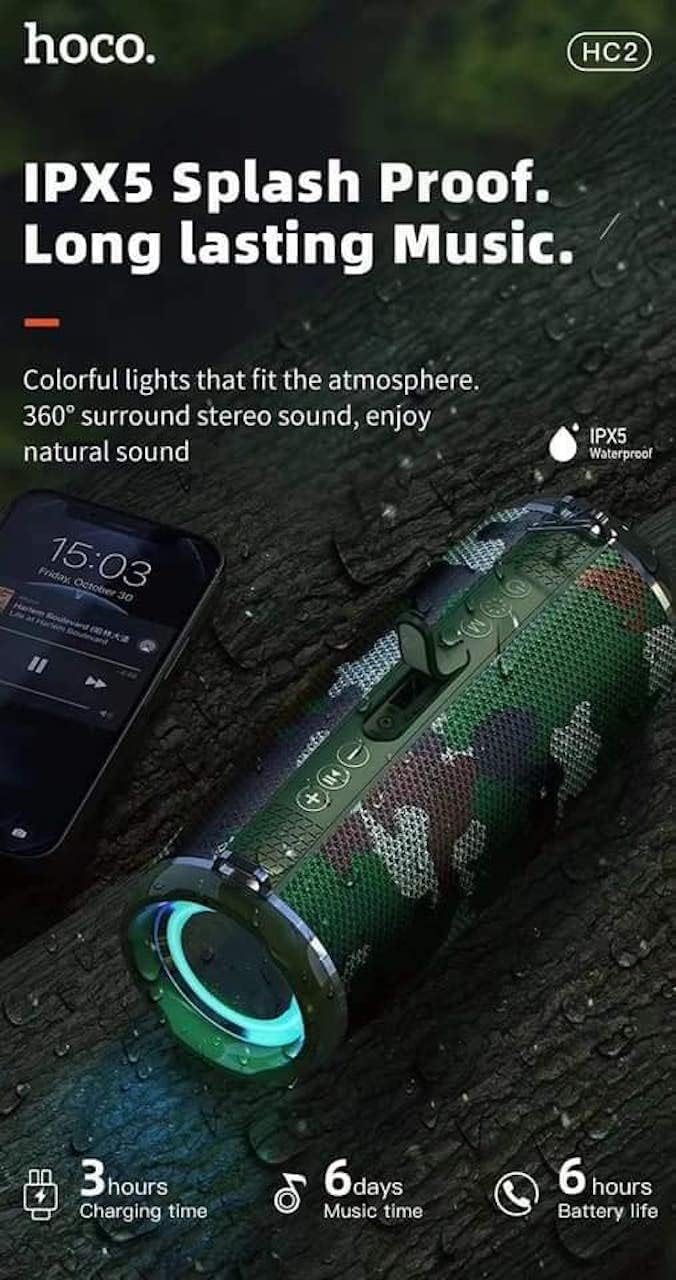
- Built-in 2400 mAh battery providing approximately 6 hours of talk/music playback time.
- Versatile playback options: Supports Bluetooth, TF card, USB, AUX, and FM radio modes.
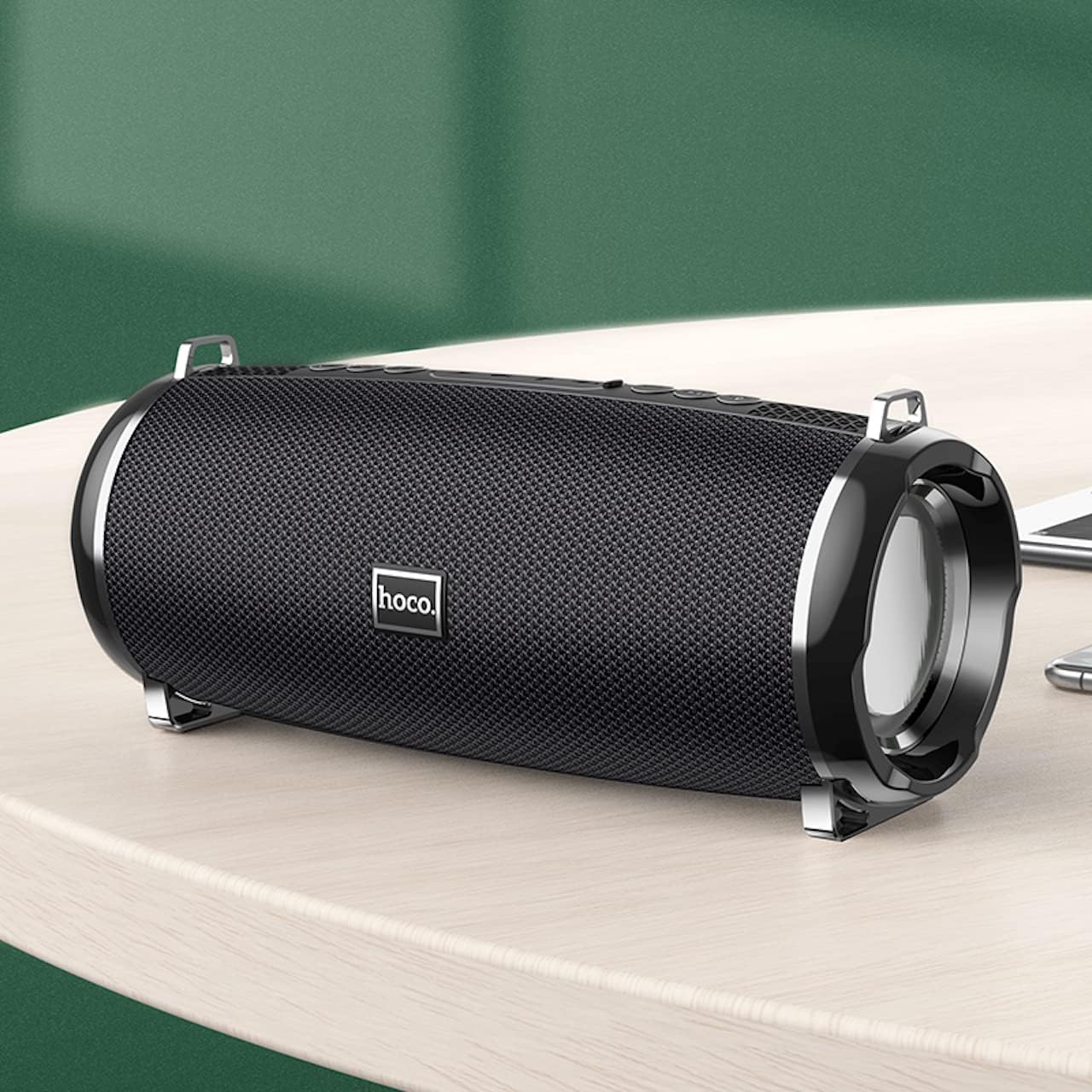
- Compact and portable design with dimensions of 194.4 x 81 x 82 mm and a weight of 598 grams.
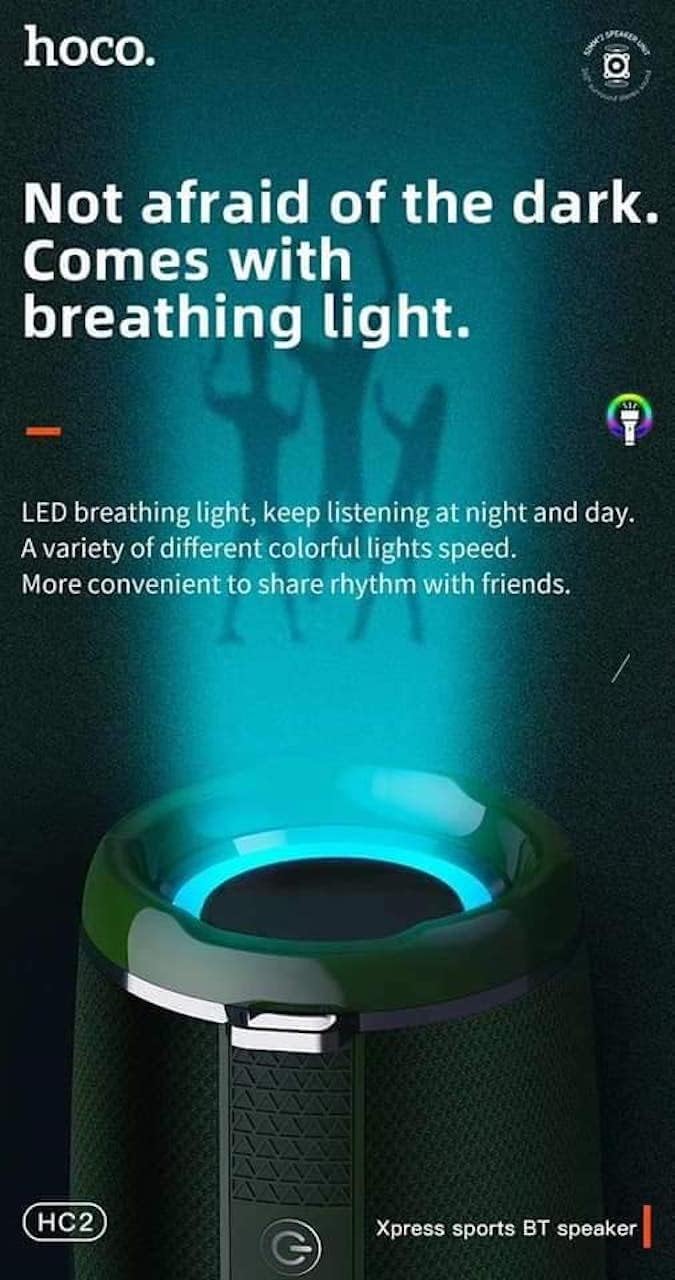
- Features LED breathing light for enhanced visual experience.
- IPX5 splash-proof rating for outdoor use.
3. פּעקל אינהאַלט
ביטע טשעק די פּאַקעט פֿאַר די פאלגענדע זאכן:
- Hoco HC2 Wireless Speaker
- וסב טשאַרדזשינג קאַבלע
- באַניצער מאַנואַל
- Shoulder Strap (may vary by package)
4. סעטאַפּ
4.1 אויפלאָדן דעם רעדנער
Before first use, fully charge the speaker. Connect the provided USB charging cable to the speaker's charging port and the other end to a USB power adapter (not included) or a computer's USB port. The charging indicator light will illuminate during charging and turn off when fully charged. Charging takes approximately 3 hours.
4.2 פּאַוערינג אויף / אַוועק
Press and hold the power button for a few seconds to turn the speaker on or off. A voice prompt will indicate the power status.
4.3 בלועטאָאָטה פּערינג
- צינדט אן דעם רעדנער. עס וועט אויטאמאטיש אריינגיין אין בלוטוט פארבינדונג מאָדוס, אנגעצייכנט דורך א בלינקנדיקע LED ליכט.
- אַקטיווירן בלועטוט אויף דיין סמאַרטפאָון, טאַבלעט, אָדער אַנדער מיטל.
- זוכן פֿאַר "HC2" in the list of available Bluetooth devices.
- Select "HC2" to connect. Once connected, a voice prompt will confirm the successful pairing, and the LED light will stop flashing.
- אויב געבעטן פֿאַר אַ פּאַראָל, אַרייַן "0000".
דער רעדנער וועט זיך אויטאָמאַטיש ווידער פֿאַרבינדן צום לעצטן פֿאַרבונדענעם מיטל ווען עס ווערט אָנגעצונדן, אויב דער מיטל'ס בלועטוט איז אַקטיוו און אין דער געגנט.
5. אַפּערייטינג ינסטרוקטיאָנס
5.1 מאָדע סוויטשינג
Press the 'M' (Mode) button to cycle through available modes: Bluetooth, TF Card, USB, AUX, and FM Radio.
5.2 Music Playback (Bluetooth/TF Card/USB)
- שפּיל / פּויזע: דרוק דעם שפּיל / פּויזע קנעפּל.
- ווייַטער שפּור: Short press the 'Next' button.
- פֿריִערדיקע שפּור: Short press the 'Previous' button.
- באַנד אַרויף: Long press the 'Volume Up' button.
- באַנד אַראָפּ: Long press the 'Volume Down' button.
5.3 FM ראַדיאָ אָפּעראַציע
- Switch to FM Radio mode using the 'M' button.
- Press the Play/Pause button to automatically scan and save available radio stations.
- Use the 'Next' and 'Previous' buttons to switch between saved stations.
5.4 AUX מאָדע
Connect an external audio device (e.g., MP3 player, computer) to the speaker's AUX port using a 3.5mm audio cable. The speaker will automatically switch to AUX mode. Control playback from your connected device.
5.5 LED ליכט קאָנטראָל
The speaker features an LED breathing light. Refer to the specific button on your speaker (often a dedicated light button or a long press on a volume button) to cycle through light modes or turn the light on/off.
6. וישאַלט
- רייניקונג: ניצט אַ ווייכע, טרוקענע שטאָף צו רייניקן דעם רעדנער. ניצט נישט קיין שרײַבנדיקע רייניגערס אדער סאָלווענטן.
- סטאָרידזש: האַלט דעם רעדנער אין אַ קיל, טרוקן אָרט אַוועק פון דירעקט זונשייַן און עקסטרעמע טעמפּעראַטורן.
- באַטערי זאָרגן: כדי צו פארלענגערן די לעבן פון די באַטעריע, לאָדט דעם רעדנער רעגולער אויף, אפילו אויב עס ווערט נישט גענוצט. פֿאַרמייַדט צו גאָר אויסלאָדן די באַטעריע אָפט.
- וואַסער קעגנשטעל: The speaker is IPX5 splash-proof, meaning it can resist light splashes of water. Do not submerge it in water or expose it to heavy rain. Ensure all ports are securely covered when exposed to moisture.
7. טראָובלעשאָאָטינג
| פּראָבלעם | מעגלעך סיבה | לייזונג |
|---|---|---|
| דער רעדנער לאָזט זיך נישט אָנ. | נידעריק באַטאַרייע. | לאָדט דעם רעדנער גאָר אויף. |
| קיין געזונט. | קול צו נידעריג; אומרעכטער מאָדע; דעווייס נישט פארבונדן. | Increase volume; switch to correct mode; ensure device is paired/connected. |
| בלועטאָאָטה פּערינג פיילז. | רעדנער נישט אין פּערינג מאָדע; דעווייס צו ווייט; שטערונג. | Ensure speaker is in pairing mode; move devices closer; restart both devices. |
| שלעכטע FM ראַדיאָ אָפּנאַם. | שוואַך סיגנאַל. | Relocate the speaker to an area with better signal. |
8. ספּעסאַפאַקיישאַנז
| באַשרייַבונג | דעטאַל |
|---|---|
| מאָדעל נאָמען | HC2 |
| פּראָדוקט דימענשאַנז | 19.44 X 8.2 X 8.1 סענטימעטער |
| וואָג | 598 גראַמז |
| קאַנעקטיוויטי טעכנאָלאָגיע | Bluetooth, FM, TF Card, USB Disk, AUX, TWS |
| בלועטאָאָטה ווערסיע | 5.0 |
| טשיפּסעט | JLAC6928B |
| באַטאַרייע קאַפּאַציטעט | 2400 מאַה |
| טשאַרדזשינג צייט | בעערעך. 3 שעה |
| רעדן/מוזיק ווידערשפּיל צייט | בעערעך. 6 שעה |
| רעדנער אַפּאַראַט | קסנומקס מם × קסנומקס |
| מאַקסימום רעדנער אַרויסגאַנג מאַכט | קסנומקסוו × קסנומקס |
| אַודיאָ רעזולטאַט מאָדע | אַרומרינגלען |
| ספּעציעלע שטריך | Bluetooth, TF Card, USB, AUX, FM Radio support |
| רעקאָממענדעד ניצט | Smartphones, Tablets, Music Players, Surround Sound Systems |
| קאַמפּאַטאַבאַל דעוויסעס | Smartphone, Laptop, MP3 Player, Tablet, Desktop Computer |
| מאַונטינג טיפּ | טאַבלעטאָפּ |
9. פּראָדוקט בילדער




10. וואָראַנטי און שטיצן
Hoco products are manufactured to the highest quality standards. This product is covered by a standard manufacturer's warranty against defects in materials and workmanship. Please refer to the warranty card included in your package for specific terms and conditions, including the warranty period.
For technical support, troubleshooting assistance, or warranty claims, please contact Hoco customer service through their official website or the retailer from whom you purchased the product. Keep your purchase receipt as proof of purchase for warranty purposes.
Extended protection plans may be available from your retailer. These plans offer additional coverage beyond the standard manufacturer's warranty.


