הקדמה
The Sharkoon Skiller SGK30 is a mechanical gaming keyboard designed for performance and durability. It features customizable RGB lighting, N-Key rollover, and a 1000Hz polling rate for responsive gameplay and typing. This manual provides essential information for setting up, operating, and maintaining your keyboard.

Image: Sharkoon Skiller SGK30 Mechanical Gaming Keyboard banner displaying the product name and type.
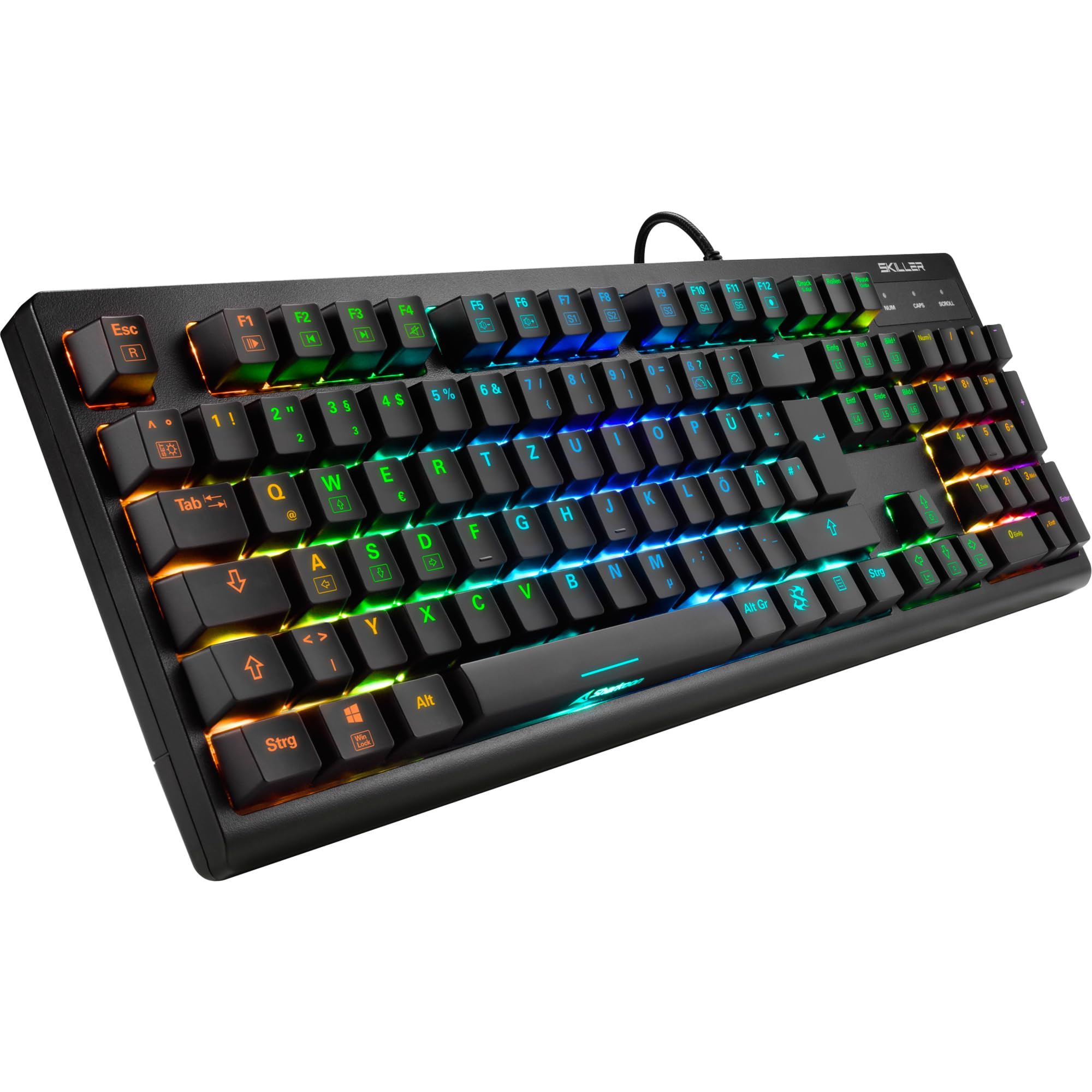
בילד: א פון אויבן אראפ view of the Sharkoon Skiller SGK30 mechanical gaming keyboard, showcasinג זײַן פולער אויסלייג און לעבעדיקע RGB באַקלייטונג.
פּראָדוקט איבערview ווידעא
ווידעא: אן אפיציעלער פראדוקט איבערview of the Sharkoon Skiller SGK30 Mechanical Gaming Keyboard, demonstrating its features, RGB lighting effects, and mechanical switches.
סעטאַפּ
Follow these steps to set up your Sharkoon Skiller SGK30 keyboard:
- ופשליסן די קלאַוויאַטור: פֿאָרזיכטיק אַרויסנעמען די קלאַוויאַטור און דעם אַרייַנגעשלאָסענעם USB קאַבל פֿון איר פּאַקאַדזשינג.
- פאַרבינדן צו קאָמפּיוטער: Plug the Micro USB end of the cable into the keyboard's port and the standard USB-A end into an available USB port on your computer.
- דרייווער ינסטאַלירונג: The keyboard is plug-and-play. Your operating system (Windows 10 or later recommended) should automatically detect and install the necessary drivers.
- ווייכווארג ינסטאַלירונג (אַפּשאַנאַל): For advanced customization of RGB lighting and key assignments, download the official Sharkoon software from the manufacturer's webפּלאַץ.

Image: The Sharkoon Skiller SGK30 keyboard positioned on a desk, ready for connection.
אַפּערייטינג ינסטראַקשאַנז
יקערדיק שליסל פאַנגקשאַנז
The Sharkoon Skiller SGK30 features a standard layout with additional function keys accessible via the FN שליסל.
- FN + F1-F12: Access multimedia controls (e.g., play/pause, volume up/down, mute).
- FN + Windows שליסל: פארשליסן/אנשליסן די ווינדאָוס קנעפּל צו פארמיידן אַקסאַדענטאַלע דריקונגען בעת גיימינג.
- N-Key Rollover: All keys are registered simultaneously, ensuring every keystroke is detected, even during rapid input.
RGB ליגהטינג קאָנטראָל
The keyboard offers extensive RGB lighting customization. Use the following combinations to adjust lighting effects:
- FN + Insert/Home/Page Up/Delete/End/Page Down: גיי דורך פארשידענע פאר-פּראָגראַמירטע לייטינג עפֿעקטן.
- FN + Arrow Keys (Up/Down): Adjust brightness levels of the lighting.
- FN + Arrow Keys (Left/Right): Adjust the speed of dynamic lighting effects.
- Custom Illumination: Use the dedicated software for advanced per-key lighting customization.

בילד: א נאָענטע בילד view of the keyboard keys highlighting the adjustable RGB illumination capabilities.
ווייכווארג קוסטאָמיזאַטיאָן
For advanced settings, macro programming, and detailed RGB customization, download and install the Sharkoon Skiller SGK30 software from the official Sharkoon webזייטל. די ווייכווארג ערלויבט אייך צו:
- שאַפֿן און ראַטעווען מנהג לייטינג פּראָfiles.
- Program macros for specific keys.
- Remap key functions.

Image: A screenshot showing the graphical user interface of the Sharkoon Skiller SGK30 customization software, illustrating various options for lighting and key remapping.
וישאַלט
געהעריגע אויפהאלטונג גאראנטירט די לאנגעוויטי און פאָרשטעלונג פון אייער קלאַוויאַטור:
- רייניקונג: Use a soft, dry cloth to wipe the surface of the keyboard. For deeper cleaning, use compressed air to remove dust and debris from between the keycaps.
- קלאַוויאַטור אַראָפּנעמען: If necessary, keycaps can be carefully removed using a keycap puller (not included) for thorough cleaning of the switches. Reinstall keycaps by pressing them firmly onto the switch stems.
- ויסמיידן ליקווידס: שטעלט נישט אויס די קלאַוויאַטור צו פליסיקייטן. אין פאַל פון אויסגיסונגען, ציט גלייך אָפּ די קלאַוויאַטור און לאָזט עס גאָר טרוקן איידער איר פאַרבינדט עס ווידער.
- סטאָרידזש: האַלט די קלאַוויאַטור אין אַ קיל, טרוקן אָרט אַוועק פון דירעקט זונשייַן און עקסטרעמע טעמפּעראַטורן.

בילד: א נאָענטע בילד view of the mechanical switches on the Sharkoon Skiller SGK30 keyboard, illustrating their design for durability and ease of maintenance. Note: This model is available with Red switches, while the image shows Blue switches.
טראָובלעשאָאָטינג
If you encounter issues with your Sharkoon Skiller SGK30 keyboard, refer to the following common solutions:
| פּראָבלעם | מעגלעך סיבה | לייזונג |
|---|---|---|
| קלאַוויאַטור ניט ריספּאַנדינג | לויזע USB פֿאַרבינדונג, דעפֿעקטיווער USB פּאָרט, דרייווער פּראָבלעם. |
|
| RGB לייטינג ארבעט נישט אדער איז נישט ריכטיג | Lighting settings incorrect, software conflict. |
|
| שליסלען רעגיסטרירן זיך נישט | שטויב/דעבריס אונטערן קאפ, דעפעקטיווער סוויטש. |
|
ספּעסאַפאַקיישאַנז
| שטריך | דעטאַל |
|---|---|
| סאָרט | שאַרקון |
| מאָדעל נומער | 4044951030026 |
| קלאַוויאַטור טיפּ | מעטשאַניקאַל גיימינג קיבאָרד |
| באַשטימען טיפּ | Red Switch (Blue switches are also available for this model series) |
| קאַנעקטיוויטי | מיקראָ וסב |
| פּאָללינג קורס | 1000 הז |
| N-Key ראָולאָוווער | געשטיצט |
| RGB לייטינג | קאַסטאַמייזאַבאַל RGB |
| אָפּערייטינג סיסטעם | Windows 10 (and compatible with other Windows versions) |
| דימענשאַנז (LxWxH) | 44 X 14.4 X 3.5 סענטימעטער |
| וואָג | 867 ג |
וואָס איז אין די קעסטל
The Sharkoon Skiller SGK30 package includes:
- Sharkoon Skiller SGK30 Mechanical Gaming Keyboard
- וסב קאַבלע
וואָראַנטי און שטיצן
For warranty information and technical support, please refer to the official Sharkoon webזייטל אדער קאָנטאַקט אייער לאקאלן הענדלער. האַלט אייער קויפן-באַווייַז פֿאַר וואָראַנטי-קליימז.
באַמערקונג: פּראָדוקט ספּעציפֿיקאַציעס און פֿעיִקייטן קענען זיך ענדערן אָן פֿריִערדיקער באַמערקן.


