הקדמה
The iRobot Roomba 694 Robot Vacuum is designed to simplify your home cleaning routine. This intelligent device learns your cleaning habits, offering personalized schedules to tackle daily dirt, dust, and debris from various floor types, including carpets and hard floors. Its adaptive navigation and smart sensors ensure thorough coverage, while voice assistant compatibility provides convenient hands-free control.
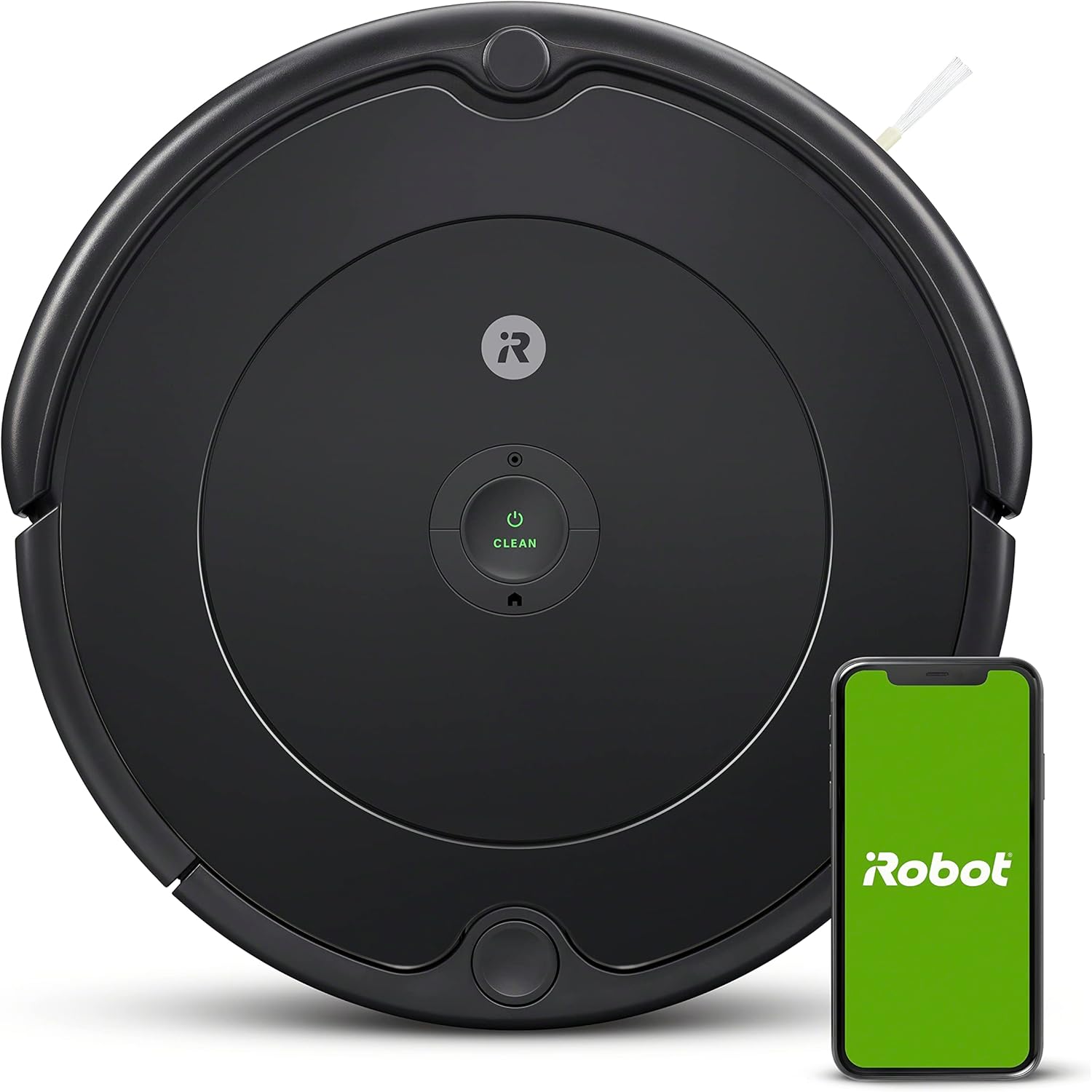
Image: The iRobot Roomba 694 Robot Vacuum, a circular charcoal grey device, is shown next to a smartphone displaying the iRobot Home App logo. This illustrates the vacuum's smart connectivity features.
סעטאַפּ
Before its first use, ensure your Roomba 694 is properly set up and charged. The package includes the robot vacuum, a Home Base Charging Station, a line cord, and an extra filter.
ערשט טשאַרדזשינג
Place the Home Base Charging Station against a wall in an area with good Wi-Fi coverage. Connect the line cord to the charging station and plug it into a power outlet. Position the Roomba 694 onto the charging contacts of the Home Base. The vacuum will automatically begin charging. The battery indicator light will turn green when fully charged.
Video: An unboxing and setup guide for the iRobot Roomba 694, demonstrating how to connect the charging station and place the vacuum for its initial charge. This video is from a seller and is genuinely useful.
Wi-Fi קאַנעקטיוויטי
Download the iRobot Home App from the App Store or Google Play. Follow the in-app instructions to connect your Roomba 694 to your home Wi-Fi network. This enables personalized cleaning recommendations, scheduling, and voice control via compatible devices like Amazon Alexa and Google Home.
אַפּערייטינג ינסטראַקשאַנז
The Roomba 694 is designed for effortless daily cleaning. It runs for up to 90 minutes before automatically docking and recharging.
רייניקונג מאָדעס
- אָטאַמאַטיק רייניקונג: Press the "CLEAN" button on the robot or use the iRobot Home App to start a cleaning cycle. The robot will adapt to your home's unique layout and clean until its battery is low, then return to its Home Base.
- אָרט רייניקונג: For concentrated cleaning of a specific dirty area, place the Roomba over the spot and activate spot cleaning via the app. The robot will spin in place, cleaning for up to 2 minutes.

Image: The Roomba 694 is shown cleaning under a coffee table, demonstrating its ability to navigate under and around furniture for thorough cleaning.
Adaptive Navigation
A full suite of advanced sensors allows Roomba to navigate under and around furniture, and along edges. Cliff Detect keeps it from falling downstairs. The robot also focuses on dirtier areas with Dirt Detect™ Technology, ensuring no spot is missed.
ווידעא: א שנעלע איבערבליקview of the iRobot Roomba 694 Robot Vacuum Cleaner, showcasing its navigation capabilities and how it handles obstacles and different floor types. This video is from a seller and is genuinely useful.
קול קאָנטראָל
Pair with Alexa, Siri, or Google Assistant-enabled devices and say commands like "Alexa, tell Roomba to vacuum" to start a cleaning session. The iRobot Home App also provides a Clean Map™ Report to show where your robot has cleaned and display details such as coverage and duration for completed jobs.
וישאַלט
Regular maintenance ensures your Roomba 694 operates efficiently and extends its lifespan. The iRobot Home App's Product Health dashboard helps monitor the status of your robot's components.
רייניקונג די מיסטקאַסטן
The dustbin should be emptied after each cleaning cycle, especially if you have pets. To remove the dustbin, press the release tab and pull it out. Open the bin door and tap it against a trash container to shake off debris. The filter should be removed before emptying the bin.
Video: A detailed guide on how to replace filters and brushes for the Roomba 694 Vacuum. This video is from a seller and is genuinely useful for maintenance.
פילטער פאַרבייַט
The AeroVac™ Filter captures fine dust and debris. It is recommended to replace the filter every few months, or as indicated by the iRobot Home App, to maintain optimal suction performance. Filters are not designed to be washed.
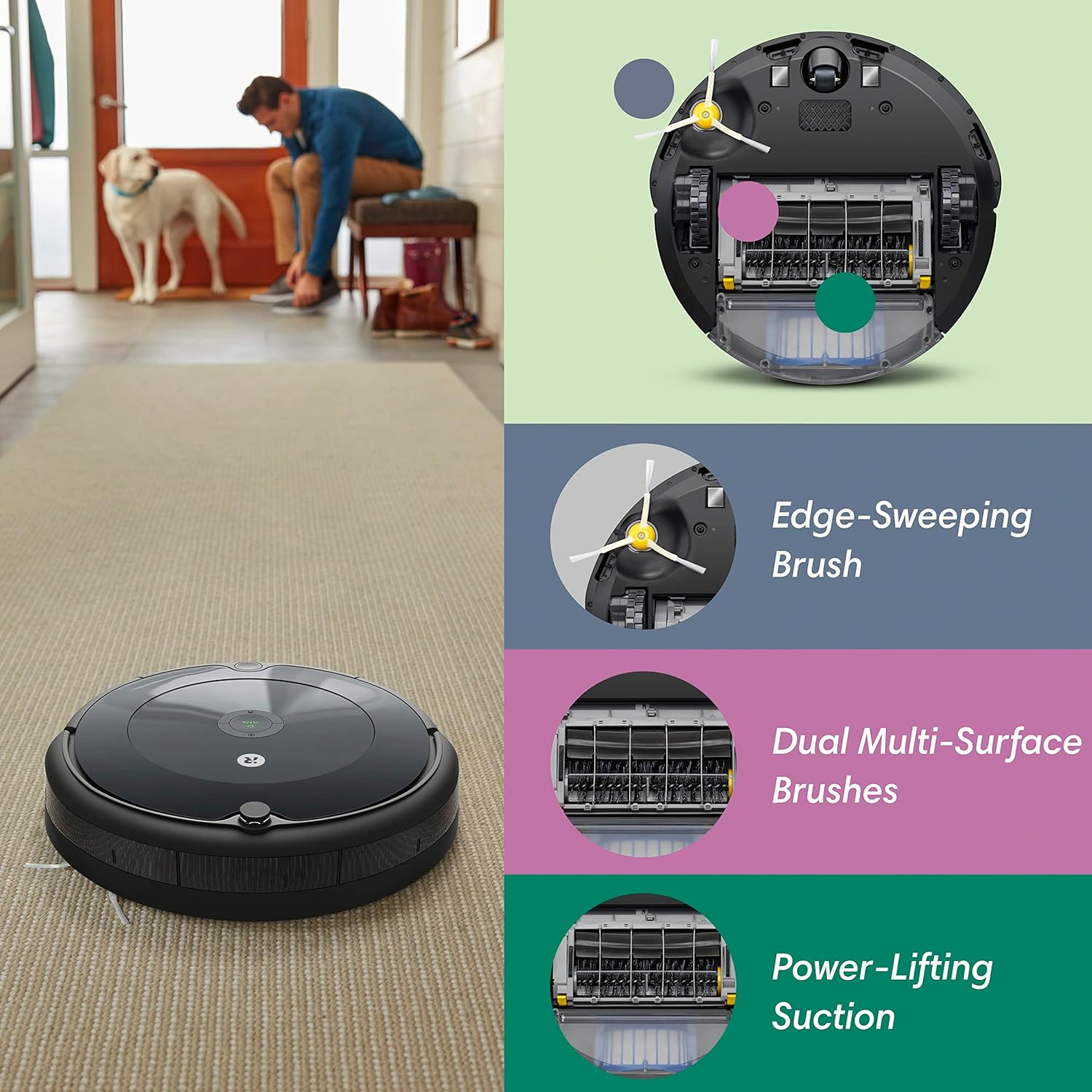
Image: An illustration highlighting the key cleaning components of the Roomba 694: the Edge-Sweeping Brush, Dual Multi-Surface Brushes, and Power-Lifting Suction. This visual aids in understanding maintenance points.
Brush Cleaning and Replacement
Periodically inspect and clean the Edge-Sweeping Brush and Dual Multi-Surface Brushes. Hair and debris can get tangled around them, reducing cleaning effectiveness. Use the provided cleaning tool or scissors to remove any wrapped hair. The Auto-Adjust Cleaning Head automatically adapts its height to effectively clean carpets and hard floors, ensuring consistent contact with the floor.
טראָובלעשאָאָטינג
If your Roomba 694 encounters issues, try these common troubleshooting steps:
- ראָבאָט לאָדט זיך נישט אויף: Ensure the Home Base is plugged in and the Roomba is properly aligned on the charging contacts. Check for any debris on the charging contacts of both the robot and the base.
- ראָבאָט בלייבט שטעקן: Clear any loose cables, rugs with long fringes, or small objects from the cleaning area. The Roomba's sensors help it navigate, but excessive clutter can cause it to get trapped.
- שלעכטע רייניקונג פאָרשטעלונג: Empty the dustbin and clean or replace the AeroVac™ Filter. Inspect and clean the Dual Multi-Surface Brushes and Edge-Sweeping Brush for tangled hair or debris.
- Wi-Fi קאַנעקשאַן ישוז: Ensure your Wi-Fi router is on and within range. Restart both your router and the Roomba. If issues persist, try re-connecting the Roomba to the iRobot Home App.
ספּעסאַפאַקיישאַנז
- סאָרט: iRobot
- מאָדעל נאָמען: R694 Vac
- ספּעציעלע שטריך: קאָרדלעסס
- קאָליר: האָלצקוילן גריי
- פּראָדוקט דימענשאַנז: 13.4"ל x 13.4"בר x 3.54"ה
- אַרייַנגערעכנט קאַמפּאָונאַנץ: 1 Roomba® 694 Robot Vacuum, 1 Home Base® Charging Station, Filter
- פילטער טיפּ: פּאַטראָן
- באַטאַרייע לעבן: קסנומקס מינוט
- מאַכט מקור: באַטאַרייע פּאַוערד
- זענען באַטעריז אַרייַנגערעכנט: יא
- קאָנטראָל אופֿן: קול
- קאַמפּאַטאַבאַל דעוויסעס: Smartphones, Amazon Echo, Amazon Alexa, Google Home, Smartwatches
- פאָרם פאַקטאָר: ראָבאָטיש
- נומער וואָג: 6.77 פונט
- פאַבריקאַנט: iRobot
- נומער מאָדעל נומער: ר694020
וואָראַנטי & שטיצן
For detailed warranty information, please refer to the official Warranty (PDF) document provided by iRobot. You can also find the full User Manual (PDF) for comprehensive instructions and support.
For additional support, visit the official iRobot Store or contact iRobot Customer Care.


