1. הקדמה
Thank you for choosing the Hama 186369 Weather Forecast Center. This device provides comprehensive weather data, including satellite-based forecasts, indoor and outdoor temperature/humidity, and more. This manual will guide you through the setup, operation, and maintenance of your weather station to ensure optimal performance.
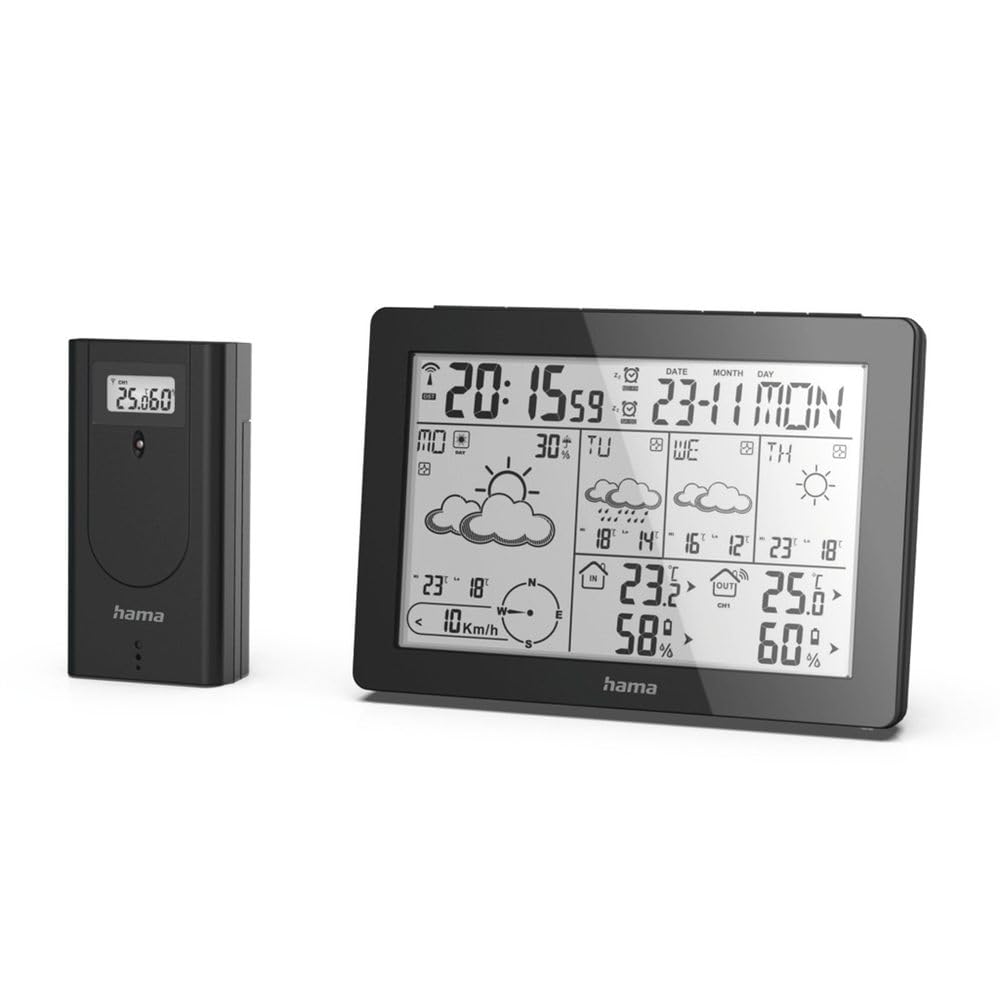
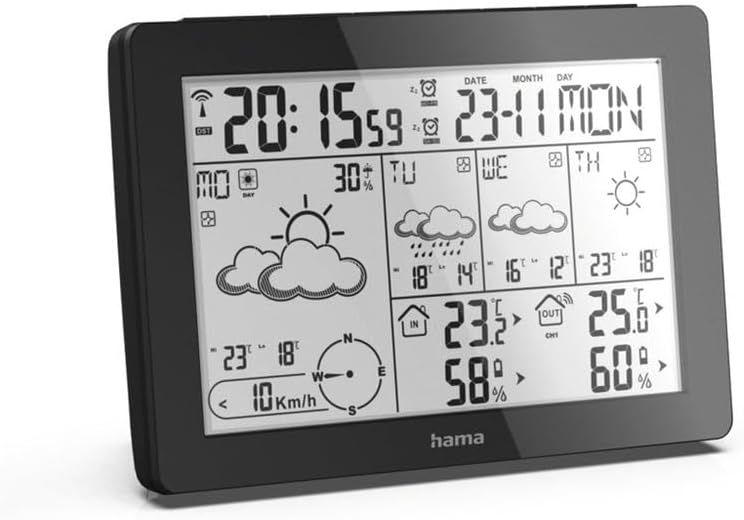
The Hama 186369 Weather Forecast Center main unit, showcasing its digital display with various weather parameters.
2. פּעקל אינהאַלט
Please check that all items listed below are present and in good condition:
- Hama 186369 Weather Forecast Center (Base Station)
- ווירעלעסס דרויסנדיק סענסאָר
- 4 x AA Batteries (for both units)
- דעם ינסטרוקטיאָן מאַנואַל

The complete set, including the base station and the wireless outdoor sensor.
3. זיכערקייַט אינסטרוקציעס
- Do not open the device. Improper repair can lead to considerable hazards for the user.
- Do not expose the product to direct sunlight, extreme temperatures, or high humidity.
- האַלטן דעם פּראָדוקט, ווי אַלע עלעקטריקאַל פּראָדוקטן, אויס פון די דערגרייכן פון קינדער.
- באַשיצן די פּראָדוקט פון שמוץ, נעץ און אָוווערכיטינג.
- נאָר נוצן דעם פּראָדוקט פֿאַר זייַן בדעה ציל.
- דו זאלסט נישט נוצן דעם פּראָדוקט אין געביטן ווו עלעקטראָניש פּראָדוקטן זענען נישט ערלויבט.
- When inserting batteries, note the correct polarity (+ and - markings) and insert the batteries accordingly. Otherwise, the batteries could leak or explode.
- Replace all batteries of a set at the same time. Do not mix old and new batteries or batteries of different types.
4. סעטאַפּ
4.1 ינסערטינג באַטעריז
The Hama 186369 Weather Forecast Center and its outdoor sensor require AA batteries for operation.
- Open the battery compartment cover on the back of both the base station and the outdoor sensor.
- Insert the AA batteries, ensuring correct polarity (+ and -). The base station requires 2x AA batteries, and the outdoor sensor requires 2x AA batteries.
- פאַרמאַכן די באַטאַרייע אָפּטייל קאָווערס סיקיורלי.
Inserting batteries into the base station. Ensure correct polarity.

The wireless outdoor sensor, which also requires batteries.
4.2 Initial Operation and Signal Reception
After inserting the batteries, the base station will automatically search for the DCF-77 signal and connect to the outdoor sensor.
- Place the base station and the outdoor sensor close to each other during initial setup.
- The DCF-77 radio signal for time and date synchronization will be automatically received. This process may take several minutes.
- The outdoor sensor will transmit temperature and humidity data to the base station. Ensure they are within range (up to 30 meters in open areas).

איבערview of the weather station's features and components, including the outdoor sensor and base station display.
5. Operating the Weather Forecast Center
5.1 ווייַז איבערview
The main display shows various information at a glance:
- צייט און דאַטע: Synchronized via DCF-77 signal.
- אינעווייניק טעמפּעראַטור און הומידיטי: Measured by the base station.
- דרויסנדיקע טעמפּעראַטור און הומידיטי: Received from the wireless outdoor sensor.
- וועטער פאָרעקאַסט: Satellite-based 4-day forecast for 60 regions/30 regions in Europe, updated daily.
- Rain Probability: Indication of precipitation likelihood.
- ווינט גיכקייַט און ריכטונג: Displayed graphically.
- Frost Alarm: Activates when temperatures drop to a critical level.
5.2 קנעפּל פאַנגקשאַנז
The buttons on the top of the base station allow you to adjust settings and view different information.

Top view of the base station showing the control buttons.
- DIRECTIONS: Switches between display modes (e.g., time, alarm setting).
- קאַנאַל: Selects different outdoor sensor channels if multiple sensors are used.
- DAY/NIGHT/SNOOZE+LIGHT: Activates backlight, snooze function for alarm, or switches between day/night display.
- טעסט: Initiates a test of the sensor connection.
- אַרויף אַראָפּ: Adjusts values during settings or navigates through forecast data.
5.3 Setting Time and Date (Manual Adjustment)
While the time and date are usually set automatically via the DCF-77 signal, you can manually adjust them if needed.
- דריקן און האַלטן די מאָדע קנעפּל ביז די צייט אַרויסווייַזונג הייבט אָן צו בלינקען.
- ניצן די UP און אַראָפּ קנעפּלעך צו סטרויערן די שעה, און דאַן דריקן מאָדע צו באַשטעטיקן און אריבערגיין צו מינוטן.
- איבערחזרן פֿאַר מינוט, יאָר, חודש און טאָג.
- דרוק מאָדע נאכאמאל צו פארלאזן דעם סעטטינג מאָדוס.
5.4 שרעק פֿונקציע
The weather station includes an alarm function.
- דרוק די מאָדע button repeatedly until the alarm time is displayed.
- דריקן און האַלטן מאָדע צו אַרייַן שרעק באַשטעטיקן מאָדע.
- ניצן UP און אַראָפּ צו שטעלן די געבעטן שרעק צייט.
- דרוק מאָדע צו באַשטעטיקן יעדער באַשטעטיקן.
- צו אַקטיווירן/דעאַקטיווירן דעם אַלאַרם, דריק די UP button when the alarm time is displayed. An alarm icon will appear/disappear.
6. וישאַלט
6.1 רייניקונג
- בלויז ריין דעם פּראָדוקט מיט אַ ביסל דamp, לינט-פֿרייַ שטאָף און טאָן ניט נוצן אַגרעסיוו רייניקונג אגענטן.
- Ensure that no water gets into the device.
6.2 באַטערי פאַרבייַט
When the battery indicator appears on the display, replace all batteries in the respective unit (base station or outdoor sensor).
- Follow the steps in section 4.1 "Inserting Batteries".
- פּאָטער פון געוויינט באַטעריז לויט די היגע רעגיאַליישאַנז.
7. טראָובלעשאָאָטינג
| פּראָבלעם | מעגלעך סיבה | לייזונג |
|---|---|---|
| No display / Weak display | Batteries are empty or incorrectly inserted. | פאַרבייַטן באַטעריעס, זיכער מאַכן אַז די פּאָלאַריטעט איז ריכטיק. |
| קיין דרויסנדיקע טעמפּעראַטור/הויך מעסטונג | Outdoor sensor not connected or out of range. |
|
| אומרעכטע צייט/דאטום | DCF-77 signal not received or interference. |
|
| ומפּינקטלעך וועטער פאָרויסזאָגן | Incorrect region setting or temporary signal issue. |
|
8. ספּעסאַפאַקיישאַנז
| שטריך | דעטאַל |
|---|---|
| מאָדעל נומער | 186369 |
| Dimensions (Base Station) | 3 X 15.3 X 10.5 סענטימעטער |
| וואָג | 510 ג |
| מאַטעריאַל | אַקריליק |
| מאַכט מקור | Battery-powered (4 AA batteries required, included) |
| קאַנעקטיוויטי | Wireless (for outdoor sensor) |
| ספּעציעלע פֿעיִקייטן | Alarm, Wireless Outdoor Sensor, Frost Alarm, DCF-77 Radio Clock |
| וועטער פאָרעקאַסט | Satellite-based 4-day forecast for 60 regions/30 regions in Europe, daily updated data for 611 locations. |
| רעקאַמענדיד נוצן | Temperature measurement, hobby, private, business. |
9. וואָראַנטי און שטיצן
Hama GmbH & Co KG נעמט קיין אַכרייַעס און גיט קיין וואָראַנטי פֿאַר שעדיקן געפֿירט דורך ימפּראַפּער ינסטאַלירונג/מאַונטינג, ימפּראַפּער נוצן פון דעם פּראָדוקט אָדער דורכפאַל צו אָבסערווירן די אָפּערייטינג ינסטראַקשאַנז און/אָדער זיכערהייט הערות.
For technical support or warranty claims, please contact your retailer or visit the official Hama webפּלאַץ פֿאַר ווייַטער הילף.

Hama: Experience and competence since 1923.


