1. זיכערקייַט אינפֿאָרמאַציע
Please read all safety instructions carefully before operating this device. Keep this manual for future reference.
- Do not overload wall outlets or extension cords beyond their rated capacity. Overloading can cause electric shock or fire.
- ויסמיידן יקספּאָוזינג די אַפּאַראַט צו רעגן אָדער נעץ צו פאַרמייַדן פייַער אָדער עלעקטריש קלאַפּ כאַזערדז.
- דו זאלסט נישט עפענען די קאַבינעט. אָפּשיקן סערוויסינג בלויז צו קוואַלאַפייד פּערסאַנעל.
- פאַרזיכערן אַז די מאַכט שנור איז נישט פּינטשט אָדער געגאנגען אויף.
2. פּראָדוקט איבערview
The DANFI AUDIO DF TE-2017 is a versatile 3-speed record player with built-in speakers, Bluetooth input, and USB recording capabilities. It supports 7", 10", and 12" vinyl records.

בילד 2.1: פראָנט view of the DANFI AUDIO DF TE-2017 Record Player with the dust cover open, showing the platter and tone arm.
אַרייַנגערעכנט קאַמפּאָונאַנץ:
- DANFI AUDIO DF TE-2017 Record Player
- 45 רפּם אַדאַפּטער
- מאַכט שנור און אַדאַפּטער
- Replacement Needle (Stylus)
- Turntable Slipmat
- באַניצער מאַנואַל (דעם דאָקומענט)
3. סעטאַפּ אינסטרוקציעס
3.1 אַנפּאַקינג און פּלייסמאַנט
- נעמט פֿאָרזיכטיק אַרויס דעם פּלאַטן־שפּילער פֿון זײַן פֿאַרפּאַקונג.
- שטעלט דעם אַפּאַראַט אויף אַ סטאַבילער, גלייכער ייבערפלאַך אַוועק פון דירעקטער זונשייַן, היץ קוועלער, און איבערגעטריבענער שטויב אָדער ווייבריישאַנז.
- זיכער מאַכן אַז עס איז גענוג ווענטילאַציע אַרום דעם אַפּאַראַט.
3.2 ערשטע פֿאַרזאַמלונג
- שטויב דעקל: The removable dust cover can be placed on top of the unit to protect the platter and tone arm when not in use.
- Slipmat: Place the provided turntable slipmat onto the platter.
- סטילוס שוץ: Remove the clear plastic stylus protector from the needle before first use. Be careful not to damage the stylus.
3.3 מאַכט קאַנעקשאַן
- Connect the power adapter to the DC IN port on the back of the record player.
- שטעקט אריין דעם מאַכט אַדאַפּטער אין אַ פּאַסיק וואַנט ווענטיל.
4. אַפּערייטינג ינסטרוקטיאָנס

Image 4.1: Diagram illustrating the various controls and components of the record player, including the 45 RPM adapter, tone arm, tone arm lifter, auto stop control, speed switch, ON/OFF button (volume control), and cartridge.
4.1 Basic Turntable Operation
- מאַכט אויף / אַוועק און באַנד: Rotate the ON/OFF/VOLUME knob clockwise to power on the unit and adjust the volume.
- אויסקלייַבן גיכקייַט: Set the speed switch (33, 45, or 78 RPM) to match the record you are playing. For 45 RPM records, place the 45 RPM adapter on the spindle.
- אָרט רעקאָרד: Place your vinyl record on the turntable platter.
- הייבן טאָן אָרעם: Use the tone arm lifter to gently raise the tone arm.
- Position Tone Arm: Manually move the tone arm over the desired starting groove of the record.
- נידעריקער טאָן אָרעם: Gently lower the tone arm using the lifter. The music will begin to play.
- אַוטאָ-האַלטן: The turntable features an auto-stop function that will stop the platter rotation automatically when the record finishes playing. Ensure the 'Auto Stop Control' switch is engaged for this feature.
- סוף פון ווידערשפּיל: When the record finishes, use the tone arm lifter to raise the tone arm, return it to its rest, and secure it with the clip.
4.2 Bluetooth Input Mode
This record player can receive audio wirelessly from Bluetooth-enabled devices like smartphones or tablets.

Image 4.2: A smartphone displaying its Bluetooth settings, connected to the TE-2017 record player, demonstrating wireless music streaming.
- אויסקלייַבן בלועטאָאָטה מאָדע: Press the 'M' button on the front panel until 'BT' appears on the display. The unit will enter pairing mode.
- אַקטיווירן בלועטוט אויף מיטל: אויף דיין סמאַרטפאָנע אָדער טאַבלעט, געבן בלועטאָאָטה און זוכן פֿאַר בנימצא דעוויסעס.
- פּאָר דיווייס: Select 'TE-2017' from the list of devices. Once paired, you will hear a confirmation sound.
- שפּיל מוזיק: You can now stream music from your device through the record player's built-in speakers.
Note: This unit functions as a Bluetooth receiver only and cannot connect to external Bluetooth speakers.
4.3 USB Recording (Vinyl to Digital)
Convert your vinyl records into digital audio files (WAV format) directly onto a USB flash drive.
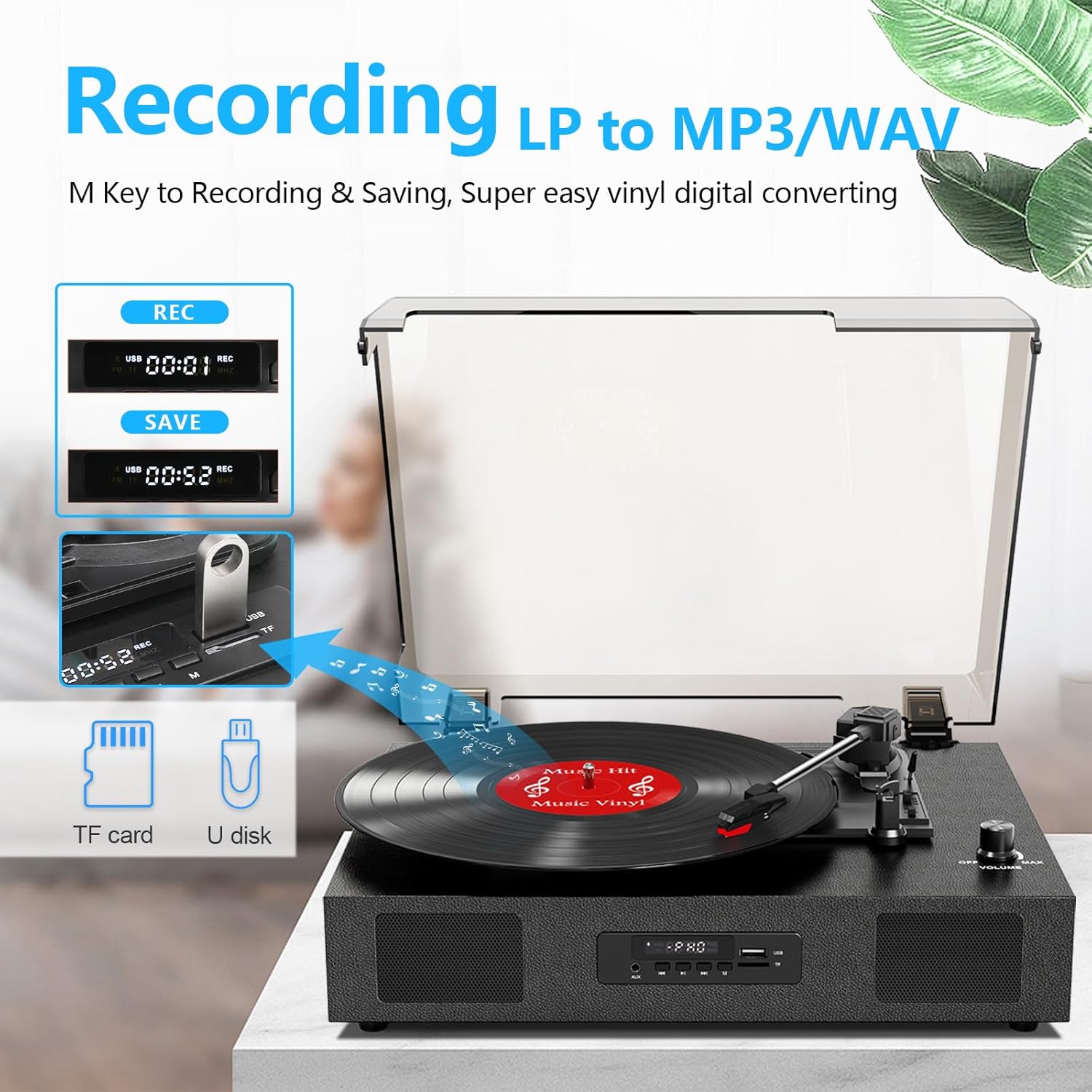
Image 4.3: The record player's display showing 'REC' and a timer, with a USB flash drive inserted, indicating the USB recording function.
- אַרײַנשטעלן USB דרייוו: Insert a USB flash drive (formatted to FAT32) into the USB port on the front panel.
- אָנהייב פּלייַבאַק: Begin playing your vinyl record as described in section 4.1.
- אָנהייב רעקאָרדינג: Press the 'REC' button on the front panel. The display will show 'REC' and a timer, indicating recording has started.
- האַלטן רעקאָרדינג: Press the 'REC' button again to stop recording. The recorded file will be saved to your USB drive.
- אַקסעס Files: You can access the recorded WAV files on your computer. If MP3 format is desired, conversion can be done using computer software.
4.4 RCA Line-Out Connection
Connect the record player to external powered speakers or a home audio system for enhanced sound.
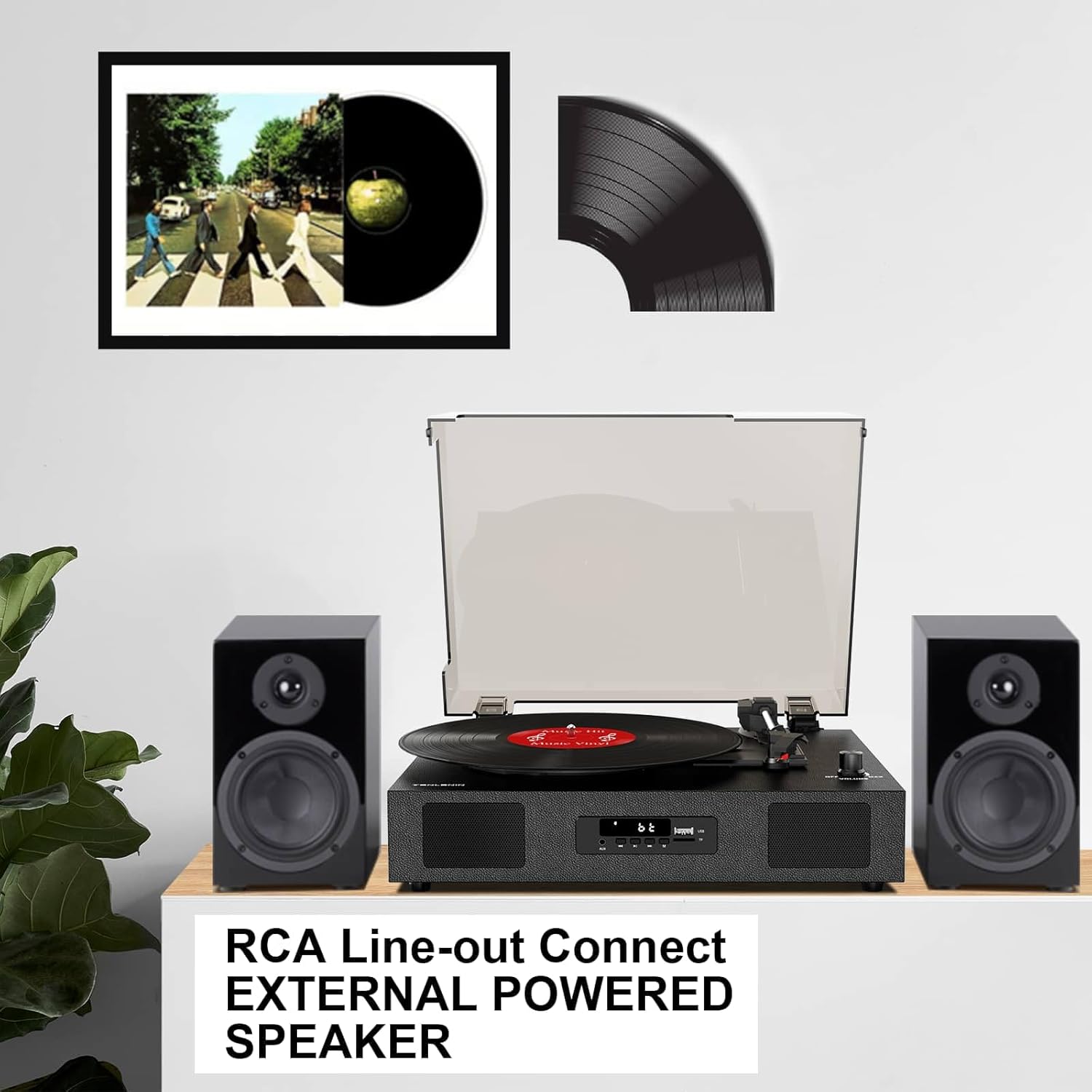
Image 4.4: The record player connected via RCA cables to a pair of external powered speakers, demonstrating the line-out functionality.
- פאַרבינדן קאַבלעס: Use RCA audio cables (not included) to connect the RCA L/R output jacks on the back of the record player to the corresponding input jacks on your external ampליפיער אָדער פּאַוערד ספּיקערז.
- סטרויערן באַנד: Control the volume primarily through your external audio system. The record player's volume knob will still affect the output level.
4.5 AUX Line-In
Connect external audio devices (e.g., MP3 players) via the AUX IN port.
- קאָננעקט קאַבלע: Use a 3.5mm audio cable (not included) to connect your external device to the AUX IN port on the front panel.
- אויסקלייבן AUX מאָדע: Press the 'M' button until 'AUX' appears on the display.
- שפּיל אַודיאָ: Play audio from your connected device. The sound will be output through the record player's speakers.
5. וישאַלט
5.1 רייניקונג די אַפּאַראַט
- ווישט אָפּ די אויסערלעכע זייט פון דער איינהייט מיט אַ ווייכן, טרוקענעם שטאָף. ניצט נישט קיין שרײַבנדיקע רייניגער אָדער סאָלווענטן.
- Keep the dust cover clean to prevent dust from settling on the platter and records.
5.2 Stylus Care and Replacement
- The stylus (needle) is a delicate component. Handle it with care.
- Clean the stylus periodically with a soft brush, brushing gently from back to front.
- A worn stylus can damage records and degrade sound quality. Replace the stylus after approximately 300-500 hours of playback, or if you notice a decrease in sound quality or increased skipping.
- To replace the stylus, refer to the instructions provided with the replacement needle.
5.3 רעקאָרד זאָרג
- Always handle records by their edges to avoid transferring oils from your skin.
- האַלט די פּלאַטעס ווערטיקאַל אין זייערע אַרבל אין אַ קיל, טרוקן אָרט.
- רייניקט רעגלמעסיג די פּלאַטעס מיט אַ ספּעציעלן פּלאַטעס-רייניקונג באַרשט אָדער לייזונג צו באַזײַטיקן שטויב און סטאַטיק.
6. טראָובלעשאָאָטינג
If you experience issues with your record player, consult the following troubleshooting guide.
- קיין מאַכט:
- זיכער מאַכן אַז דער מאַכט אַדאַפּטער איז זיכער פארבונדן צו דער אַפּאַראַט און אַ אַרבעטנדיקער מאַכט ווענטיל.
- Check if the ON/OFF/VOLUME knob is turned clockwise to power on.
- קיין קול:
- Increase the volume using the ON/OFF/VOLUME knob.
- Ensure the correct input mode (PHONO, BT, AUX) is selected.
- If using RCA output, ensure external speakers are powered on and correctly connected, and their volume is adjusted.
- Check if the stylus protector has been removed.
- Skipping Records:
- Ensure the record player is on a stable, level surface.
- Clean the record to remove dust or debris.
- Check the stylus for damage or wear; replace if necessary.
- Some records, especially new or heavier pressings, may be more prone to skipping.
- USB Recording Issues (e.g., skipping, corrupted fileס):
- Ensure the USB drive is formatted to FAT32. Other formats like exFAT may not be compatible for recording.
- Try a different USB flash drive.
- Ensure the record is clean and playing smoothly during recording.
- Bluetooth Disconnecting/Resetting:
- If the Bluetooth player is paused for an extended period, the unit may revert to another mode. Re-select Bluetooth mode using the 'M' button.
- Ensure your Bluetooth device is within range.
7. ספּעסאַפאַקיישאַנז
| מאָדעל נאָמען | טע-2017 |
| סאָרט | DANFI AUDIO DF |
| פּראָדוקט דימענשאַנז | 14.1 X 11.2 X 4.9 אינטשעס |
| פּונקט וואָג | 4.85 פונט |
| מאַטעריאַל | אינזשענירטע האָלץ, פּלאַסטיק |
| מאַקסימום ראָוטיישאַנאַל גיכקייַט | 78 רפּם |
| Speeds Supported | 33 1/3, 45, 78 רפּם |
| ספּעציעלע פֿעיִקייטן | Built-In Bluetooth Receiver, Digital Display, Digital Recorder, RCA Output |
| קאַמפּאַטאַבאַל דעוויסעס | Headphone, MP3 Player, Personal Computer, Smartphone, Tablet |
8. וואָראַנטי און שטיצן
DANFI AUDIO DF offers a 30-day money-back or replacement policy for this product. For any inquiries or assistance, please contact customer service. Support is available 24 hours a day.
For further support or warranty claims, please refer to your purchase documentation or contact the seller directly.


