1. הקדמה
Thank you for choosing the Car and Driver Bluetooth 5.0 FM Transmitter Charger. This device allows you to stream audio from your Bluetooth-enabled devices to your car's FM radio, make hands-free calls, and charge multiple devices simultaneously with its fast-charging USB-A and USB-C ports. It is designed to enhance your driving experience by providing modern connectivity and charging capabilities in vehicles with a standard 12V/24V socket.
2. פּעקל אינהאַלט
ביטע זיכער מאַכן אַז אַלע זאכן זענען פאַראַן אין פּעקל:
- Car and Driver Bluetooth 5.0 FM Transmitter Charger
- באַניצער מאַנואַל
3. פּראָדוקט איבערview
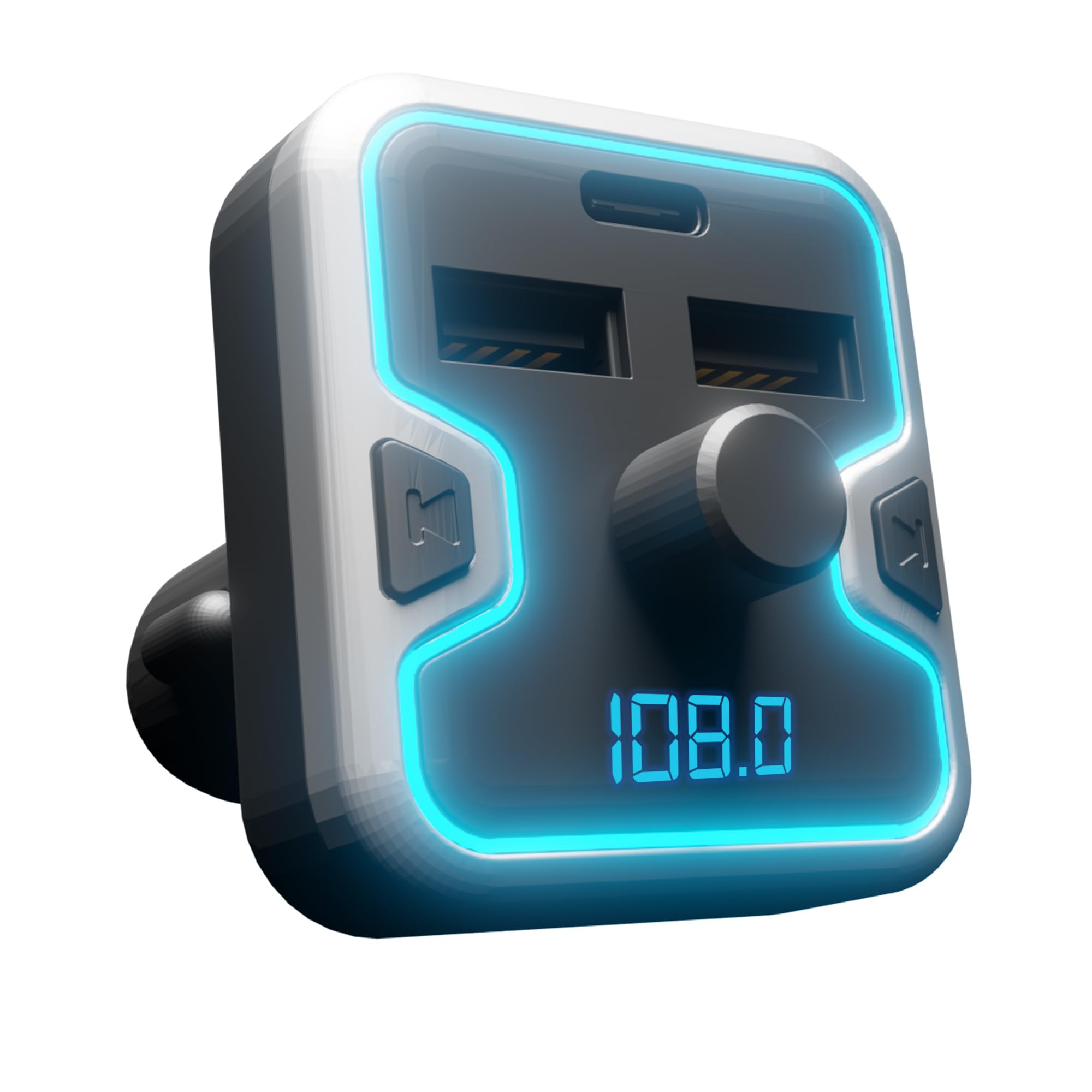
The Car and Driver FM Transmitter Charger features a compact design with multiple ports and intuitive controls. Familiarize yourself with the device's components:
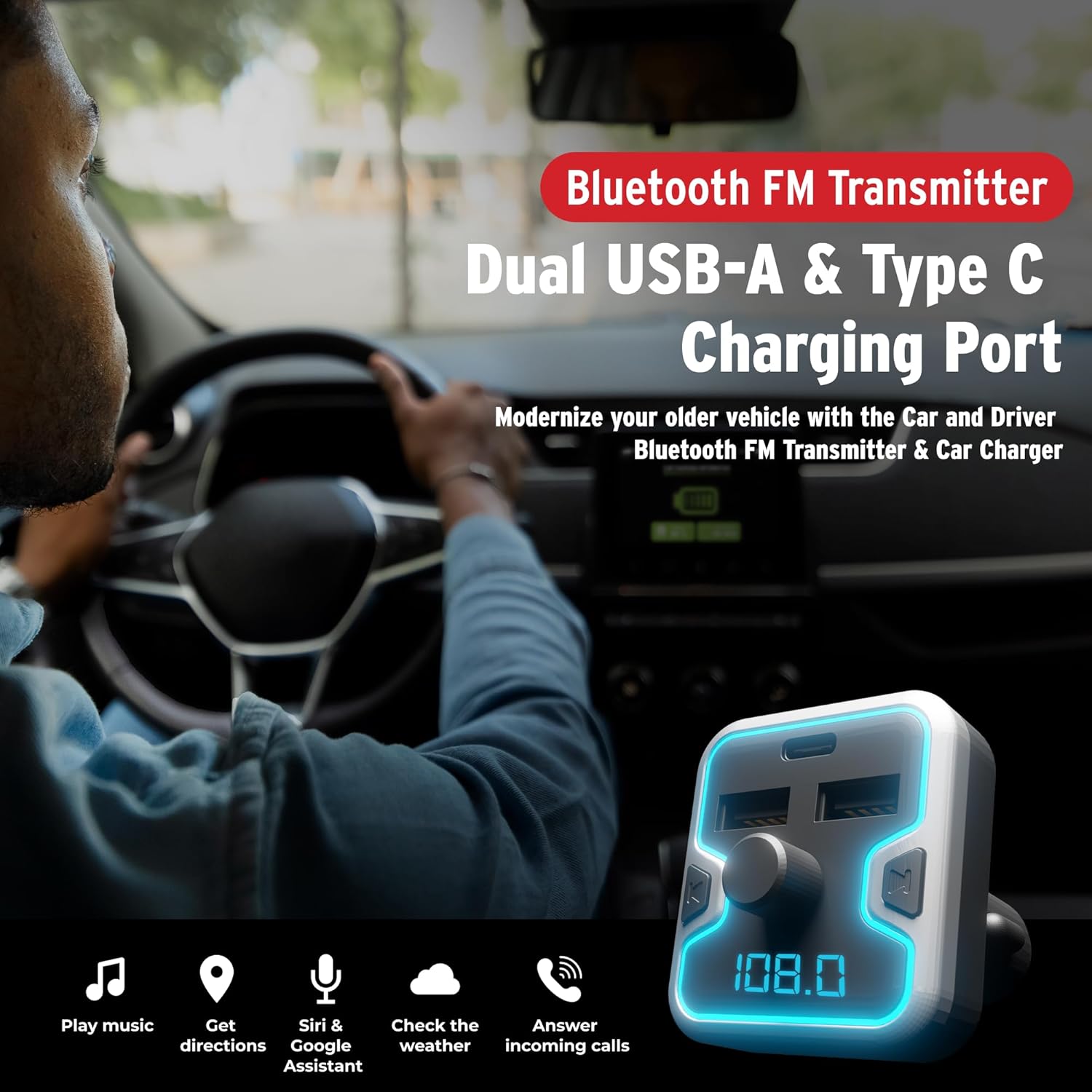
בילד 3.1: פראָנט view of the Car and Driver Bluetooth FM Transmitter Charger. This image shows the device with its dual USB-A ports, one USB-C port, central control knob, and LED display.
שליסל פֿעיִקייטן:
- בלועטאָאָטה 5.0: For stable wireless connection and audio streaming.
- טריפל-פּאָרט טשאַרדזשינג: Includes two USB-A ports (5V-2.4A and 5V-1A) and one USB-C PD 18W port for fast charging.
- הענט-פריי רופן: Built-in microphone with Noise Suppression (CVC) technology.
- Multiple Music Sources: Supports Bluetooth, USB flash drive, and microSD card.
- קול אַססיסטאַנט קאַמפּאַטאַבילאַטי: Access Mobile Alexa, Siri, or Google Assistant.
- Illuminated LED Accent & Display: 7 neon-color backlit options and an LED display for FM frequency and car battery voltage.
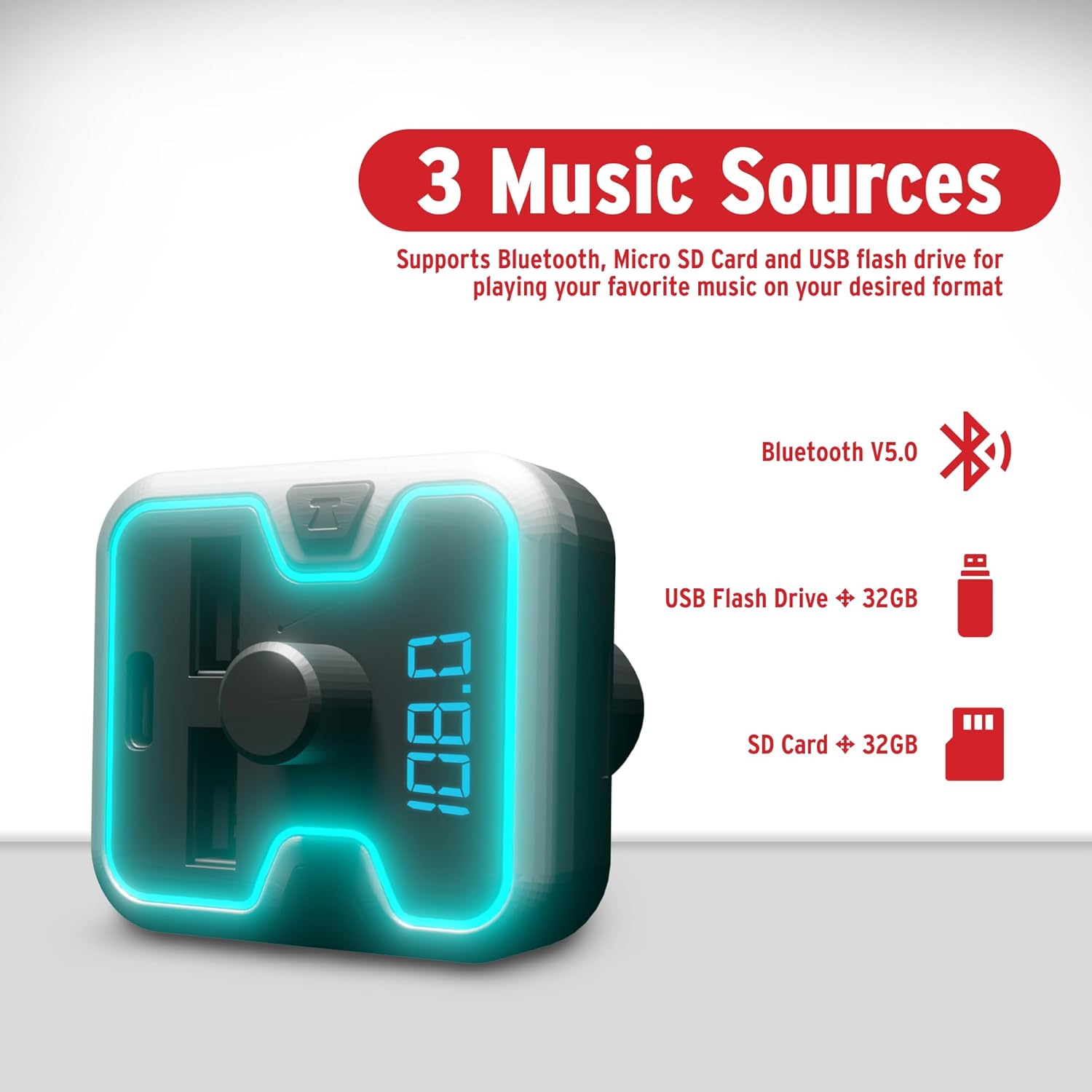
בילד 3.2: The FM Transmitter highlighting its three music sources: Bluetooth V5.0, USB Flash Drive (up to 32GB), and SD Card (up to 32GB).
קאָנטראָלס און ינדיקאַטאָרס:
- מולטי-פונקציע קנופּ: Used for adjusting FM frequency, volume, and answering/ending calls.
- געפֿירט ווייַז: Shows current FM frequency and car battery voltage.
- USB-A פּאָרץ: For charging devices and playing music from USB flash drives.
- USB-C PD פּאָרט: פֿאַר שנעל-טשאַרדזשינג קאָמפּאַטיבלע דעוויסעס.
- מיקראָסד קאָרט שפּעלטל: For playing music from microSD cards.
4. סעטאַפּ
Follow these steps to set up your FM Transmitter Charger:
- אַרייַנלייגן אין מאַשין סאָקקעט: Plug the FM transmitter into your vehicle's 12V/24V cigarette lighter socket. The device will power on automatically, and the LED display will light up.

בילד 4.1: The FM Transmitter being plugged into a car's cigarette lighter outlet, illustrating its "Plug and Play" functionality.
- שטופּן FM אָפטקייט:
- Press the "CH" button (or similar button near the knob) to enter FM tuning mode. The frequency on the LED display will flash.
- Rotate the multi-function knob left or right to select an empty FM frequency (one with no active radio station) on your car radio.
- Match this empty frequency on your car's FM radio. For best audio quality, choose a frequency that is not occupied by a strong local radio station.
- פּאָר בלועטאָאָטה:
- אויף דיין רירעוודיק מיטל, געבן בלועטאָאָטה און זוכן פֿאַר בנימצא דעוויסעס.
- Select "Car and Driver" (or similar name displayed on the device) from the list to pair.
- Once paired, you will hear a confirmation sound, and the device will be ready for audio streaming and hands-free calls.
5. אַפּערייטינג ינסטרוקטיאָנס
5.1. מוזיק פּלייבאַק
You can play music from your Bluetooth-enabled device, a USB flash drive, or a microSD card.
- בלועטאָאָטה סטרימינג: After successful pairing, open your music player on your phone and start playback. Audio will be transmitted to your car's stereo via the selected FM frequency.
- USB פלאַש דרייוו/מיקראָסד קאַרטל: Insert a USB flash drive or microSD card (up to 32GB, supporting APE, WMA, MP3, WAV, and FLAC formats) into the corresponding slot. The device will automatically detect and play music files. Use the multi-function knob to navigate tracks (short press for next/previous, long press for folder selection).
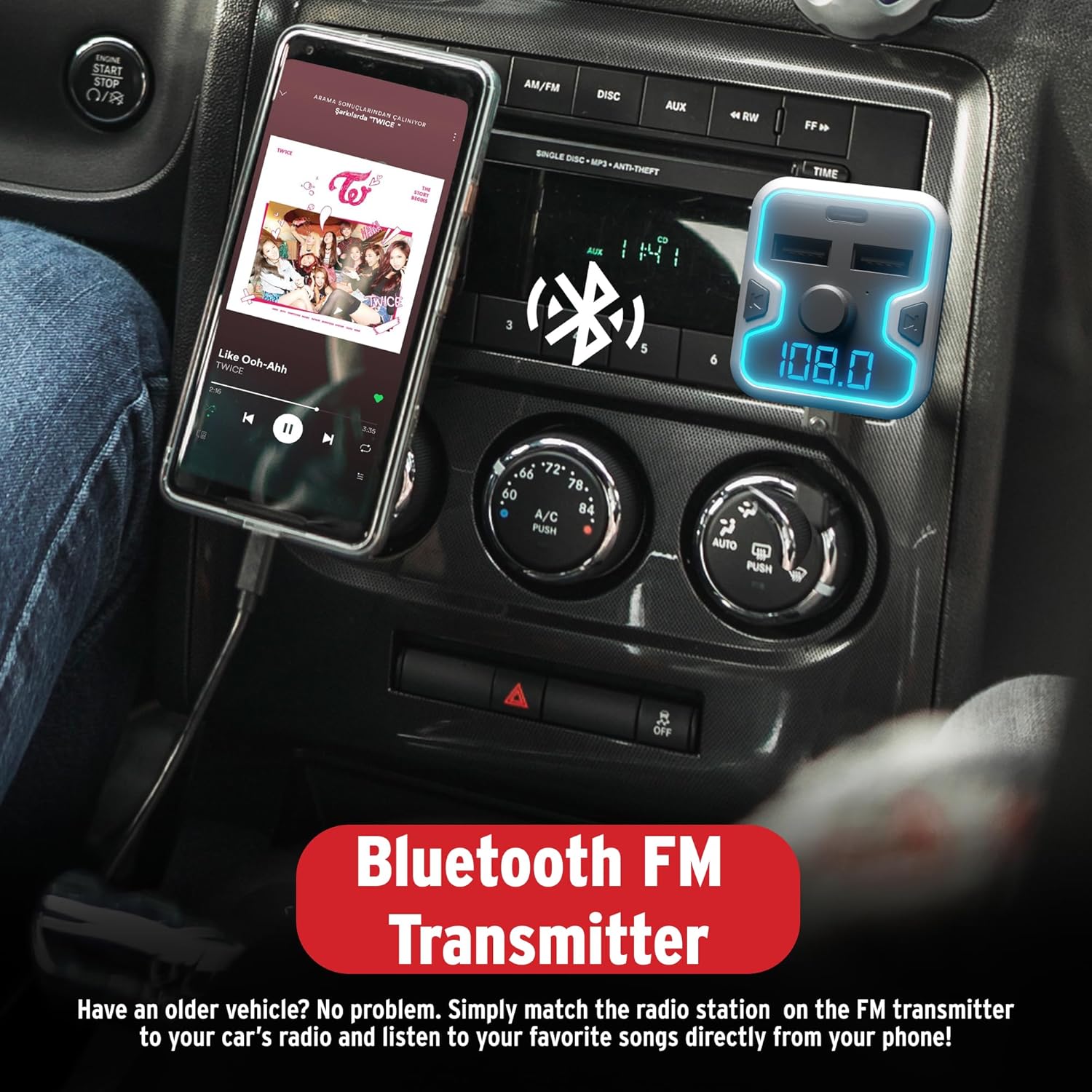
בילד 5.1: A smartphone mounted in a car, displaying a music player, connected to the Bluetooth FM Transmitter for audio playback through the car's stereo.
5.2. האַנדס-פֿרייַ פאַך
The device supports hands-free calling for safer driving.
- ענטפער רופן: When an incoming call rings, short press the multi-function knob to answer.
- סוף רופן: During a call, short press the multi-function knob to end the call.
- אָפּוואַרפן רופן: When an incoming call rings, long press the multi-function knob to reject the call.
- רעדיאַל: Double-press the multi-function knob to redial the last number.
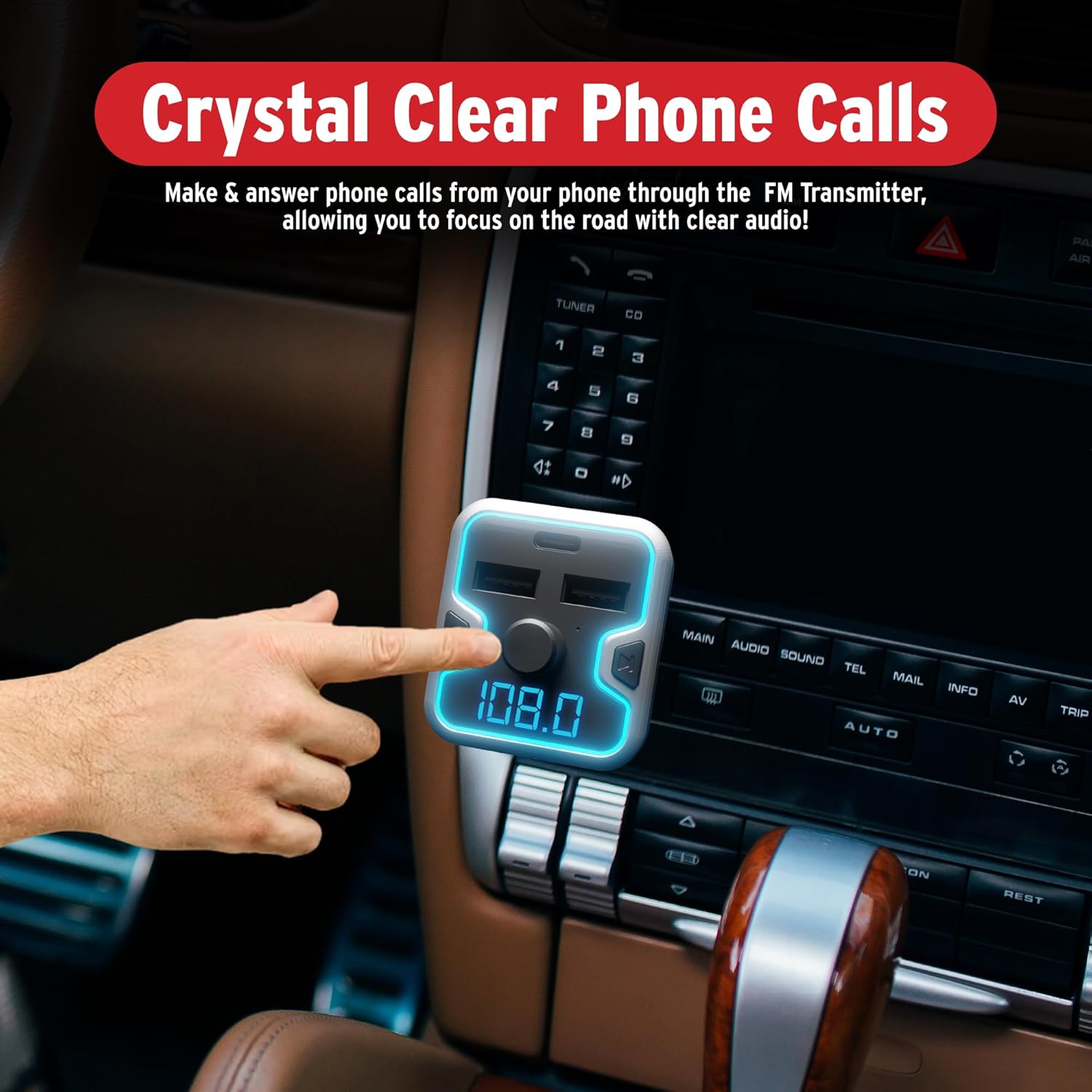
בילד 5.2: A hand interacting with the FM Transmitter's control knob, indicating its use for making and answering phone calls with clear audio.
5.3. שטימע אַסיסטאַנט אַקטיוואַציע
Access your mobile device's voice assistant (Siri, Google Assistant, Alexa) through the transmitter.
- אַקטאַווייט: Long press the multi-function knob to activate your phone's voice assistant. You can then issue commands through the transmitter's microphone.
בילד 5.3: The FM Transmitter shown with icons for Google Assistant, Siri, and Alexa, indicating compatibility with these voice assistants.
ווידעא 5.1: Demonstration of the Car and Driver Bluetooth 5.0 FM Transmitter's features, including setup, hands-free calling, and voice assistant integration. This video shows the device in use within a vehicle, highlighting its functionality for modernizing older car audio systems.
5.4. טשאַרדזשינג דעוויסעס
The transmitter provides three charging ports:
- USB-A (2.4A): Standard charging for most devices.
- USB-A (1A): Standard charging, also suitable for USB flash drives.
- יו-עס-בי-סי פּי-די (18 וואט): Power Delivery port for rapid charging of compatible devices.
Simply connect your device's charging cable to the appropriate USB port on the transmitter.
5.5. LED Display and Ambient Light
- The LED display shows the current FM frequency and the car's battery voltage upon startup.
- The device features a multicolor light border with 7 neon-color backlit options (Red, Blue, Turquoise, Yellow, Green, Purple, White). These can be cycled or set to a preferred color (refer to device specific controls, usually a dedicated button or long press on the CH button).
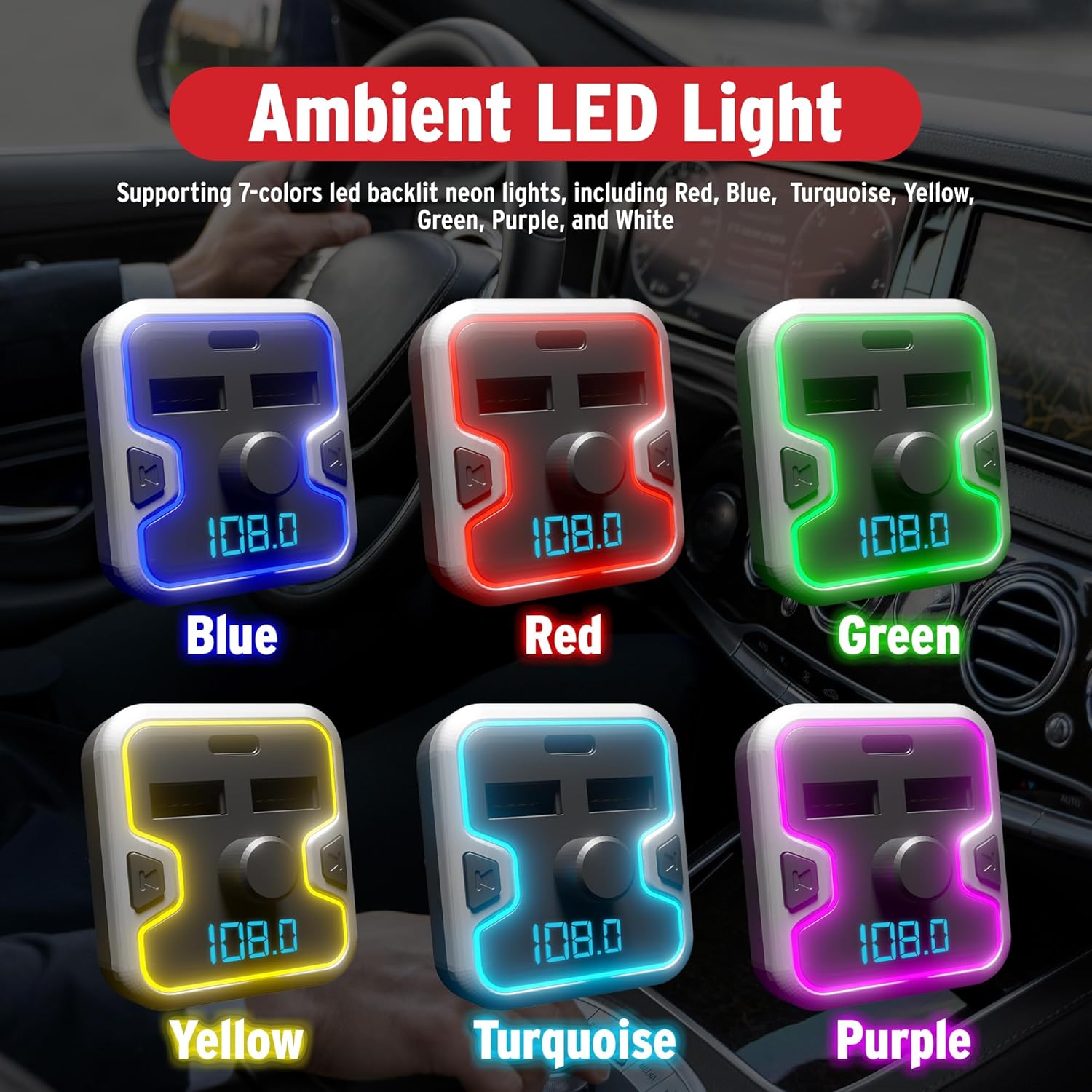
בילד 5.4: A collage showing the FM Transmitter with its ambient LED light border illuminated in various colors: Blue, Red, Green, Yellow, Turquoise, and Purple.
6. זיכערקייַט אינפֿאָרמאַציע
ביטע לייענען און אַדכיר צו די פאלגענדע זיכערקייַט גיידליינז:
- Use the device only when it is safe and legal to do so.
- Ensure the device is securely plugged in to prevent it from becoming a distraction while driving.
- Be aware of and comply with all local laws and regulations regarding the use of wireless devices and mobile phones while operating a vehicle.
- Regularly check your car battery voltage using the device's display to monitor your vehicle's electrical system.
- נעמט נישט אויס, מאדיפיצירט נישט, אדער פארריכט נישט דאס אפאראט אליין. קאנטאקטירט קוואליפיצירטע סערוויס פערסאנעל פאר הילף.
- פֿאַרמײַדט אויסשטעלן דעם אַפּאַראַט צו עקסטרעמע טעמפּעראַטורן, דירעקטע זונשײַן, אָדער פֿײַכטקייט.
7. וישאַלט
To ensure optimal performance and longevity of your FM Transmitter Charger:
- האַלטן די מיטל ריין דורך ווישן עס מיט אַ ווייך, טרוקן שטאָף.
- ויסמיידן ניצן האַרב קעמיקאַלז אָדער אַברייסיוו קלינערז.
- האַלט דעם אַפּאַראַט אין אַ קיל, טרוקן אָרט ווען נישט אין באַנוץ פֿאַר לענגערע פּעריאָדן.
- Ensure the cigarette lighter socket is free of debris before inserting the transmitter.
8. טראָובלעשאָאָטינג
If you encounter issues with your FM Transmitter Charger, refer to the following common problems and solutions:
| פּראָבלעם | מעגלעך סיבה | לייזונג |
|---|---|---|
| קיין מאַכט/אַפּאַראַט צינדט זיך נישט אָן. | Loose connection; vehicle socket issue; blown fuse. | Ensure the device is firmly inserted into the cigarette lighter socket. Check if the vehicle's cigarette lighter socket is functional. Inspect vehicle's fuse box for a blown fuse related to the power outlet. |
| סטאַטיש אָדער שלעכטע אַודיאָ קוואַליטעט. | FM frequency interference; volume too low/high; weak Bluetooth connection. | Change to a different, unoccupied FM frequency on both the transmitter and your car radio. Adjust the volume on both the transmitter and your car stereo. Ensure your phone is close to the transmitter for a strong Bluetooth signal. |
| בלוטוט נישט פארבינדן. | בלועטוט נישט איינגעשטעלט אויפן טעלעפאן; אפאראט נישט אין פארבינדונג מאָד; צו פיל פארבינדענע אפאראטן. | Ensure Bluetooth is enabled on your mobile device. Restart the transmitter and your phone. Forget previous Bluetooth connections on your phone and try pairing again. |
| שנעל טשאַרדזשינג טוט נישט אַרבעטן. | Device not compatible with fast charging; cable issue; port issue. | Ensure your device supports USB Power Delivery (PD) for the USB-C port. Use a high-quality, compatible charging cable. Try a different charging port or cable. |
| שטימע אַסיסטאַנט ענטפערט נישט. | Not activated correctly; phone settings. | Long press the multi-function knob to activate the voice assistant. Ensure your phone's voice assistant is enabled and configured correctly. |
9. ספּעסאַפאַקיישאַנז
| שטריך | דעטאַל |
|---|---|
| מאָדעל נומער | CAD-6005 |
| בלועטאָאָטה ווערסיע | 5.0 |
| עפעם פרעקווענסי קייט | 87.5 מהז - 108.0 מהז |
| אַרייַנשרייַב וואָלtage | 12 וו / 24 וו דק |
| וסב-א רעזולטאַט 1 | 5וו-2.4אַ |
| וסב-א רעזולטאַט 2 | 5V-1A (also for USB flash drive) |
| וסב-C פּד רעזולטאַט | 18 וו מאַכט עקספּרעס |
| Music Formats Supported | APE, WMA, MP3, WAV, FLAC |
| MicroSD/USB Flash Drive Capacity | אַרויף צו 32 גיגאבייט |
| פּונקט וואָג | 5.6 אונס (0.16 קילאָגראַמס) |
| פּעקל דימענשאַנז | 6.85 X 3.58 X 2.8 אינטשעס |
10. וואָראַנטי און שטיצן
For warranty information or technical support, please refer to the contact details provided with your purchase or visit the official Car and Driver webזייטל. האַלט דיין קויפן באַווייַז פֿאַר קיין וואָראַנטי קליימז.