1. הקדמה
The Vgate VR800 OBD2 Scanner is a powerful and user-friendly diagnostic tool designed for automotive enthusiasts and professional mechanics alike. It provides comprehensive diagnostic functions for OBD-II/EOBD compliant vehicles, enabling users to quickly identify and resolve issues related to the Check Engine Light (CEL). This manual provides detailed instructions on how to set up, operate, and maintain your VR800 scanner to ensure optimal performance and accurate vehicle diagnostics.
2. פּראָדוקט איבערview
The Vgate VR800 is a handheld diagnostic device featuring a color LCD display, intuitive button layout, and a durable OBD-II connector cable. Its compact design allows for easy portability and use in various automotive environments.
2.1 שליסל קאַמפּאָונאַנץ
- LCD קאָליר ווייַז: Provides clear and detailed diagnostic information.
- נאַוויגאַציע קנעפּלעך: אַרויף, אַראָפּ, לינקס, רעכטס פײַלן פֿאַר מעניו נאַוויגאַציע.
- OK קנעפּל: קאַנפערמז סאַלעקשאַנז.
- I/M קנעפּל: Shortcut for I/M Readiness status.
- Question Mark (?) Button: Provides help and DTC lookup information.
- צוריקקומען קנעפּל: נאַוויגירט צוריק צום פריערדיקן עקראַן.
- OBD-II Connector: Connects the scanner to the vehicle's diagnostic port.
- וסב פּאָרט: For software updates and data printing.

3. פֿעיִקייטן
The Vgate VR800 OBD2 Scanner offers a comprehensive set of features for vehicle diagnostics:
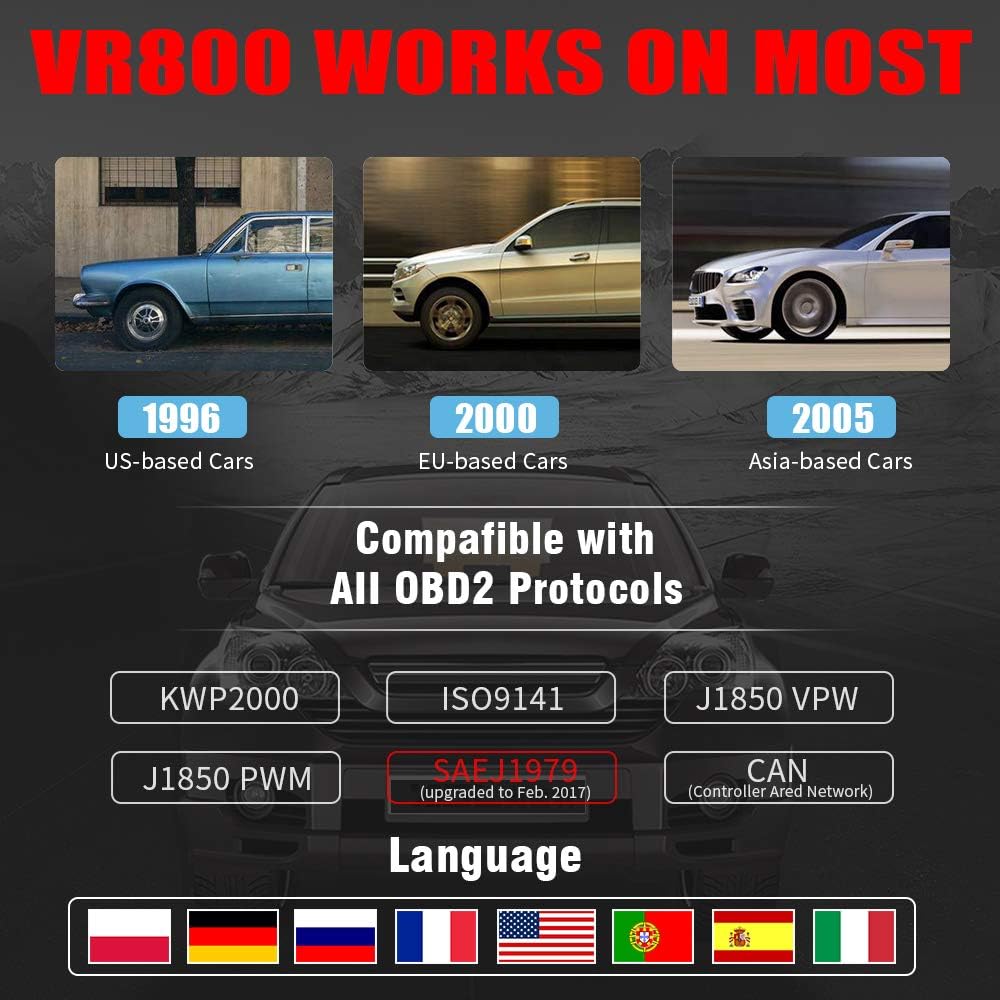
- All OBD2 Protocols Support: Compatible with ISO9141, KWP2000, J1850 PWM, J1850 VPW, and CAN protocols. Compliance with SAEJ1979 has been upgraded to the latest standards (February 2017).
- ברייט פאָרמיטל קאַמפּאַטאַבילאַטי: Works with most American vehicles manufactured after 1996, European vehicles after 2000, and Asian vehicles after 2005. Applicable to OBD-II/CAN/EOBD-compliant vehicles, including light-duty trucks (6.5T or less), SUVs, and minivans.
- Smog Check Helper (I/M Readiness): Features Red-Yellow-Green LEDs and a built-in speaker to indicate readiness status for emissions testing. Dedicated I/M and '?' shortcut keys provide quick access to readiness checks.
- Full OBD Service Modes: Quickly reads and checks Diagnostic Trouble Codes (DTCs), views freeze frame data, reads live PCM data stream, performs On-Board Monitor tests, and displays live O2 sensor test data.
- איינגעבויטע DTC זוכ-ביבליאָטעק: Allows accurate determination of the causes of the Check Engine Light.
- Accurate Battery Status Check: Reads real-time battery and voltagE אינפֿאָרמאַציע.
- מולטי-שפּראַך שטיצן: Available in English, French, German, Italian, Spanish, Russian, Polish, and Portuguese.
- Data Logging and Printing: Supports data logging and connection to a PC for printing diagnostic data files.



4. סעטאַפּ
Follow these steps to set up your Vgate VR800 OBD2 Scanner:
- געפינט דעם OBD-II פּאָרט: The OBD-II port is typically located under the dashboard on the driver's side of the vehicle. Refer to your vehicle's owner's manual if you cannot find it.
- פֿאַרבינדן דעם סקאַנער: Plug the VR800's OBD-II connector cable firmly into the vehicle's OBD-II port.
- מאַכט אויף: The scanner will automatically power on once connected to the vehicle's OBD-II port. No external power source or batteries are required as it draws power directly from the vehicle.
- Initial Setup (if prompted): If this is your first time using the scanner or after a factory reset, you may be prompted to select a language. Use the navigation buttons to select your preferred language and press OK.

5. אַפּערייטינג ינסטרוקטיאָנס
Once the scanner is connected and powered on, you can begin diagnosing your vehicle.
5.1 נאַוויגירן דעם מעניו
ניצן די UP און אַראָפּ פײַל קנעפּלעך צו סקראָלן דורך מעניו אָפּציעס. דריק די OK button to select an option. Press the צוריקקומען קנעפּל צו צוריקקומען צו די פריערדיקע פאַרשטעלן.
5.2 לייענען דיאַגנאָסטישע פּראָבלעם קאָודז (DTCs)
- פון די הויפּט מעניו, אויסקלייַבן לייענען דטקס.
- The scanner will display any active or pending DTCs. Each code will have a brief description.
5.3 Clearing DTCs
Warning: Clearing DTCs will erase all diagnostic trouble codes from the vehicle's computer and may reset readiness monitors. Ensure you have addressed the underlying issue before clearing codes.
- פון די הויפּט מעניו, אויסקלייַבן קלאָר דטקס.
- Confirm your selection when prompted. The scanner will attempt to clear the codes.
5.4 I/M Readiness Function
The I/M Readiness function checks if the various emissions-related systems on the vehicle are operating correctly and if they have completed their self-tests.
- דרוק די דעדאַקייטאַד I/M קנעפּל אויף דעם סקאַנער.
- The display will show the status of various monitors (e.g., O2 Sensor, EVAP, Catalyst). A green light indicates ready, yellow indicates pending, and red indicates not ready or a fault.
5.5 Viewמיט לייוו דאַטאַ
לייוו דאַטאַ דערמעגלעכט אײַך צו view real-time sensor data from the vehicle's engine control unit (ECU).
- פון די הויפּט מעניו, אויסקלייַבן לעבן דאַטאַ.
- Choose the specific data parameters you wish to view (e.g., engine RPM, vehicle speed, O2 sensor voltagאון).
5.6 DTC Lookup
If you have a DTC and need more information, use the built-in DTC lookup library.
- פון די הויפּט מעניו, אויסקלייַבן DTC Lookup אָדער דריקן די ? button when a DTC is displayed.
- Enter the DTC code (if not already displayed) to get a detailed description and possible causes.
5.7 באַטערי סטאַטוס טשעק
To check your vehicle's battery voltage and status:
- פון די הויפּט מעניו, אויסקלייַבן באַטערי.
- דער סקאַנער וועט ווייַזן די איצטיקע באַטאַרייע וואָלומעןtage and an estimated charge percentage.
6. וישאַלט
Proper maintenance ensures the longevity and accuracy of your Vgate VR800 scanner.
- רייניקונג: ניצט אַ ווייכע, טרוקענע שטאָף צו רייניקן די אויסערלעכע זייט פון דעם סקאַנער. ניצט נישט קיין שרײַבנדיקע רייניגערס אדער סאָלווענטן.
- סטאָרידזש: האַלט דעם סקאַנער אין אַ ריינער, טרוקענער סביבה אַוועק פון עקסטרעמע טעמפּעראַטורן און דירעקטער זון.
- ווייכווארג דערהייַנטיקונגען: Regularly check for software updates to ensure compatibility with the latest vehicle models and diagnostic protocols. Updates can typically be performed by connecting the scanner to a PC via the USB port and using the provided update software.
7. טראָובלעשאָאָטינג
If you encounter issues while using your Vgate VR800 scanner, refer to the following common problems and solutions:
- סקאַנער טוט זיך נישט אָן:
- Ensure the OBD-II connector is securely plugged into the vehicle's port.
- באַשטעטיקן אַז די איגנישאַן פונעם אויטאָ איז אין דער "ON" פּאָזיציע (דער מאָטאָר קען זיין אויסגעלאָשן).
- Check the vehicle's fuse for the OBD-II port (consult your vehicle's manual).
-
פֿאַרבונדענע דאָקומענטן - VR800

Vgate vLinker BM+ Quick Start Guide: Connect BMW/Mini with BimmerCode & BimmerLink
Comprehensive quick start guide for the Vgate vLinker BM+ OBD2 Bluetooth scanner. Learn how to connect your BMW or Mini vehicle to BimmerCode and BimmerLink apps on iOS and Android for diagnostics and customization.
Vgate iCar Pro BLE 4.0 שנעל אָנהייב גייד פֿאַר iOS און אַנדרויד
Get started quickly with your Vgate iCar Pro BLE 4.0 OBD-II scanner. This guide covers vehicle compliance, app installation, Bluetooth pairing for iOS and Android, supported OBD parameters, and troubleshooting for your automotive diagnostic tool.
Vgate vLinker BM+ בלועטוט OBD2 סקענער שנעל אָנהייב גייד
שריט-ביי-שריט אנווייזונג צו פארבינדן דעם Vgate vLinker BM+ בלועטוט OBD2 סקענער צו אייער אויטא פאר דיאגנאסטיקס און אפליקאציע אינטעגראציע. שטיצט אנדרויד און iOS דעווייסעס.
Vgate iCar Pro BT3.0 שנעל אָנהייב גייד פֿאַר אַנדרויד
הייבט שנעל אן מיט אייער Vgate iCar Pro BT3.0 OBD-II סקענער פאר אנדרויד. די אנווייזונג באדעקט וועהיקל קאמפלייענס, געשטיצטע פראטאקאלן, אפליקאציע סעטאפ, פארבינדונג, פראבלעם-לייזונג, און פארשטיין דיאגנאסטישע קאודס.
Vgate iCar OBD II אַדאַפּטער באַניצער מאַנואַל - דיאַגנאָסטיק געצייַג גייד
א פולשטענדיגע באנוצער מאנואל פארן Vgate iCar OBD II אדאפטער, מיט א דעטאלירנדיקן אינפארמאציע איבער זיינע אייגנשאפטן, ספעציפיקאציעס, געשטיצטע פראטאקאלן, א סעטאפ גייד, און ווארענונגען פאר קאר דיאגנאסטיקס.
Vgate iCar2 BT3.0 שנעל אָנהייב גייד און OBDII אינפֿאָרמאַציע
א פולשטענדיגע גייד צום Vgate iCar2 BT3.0 בלועטוט OBDII סקענער, וואס באדעקט אויטא קאמפאטיבילעטי, אפליקאציע שטיצע, קאנעקשאן טריט, פראבלעם-לייזונג, און OBDII קאוד דערקלערונגען.