פּראָדוקט איבערview
The MIDOLA B01 Kids Bluetooth Wireless Headphones are designed to provide a safe and enjoyable audio experience for children. These over-ear headphones feature a 3-stage volume limit to protect young ears, long battery life, and versatile connectivity options including Bluetooth 5.4 and wired AUX. Their foldable design makes them convenient for travel and storage.
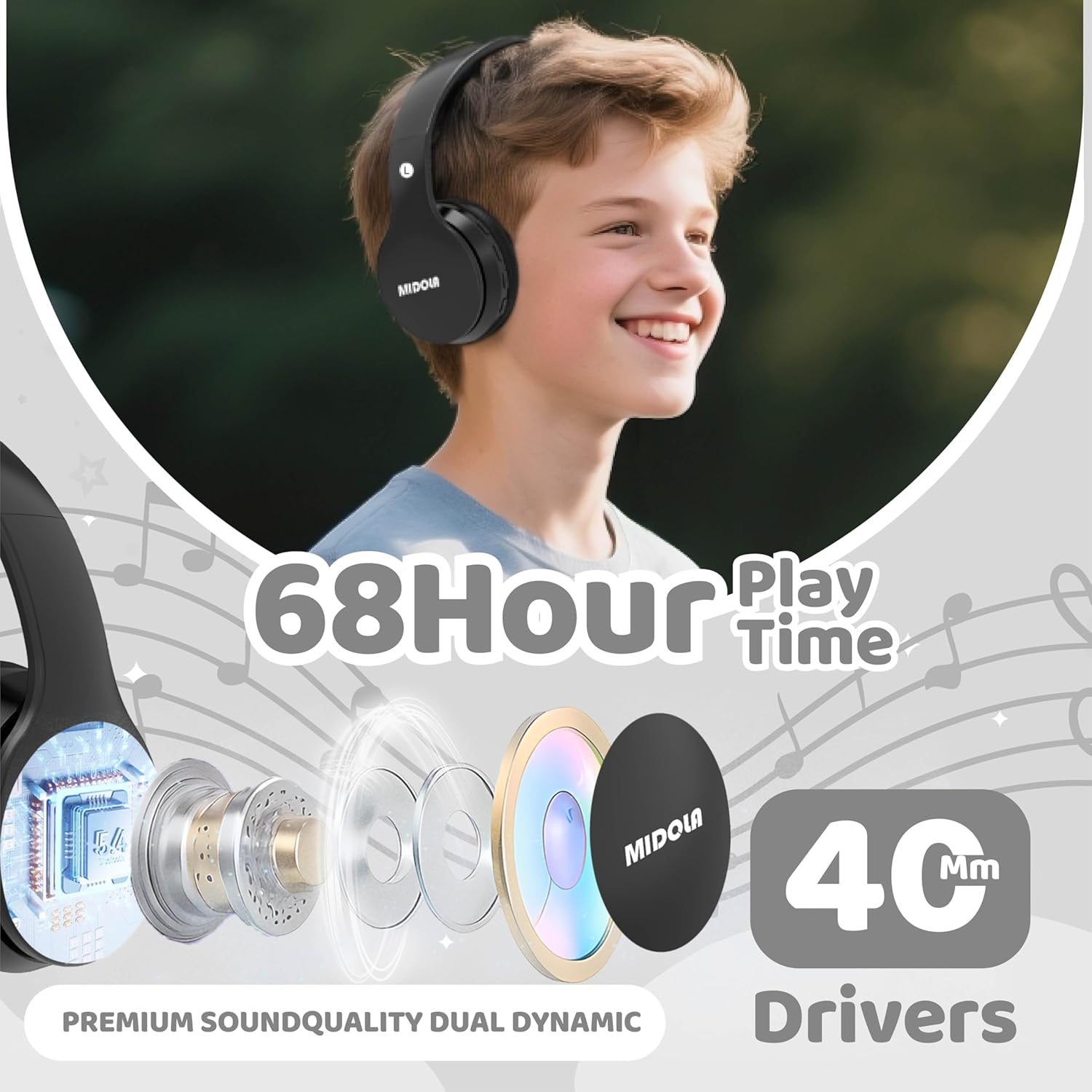
Image: MIDOLA B01 Kids Bluetooth Wireless Headphones highlighting key features like 68-hour playtime and 40mm dynamic drivers for premium sound quality.
וואָס איז אין די קעסטל
- MIDOLA B01 Kids Bluetooth Wireless Headphones
- 3.5 mm Aux cord
- טיפּ-C טשאַרדזשינג קאַבלע
- באַניצער מאַנואַל
- Cartoon free combination stickers
שליסל פֿעיִקייטן
- 3-Stage Volume Limit Protection: Adjustable to 74dB (WHO infant recommendation), 85dB (school-age), and 94dB (parental supervision required) for hearing safety.
- בלועטאָאָטה 5.4 קאַנעקטיוויטי: Ensures stable wireless connection with built-in microphone for hands-free calling.
- 68 שעה שפּיל צייט: Extended battery life for long listening sessions.
- Wired/Wireless Modes: Can be used wirelessly via Bluetooth or wired with the detachable 3.5mm AUX cord.
- Comfortable and Collapsible Design: Adjustable headband and soft ear cushions for a comfortable fit, suitable for kids and adults. Foldable for easy portability.
- טיפּ C שנעל טשאַרדזשינג: שנעל און באַקוועם טשאַרדזשינג.
- ברייט קאַמפּאַטאַבילאַטי: Connects with iPhones, iPads, Android cellphones, PCs, tablets, and game consoles.

Image: MIDOLA B01 Kids Bluetooth Wireless Headphones illustrating the safe volume modes and various connectivity features.
סעטאַפּ
- טשאַרדזשינג די כעדפאָונז:
Connect the provided Type-C charging cable to the charging port on the headphone (DC-5V port). Plug the other end into a USB power source. The LED indicator will light up during charging and turn off when fully charged. A full charge takes approximately 3 hours and provides up to 68 hours of playtime.
Video: Official MIDOLA video demonstrating the charging process and features of the Kids Bluetooth Wireless Headphones.
- מאַכט אויף / אַוועק:
Locate the ON/OFF switch on the headphone. Slide the switch to the "ON" position to power on. The LED indicator will illuminate. Slide to "OFF" to power off.
- Bluetooth Pairing:
With the headphones powered on, enable Bluetooth on your device (e.g., tablet, phone). זוכן פֿאַר "MIDOLA-B01" in the list of available devices and select it to pair. The LED indicator will show a steady blue light once connected.
Video: Talia Smith demonstrating how to connect the MIDOLA Kids Headphones via Bluetooth to a tablet.
- דראָט פֿאַרבינדונג (אָפּציאָנעל):
Insert the 3.5mm AUX cord into the AUX port on the headphone and the other end into your audio device's headphone jack. The headphones will automatically switch to wired mode.
אַפּערייטינג ינסטראַקשאַנז
- באַנד קאָנטראָל:
Use the 'V+' and 'V-' buttons on the headphone to adjust the volume. For hearing protection, press the "DB" button to cycle through the 74dB, 85dB, and 94dB volume limits.
- מוזיק פּלייבאַק:
Use the Play/Pause button to start or stop music. Use the Next/Previous track buttons to skip songs.
- ענטפֿערן קאַללס:
When connected to a phone via Bluetooth, press the Play/Pause button to answer or end a call. The built-in microphone allows for hands-free communication.
- אַדזשאַסטמאַנט פּאַסיק:
The headband is adjustable. Gently slide the earcups up or down to achieve a comfortable and secure fit for the user's head size. The padded headband and ear cushions are designed for comfort and to prevent slipping.

Image: MIDOLA B01 Kids Bluetooth Wireless Headphones in use, demonstrating the adaptability of volume limits for different age groups and environments.
וישאַלט
- רייניקט די כעדפאָונז רעגולער מיט אַ ווייכן, טרוקענעם שטאָף.
- פֿאַרמײַדט אויסשטעלן די כעדפאָונז צו עקסטרעמע טעמפּעראַטורן, פֿײַכטקייט, אָדער דירעקטער זון.
- טונקט נישט די כעדפאָונז אין וואַסער ווײַל זיי זענען נישט וואַסער-רעזיסטענט.
- Store in a cool, dry place when not in use. The foldable design helps protect them during storage and transport.
טראָובלעשאָאָטינג
| פּראָבלעם | לייזונג |
|---|---|
| די קאָפּהערער וועלן זיך נישט אָנצינדן. | Ensure the battery is charged. Connect to a power source using the Type-C cable. |
| קען נישט פארבינדן דורך בלוטוט. | Make sure Bluetooth is enabled on your device and the headphones are in pairing mode (blinking LED). Ensure the headphones are not already connected to another device. Try restarting both devices. |
| קיין קלאַנג אין דראָט מאָדע. | Check if the 3.5mm AUX cable is fully inserted into both the headphone and the audio device. Ensure the audio device's volume is not muted or too low. |
| די באַנד איז צו נידעריק. | Adjust the volume using the 'V+' button on the headphones and on your connected device. Check the volume limit setting (DB button) to ensure it's not set to the lowest level if higher volume is desired. |
ספּעסאַפאַקיישאַנז
| שטריך | דעטאַל |
|---|---|
| סאָרט | MIDOLA |
| מאָדעל נאָמען | MIDOLA -B01 |
| קאָליר | שוואַרץ |
| אויער פּלייסמאַנט | איבער אויער |
| קאַנעקטיוויטי טעכנאָלאָגיע | Wireless (Bluetooth), Wired (3.5mm Aux) |
| בלועטאָאָטה ווערסיע | 5.3 |
| בלועטאָאָטה קייט | 15 מעטער |
| באַטערי דורכשניטלעך לעבן | 60 שעה |
| באַטאַרייע אָפּצאָל צייט | 3 שעה |
| Volume Limit Protection | 74/85/94dB (3-stage safe volume) |
| געבויט-אין מיקראָפאָן | יא |
| פאָרם פאַקטאָר | איבערן אויער, צוזאמענפאלטיק |
| מאַטעריאַל | פּלאַסטיק |
| פּונקט וואָג | 8.96 אונסעס |
| קאַמפּאַטאַבאַל דעוויסעס | Tablets, Cellphones, Laptops, Television, Desktops |
וואָראַנטי און שטיצן
The MIDOLA B01 Kids Bluetooth Wireless Headphones come with a 1 יאָר מאַנופאַקטורער וואָראַנטי. For any support or warranty claims, please contact MIDOLA customer service. US customer service typically responds within 24 hours.
Return Policy: 30-day refund/replacement duration.
פֿאַרבונדענע דאָקומענטן - B01
 |
MIDOLA B-01 באַניצער גייד: בלועטוט כעדפאָונז א פולשטענדיגע באַניצער פירער פֿאַר די MIDOLA B-01 כעדפאָונז, מיט דעטאַלן וועגן סעטאַפּ, אָפּעראַציע און ספּעציפֿיקאַציעס פֿאַר בלועטוט, TF קאַרטל און AUX אַרייַנשרייַב מאָדעס. |
 |
MIDOLA B-15 בלועטוט כעדפאָונז באַניצער גייד און מאַנואַל אן אויספירלעכע באַניצער גייד פֿאַר די MIDOLA B-15 בלועטוט כעדפאָונז, וואָס דעקט סעטאַפּ, אָפּעראַציעס, ספּעציפֿיקאַציעס, טראָובלעשווטינג, באַטעריע וואָרענונגען, און FCC קאָנפאָרמאַטי. |
 |
VEVOR רידינג באַגאַזש סקוטער באַניצער מאַנואַל און זיכערהייט גייד א פולשטענדיגע באַניצער מאַנואַל און עלעקטראָנישע וואָראַנטי סערטיפיקאַט פֿאַר VEVOR Ridding Luggage מאָדעלן SC-19UC-B01, SC-19OL-B01, SC-19MT-B01. כולל דעטאַלירטע זיכערהייט אינסטרוקציעס, אָפּעראַציע מעטאָדן, וישאַלט גיידליינז, און פּראָדוקט ספּעסיפיקאַציעס. |
 |
B01-B סעריע קייט קאַפּטער ינסטאַלירונג גייד און באַניצער מאַנואַל אן אויספירלעכע אינסטאַלאַציע פירער און באַניצער מאַנואַל פֿאַר די B01-B סעריע איינגעבויטע/איינגעשטעלטע מאָנטירטע קייט קאַפּטער, וואָס דעקט סעטאַפּ, אָפּעראַציע, וישאַלט און טראָובלעשווטינג לייזונג. כולל מאָדעל נומערן B01-30BG, B01-36BG, B01-30WG, B01-36WG. |