הקדמה
This manual provides detailed instructions for the Amkette Evo Fox Elite Pro Wireless Gamepad. This device is designed for use with PC (X Input), PS3, and Android TV, offering a high-performance wireless gaming experience with dual vibration and extended battery life.


סעטאַפּ אינסטרוקציעס
Follow these steps to set up your Amkette Evo Fox Elite Pro Wireless Gamepad for various platforms.
פּעקל אינהאַלט:
- Amkette Evo Fox Elite Pro Wireless Gamepad
- High Performance USB Receiver
- Charging Cable (Charger included)
אויפלאָדן דעם גאַמעפּאַד:
Before initial use, ensure the gamepad is fully charged. Connect the charging cable to the gamepad and a power source. A full charge typically takes approximately 2 hours. The gamepad contains 2 Lithium Ion batteries.
קאַנעקטינג צו דיווייסאַז:
The gamepad utilizes a 2.4 GHz wireless USB receiver for connectivity.
- אַרײַנשטעלן דעם USB ריסיווער: Plug the high-performance USB receiver into an available USB port on your PC, PS3 console, or Android TV.
- Power On the Gamepad: Press the central 'Evo Fox' button to power on the gamepad. The gamepad will automatically attempt to connect to the receiver.
- אָטאַמאַטיק דעטעקשאַן: The gamepad features auto-detect functionality for PC, PS3, and Android TV. Once connected, the device should recognize the gamepad. For PC, it supports X Input.


אַפּערייטינג ינסטראַקשאַנז
Understand the features and functions of your gamepad for optimal gaming performance.
יקערדיק קאָנטראָלס:
- אנאַלאָג שטעקן: Two high-precision analog sticks for movement and camera control.
- ד-פּאַד: ריכטונג-פּאַד פֿאַר פּינקטלעכן ריכטונג-איינגאַב.
- קאַמף קנעפּלעך: Standard A, B, X, Y buttons (or corresponding PlayStation symbols) for in-game actions.
- אַקסל קנעפּלעך/טריגערס: L1/R1 (bumpers) and L2/R2 (triggers) for additional controls.
- Start/Select/Home Buttons: For menu navigation and system functions.
דואַל ווייבריישאַן באַמערקונגען:
The gamepad is equipped with dual vibration motors that provide immersive haptic feedback during gameplay, enhancing realism for impacts, explosions, and other in-game events.

באַטאַרייע לעבן:
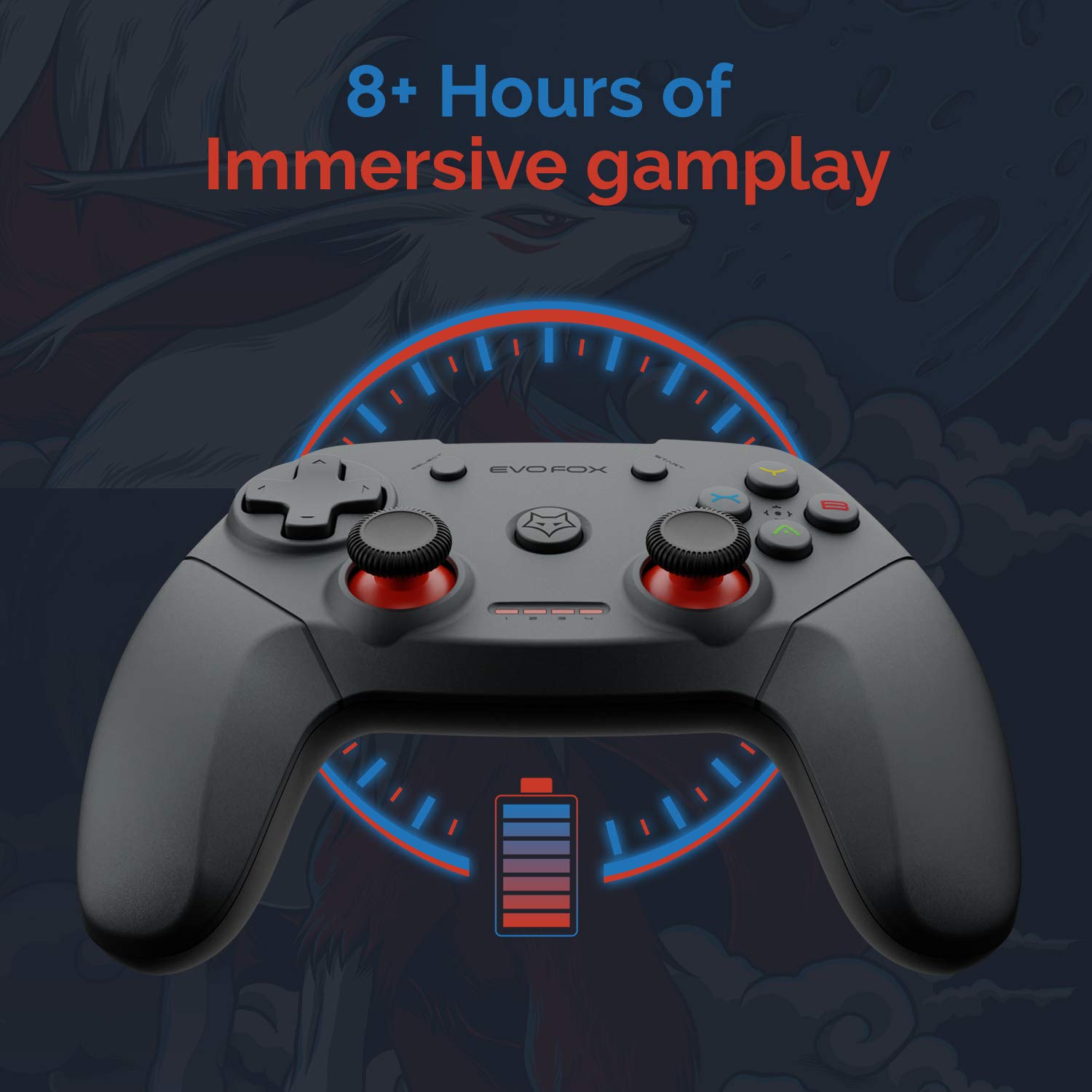
The gamepad offers an average battery life of 8+ hours on a single charge, allowing for extended gaming sessions. The battery indicator lights on the gamepad will provide an indication of the remaining charge.
מאַכט פאַרוואַלטונג:
The gamepad does not feature a dedicated 'off' button. To conserve battery life, it is recommended to remove the USB dongle from the connected device when the gamepad is not in use. Leaving the dongle connected may cause the gamepad to remain active and drain its battery, especially with wall-mounted TVs where the dongle might be less accessible.
וישאַלט
Proper care and maintenance will extend the life of your Amkette Evo Fox Elite Pro Wireless Gamepad.
- רייניקונג: ניצט אַ ווייכע, טרוקענע שטאָף צו רייניקן די ייבערפלאַך פון די געימפּאַד. פֿאַרמייַדט ניצן שטרענגע כעמיקאַלן אָדער אַברייסיוו מאַטעריאַלן.
- סטאָרידזש: האַלט דעם גאַמעפּאַד אין אַ קיל, טרוקן אָרט אַוועק פון דירעקט זונשייַן און עקסטרעמע טעמפּעראַטורן.
- באַטערי זאָרגן: Recharge the gamepad when the battery indicator is low. Avoid completely draining the battery frequently to prolong its overall lifespan.
- וסב ופנעמער: האַלט דעם USB ופנעמער באַשיצט פון שטויב און פיזישן שעדיקן.
טראָובלעשאָאָטינג
If you encounter issues with your gamepad, refer to the following common problems and solutions.
קאַנעקטיוויטי ישוז:
- Gamepad Disconnects Frequently:
- Ensure the USB receiver is not in a hidden spot or obstructed, which can cause range issues. Consider using a USB extension cable if the receiver is far from the gamepad or in an obstructed location.
- Some users have reported conflicts with USB 3.0 ports or other USB devices (like a mouse) when connected to the same USB controller. Try connecting the gamepad's USB receiver to a USB 2.0 port, preferably on the back panel of a PC, and ensure other peripherals are on different USB controllers if possible.
- זיכער מאַכן אַז די גאַמעפּאַד איז גענוג אויפגעלאָדן.
- געימפּאַד פֿאַרבינדט זיך נישט:
- באַשטעטיקן אַז דער USB ופנעמער איז זיכער אַרייַנגעשטעקט אין דעם מיטל.
- Press the central 'Evo Fox' button on the gamepad to ensure it is powered on.
- פּרוּווט פּלאַגינג די וסב ופנעמער אין אַ אַנדערש וסב פּאָרט.
- Resetting the Gamepad: If the gamepad is unresponsive, a hard reset may be required. Locate a small pinhole on the gamepad (often on the back or bottom). Use a thin object like a paperclip to press and hold the reset button inside for a few seconds.
באַטערי ישוז:
- Gamepad Not Charging:
- קאָנטראָלירט דעם טשאַרדזשינג קאַבל און מאַכט מקור פֿאַר אַ ריכטיקע פֿאַרבינדונג.
- פּרוּווט אַ אַנדערש טשאַרדזשינג קאַבלע אָדער וסב פּאָרט.
- קורץ באַטאַרייע לעבן:
- Ensure the gamepad is fully charged before use (approx. 2 hours).
- Remember to remove the USB dongle when not in use to prevent passive battery drain.
קנעפּלעך/דזשויסטיקס רעאַגירן נישט:
- Perform a gamepad reset as described above.
- Ensure the gamepad is properly connected and recognized by your device.
- Test the gamepad with another game or application to rule out software-specific issues.
ספּעסאַפאַקיישאַנז
| שטריך | דעטאַל |
|---|---|
| סאָרט | אַמקעטטע |
| מאָדעל נומער | 827 |
| קאָליר | שוואַרץ |
| קאַנעקטיוויטי טעכנאָלאָגיע | 2.4 GHz Wireless (via USB Receiver) |
| קאַמפּאַטאַבאַל דעוויסעס | PC (X Input), PS3, Android TV |
| קאָנטראָללער טיפּ | גאַמעפּאַד |
| ייַזנוואַרג פּלאַטפאָרמע | דעסקטאָפּ |
| אָפּערייטינג סיסטעם | אַנדרויד |
| פּראָדוקט דימענשאַנז | 18 X 12 X 12 סענטימעטער |
| פּונקט וואָג | 210 ג |
| באַטעריז | 2 ליטהיום יאָן באַטעריז (אַרייַנגערעכנט) |
| באַטאַרייע אָפּצאָל צייט | 2 שעה |
| דורכשניטלעך באַטאַרייע לעבן | 8 שעה |
| ליטהיום באַטערי ענערגיע אינהאַלט | 8 וואט שעה |
| אַרייַנגערעכנט קאַמפּאָונאַנץ | Gamepad, USB Receiver, Charger |
| ערשטער בנימצא טאָג | 1 ט ן סעפטעמבע ר 2020 |
וואָראַנטי און שטיצן
Amkette provides comprehensive support for its products.
וואָראַנטי אינפֿאָרמאַציע:
The Amkette Evo Fox Elite Pro Wireless Gamepad comes with a 1-Year Manufacturing Warranty. די וואָראַנטי קאָווערס חסרונות אין מאַטעריאַלס און ווערקמאַנשיפּ אונטער נאָרמאַל נוצן.
קונה שטיצן:
For any technical assistance, warranty claims, or product-related inquiries, please contact Amkette customer support:
- טעלעפאָן / ווהאַצאַפּפּ: +919312691448
- בליצפּאָסט: techsupport@amkette.in
ביטע האַלט אייער פּראָדוקט מאָדעל נומער (827) און קויף דעטאַלן גרייט ווען איר קאָנטאַקטירט שטיצע.


