1. הקדמה
This manual provides essential information for the safe and efficient use of your Amazon Fire HD 10 tablet (2021 release). Please read it thoroughly before operating your device.
שליסל פֿעיִקייטן
- Fast and Responsive: Powered by an octa-core processor and 3 GB RAM, offering 50% more RAM than the previous generation.
- לאַנג-בלייַביק באַטערי: Up to 12 hours of battery life for reading, browsing, video, and music.
- לעבעדיק ווייַז: 10.1-inch 1080p Full HD display, 10% brighter than the previous generation, with over 2 million pixels.
- Ampסטאָרידזש: Available with 32 GB or 64 GB internal storage, expandable up to 1 TB with a microSD card (sold separately).
- אַפּ קאַמפּאַטאַבילאַטי: Access to popular apps like Netflix, Facebook, Disney+, Instagram, TikTok, and more via Amazon’s Appstore.
- פּראָדוקטיוויטי מכשירים: Supports apps like Microsoft Office, OneNote, and Dropbox for enhanced productivity.
- דוראַבאַל פּלאַן: Thinner and lighter than the previous generation, with a screen strengthened by aluminosilicate glass.
- שפּאַלטן סקרין פאַנגקשאַנאַליטי: Allows two compatible apps to be open side-by-side for multitasking.
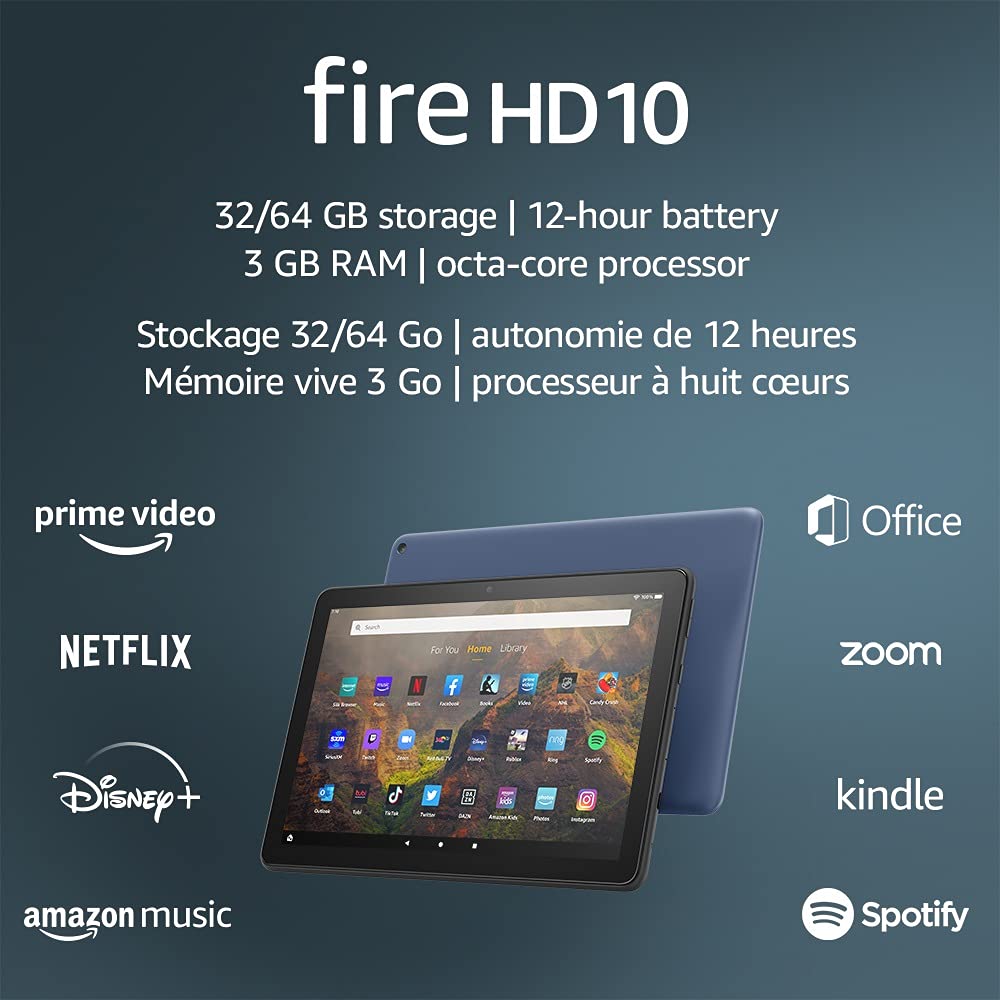
Image 1.1: The Amazon Fire HD 10 tablet highlighting its 32/64 GB storage, 12-hour battery, 3 GB RAM, and octa-core processor, alongside logos of supported applications such as Prime Video, Netflix, Disney+, Amazon Music, Office, Zoom, Kindle, and Spotify.
2. סעטאַפּ
2.1 אויספּאַקן און ערשטע אָפּצאָל
Upon receiving your Fire HD 10 tablet, carefully remove all components from the packaging. Before first use, it is recommended to fully charge the device.
- Connect the provided USB-C (2.0) cable to the tablet's USB-C port.
- Plug the other end of the USB-C cable into the 9W power adapter.
- צאַפּן די מאַכט אַדאַפּטער אין אַ וואַנט ווענטיל.
- A full charge from 0% to 100% typically takes approximately 4 hours while the device is in standby mode.
2.2 פּאַוערינג אויף / אַוועק
- צו מאַכט אויף: דריק און האלט דעם מאַכט קנעפּל וואָס געפינט זיך אויף דער זייט פון דער טאַבלעט ביז דער אַמאַזאָן לאָגאָ דערשיינט אויפן עקראַן.
- צו מאַכט אַוועק: Press and hold the power button until a power options menu appears. Select 'Power Off'.
- צו ריסטאַרט: פֿון די מאַכט אָפּציעס מעניו, סעלעקטירן 'ריסטאַרט'.
2.3 Wi-Fi קאָנעקטיוויטי
To access online content and services, connect your Fire HD 10 to a Wi-Fi network.
- From the Home screen, swipe down from the top to open the Quick Settings panel.
- צאַפּן אויף די Wi-Fi בילדל.
- אויסקלייבן אייער געוואונטשענע Wi-Fi נעץ פון דער ליסטע פון פאַראַנען נעטוואָרקס.
- אויב געבעטן, אַרייַן די נעץ פּאַראָל און צאַפּן 'פאַרבינדן'.
- The tablet supports 2.4 GHz and 5.0 GHz networks. Ad-hoc (peer-to-peer) Wi-Fi networks are not supported.
2.4 אַקאַונט סעטאַפּ
During the initial setup process, you will be guided to register your Fire HD 10 to an Amazon account. This is necessary to download apps, access Amazon content, and utilize cloud services.
- Follow the on-screen prompts to sign in with an existing Amazon account or create a new one.
- Ensure your account details are accurate for full functionality.
3. אַפּערייטינג ינסטרוקטיאָנס
3.1 נאַוויגירן דעם צובינד
The Fire HD 10 tablet features a touch-sensitive display for interaction.
- צאַפּן: צו אויסקלײַבן אַן אייטעם, עפֿנט אַן אַפּ, אָדער אַקטיווירט אַ קנעפּל.
- לאַקכענען: צו סקראָלן דורך בלעטער, ליסטעס, אדער וועקסלען צווישן היים סקרינז.
- קניפּ-צו-זומען: צו פארגרעסערן אדער פארקלענערן בילדער, web בלעטער, אדער דאקומענטן.
- לאנג פּרעס: צו צוקומען צו קאנטעקסטועלע מעניוס אדער באוועגן אפליקאציע אייקאנען.
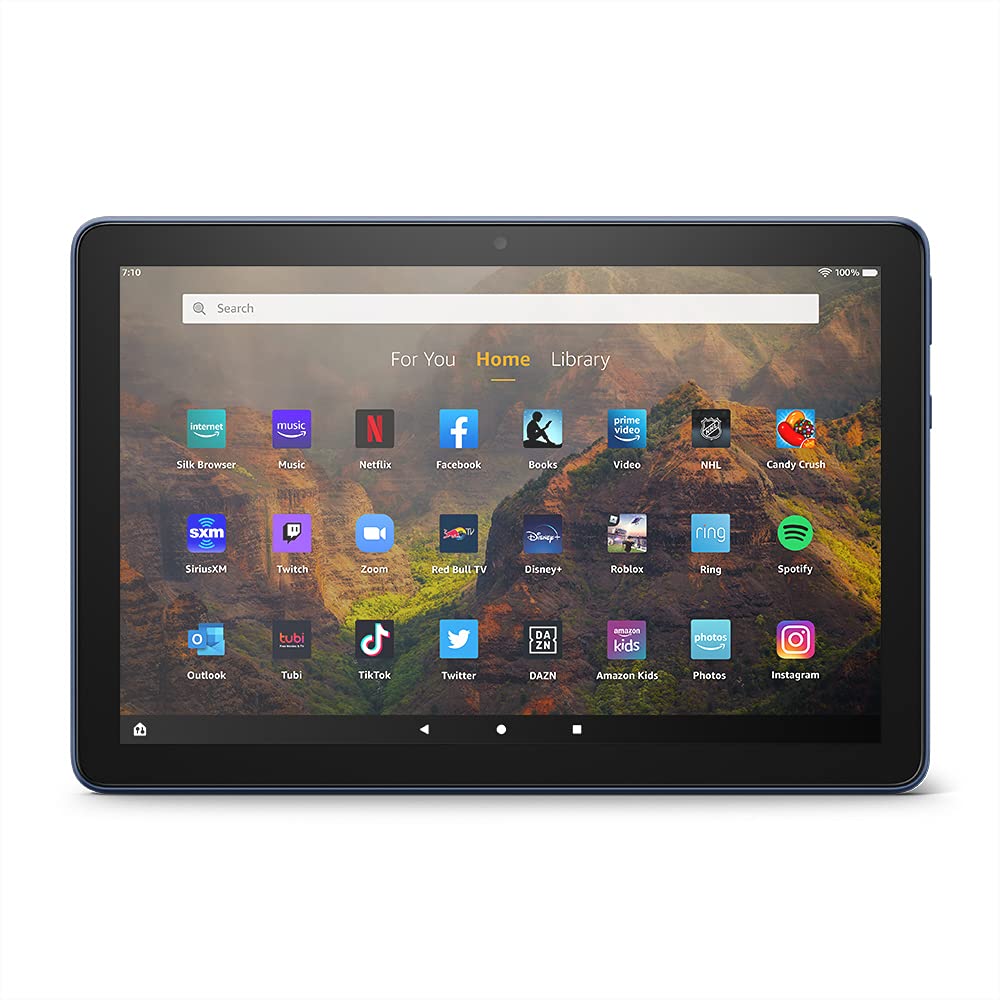
Image 3.1: The Amazon Fire HD 10 tablet's home screen, showcasing a grid of application icons including Silk Browser, Music, Netflix, Facebook, Books, Video, NHL, Candy Crush, SiriusXM, Twitch, Zoom, Red Bull TV, Disney+, Roblox, Ring, Spotify, Outlook, Tubi, TikTok, Twitter, DAZN, Amazon Kids, Photos, and InstagRAM.
3.2 ניצן אַפּליקאַציעס
Applications can be downloaded from the Amazon Appstore. Google Play is not supported.
- Tap an app icon on the Home screen to launch it.
- To find new apps, open the 'Appstore' application.
- Some apps may require a subscription for full access.

Image 3.2: A collage of content available on the Amazon Fire HD 10 tablet, featuring book covers like 'The Silent Patient', Amazon Original series and movies such as 'The Wilds', 'Coming to America', 'The Expanse', 'Dune', 'Hanna', 'One Night in Miami', 'Sound of Metal', 'The Marvelous Mrs. Maisel', 'Upload', and 'The Boys', alongside social media app logos for TikTok, Facebook, and Twitter.
3.3 שפּאַלטן סקרין מולטיטאַסקינג
The Fire HD 10 supports split screen functionality, allowing two compatible applications to run side-by-side.
- עפֿנט די ערשטע אַפּליקאַציע וואָס איר ווילט נוצן.
- Swipe up from the bottom of the screen to reveal the navigation bar.
- Long-press the icon of the first app in the recent apps view.
- Select 'Split Screen' from the options.
- Choose a second compatible app from your recent apps or app drawer to fill the other half of the screen.

Image 3.3: The Amazon Fire HD 10 tablet, shown with an optional Bluetooth keyboard case, demonstrating its split-screen capability. Two applications are open simultaneously: a calendar app on the left and a messaging app on the right, illustrating enhanced productivity.
3.4 קאַמעראַ באַניץ
The tablet is equipped with a 2 MP front-facing camera and a 5 MP rear-facing camera, both capable of 720p HD video recording.
- Open the 'Camera' app from your Home screen or app drawer.
- צאַפּן דעם שאַטער קנעפּל צו נעמען אַ פאָטאָ.
- טוישט צווישן פראָנט און הינטערשטע קאַמעראַס ניצנדיק די קאַמעראַ טאָגל ייקאַן.
- אויסקלייבן ווידעא מאָדע צו רעקאָרדירן ווידיאס.
3.5 Audio and Bluetooth
The Fire HD 10 includes dual integrated speakers and a 3.5 mm stereo jack for headphones. It also supports Bluetooth 5.0 LE.
- Connect wired headphones or external speakers via the 3.5 mm jack.
- To pair Bluetooth devices (headphones, speakers, microphones, LE accessories):
- Go to 'Settings' > 'Connected Devices' > 'Bluetooth'.
- ענשור בלועטאָאָטה איז פארקערט אויף.
- Select your device from the list of available devices and follow pairing instructions.
3.6 סטאָרידזש פאַרוואַלטונג
Your Fire HD 10 comes with either 32 GB or 64 GB of internal storage. You can expand this by up to 1 TB using a microSD card.
- To insert a microSD card: Locate the microSD slot on the side of the tablet, open the cover, and gently insert the card until it clicks into place.
- Manage storage by going to 'Settings' > 'Storage'. Here you can view usage and move compatible apps or media to the microSD card.
4. וישאַלט
4.1 באַטערי קער
- Avoid exposing the tablet to extreme temperatures, as this can degrade battery performance.
- כּדי צו האַלטן די באַטאַרייע אויף אַן אָפּטימאַלן לענג, זאָלט איר נישט אָפט אויסליידיקן די באַטאַרייע אינגאַנצן אָדער האַלטן זי אויף 100% אָפּצאָל פֿאַר לענגערע צייטן.
- Use only the provided 9W power adapter and USB-C cable for charging.
4.2 רייניקונג די מיטל
- Turn off the tablet before cleaning.
- ניצט אַ ווייכן, לינט-פֿרייע שטאָף צו זאַכט ווישן דעם עקראַן און קערפּער.
- פֿאַר שווערע פֿלעקן, אַ ביסל דampשווענקט דעם שטאָף מיט וואַסער. פֿאַרמייַדט ניצן שטרענגע כעמיקאַלן, אַברייסיוו רייניקונגסמיטלען, אָדער אַעראָסאָל שפּריץ.
4.3 ווייכווארג דערהייַנטיקונגען
Amazon periodically releases software updates to improve performance and add new features. Ensure your device is connected to Wi-Fi to receive these updates.
- Updates are typically downloaded and installed automatically.
- You can manually check for updates by going to 'Settings' > 'Device Options' > 'System Updates'.
5. טראָובלעשאָאָטינג
5.1 אַפּאַראַט רעאַגירט נישט
- אויב די דעווייס איז איינגעפֿרוירן אָדער רעאַגירט נישט, דריק און האַלט די מאַכט קנעפּל פֿאַר אַרום 20 סעקונדעס צו צווינגען אַ ריסטאַרט.
- Ensure the device has sufficient battery charge. Connect it to the charger and try powering it on again.
5.2 Wi-Fi פֿאַרבינדונג פּראָבלעמען
- Verify that Wi-Fi is enabled in Quick Settings or 'Settings' > 'Wireless'.
- זייט זיכער אז איר זענט אין דער דערגרייכונג פון אייער Wi-Fi ראַוטער.
- ריסטאַרט דיין Wi-Fi ראַוטער און מאָדעם.
- Forget the network in 'Settings' > 'Wireless' and reconnect, re-entering the password if necessary.
5.3 אַפּפּס קראַשן אָדער נישט לאָודינג
- נאָענט און ריאָופּאַן די אַפּ.
- Clear the app's cache: Go to 'Settings' > 'Apps & Games' > 'Manage All Applications', select the problematic app, and tap 'Clear Cache'.
- זייט זיכער אז אייער טאַבלעט'ס ווייכווארג איז אַרויף צו דאַטע.
- אויב די פראבלעם בלייבט, באַטראַכט צו דעינסטאַלירן און ריאינסטאַלירן די אַפּ.
5.4 קורצע באַטעריע לעבן
- רעדוצירן פאַרשטעלן ברייטנאַס.
- שליסט נישט גענוצטע אַפּליקאַציעס וואָס לויפן אין הינטערגרונט.
- אויסלעשן Wi-Fi אדער בלועטוט ווען נישט אין באניץ.
- באגרענעצן הינטערגרונט דאַטן באַניץ פֿאַר אַפּפּס.
- Check 'Settings' > 'Battery' to identify apps consuming the most power.
6. ספּעסאַפאַקיישאַנז
| שטריך | דעטאַל |
|---|---|
| דור | 11 דור, 2021 מעלדונג |
| ווייַז | Brilliant 10.1” 1080p display (1920 x 1200) with over 2 million pixels (224 ppi). Screen strengthened with aluminosilicate glass. |
| גרייס | 247 מם רענטגענ 166 מם רענטגענ 9.2 מם |
| וואָג | 465 grams (Actual size and weight may vary) |
| קפּו און באַראַן | אָקטאַ-האַרץ 2.0 גהז מיט 3 גיגאבייט פון באַראַן |
| סטאָרידזש | 32 GB (24.2 GB available) or 64 GB (55.0 GB available) internal storage. Expandable up to 1 TB with microSD card. |
| באַטערי לעבן | Up to 12 hours of mixed usage (reading, web, video, music). Varies by settings and usage. |
| אָפּצאָל צייט | Approx. 4 hours (0-100%) with provided 9W adapter in standby. |
| וויפי קאַנעקטיוויטי | Supports 2.4 GHz and 5.0 GHz networks. Does not support ad-hoc networks. |
| פּאָרץ | USB-C (2.0) for charging, microSD slot for external storage. |
| אַודיאָ | 3.5 mm stereo jack, dual integrated speakers, external volume controls. |
| סענסאָרס | אַקסעלעראָמעטער, אַמביאַנט ליכט סענסאָרן. |
| אַפּאַראַט ספּעקס | 2 MP front-facing, 5 MP rear-facing cameras with 720p HD video recording. |
| מיקראָפאָנעס | 2 איינגעבויטע מיקראפאָנען. |
| אָרט באַדינונגס | Location-based services via WiFi. |
| בנימצא קאָלאָרס | Black, Denim. |
| בלועטאָאָטה | Built-in Bluetooth 5.0 LE with A2DP support for stereo headphones, speakers, microphone, and LE accessories. |
6.1 צוטריטלעכקייט פֿעיִטשערז
The Fire HD 10 tablet includes various accessibility features to assist users. These can be accessed via 'Settings' > 'Accessibility'.
- קולView סקרין לייענער: גיט גערעדטע באַמערקונגען פֿאַר באַניצער וואָס זענען בלינד אָדער וויזועל באַהאַנדיקעט.
- סקרין פֿאַרגרעסערער: Allows users to zoom in/out and pan around the screen.
- באַשטימען אַקסעס: Enables interaction for users with motor impairments via compatible Bluetooth devices.
- קינדל לייען הויך: Alexa can read Kindle books aloud.
- ווייַז סעטטינגס: Includes options for Closed Captioning, Font Size, Display Size, High Contrast Text, Color Inversion, Color Correction, and Convert Stereo to Mono audio. (Note: Captions are not available for all content.)
7. וואָראַנטי און שטיצן
7.1 וואָראַנטי אינפֿאָרמאַציע
Your Amazon Fire HD 10 tablet comes with a 1-year limited warranty and service. Optional 1-year, 2-year, and 3-year extended warranties are available for purchase separately for customers in Canada.
Use of the Fire HD 10 tablet is subject to Amazon's Conditions of Use and associated terms.
7.2 ינקלודעד אין די קעסטל
The following items are included with your Fire HD 10 tablet:
- פייער HD 10 טאַבלעט
- יו-עס-בי-סי (2.0) קאַבל
- 9 וו מאַכט אַדאַפּטער
- שנעל אָנהייב גייד
7.3 ווייַטער שטיצן
For additional assistance, please visit the Amazon Device Support website or contact Amazon Customer Service.


