הקדמה
The Wicked Audio Driftr True Wireless Earbuds offer a seamless audio experience with easy pairing and comfortable wear. Designed for convenience, these earbuds provide clear sound and intuitive controls, making them ideal for everyday use.
וואָס איז אין די קעסטל
- Wicked Audio Driftr True Wireless Earbuds (Left and Right)
- טשאַרדזשינג קאַסע
- וסב טשאַרדזשינג קאַבלע
- באַניצער מאַנואַל (דעם דאָקומענט)
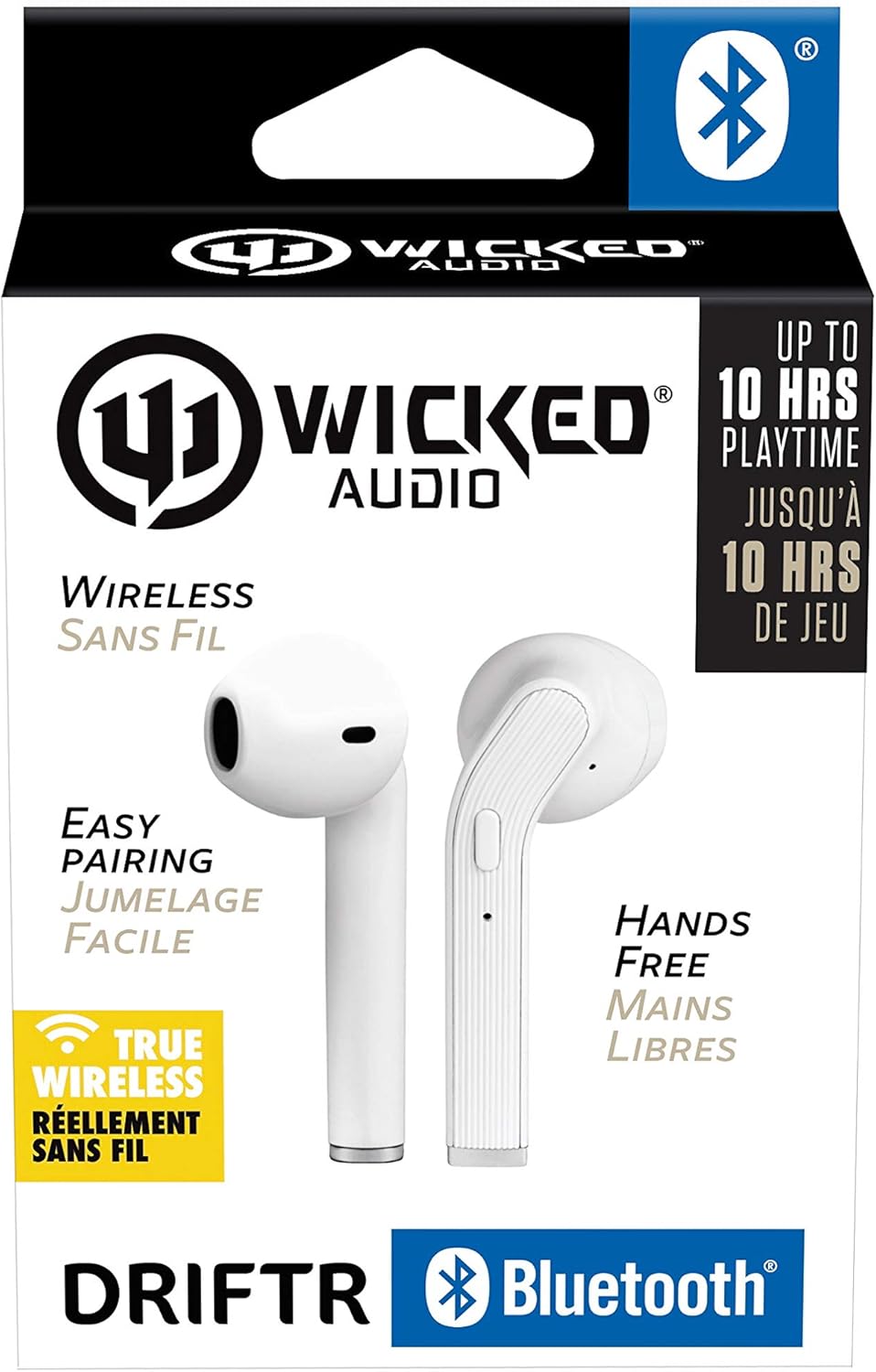
Image: Product packaging showing the earbuds and charging case.
פּראָדוקט איבערview
The Driftr earbuds feature an angled housing design for a comfortable fit. Each earbud includes touch controls for managing audio playback and calls, along with a built-in microphone for hands-free communication. The compact charging case provides additional battery life on the go.

Image: White Wicked Audio Driftr True Wireless Earbuds resting inside their open charging case.

בילד: נאָענט-אַרויף view of the left and right Wicked Audio Driftr True Wireless Earbuds, showing their angled design and control surfaces.

Image: A person wearing a white Wicked Audio Driftr True Wireless Earbud in their ear, demonstrating the fit.
סעטאַפּ
1. אויפלאָדן די אויערקנעפּלעך און קעסטל
Before first use, fully charge the earbuds and the charging case. Connect the provided USB charging cable to the charging port on the case and plug the other end into a USB power source (e.g., computer, wall adapter). The charging indicator light on the case will show charging status. A full charge takes approximately 1 hour for both the earbuds and the case.
2. גרינג פּערינג
- מאַכן זיכער אַז די עאַרבודז זענען באפוילן.
- עפֿנט דעם טשאַרדזשינג קעסטל. די אויערקנעפּלעך וועלן זיך אויטאָמאַטיש אָנצינדן און אַרײַן אין פּערינג מאָדע.
- אויף אייער דעווייס (סמאַרטפאָן, טאַבלעט, לאַפּטאָפּ), גייט צו די בלועטוט סעטטינגס.
- Select "Wicked Audio Driftr" from the list of available devices.
- אַמאָל פארבונדן, וועט איר הערן אַן אַודיאָ פּראָמפּט, און די אינדיקאַטאָר ליכט אויף די אויערקנעפּלעך וועט זיך טוישן.
The earbuds are designed for straightforward, no-nonsense pairing in one easy step. After the initial pairing, they will automatically connect to your last paired device when removed from the case.
אַפּערייטינג ינסטראַקשאַנז
ריר קאָנטראָלס
The Driftr earbuds feature intuitive touch controls for various functions:
- שפּיל / פּויזע: איין צאַפּן אויף יעדער עאַרבוד.
- ווייַטער שפּור: צאַפּ צוויי מאָל אויף די רעכטע אויערקנעפּל.
- פֿריִערדיקע שפּור: צאַפּ צוויי מאָל אויף די לינקע אויערקנעפּל.
- ענטפֿערן / סוף רופן: איין צאַפּ אויף יעדן אויערקנעפּל בעת אַן אינקאַמינג רוף.
- אָפּוואַרפן רופן: דריק און האלט אויף יעדן אויערקנעפל בעת אן אנקומענדיקן רוף.
- אַקטאַווייט קול אַססיסטאַנט: דריק דריי מאָל אויף יעדן אויערקנעפּעל (למשל, סירי, גוגל אַסיסטאַנט).
טראָגן די עאַרבודז
Insert the earbuds into your ears with the angled housing pointing slightly forward for a secure and comfortable fit. Adjust as needed to ensure optimal sound quality and passive noise cancellation.
וישאַלט
To ensure the longevity and optimal performance of your Wicked Audio Driftr earbuds, follow these maintenance guidelines:
- רייניקונג: ווישט רעגולער אויס די אויערקנעפּלעך און די טשאַרדזשינג קעסטל מיט אַ ווייכן, טרוקענעם, לינט-פֿרייע שטאָף. ניצט נישט קיין שאַרפע כעמיקאַלן אדער שאַרפע מאַטעריאַלן.
- סטאָרידזש: ווען נישט אין באַנוץ, שטענדיק האַלטן די אויערן-קנעפּלעך אין זייער טשאַרדזשינג קעסטל צו באַשיצן זיי און האַלטן זיי טשאַרדזשד.
- ויסמיידן נעץ: The earbuds are not water resistant. Avoid exposure to water, sweat, and high humidity.
- טעמפּעראַטור: שטעלט נישט אויס די אויערן-קנעפּלעך אדער קעסטל צו עקסטרעמע טעמפּעראַטורן (הייס אדער קאַלט).
טראָובלעשאָאָטינג
If you encounter issues with your Driftr earbuds, try the following solutions:
- אויערקנעפּלעך נישט פּערינג:
- מאַכן זיכער אַז ביידע עאַרבודז זענען באפוילן.
- לייגט ביידע אויערן-קנעפּלעך צוריק אין דעם טשאַרדזשינג קעסטל, מאַכט צו דעם דעקל, וואַרט אַ פּאָר סעקונדעס, און דערנאָך עפֿנט דעם דעקל ווידער.
- On your device, forget "Wicked Audio Driftr" from your Bluetooth settings and attempt to pair again.
- קיין קלאַנג פֿון איין אויערקנעפּל:
- Ensure both earbuds are charged and properly seated in the case.
- Try resetting the earbuds by placing them in the case and then removing them.
- אויערקנעפּלעך לאָדן זיך נישט אויף:
- קאָנטראָלירט דעם טשאַרדזשינג קאַבל און מאַכט מקור.
- זיכער מאַכן אַז די טשאַרדזשינג קאָנטאַקטן אויף די אויערקנעפּלעך און אינעווייניק פון די קעסטל זענען ריין און פריי פון שמוץ.
- נעבעך געזונט קוואַליטעט:
- זייט זיכער אז די אויערקנעפּלעך זענען ריכטיק אײַנגעזעצט אין אייערע אויערן.
- Check the audio source and volume levels on your device.
- ריקט זיך נענטער צו אייער פארבונדענע דעווייס כדי צו פארמיידן אריינמישונג.
ספּעסאַפאַקיישאַנז
| שטריך | דעטאַל |
|---|---|
| מאָדעל נאָמען | Wicked Audio Driftr (WITW2151) |
| קאַנעקטיוויטי טעכנאָלאָגיע | ווירעלעס (בלוטוט 5.0) |
| בלועטאָאָטה קייט | אַרויף צו 32 פֿיס |
| באַטערי לעבן | Up to 10 Hours (earbuds) |
| טשאַרדזשינג צייט | Approx. 1 Hour (earbuds and case) |
| אַודיאָ דרייווער גרייס | 13 מילאַמיטערז |
| אָפטקייַט ענטפער | 20 הערץ - 20,000 הערץ |
| סענסיטיוויטי | 15 דב |
| ימפּידאַנס | 32 Ohm |
| ראַש קאָנטראָל | פּאַסיוו ראַש קאַנסאַליישאַן |
| קאָנטראָל מעטאָד | ריר |
| וואַסער קעגנשטעל מדרגה | ניט וואַסער קעגנשטעליק |
| פּונקט וואָג | 2.11 אונסעס |
| פּראָדוקט דימענשאַנז | 1.5 X 3 X 5.5 אינטשעס |
| UPC | 712949012265 |
וואָראַנטי און שטיצן
Wicked Audio products are designed for durability and performance. For specific warranty information and support inquiries, please refer to the official Wicked Audio webזייטל אדער קאנטאקט זייער קאסטומער סערוויס גלייך. האלט אייער באווייז פון קויפן פאר גאראנטיע פארלאנגען.
פֿאַר ווייַטער הילף, באַזוכן די Wicked Audio Store on Amazon.


