הקדמה
This manual provides instructions for the Mars Gaming MCPTKLES RGB Combo, which includes a gaming keyboard and mouse. This combo is designed for optimal desktop space utilization and is compatible with multiple platforms, including Windows, Mac, PlayStation 4, Xbox One, and Nintendo Switch. The keyboard features RGB Breathing and RGB Flow lighting, H-Mech technology, and anti-ghosting capabilities. The mouse is equipped with a 3200 DPI optical sensor, RGB Flow lighting, and durable HUANO mechanical buttons.
פּעקל אינהאַלט
- Mars Gaming MCPTKLES TKL RGB Keyboard
- Mars Gaming MCPTKLES RGB Mouse
- באַניצער מאַנואַל (דעם דאָקומענט)
סעטאַפּ
Connecting the Combo
The Mars Gaming MCPTKLES combo uses a standard USB connection for both the keyboard and mouse. No additional drivers are typically required for basic functionality on supported operating systems.
- געפינט אַ פאַראַן USB פּאָרט אויף אייער קאָמפּיוטער אָדער גיימינג קאַנסאָול.
- שטעקט אריין דעם USB קאַנעקטאָר פֿון דער קלאַוויאַטור אין דעם USB פּאָרט.
- שטעקט אריין דעם USB קאַנעקטאָר פֿון דער מויז אין אַן אַנדערן פֿאַראַן USB פּאָרט.
- אייער אָפּערייטינג סיסטעם זאָל אויטאָמאַטיש דעטעקטירן און אינסטאַלירן די נייטיקע דרייווערס.
- The RGB lighting on both devices should illuminate upon successful connection.
מולטי-פּלאַטפאָרם קאַמפּאַטאַבילאַטי
This combo is designed to work with:
- Windows אָפּערייטינג סיסטעמען
- Mac operating systems
- פּלייסטיישאַן 4
- קסבאָקס איינער
- נינטענדאָו סוויטש
Note: Specific game or console settings may be required for full functionality on gaming consoles. Refer to your console's user manual for peripheral setup.
אַפּערייטינג ינסטראַקשאַנז
Keyboard Functions (TKL Design)
The TKL (Tenkeyless) design of the keyboard omits the numeric keypad, offering a more compact form factor. It features H-Mech technology for a smooth and precise typing experience.
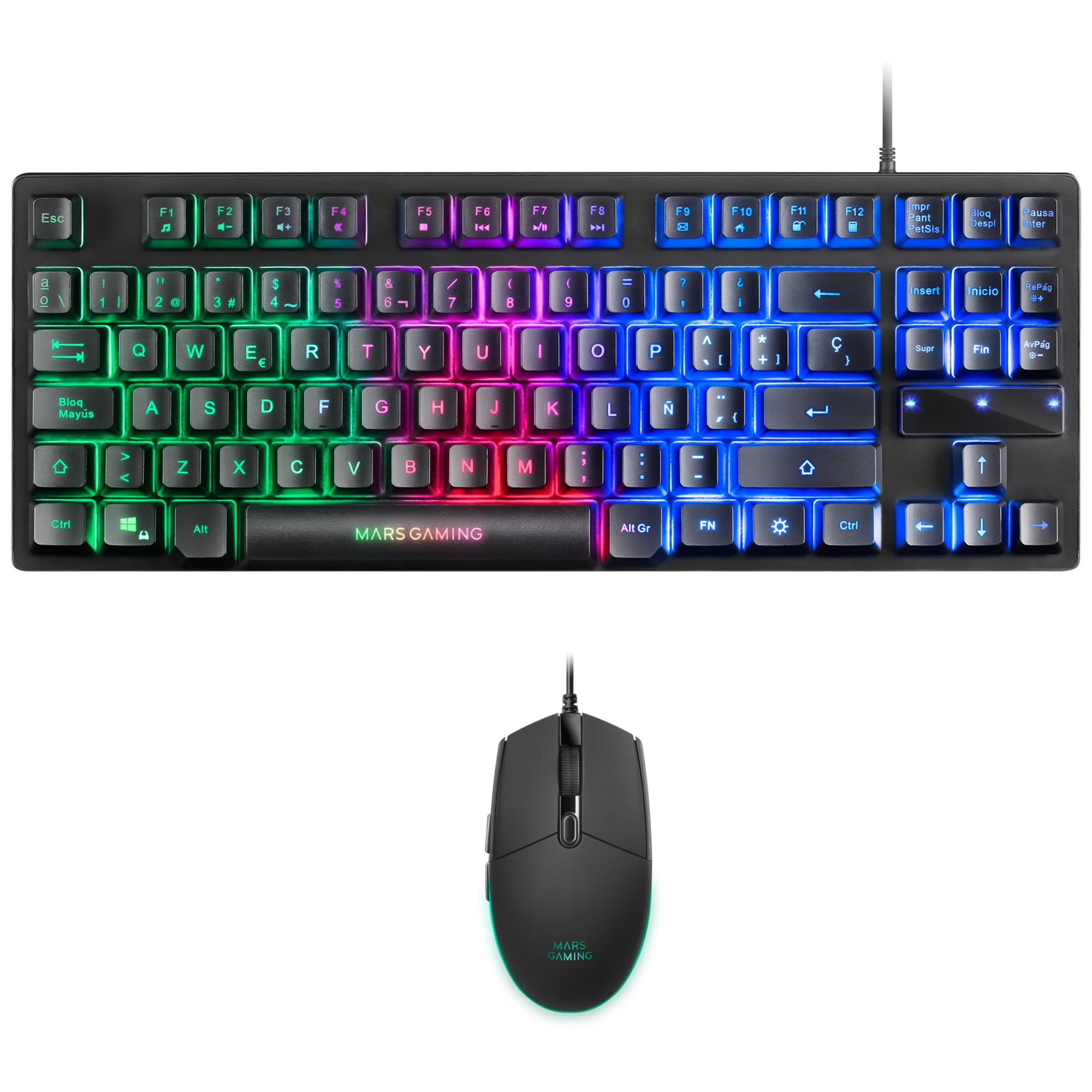
Image: Mars Gaming MCPTKLES TKL RGB Keyboard. This image shows the compact tenkeyless design of the keyboard with its RGB backlighting.
RGB ליגהטינג קאָנטראָל
The keyboard features RGB Control lighting. Specific key combinations allow you to cycle through different lighting modes and effects. Refer to the keyboard's function keys (Fn) combined with other keys for lighting adjustments. Common controls include:
- Fn + [קנעפל]: To change lighting modes (e.g., static, breathing, wave).
- Fn + [Arrow Keys]: To adjust brightness or speed of effects.

Image: Close-up of Mars Gaming MCPTKLES Keyboard RGB Keys. This image highlights the individual keys and their vibrant RGB backlighting.
אַנטי-גהאָסטינג
The keyboard is equipped with anti-ghosting technology, which ensures that multiple key presses are registered simultaneously without conflict, crucial for fast-paced gaming.
מויז פאַנגקשאַנז
The lightweight mouse features an optical sensor with adjustable sensitivity up to 3200 DPI, RGB Flow lighting, and 6 programmable buttons with high-quality HUANO mechanical switches.

Image: Mars Gaming MCPTKLES RGB Mouse Top View. This image displays the top of the mouse, showing the scroll wheel and main buttons.
DPI Adjustment (On-the-fly)
Use the dedicated DPI button (often located near the scroll wheel) to cycle through different sensitivity levels (DPI - Dots Per Inch). This allows for quick adjustments to mouse speed without interrupting gameplay.

Image: Mars Gaming MCPTKLES RGB Mouse Side View. This image shows the ergonomic shape and side buttons of the mouse.
פּראָגראַממאַבלע קנעפּלעך
The mouse features 6 buttons. While basic functionality is plug-and-play, advanced customization and macro programming may require specific software from Mars Gaming, if available. Visit the official Mars Gaming webפּלאַץ פֿאַר ווייכווארג דאַונלאָודז.

Image: Mars Gaming MCPTKLES RGB Mouse with RGB Flow Lighting. This image illustrates the dynamic RGB lighting effects on the mouse.
וישאַלט
רייניקונג
- Disconnect the keyboard and mouse from your computer before cleaning.
- Use a soft, dry, lint-free cloth to wipe down the surfaces.
- פֿאַר שווערן שמוץ, אַ ביסל דampווייקט דעם שטאָף מיט וואַסער אָדער אַ מילדער רייניקונג לייזונג. פֿאַרמייַדט איבעריקע פֿײַכטקייט.
- ניצט נישט קיין שטרענגע כעמיקאלן, אברייסיוו רייניגער, אדער סאָלווענטן.
- פֿאַר דער קלאַוויאַטור, ניצט קאָמפּרעסירטע לופט צו באַזייַטיקן שטויב און שמוץ פון צווישן די קנעפּלעך.
סטאָרידזש
האַלט די דעוויסעס אין אַ קיל, טרוקן אָרט אַוועק פון דירעקט זונשייַן און עקסטרעמע טעמפּעראַטורן ווען נישט אין נוצן פֿאַר לענגערע פּיריאַדז.
טראָובלעשאָאָטינג
קלאַוויאַטור אָדער מויז רעאַגירט נישט
- Ensure both USB cables are securely plugged into the computer or console.
- פרובירט צו אריינשטעקן די דעווייסעס אין פארשידענע USB פּאָרטן.
- ריסטאַרט דיין קאָמפּיוטער אָדער קאַנסאָול.
- Test the devices on another computer to determine if the issue is with the combo or your system.
RGB לייטינג איז נישט ארבעטן
- Verify the devices are properly connected and powered.
- Check if the lighting has been turned off via keyboard shortcuts (Fn + lighting control keys).
- Ensure no software conflicts are present if you are using third-party lighting control applications.
Mouse Cursor Jumps or is Inaccurate
- רייניקט דעם מויז סענסאר געגנט אויף דער אונטערשטער זייט פון דער מויז.
- Ensure you are using the mouse on a clean, uniform surface (a mouse pad is recommended).
- Adjust the DPI settings using the mouse's DPI button.
ספּעסאַפאַקיישאַנז
| שטריך | דעטאַל |
|---|---|
| סאָרט | מאַרס גיימינג |
| מאָדעל נומער | MCPTKLES |
| קאַנעקטיוויטי טעכנאָלאָגיע | USB (ווייערד) |
| קלאַוויאַטור אויסלייג | Spanish (TKL - Tenkeyless) |
| קלאַוויאַטור פֿעיִקייטן | H-Mech Technology, RGB Control Lighting, Anti-Ghosting |
| מויז סענסאָר | אָפּטיש |
| מויז דפּי | Up to 3200 DPI (On-the-fly adjustable) |
| מויז קנעפּלעך | 6 (with HUANO mechanical switches) |
| מויז לייטינג | RGB פלאָו |
| קאַמפּאַטאַבאַל דעוויסעס | Linux, Mac, PS4, Windows, XBOX ONE |
| פּראָדוקט דימענשאַנז | 44 x 15.9 x 4.4 cm (Keyboard) |
| פּונקט וואָג | 400 ג |
| קאָליר | שוואַרץ |
וואָראַנטי און שטיצן
For warranty information and technical support, please refer to the official Mars Gaming webזייטל אדער קאנטאקט זייער קאסטומער סערוויס. האלט אייער באווייז פון קויפן פאר גאראנטיע טענות.
אפיציעלע מאַרס גיימינג Webפּלאַץ: www.marsgaming.eu


