הקדמה
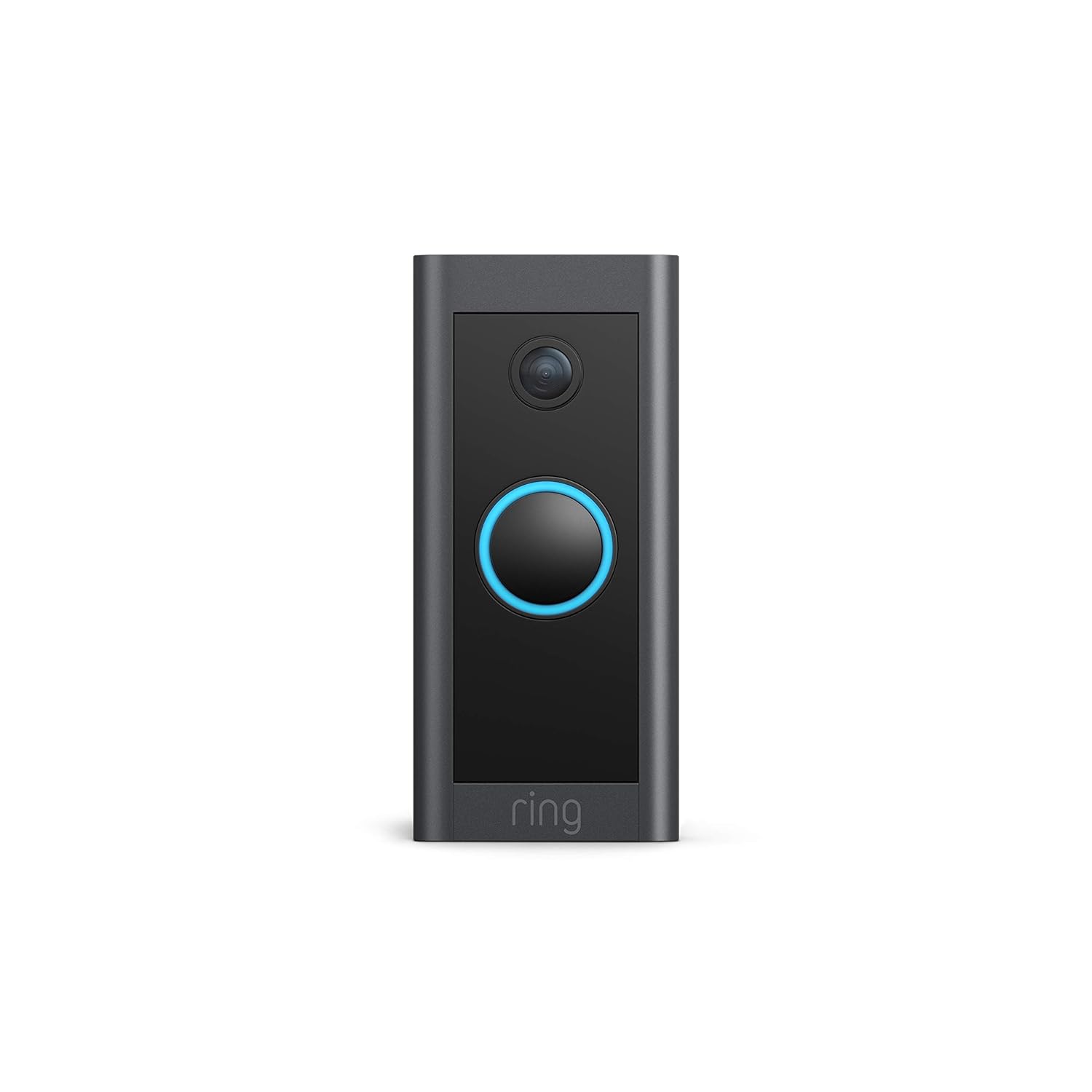
This manual provides comprehensive instructions for the installation, operation, and maintenance of your Ring Video Doorbell Wired. Please read this manual thoroughly before installation and use to ensure proper functionality and safety.
וואָס איז אַרייַנגערעכנט
Your Ring Video Doorbell Wired package includes the following items:
- Ring Video Doorbell Wired unit
- Installation tools and screws
- באַניצער מאַנואַל (דעם דאָקומענט)
- שנעל אָנהייב פירער
- זיכערהייט סטיקערז
סעטאַפּ און ינסטאַלירונג
The average installation time for the Ring Video Doorbell Wired is approximately 15 minutes. This device requires hardwiring to an existing doorbell system, a Ring plug-in adapter, or a compatible transformer.
רעקווירעמענץ:
- Standard doorbell system, Ring plug-in adapter, or transformer with 10-24 VAC, 40VA max, 50/60Hz or 24VDC, 0.5A, 12W.
- הויך-גיכקייַט אינטערנעט פֿאַרבינדונג.
- 802.11 b/g/n Wi-Fi connection at 2.4 GHz.
ינסטאַלירונג סטעפּס:
- קער אַוועק מאַכט: Before beginning, ensure the power to your existing doorbell system is turned off at the breaker.
- Remove existing doorbell: Disconnect and remove your old doorbell button.
- Connect Ring Doorbell: Connect the wires from your existing doorbell system to the terminals on the back of the Ring Video Doorbell Wired. Ensure a secure connection.
- Mount the doorbell: Secure the Ring Video Doorbell Wired to your wall using the provided screws and tools.
- צוריקשטעלן מאַכט: קער די מאַכט צוריק אויף די צוימען.
- In-app setup: Download the Ring app on your smartphone or tablet and follow the on-screen instructions to connect your doorbell to your Wi-Fi network and complete the setup process.

אַפּערייטינג ינסטראַקשאַנז
The Ring Video Doorbell Wired offers various features to enhance your home security and communication.
שליסל פֿעיִקייטן:
- 1080 פּ הד ווידעא: Provides clear, high-definition video with Live View and Night Vision for monitoring your front door.
- צוויי-וועג רעדן: Communicate with visitors at your door from anywhere using the Ring app. Features noise cancellation for clear audio.
- אַוואַנסירטע באַוועגונג דעטעקשאַן: Customizable motion zones allow you to receive alerts when motion is detected in specific areas.
- פאַקטיש-צייט אַלערץ: Get instant notifications on your phone when someone rings the doorbell or motion is detected.
- נאַכט זעאונג: Ensures clear visibility even in low-light conditions.
- Alexa ינאַגריישאַן: Connects with Alexa-enabled devices to hear alerts or view a live feed on screens.


Using the Ring App:
The Ring app is essential for managing your Video Doorbell. Through the app, you can:
- View לעבעדיגע ווידעא פיד.
- Engage in two-way talk with visitors.
- Customize motion detection settings and zones.
- Access recorded videos (with a Ring Protect subscription).
- Manage device settings and privacy options.
וישאַלט
To ensure optimal performance and longevity of your Ring Video Doorbell Wired, consider the following maintenance tips:
- רייניקונג: ווישט פּעריִאָדיש די קאַמעראַ לינז און די אויסערלעכע זייט פון דער טיר־גלאָק מיט אַ ווייכן, טרוקענעם שטאָף.amp שטאָף צו באַזייַטיקן שטויב און שמוץ. פֿאַרמייַדן אַברייסיוו רייניגער.
- ווייכווארג דערהייַנטיקונגען: Ensure your Ring app and doorbell firmware are always up to date. Updates often include performance improvements and security enhancements.
- קאָנעקטיוויטי קאָנטראָל: Regularly check your Wi-Fi signal strength in the Ring app to ensure a stable connection.
- ינווייראַנמענאַל טנאָים: The doorbell is weather-resistant, designed to operate between -20°C to 50°C (-5°F to 120°F). Ensure it is not exposed to conditions outside this range.
טראָובלעשאָאָטינג
If you encounter issues with your Ring Video Doorbell Wired, try the following troubleshooting steps:
- קיין מאַכט / ניט טורנינג אויף:
- Verify that the power to your doorbell system is on at the breaker.
- קאָנטראָלירן די וויירינג קאַנעקשאַנז צו ענשור זיי זענען זיכער.
- Confirm your power source meets the required specifications (10-24 VAC, 40VA max, 50/60Hz, or 24VDC, 0.5A, 12W).
- Poor Video Quality/Offline:
- Check your Wi-Fi connection and signal strength in the Ring app.
- Ensure your internet service is active and stable.
- ריסטאַרט דיין Wi-Fi ראַוטער.
- ריין די אַפּאַראַט אָביעקטיוו.
- באַוועגונג דעטעקשאַן ישוז:
- Adjust motion sensitivity and customize motion zones in the Ring app.
- זיכער מאַכן אַז עס זענען נישטאָ קיין שטערונגען וואָס בלאָקירן דעם סענסאָר'ס view.
- Two-Way Talk Problems:
- Check your device's microphone and speaker settings in the Ring app.
- Ensure your smartphone's volume is up.
- Verify a stable internet connection.
For further assistance, refer to the support section or contact Ring customer service.
ספּעסאַפאַקיישאַנז
| שטריך | דעטאַל |
|---|---|
| דורכשניטלעך ינסטאַלל צייט | ~15 מינוט |
| ווידעא | 1080 פּ הד ווידעא, לייוו View, נאַכט זעאונג |
| פעלד פון View | 155 ° האָריזאָנטאַל, 90 ° ווערטיקאַל |
| באַוועגונג דעטעקשאַן | אַוואַנסירטע מאָטיאָן דעטעקשאַן מיט קוסטאָמיזאַבלע באַוועגונג זאָנעס |
| אַודיאָ | צוויי-וועג אַודיאָ מיט ראַש קאַנסאַליישאַן |
| מאַכט | Hardwired (10-24 VAC, 40VA max, 50/60Hz, or 24VDC, 0.5A, 12W) |
| אינטערנעט רעקווירעמענץ | הויך-גיכקייַט אינטערנעט |
| קאַנעקטיוויטי | 802.11 b/g/n ווי-פי קשר @ 2.4 GHz |
| אַפּערייטינג טנאָים | -20°C to 50°C (-5°F to 120°F), weather resistant |
| בנימצא קאָלאָרס | שוואַרץ |
| דימענשאַנז | 101 מם רענטגענ 45.7 מם רענטגענ 22.4 מם (3.98 אינטש רענטגענ 1.81 אינטשעס רענטגענ 0.88 אינטשעס) |
| דור | Ring Video Doorbell Wired 1st Generation – 2021 Release |
וואָראַנטי און שטיצן
וואָראַנטי: The Ring Video Doorbell Wired comes with a 1-year limited warranty. Use of the Ring Video Doorbell is subject to the terms found on the official Ring webפּלאַץ.
שטיצן: For more information and assistance, please visit the official Ring Video Doorbell Wired support page. You can typically find this by searching for "Ring Video Doorbell Wired support" on the Ring website or your preferred search engine.


