הקדמה
This manual provides detailed instructions for the HyperGear Sport True Wireless Earbuds, designed for an active lifestyle. Learn how to set up, operate, and maintain your earbuds for optimal performance and longevity.
פּראָדוקט איבערview
The HyperGear Sport True Wireless Earbuds offer immersive HD stereo sound, quick-pair technology, and a noise-cancelling microphone for clear calls. Their ergonomic secure-fit ear hooks ensure stability during intense workouts, and the sweatproof design provides durability for active use.

Image: HyperGear Sport True Wireless Earbuds shown with their retail packaging, highlighting the secure-fit design.

Image: Close-up of a HyperGear earbud with callouts for HD Stereo Sound, Quick-Pair Technology, Crystal Clear Conversations, Control at Your Fingertips, and Superior Battery Life.
וואָס איז אין די קעסטל
Your HyperGear Sport True Wireless Earbuds package includes:
- HyperGear Sport True Wireless Earbuds
- טשאַרדזשינג קאַסע
- טשאַרדזשינג קאַבלע
- באַניצער מאַנואַל
- S | M | L Ear Gels
- Travel Pouch & Carabiner

Image: The earbuds connected to a charging cable, alongside a travel pouch, carabiner, and different sized ear gels, illustrating the included accessories.
סעטאַפּ
טשאַרדזשינג די עאַרבודז
Before first use, fully charge your earbuds. Connect the charging cable to the earbuds and a power source. A full charge takes approximately 2 hours. A quick 10-minute charge provides an extra hour of playtime.
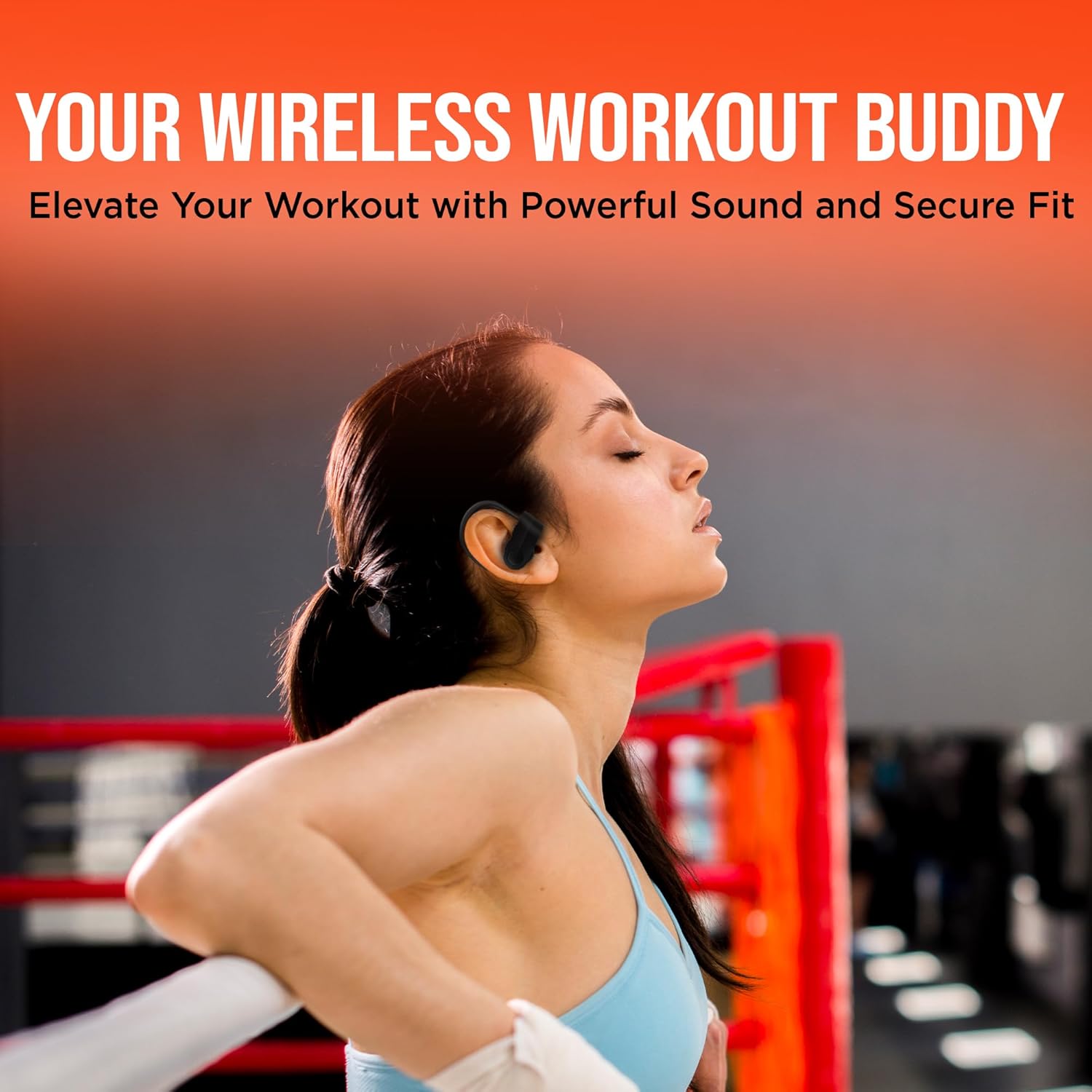
Image: The HyperGear Sport True Wireless Earbuds connected via their charging cable, indicating the charging process.
פּערינג מיט דיין מיטל
- זיכער מאַכן אַז די אויערקנעפּלעך זענען אויפגעלאָדן און אנגעצונדן.
- אַקטיווירן בלועטוט אויף אייער מיטל (סמאַרטפאָון, טאַבלעט, אאז"וו).
- זוכן פֿאַר "HyperGear Sport X2" or similar in your device's Bluetooth settings.
- Select the earbuds to pair. A voice prompt will confirm successful connection.
The quick-pair technology ensures a stable connection up to 33 feet.

Image: A smartphone screen displaying Bluetooth settings, showing the HyperGear Sport X2 earbuds as connected, illustrating the pairing process.
אַפּערייטינג ינסטראַקשאַנז
מאַכט אויף / אַוועק
Press and hold the On/Off button on the earbud for approximately 3 seconds to power on or off.
מוזיק פּלייַבאַקק
- שפּיל / פּויזע: דריק איין מאל דעם מולטי-פונקציע קנעפל.
- ווייַטער שפּור: דריקט צוויי מאָל דעם מולטי-פונקציע קנעפּל אויף די רעכטע אויערקנעפל.
- פֿריִערדיקע שפּור: דריקט צוויי מאָל דעם מולטי-פונקציע קנעפּל אויף דער לינקער אויערקנעפל.
- באַנד אַרויף: דריק דעם '+' קנעפל.
- באַנד אַראָפּ: דריק דעם '-' קנעפּל.
רופן פאַרוואַלטונג
- ענטפֿערן / סוף רופן: דריק איין מאל דעם מולטי-פונקציע קנעפל.
- אָפּוואַרפן רופן: דריקן און האַלטן די מולטי-פונקציע קנעפּל פֿאַר 2 סעקונדעס.
The built-in noise-cancelling microphone ensures clear conversations.
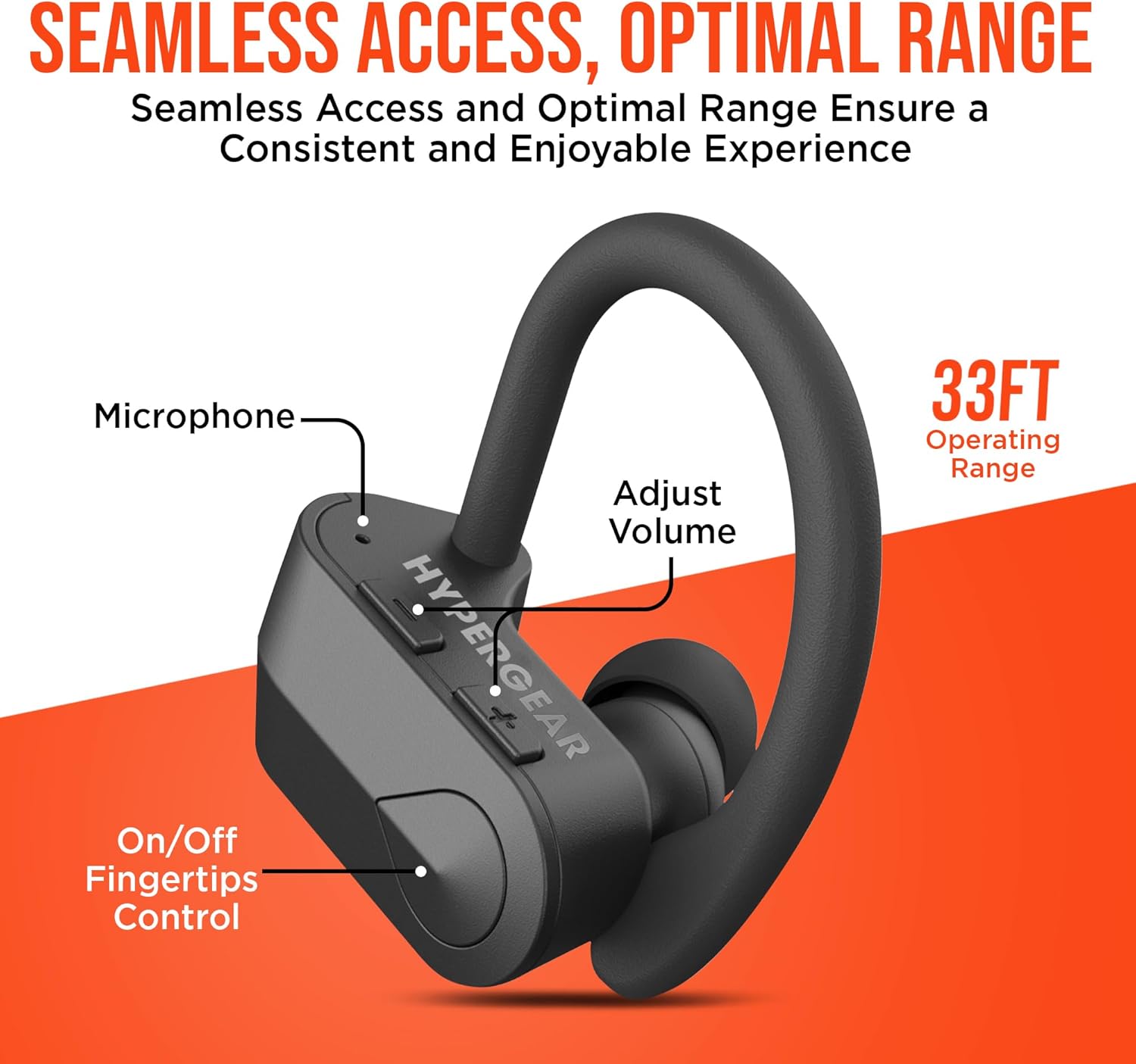
בילד: א דעטאַלירטע view of the earbud showing the microphone, volume adjustment buttons, and on/off fingertip control, along with an operating range of 33 feet.
וישאַלט
- ריין די עאַרבודז קעסיידער מיט אַ ווייך, טרוקן שטאָף.
- ויסמיידן ניצן אַברייסיוו קלינערז אָדער סאָלוואַנץ.
- סטאָר די עאַרבודז אין זייער טשאַרדזשינג פאַל ווען ניט אין נוצן צו באַשיצן זיי און האַלטן זיי טשאַרדזשינג.
- האַלטן אַוועק פון עקסטרעמע טעמפּעראַטורן און הומידיטי.
- The earbuds are sweatproof and water-resistant, but not fully waterproof. Do not submerge them in water.
טראָובלעשאָאָטינג
| פּראָבלעם | לייזונג |
|---|---|
| די אויערקנעפּלעך וועלן זיך נישט אנצינדן. | Ensure earbuds are fully charged. Press and hold the power button for 3-5 seconds. |
| קען נישט צופּאַסן מיטן דעווייס. | Make sure Bluetooth is enabled on your device and the earbuds are in pairing mode. Move closer to the device (within 33 ft). Forget the device in Bluetooth settings and re-pair. |
| דער קלאַנג איז פֿאַרדרייט אָדער אָפּגעשניטן. | Check the distance between earbuds and device. Ensure no obstacles are blocking the signal. Recharge earbuds if battery is low. |
| מיקראָפאָן טוט נישט אַרבעטן. | Ensure the earbuds are properly connected. Check device's audio input settings. |
ספּעסאַפאַקיישאַנז
- קאַנעקטיוויטי טעכנאָלאָגיע: בלועטאָאָטה
- ווירעלעסס קאָמוניקאַציע טעכנאָלאָגיע: בלועטאָאָטה
- בלועטאָאָטה ווערסיע: 5.0
- בלועטאָאָטה ראַנגע: 33 פֿיס
- באַטאַרייע לעבן: Up to 4 Hours playtime
- טשאַרדזשינג צייט: 2 Hours (10 min quick charge for 1 hour playtime)
- קאָנטראָל טיפּ: Media Control (Touch/Button)
- ראַש קאָנטראָל: אַקטיווע ראַש קאַנסאַליישאַן (פֿאַר מיקראָפאָן)
- וואַסער קעגנשטעל מדרגה: וואַסער קעגנשטעליק (שווייספּרוף)
- אָפטקייַט קייט: 20 הערץ - 20,000 הערץ
- נומער וואָג: 4.6 אונסעס
- פּראָדוקט דימענשאַנז: 2.36 X 1.18 X 1.18 אינטשעס
- מאָדעל נומער: 14294
וואָראַנטי און שטיצן
HyperGear products are designed for quality and performance. For warranty information or technical support, please visit the official HyperGear website or contact their customer service. Details can typically be found on the product packaging or the brand's official online store.
אָנליין שטיצן: Visit the HyperGear Store on Amazon


