הקדמה
The Bietrun UMKF01 is a versatile USB condenser microphone designed for clear audio capture across various applications, including gaming, streaming, podcasting, and studio recording. Its plug-and-play functionality ensures easy setup, while features like noise cancellation, a cardioid pickup pattern, and integrated controls enhance the user experience. This manual provides detailed instructions for setting up, operating, and maintaining your microphone.
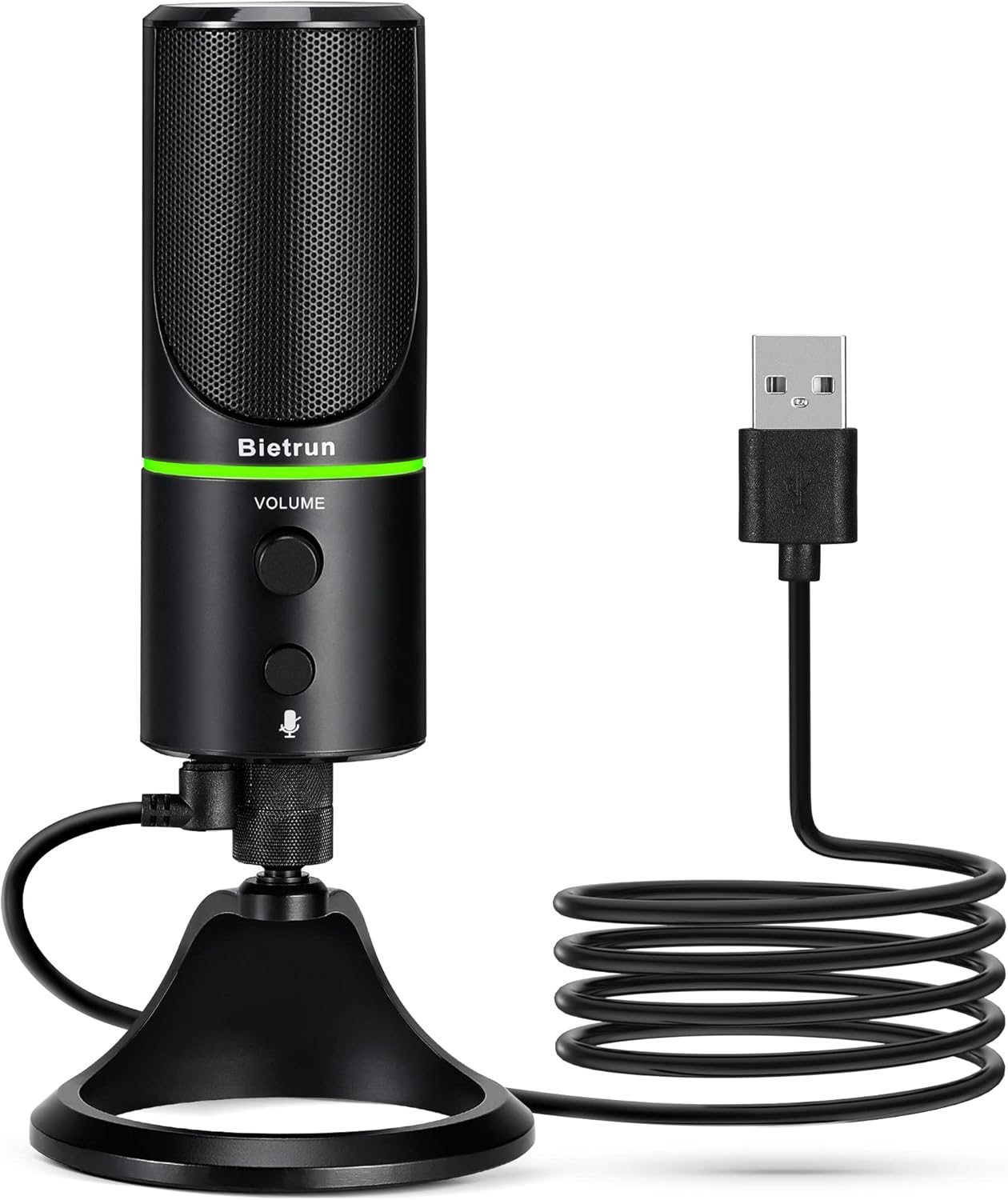
Figure 1: Bietrun UMKF01 USB Condenser Microphone
פּעקל אינהאַלט
באַשטעטיקן אַז אַלע זאכן זענען פאַראַן אין דיין פּעקל:
- וסב מיקראָפאָן
- וסב קאַבלע
- וואָראַנטי קאַרד

פיגורע 2: פּעקל אינהאַלט
פּראָדוקט פֿעיִקייטן
- Plug and Play USB Microphone: Comes with a 59-inch (1.5m) USB cable, requiring no additional driver or software. Ideal for gaming, streaming, podcasting, recording, and online meetings.
- ראַש רעדוקציע: Effectively reduces background noises such as typing, clicking, and ambient sounds, ensuring clear and crisp audio.
- קאַרדיאָיד פּיקאַפּ מוסטער: Features a cardioid pickup pattern and a 16mm condenser capsule, providing focused vocal sound and minimizing off-axis noise.
- Headphone Jack & Mute Button: Allows for real-time voice monitoring via a headphone jack with adjustable volume. A dedicated button toggles between normal (green), noise-canceling (yellow), and mute (red) modes, indicated by an LED.
- Adjustable Heavy-Duty Stand: Ensures microphone stability and offers flexible angle adjustment. The microphone can also be detached and mounted on a boom arm with a 3/8" thread.
סעטאַפּ
- Attach the Microphone to the Stand: Screw the microphone onto the included desktop stand. Ensure it is securely fastened. The stand allows for 360° rotation for optimal positioning.
- פאַרבינדן די וסב קאַבלע: Plug the micro-USB end of the provided cable into the port at the bottom of the microphone.
- פאַרבינדן צו מיטל: Plug the USB-A end of the cable into an available USB port on your computer (Desktop/Laptop), PS4, or PS5. The microphone is plug-and-play and should be recognized automatically by your operating system.
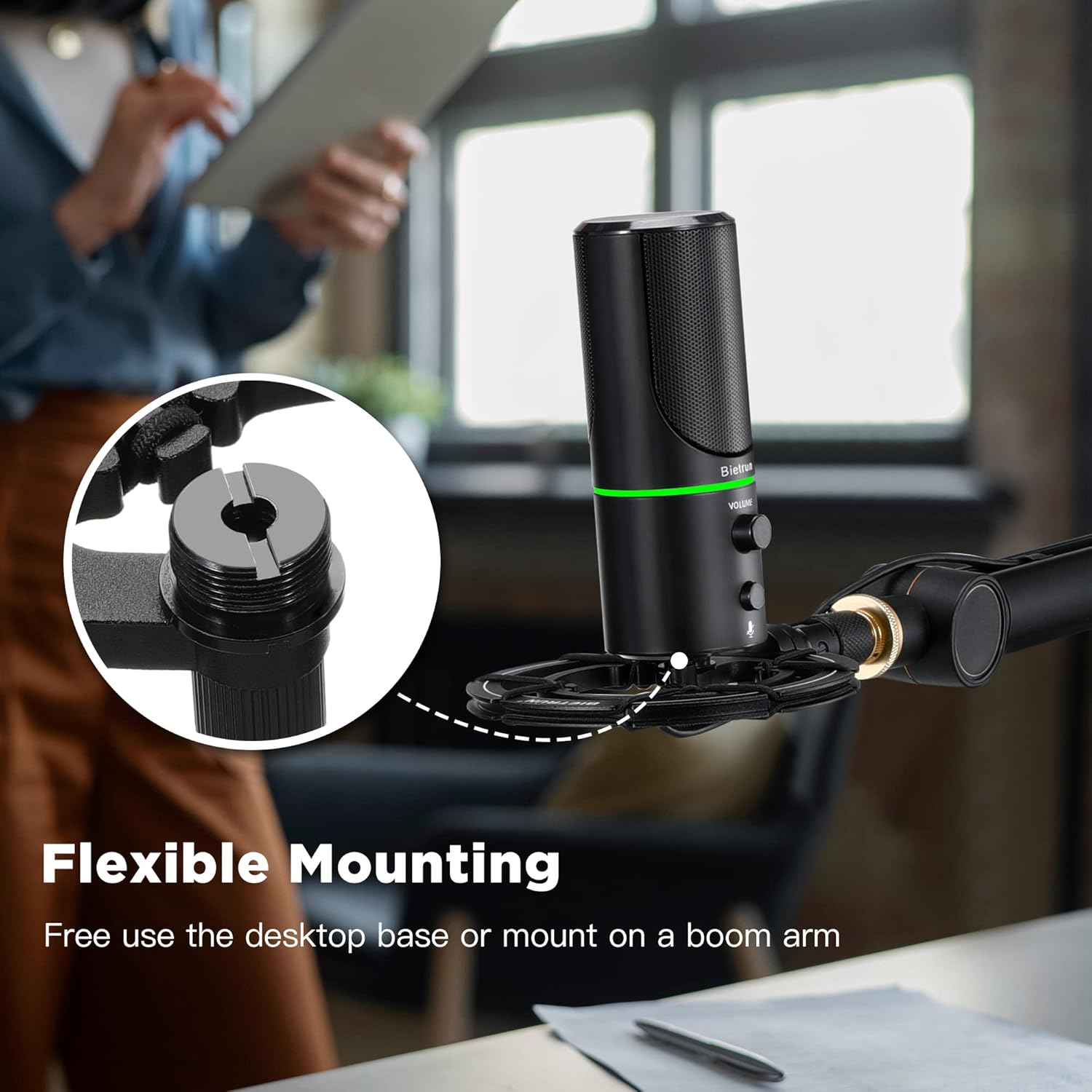
Figure 3: Flexible Mounting Options

Figure 4: Plug & Play Multi-system Compatibility
אַפּערייטינג ינסטראַקשאַנז
- מאַכט אויף / אַוועק & מאָדע סעלעקציע: The microphone features an LED indicator that shows its status. Press the mute button (microphone icon) to cycle through modes:
- גרין געפירט: נאָרמאַל אַפּערייטינג מאָדע.
- Yellow LED: Noise-canceling mode.
- רויט געפירט: Muted mode.
- באַנד קאָנטראָל: Rotate the 'VOLUME' knob on the microphone to adjust the output volume of your headphones connected to the microphone.
- כעדפאָונז מאָניטאָרינג: Plug your headphones into the 3.5mm audio jack located at the bottom of the microphone to monitor your audio in real-time.

Figure 5: Microphone Controls and LED Indicators

Figure 6: Headphone Monitoring Jack
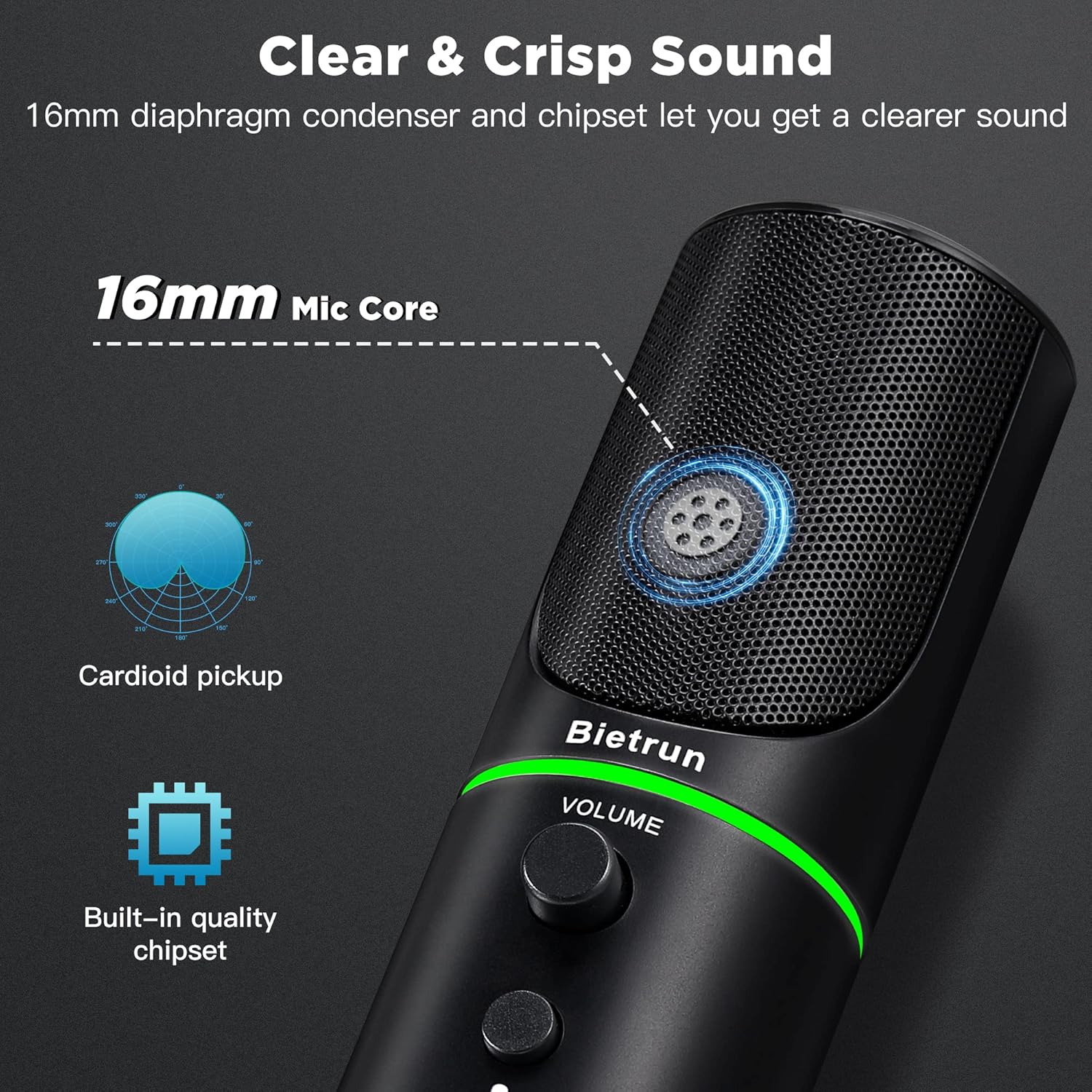
Figure 7: Cardioid Pickup Pattern for Clear Audio
Video 1: Demonstration of Noise Cancelling Feature
This video demonstrates the noise-canceling capabilities of the Bietrun UMKF01 USB Microphone, highlighting its effectiveness in reducing ambient sounds for clearer recordings and communication.
וישאַלט
- רייניקונג: Use a soft, dry cloth to wipe the microphone's surface. Avoid using liquid cleaners or abrasive materials.
- סטאָרידזש: האַלט דעם מיקראָפאָן אין אַ קיל, טרוקן אָרט אַוועק פון דירעקט זונשייַן און עקסטרעמע טעמפּעראַטורן ווען נישט אין באַנוץ.
- קאַבלע זאָרגן: פֿאַרמײַדט שאַרפֿע בייגן אָדער קנייטשן אין דעם USB קאַבל צו פֿאַרמײַדן שאָדן.
טראָובלעשאָאָטינג
| אַרויסגעבן | מעגלעך לייזונג |
|---|---|
| מיקראָפאָן נישט דערקענט דורך דיווייס | Ensure the USB cable is securely connected to both the microphone and your device. Try a different USB port. Check your device's sound settings to ensure 'Bietrun UMKF01' is selected as the input device. |
| ניט געזונט אָדער נידעריק באַנד | Check if the microphone is muted (red LED). Adjust the volume knob on the microphone. Verify input levels in your device's sound settings. Ensure headphones are properly connected if monitoring. |
| Poor sound quality or background noise | Ensure the microphone is in noise-canceling mode (yellow LED). Position the microphone closer to your mouth. Minimize ambient noise in your environment. |
ספּעסאַפאַקיישאַנז
| שטריך | דעטאַל |
|---|---|
| מאָדעל נאָמען | UMKF01 |
| קאַנעקטיוויטי טעכנאָלאָגיע | וסב |
| קאַנעקטער טיפּ | וסב טיפּ-א |
| פּאָליאַר מוסטער | ונידירעקטיאָנאַל (קאַרדיאָיד) |
| מיקראָפאָן פאָרם פאַקטאָר | טיש מענגע |
| אַודיאָ סענסיטיוויטי | 110 דעציבעלן |
| סיגנאַל-צו-נויז ראַטיאָ | 49 דב |
| אָפטקייַט ענטפער | 48 KHz |
| קאַמפּאַטאַבאַל דעוויסעס | Laptop, PS4/5, Personal Computer |
| ספּעציעלע פֿעיִקייטן | Mute Function, Volume Control, Noise Cancellation |
| קאָליר | שוואַרץ |
| מאַטעריאַל | אַקרילאָניטרילע בוטאַדיענע סטירענע, מעטאַל |
| פּונקט וואָג | 10.9 אונסעס (310 גראַם) |
| פּראָדוקט דימענשאַנז (L x W x H) | 3.54 X 3.54 X 7.68 אינטשעס |

Figure 8: Microphone Dimensions
וואָראַנטי & שטיצן
Your Bietrun UMKF01 USB Condenser Microphone comes with a warranty. Please refer to the included Warranty Card for specific terms and conditions. For technical support, troubleshooting assistance, or any inquiries regarding your product, please contact Bietrun customer service through their official channels.


