1. הקדמה
This manual provides comprehensive instructions for the setup, operation, maintenance, and troubleshooting of your Zebra DS9208 2D/1D/QR Barcode Scanner. The DS9208 is a versatile, hands-free presentation imager designed for efficient scanning of 1D, 2D, and QR barcodes, including those displayed on mobile phone screens. Its touchless scanning capability enhances user convenience and workflow.
2. סעטאַפּ
Follow these steps to set up your Zebra DS9208 scanner for first-time use.
2.1 אַנפּאַקינג
- קערפאַלי באַזייַטיקן אַלע קאַמפּאָונאַנץ פון די פּאַקקאַגינג.
- Verify that the package contains the Zebra DS9208 scanner unit and a USB cable.
- האַלט די פּאַקאַדזשינג פֿאַר צוקונפֿטיקע סטאָרידזש אָדער טראַנספּאָרט.
2.2 פֿאַרבינדן דעם סקאַנער
- Locate the USB port on the back of the DS9208 scanner.
- Connect the smaller end of the provided USB cable to the scanner's USB port.
- Connect the larger end of the USB cable to an available USB port on your computer or host system.
- The scanner will typically power on automatically and emit a short beep, indicating successful connection.
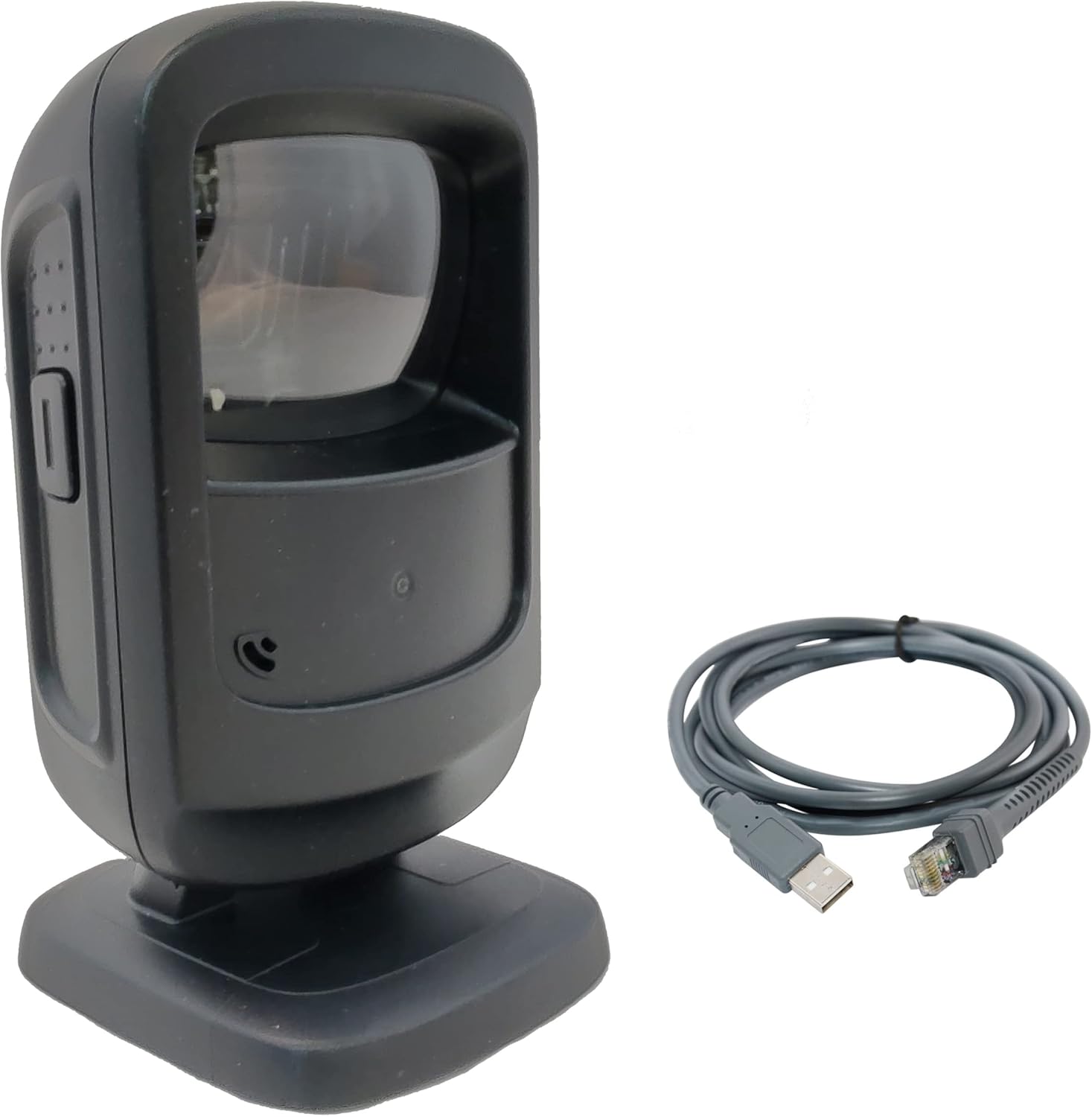
Figure 1: Zebra DS9208 scanner connected via USB cable. This image shows the black scanner unit alongside its grey USB connection cable, illustrating the components included for setup.
2.3 Driver Installation (Plug-and-Play)
The Zebra DS9208 scanner is designed for plug-and-play operation with most operating systems (Windows, macOS, Linux). Upon connecting the USB cable, your computer should automatically detect the device and install the necessary drivers. No manual driver installation is typically required.
- Wait for your operating system to confirm that the device is ready for use. This may take a few moments.
- Open a text editor or an application that accepts keyboard input (e.g., Notepad, Word, a POS application) to test the scanner.
3. אפערירן דעם סקענער
The DS9208 offers intuitive hands-free scanning for various barcode types.
3.1 סקענען באַרקאָדס
- Ensure the scanner is connected and powered on. The scanning window will emit an illumination pattern when ready.
- Position the barcode within the scanner's field of view, typically a few inches from the scanning window. The scanner is designed for presentation scanning, meaning you simply present the item to the scanner.
- The scanner will automatically detect and decode the barcode. A successful scan is indicated by an audible beep and a green LED illumination.
- The decoded data will be transmitted to your host system as if typed from a keyboard.

פיגורע 2: נאָענט-אַרויף view of the Zebra DS9208's scanning window. This image highlights the area where barcodes should be presented for optimal reading.
3.2 Scanning from Phone Screens
The DS9208 is optimized to read barcodes directly from mobile phone screens, including digital coupons, loyalty cards, and event tickets.
- Ensure the phone screen brightness is set to a high level for best results.
- Present the barcode on the phone screen to the scanner's window, maintaining a similar distance as with printed barcodes.
- The scanner will capture and decode the digital barcode.
3.3 Feedback Indicators
- אַודיבלע ביפּ: A short, high-pitched beep indicates a successful barcode decode.
- LED ינדיקאַטאָר: A green LED flash typically accompanies a successful scan.

פיגורע 3: זייַט view of the Zebra DS9208 scanner, highlighting the ergonomic design and potential button for mode switching or advanced functions (if applicable).
4. וישאַלט
געהעריגע אויפהאלטונג גאראנטירט די לאנגעוויטי און אפטימאלע פערפארמאנס פון אייער סקענער.
4.1 רייניקן דעם סקאַנער
- סקענען פֿענצטער: ניצט אַ ווייכע, ריינע, לינט-פֿרייע שטאָףampened with a mild glass cleaner or water. Do not use abrasive cleaners or solvents, as these can damage the window.
- Exterior Casing: ווישן די יקסטיריער מיט אַ ווייך, דamp שטאָף. פֿאַרמייַדן איבעריקע פֿײַכטקייט.
- Ensure the scanner is disconnected from its power source before cleaning.
4.2 אַלגעמיינע קער
- Avoid dropping the scanner or subjecting it to severe impacts.
- Do not expose the scanner to extreme temperatures, direct sunlight for prolonged periods, or high humidity.
- Keep the scanning window clear of obstructions and debris.
5. טראָובלעשאָאָטינג
די סעקציע באהאנדלט אלגעמיינע פראבלעמען וואס איר קענט באגעגענען מיט אייער DS9208 סקענער.
| פּראָבלעם | מעגלעך סיבה | לייזונג |
|---|---|---|
| סקאַנער גייט נישט אָן. | דער USB קאַבל נישט ריכטיק פארבונדן אדער דער USB פּאָרט איז דעפעקטיוו. | Ensure the USB cable is securely connected to both the scanner and the host computer. Try a different USB port or a different USB cable if available. |
| סקאַנער לייענט נישט באַרקאָודז. | Barcode damaged, poor print quality, incorrect distance, or scanner window obstructed. | Ensure the barcode is clear and undamaged. Adjust the distance between the barcode and the scanner. Clean the scanning window. Verify the barcode type is supported (1D, 2D, QR). |
| No audible beep or LED flash on successful scan. | Feedback settings may be disabled or scanner malfunction. | Check the scanner's configuration settings (if accessible via programming barcodes). If the issue persists, contact support. |
| סקענירטע דאַטן דערשייַנען פאַלש. | Keyboard layout mismatch or incorrect data formatting. | Ensure your computer's keyboard layout matches the scanner's configured output. Refer to the full programming guide for advanced data formatting options. |
6. ספּעסאַפאַקיישאַנז
Key technical specifications for the Zebra DS9208 Barcode Scanner.
- מאָדעל: DS9208
- פאַבריקאַנט: סימבאָל (זעברע)
- סקאַנינג קייפּאַבילאַטיז: 1D, 2D, QR Codes
- קאַנעקטיוויטי טעכנאָלאָגיע: וסב קאַבלע
- מאַכט מקור: וסב קאַבלע
- קאַמפּאַטאַבאַל דעוויסעס: דעסקטאָפּ, לאַפּטאָפּ
- UPC: 753575424398
7. וואָראַנטי אינפֿאָרמאַציע
This Zebra DS9208 scanner is a renewed product. Renewed products are typically covered by a specific warranty provided by the seller or platform.
- This product is covered by the אַמאַזאָן באַנייט גאַראַנטיע, וואָס גיט אַן ערזאַץ אָדער צוריקצאָל אין 90 טעג פון קאַבאָלע אויב דער פּראָדוקט אַרבעט נישט ווי געריכט.
- For specific warranty details and claims, please refer to the documentation provided with your purchase or contact Amazon Renewed support directly.
8. שטיצן
If you encounter issues not covered in the troubleshooting section or require further assistance, please contact the seller or Amazon Renewed support.
- פארקויפער : Info-Tech (as per product listing)
- אַמאַזאָן באַנייט שטיצע: Visit the Amazon Renewed section on Amazon.com for support options.


