הקדמה
Thank you for choosing the 360 S9 Robot Vacuum and Mop. This intelligent cleaning device is designed to provide efficient and thorough cleaning of your home with advanced navigation and dual cleaning capabilities. Please read this manual carefully before using the product to ensure proper operation and maintenance.

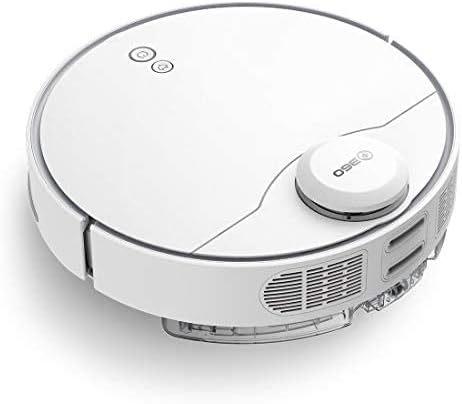
The 360 S9 Robot Vacuum and Mop, showcasing its sleek design and the accompanying mobile application for control.
זיכערקייַט אינפֿאָרמאַציע
כדי צו רעדוצירן דעם ריזיקע פון שאָדן אדער שאָדן, לייענט די זיכערהייט אינסטרוקציעס קערפֿול און האַלט זיי גרייט פֿאַר צוקונפֿטיקע רעפֿערענץ.
- דער מיטל קענען ווערן גענוצט דורך קינדער אַלט 8 יאר און העכער און מענטשן מיט רידוסט פיזיש, סענסערי אָדער גייַסטיק קייפּאַבילאַטיז אָדער פעלן פון דערפאַרונג און וויסן אויב זיי האָבן באקומען השגחה אָדער לימעד וועגן נוצן פון די אַפּפּליאַנסע אויף אַ זיכער וועג און פֿאַרשטיין די כאַזערדז ינוואַלווד. .
- קינדער זאָל נישט שפּילן מיט די מיטל. רייניקונג און באַניצער וישאַלט זאָל ניט זיין געמאכט דורך קינדער אָן השגחה.
- Only use the original power adapter provided by the manufacturer.
- ניצט נישט דעם ראָבאָט אין סביבות מיט אָפֿענע פֿלאַמען אָדער שוואַכע אָביעקטן.
- פאַרזיכערן אַז די ראָבאָט איז גאָר באפוילן איידער ערשטער נוצן.
- Do not expose the robot to direct sunlight or extreme temperatures.
- האַלטן האָר, פרייַ קליידער, פינגער און אַלע טיילן פון גוף אַוועק פון אָופּאַנינגז און מאָווינג טיילן.
פּעקל אינהאַלט
Please check if all components are included in the package:
- 360 S9 Robot Vacuum and Mop
- טשאַרדזשינג דאָק
- מאַכט אַדאַפּטער
- וואַסער טאַנק
- אָפּווישן שטאָף
- זייט ברושעס (2x)
- רייניקונג טול
- באַניצער מאַנואַל
פּראָדוקט איבערview
Familiarize yourself with the different parts of your 360 S9 Robot Vacuum and Mop.
זייַט view of the 360 S9, highlighting the dustbin and side brush assembly.

דעטאַלירטע זייט view of the 360 S9, illustrating its wheels and various sensors.
Top View
- LDS Laser Navigation Sensor: For precise mapping and navigation.
- Power/Clean Button: Start/pause cleaning.
- Recharge Button: Send robot back to charging dock.
- Dustbin Compartment: Houses the dustbin and water tank.
דנאָ View
- Side Brush: Sweeps debris into the main brush path.
- Main Brush: Collects dust and debris.
- Driving Wheels: For movement across various surfaces.
- Cliff Sensors: Prevents the robot from falling down stairs.
- Charging Contacts: For connecting with the charging dock.
סעטאַפּ
1. טשאַרדזשינג דאָק פּלייסמאַנט
Place the charging dock against a wall on a hard, level surface. Ensure there is at least 0.5 meters (1.6 feet) of clear space on both sides and 1.5 meters (4.9 feet) in front of the dock. Connect the power adapter to the dock and plug it into a wall outlet. Ensure the indicator light on the dock is on.
2. ערשטע אויפלאָדונג
Place the robot onto the charging dock, ensuring the charging contacts align. The robot will automatically begin charging. For first-time use, fully charge the robot before operation. A full charge takes approximately 4-5 hours.
3. App Installation & Connection
Download the "360 Robot" app from the App Store (iOS) or Google Play Store (Android). Follow the in-app instructions to connect your robot to your home Wi-Fi network. This will enable advanced features like map management, scheduled cleaning, and remote control.

The 360 Robot app interface, demonstrating various cleaning modes and compatibility with Amazon Alexa and Google Assistant.
אַפּערייטינג ינסטראַקשאַנז
רייניקונג מאָדעס
The 360 S9 offers multiple cleaning modes to suit your needs:
- אַוטאָ רייניקונג: The robot intelligently plans its cleaning route using LDS Lidar and SLAM algorithm to cover the entire area. Press the Power/Clean button on the robot or select "Auto Cleaning" in the app.
- ברעג רייניקונג: The robot cleans along the edges of your rooms. Select "Edge Cleaning" in the app.
- אָרט רייניקונג: The robot performs an intensive clean in a specific area. Place the robot in the desired area and select "Spot Cleaning" in the app.
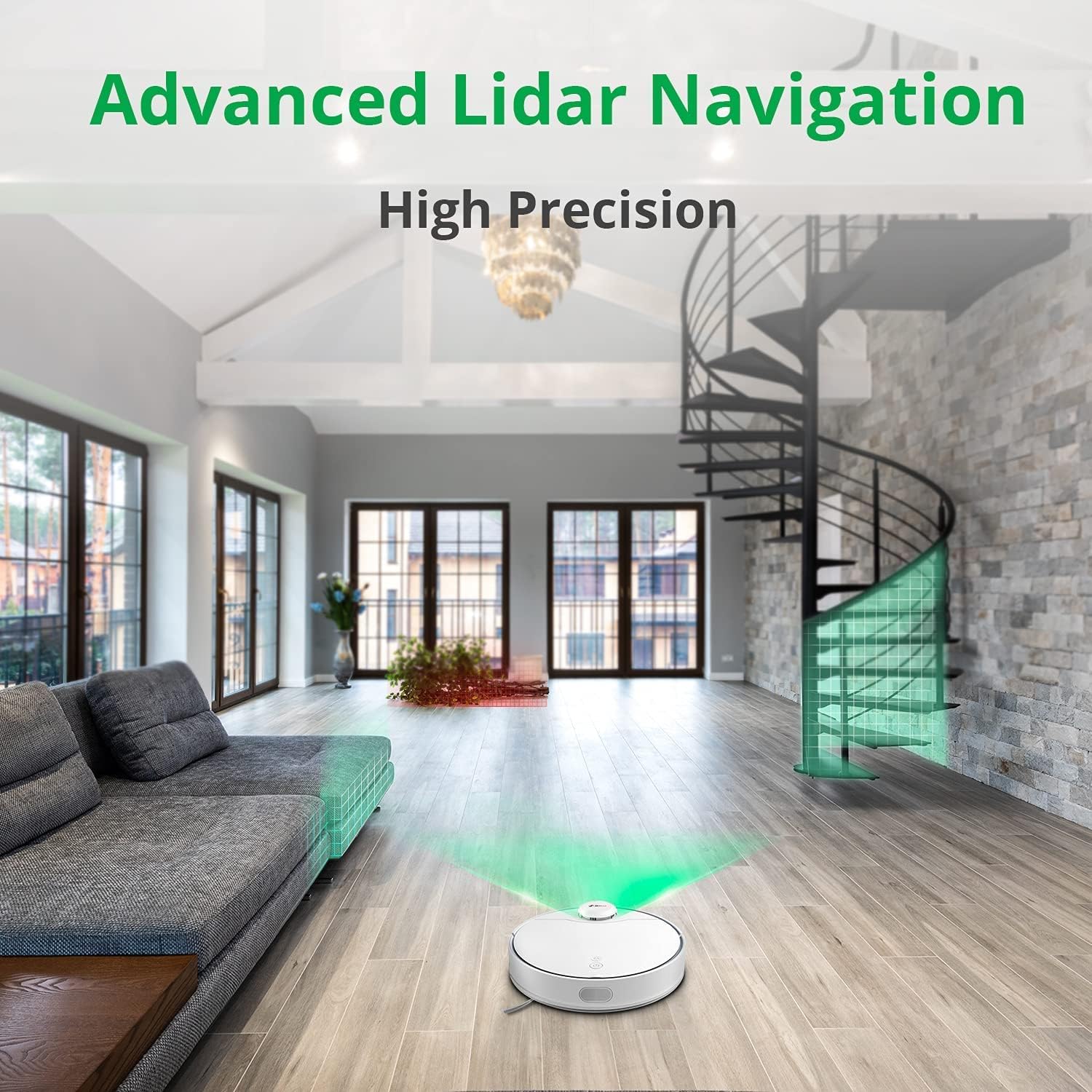
The 360 S9 utilizing its advanced Lidar navigation system for high-precision mapping and cleaning.
וואַקווינג און מאָפּינג
The S9 can vacuum and mop simultaneously. To use the mopping function:
- Fill the water tank with clean water. Do not use detergents or corrosive liquids.
- Attach the mop cloth securely to the water tank.
- Insert the filled water tank into the robot's designated slot. The robot will automatically detect the water tank and switch to sweep+mop mode.

Visual representation of the 360 S9's 2-in-1 vacuuming and mopping function, showing the dustbin (0.42L) and water tank (0.2L) capacities.
The robot features a powerful 2650Pa suction with carpet boost, automatically increasing suction on carpets for deeper cleaning.

The 360 S9 showcasing its 2650Pa powerful suction with automatic carpet boost, effectively cleaning a rug.
No-Go Zones and Virtual Walls
Using the 360 Robot app, you can set up virtual walls or no-go zones to restrict the robot from entering certain areas. This is useful for protecting fragile items or preventing the robot from entering bathrooms while mopping.
קול קאָנטראָל
The 360 S9 is compatible with Amazon Alexa and Google Assistant. Link your robot vacuum to your smart home system through the 360 Robot app to control it with voice commands, such as "Alexa, tell 360 Robot to start cleaning" or "Hey Google, ask 360 Robot to go home."
וישאַלט
רעגולערע אויפהאלטונג גאראנטירט אפטימאלע פאָרשטעלונג און פארלענגערט די לעבנס-צייט פון אייער ראָבאָט וואַקוום.
1. ליידיקן דעם מיסטקאסטן
It is recommended to empty the dustbin after each cleaning cycle. Open the top cover of the robot, remove the dustbin, open its lid, and discard the collected debris. The dustbin capacity is 0.42 Liters.
2. ווידער אָנפֿילן דעם וואַסער טאַנק
For mopping, ensure the water tank is filled with clean water. The water tank capacity is 0.2 Liters. Refill as needed before each mopping session.
3. רייניקונג באַרשטן
- הויפּט באַרשט: Remove the main brush cover and lift out the main brush. Use the provided cleaning tool to remove hair and debris tangled around the brush. Clean regularly, especially if pet hair is present.
- זייט ברושעס: Check side brushes for tangled hair or debris. If damaged or worn, replace them.
4. רייניקונג פילטערס
The filter inside the dustbin should be cleaned regularly. Tap the filter against a trash can to remove dust. For a more thorough clean, the filter can be rinsed with water, but ensure it is completely dry before reinserting it into the dustbin and robot.
5. רייניקונג סענסאָרס
Wipe the cliff sensors (on the bottom of the robot), charging contacts (on the robot and dock), and the LDS laser sensor window (on top of the robot) with a clean, dry cloth. This prevents navigation errors and ensures proper charging.
טראָובלעשאָאָטינג
| פּראָבלעם | מעגלעך סיבה | לייזונג |
|---|---|---|
| ראָבאָט טוט נישט קער אויף. | נידעריגע באַטעריע; מאַכט אויסשאַלטן. | Charge the robot; Ensure power switch is on. |
| ראָבאָט קען נישט געפֿינען די טשאַרדזשינג דאָק. | Dock is blocked or out of range. | Ensure clear space around dock; Manually place robot on dock. |
| סאַקשאַן מאַכט איז שוואַך. | מיסט קאַסטן פול; פילטער פארשטאפט; הויפּט באַרשט פארפּלאָנטערט. | ליידיקן דעם מיסטקאסטן; רייניקן/פארבייטן דעם פילטער; רייניקן דעם הויפט בירשט. |
| ראָבאָט בלייבט אָפט שטעקן. | שטערונגען; קליף סענסארן שמוציק. | רייניקן שטערונגען; רייניקן קליף סענסארן. |
| די וואַש-פונקציע אַרבעט נישט. | Water tank empty; Mop cloth not attached. | Fill water tank; Attach mop cloth correctly. |
ספּעסאַפאַקיישאַנז
| סאָרט | 360 |
| מאָדעל נאָמען | S9 |
| מאָדעל נומער | 360-S9-WHITE |
| נאַוויגאַציע | LDS Laser, SLAM Algorithm |
| באַטאַרייע קאַפּאַציטעט | 5200 מאַה |
| מאַקס סאַקשאַן מאַכט | 2650 פּאַ |
| לויפן צייט | אַרויף צו 180 מינוט |
| דוסטבין קאַפּאַציטעט | 0.42 ליטער |
| וואַסער טאַנק קאַפּאַציטעט | 0.2 ליטער |
| ראַש מדרגה | 53dB |
| Wi-Fi קאָננעקטעד | יא |
| קאָנטראָל מעטאָד | אַפּ, ווייַט |
| קאַמפּאַטאַבאַל דעוויסעס | אַמאַזאָן עקאָ (אַלעקסאַ), גוגל אַסיסטאַנט |
| פּראָדוקט דימענשאַנז | 13.78"ל x 13.78"בר x 3.94"ה |
| פּונקט וואָג | 8.47 פונט |
וואָראַנטי און שטיצן
For warranty information and technical support, please refer to the official 360 webזייטל אדער קאנטאקט זייער קאסטומער סערוויס. האלט אייער קויף קוויטל אלס באווייז פון קויפן פאר גאראנטיע פארלאנגען.
פֿאַר ווייטערדיקע הילף, קענט איר באַזוכן די פּראָדוקט בלאַט אויף אַמאַזאָן or contact 360 Smart Network customer support.


