1. הקדמה
This manual provides detailed instructions for the installation, operation, and maintenance of your Aigostar Wireless Doorbell 2HQEZ. Please read it carefully before use to ensure proper functionality and safety. Keep this manual for future reference.
2. פּראָדוקט איבערview
The Aigostar Wireless Doorbell 2HQEZ is a convenient and reliable doorbell system designed for homes, offices, and various other settings. It features a plug-and-play receiver and a waterproof push-button transmitter.
שליסל פֿעיִקייטן:
- 36 Unique Melodies: Choose from a wide selection of pleasant chimes.
- 3 אַדזשאַסטאַבאַל באַנד לעוועלס: Customize the sound level to your preference, including a silent mode.
- Strong Wireless Signal: Offers a transmission distance of up to 150 meters (500 feet) in open areas.
- IP44 Waterproof Transmitter: Designed to withstand rain and various weather conditions.
- גרינג ינסטאַלירונג: Simple setup with double-sided adhesive tape or screws.
- ווערסאַטאַל אַפּלאַקיישאַן: Suitable for homes, offices, hospitals, factories, hotels, and more.
קאַמפּאָונאַנץ:
- 1 x Wireless Transmitter (Push Button)
- 1 x פּלאַג-אין ופנעמער
- Mounting Accessories (Double-sided adhesive tape, screws)

Image: Dimensions of the Aigostar Wireless Doorbell transmitter and receiver.

Image: The Aigostar Wireless Doorbell featuring an acrylic panel for enhanced durability.
3. סעטאַפּ
Follow these steps for quick and easy installation and pairing of your Aigostar Wireless Doorbell.
3.1. טראַנסמיטער באַטערי ינסטאַלירונג
The transmitter requires a battery (included). Use a small screwdriver to open the back cover, insert the battery, and close the cover securely.
3.2. ריסיווער פּלייסמאַנט
Plug the receiver into a standard AC power outlet in a location where the chime can be easily heard throughout your home or desired area.
3.3. טראַנסמיטער אינסטאַלאַציע
Choose a suitable location for the transmitter (push button) near your door. Ensure the surface is clean and dry. You can install it using:
- Double-sided adhesive tape: Peel off the protective film from the adhesive tape on the back of the transmitter and firmly press it onto the desired surface.
- שרויף: For a more secure installation, use the provided screws to mount the transmitter to the wall.
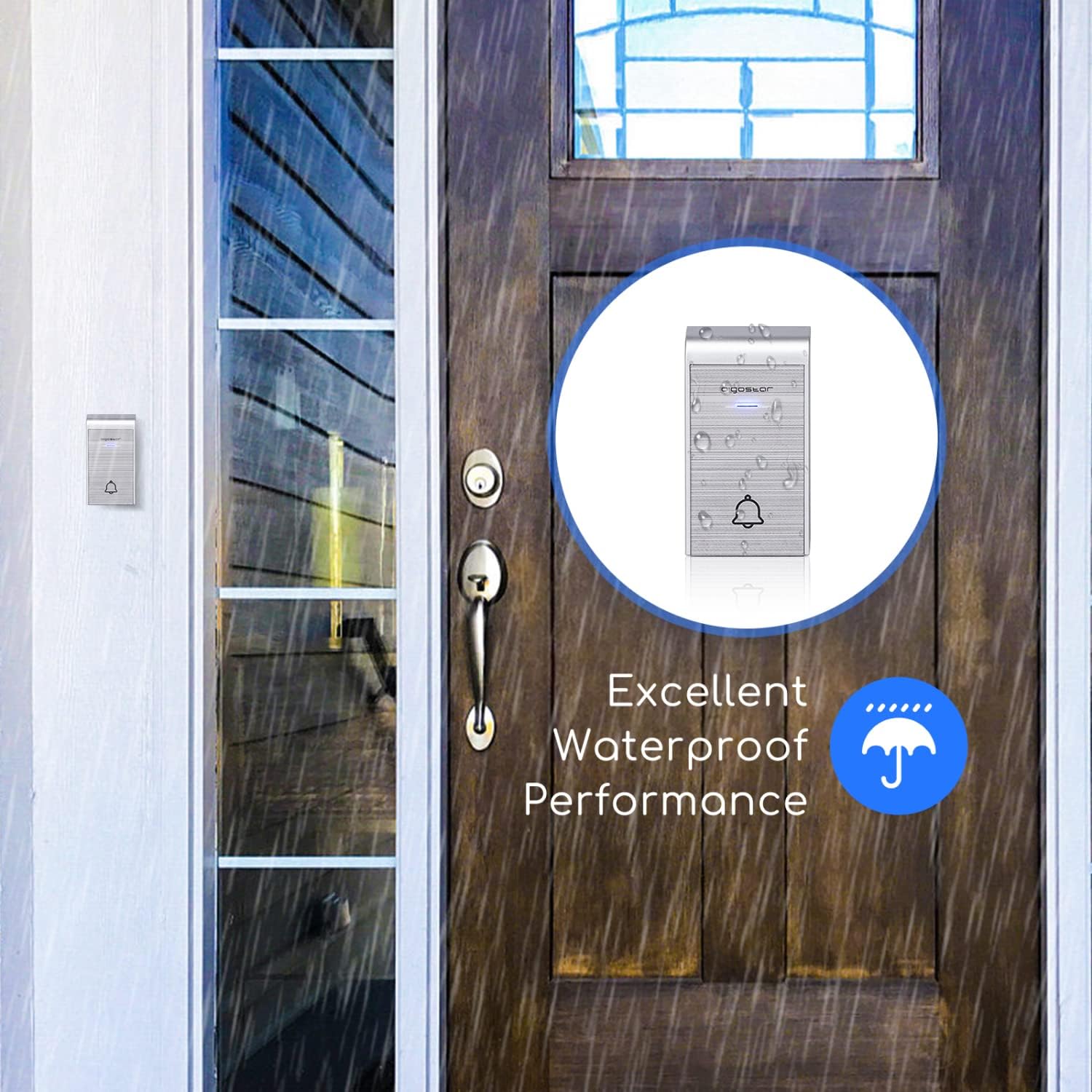
Image: The IP44 waterproof transmitter installed outside, demonstrating its resistance to rain.
3.4. פּערינג ינסטרוקטיאָנס
The doorbell system is typically pre-paired. If re-pairing is needed or you are adding additional transmitters/receivers, follow these steps:
- Pairing a single transmitter with a single receiver:
a. Plug in the receiver.
b. Press and hold the volume button on the receiver until it beeps twice.
c. Immediately press the transmitter button. The receiver will chime, indicating successful pairing. - Pairing multiple transmitters with a single receiver:
a. Plug in the receiver.
b. Press and hold the volume button on the receiver until it beeps twice.
c. Press each transmitter button one by one. The receiver will chime for each successful pairing. - Pairing one transmitter with multiple receivers:
a. Plug in all receivers.
b. For each receiver, press and hold its volume button until it beeps twice.
c. Immediately press the transmitter button. Each receiver will chime, indicating successful pairing.
Video: Tutorial demonstrating how to connect the doorbell transmitter and receiver, including single and multiple unit pairings.
4. אַפּערייטינג ינסטרוקטיאָנס
Once installed and paired, your Aigostar Wireless Doorbell is ready for use.
4.1. אַדזשאַסטינג באַנד
The receiver has a volume control button. Press this button repeatedly to cycle through 3 different volume levels (low, medium, high) and a silent mode. Select the volume that best suits your environment.
4.2. טוישן מעלאָדיעס
The receiver offers 36 different melodies. Press the melody selection button on the receiver to preview and choose your preferred chime. The selected melody will be saved even after the receiver is unplugged.

Image: Close-up of the receiver showing buttons for volume adjustment and melody selection.

Image: Illustration of various scenarios where the one-click calling feature of the doorbell is beneficial, such as for elderly individuals, pregnant women, or patients.
5. וישאַלט
To ensure the longevity and optimal performance of your doorbell, follow these maintenance guidelines:
- רייניקונג: Wipe the transmitter and receiver with a soft, dry cloth. Do not use abrasive cleaners or solvents.
- טראַנסמיטער באַטערי: If the transmitter stops working or the signal weakens, replace the battery. Ensure the new battery is correctly oriented.
- טראַנסמיטער פּלייסמאַנט: Periodically check the transmitter's mounting to ensure it remains securely attached, especially if using adhesive tape. Consider using screws for a more permanent fixture.
6. טראָובלעשאָאָטינג
If you encounter issues with your Aigostar Wireless Doorbell, refer to the following common problems and solutions:
| פּראָבלעם | מעגלעך סיבה | לייזונג |
|---|---|---|
| די טיר־גלאָק קלינגט נישט. | Transmitter battery is low or dead. דער ריסיווער איז נישט אריינגעשטעקט אדער נישט פאוערד. טראַנסמיטער און ופנעמער זענען נישט צוזאַמענגעפּאַסט. | פאַרבייַטן די טראַנסמיטער באַטאַרייע. Ensure the receiver is securely plugged into a working outlet. פֿאָלגט די פּאָרינג אינסטרוקציעס אין סעקציע 3.4. |
| Short transmission range or intermittent signal. | שטערונגען (דיקע ווענט, מעטאַלענע אָביעקטן). אריינמישונג פון אנדערע ווייערלעס דעווייסעס. נידעריגע טראַנסמיטער באַטאַרייע. | רילאצירט דעם ופנעמער אדער טראַנסמיטער צו מינימיזירן שטערונגען. Ensure the transmitter battery is fresh. Avoid placing near large metal structures or strong electromagnetic fields. |
| Transmitter falls off the wall. | Adhesive tape not strong enough or improper surface preparation. | Clean the surface thoroughly before applying adhesive. For a more secure installation, use the provided screws. |
| Transmitter is damaged by rain. | Improper installation or extreme weather conditions exceeding IP44 rating. | Ensure the transmitter is installed in a location that minimizes direct exposure to heavy rain or extreme elements, despite its IP44 rating. Check for any cracks or damage to the casing. |
7. ספּעסאַפאַקיישאַנז
| מאָדעל נאָמען | 2HQEZ |
| טייל נומער | 197926 |
| סאָרט | אַיגאָסטאַר |
| קאָליר | זילבער |
| ופנעמער מאַכט מקור | עיר קאנדישאן (שטעק-אין) |
| טראַנסמיטער מאַכט מקור | באַטערי (אַרייַנגערעכנט) |
| וואַסערפּרוף שאַץ (טראַנסמיטער) | IP44 |
| ווירעלעסס ראַנגע | ביז 150 מעטער (500 פֿוס) אין אָפֿענע געביטן |
| מעלאָדיעס | 36 סעלעקטאַבלע ניגונים |
| באַנד לעוועלס | 3 adjustable levels + Silent Mode |
| פּעקל דימענשאַנז | 15.1 X 14 X 6.8 סענטימעטער |
| פּעקל וואָג | 60 ג |

Image: Illustration showing the 150m (500ft) transmission distance of the Aigostar Wireless Doorbell.
8. וואָראַנטי און שטיצן
Aigostar products are designed and manufactured to the highest quality standards. For warranty information or technical support, please refer to the contact details provided on the product packaging or visit the official Aigostar webזייטל. ביטע באַהאַלטן אייער קויפן באַווייַז פֿאַר קיין וואָראַנטי קליימז.