שאַפֿן/קיל די סי טורעם פאָכער באַניצער מאַנואַל
Model: 901ac5f5-3fab-4ab6-92cb-7ef7d8ca7a54
1. הקדמה
Thank you for choosing the CREATE/COOL DC Tower Fan. This bladeless tower fan is designed to provide efficient and quiet air circulation with its advanced DC motor and 9-speed settings. Featuring a sleek design, remote control, and 90-degree oscillation, it offers optimal comfort for any room.
Please read this manual thoroughly before operating the device to ensure safe and proper use. Keep this manual for future reference.
2. זיכערקייַט אינסטרוקציעס
- שטענדיק ארויסנעמען דעם ווענטילאַטאָר פֿון דער עלעקטרישער אַוטלעט איידער איר רייניגט אָדער דורכפֿירט קיין שום וישאַלט.
- ניצט נישט דעם ווענטילאַטאָר מיט אַ צעבראָכענעם שנור אָדער פּלאָג. אויב דער שנור אָדער פּלאָג איז צעבראָכן, קאָנטאַקטירט קוואַליפֿיצירטע סערוויס פּערסאָנעל.
- Do not place the fan near water or in excessively humid environments.
- Keep fingers, hair, and loose clothing away from the fan's openings during operation.
- זיכער מאַכן אַז דער ווענטילאַטאָר איז געשטעלט אויף אַ סטאַבילן, גלאַטן ייבערפלאַך צו פאַרמייַדן זיך איבערקערן.
- דער אַפּפּליאַנסע איז נישט בדעה פֿאַר נוצן דורך מענטשן (אַרייַנגערעכנט קינדער) מיט רידוסט גשמיות, סענסערי אָדער גייַסטיק קייפּאַבילאַטיז, אָדער פעלן פון דערפאַרונג און וויסן, סייַדן זיי האָבן באקומען השגחה אָדער לימעד וועגן די נוצן פון דעם אַפּפּליאַנסע דורך אַ מענטש פאַראַנטוואָרטלעך פֿאַר זייער זיכערקייַט.
- קינדער זאָל זיין סופּערווייזד צו ענשור אַז זיי טאָן ניט שפּילן מיט די אַפּפּליאַנסע.
- Do not insert any objects into the fan's openings.
- Do not cover the fan during operation.
3. פּעקל אינהאַלט
באַשטעטיקן אַז אַלע זאכן זענען פאַראַן אין פּעקל:
- CREATE/COOL DC Tower Fan Unit
- ווייַט קאָנטראָל
- מאַכט שנור (אינטעגרירט)
- באַניצער מאַנואַל (דעם דאָקומענט)
4. סעטאַפּ
- ופשליסן די פאַן: Carefully remove the tower fan and all accessories from the packaging.
- אָרט: Place the fan on a firm, level surface. Ensure there is adequate space around the fan for proper air circulation and oscillation.
- פאַרבינדן מאַכט: Insert the power plug into a standard electrical outlet. Ensure the voltage matches the fan's requirements (230V).
- רימאָוט קאָנטראָל באַטערי: The remote control may require batteries (not included). Open the battery compartment and insert the correct type and number of batteries, observing polarity.
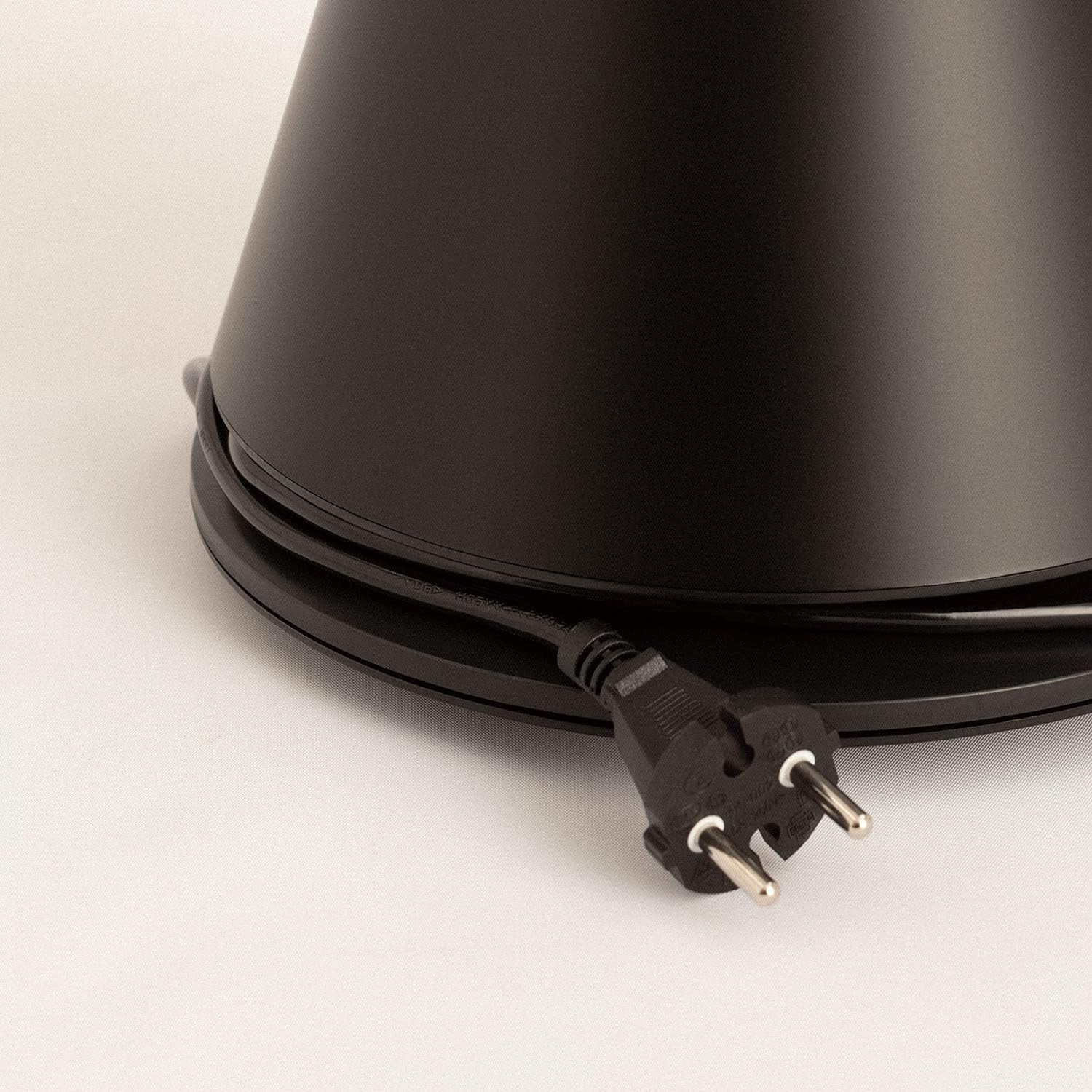
Image: Power cord connected to the fan base.
This image shows the integrated power cord and plug, ready for connection to a wall outlet. The cord is neatly wrapped around the base for storage.
5. אַפּערייטינג ינסטרוקטיאָנס
Control Panel (Digital Display Touch-System)
The fan features a digital display touch-system on its top, which also serves as the integrated remote control storage. Touch the icons to control the fan.
ווייַט קאָנטראָל
The magnetic remote control can be stored conveniently on top of the fan. It provides full functionality for operating the fan from a distance.

Image: Remote control for the tower fan.
This image displays the compact remote control with clearly labeled buttons for power, speed adjustment, mode selection, and oscillation control.
פאַנגקשאַנז:
- מאַכט אויף / אַוועק: דרוק דעם מאַכט קנעפּל (⏻) צו אנצינדן אדער אויסלעשן דעם ווענטילאַטאָר.
- גיכקייט אַדזשאַסטמאַנט: The fan has 9 speed levels. Use the '+' and '-' buttons to increase or decrease the fan speed.
- ווינט מאָדעס: Select between 2 wind modes (e.g., Normal, Sleep, Natural - specific modes may vary). Press the mode button to cycle through available modes.
- אַסאַליישאַן: דריק דעם אָסצילאַציע קנעפּל (↻) to activate or deactivate the 90-degree oscillation feature, which distributes air evenly across the room.
- טיימער: Set the fan to automatically turn off after a specified period. Refer to the display for timer settings (e.g., 1-12 hours).

Image: Tower fan placed in a bedroom.
This image shows the sleek black tower fan positioned in a modern bedroom, demonstrating its compact footprint and aesthetic integration into a living space.
6. וישאַלט
רעגולערע רייניקונג וועט העלפן אויפהאלטן די פען'ס פאָרשטעלונג און פארלענגערן זיין לעבנסדויער.
- רייניקונג די יקסטיריער: ווישט די אויסערליכע זייטן פון דעם ווענטילאַטאָר מיט אַ ווייכן, דamp שטאָף. דו זאלסט נישט נוצן אַברייסיוו קלינערז אָדער סאָלוואַנץ.
- באַזייַטיקונג פון שטויב: Use a vacuum cleaner with a brush attachment or compressed air to remove dust from the air intake and outlet grilles.
- סטאָרידזש: If storing the fan for an extended period, unplug it, clean it thoroughly, and store it in a cool, dry place, preferably in its original packaging.
- דו זאלסט נישט ייַנטונקען די פאָכער אין וואַסער אָדער קיין אנדערע פליסיק.
7. טראָובלעשאָאָטינג
| פּראָבלעם | מעגלעך סיבה | לייזונג |
|---|---|---|
| דער ווענטילאַטאָר צינדט זיך נישט אָן. | נישט איינגעשטאכן; עלעקטרישע ווענטיל ארבעט נישט; אויף-קנעפל נישט געדריקט. | זיכער מאַכן אַז דער ווענטילאַטאָר איז זיכער אַרייַנגעשטעקט אין אַ אַרבעטנדיקן אַוטלעט. דריק דעם מאַכט קנעפּל. |
| שוואַך לופט לויפן. | Low speed setting; Air inlets/outlets blocked by dust. | פֿאַרגרעסערט די פֿענטילאַטאָר גיכקייט. רייניקט די לופֿט אַרײַנגאַנגען און אַרויסגאַנגען. |
| פאן איז טומלדיק. | Fan not on a level surface; Internal obstruction; High speed setting. | Place the fan on a flat, stable surface. Check for any obstructions. Reduce fan speed. |
| ווייַט קאָנטראָל נישט ארבעטן. | Batteries dead or incorrectly inserted; Obstruction between remote and fan. | Replace batteries, ensuring correct polarity. Remove any obstructions. Ensure remote is pointed at the fan. |
8. ספּעסאַפאַקיישאַנז
| שטריך | דעטאַל |
|---|---|
| סאָרט | CREATE |
| מאָדעל נומער | 901ac5f5-3fab-4ab6-92cb-7ef7d8ca7a54 |
| פּראָדוקט דימענשאַנז | 102 x 23 x 102 ס״מ (אומגעפער 23 ד x 23 ב x 102 ה ס״מ) |
| וואָג | 2.6 קילאָגראַמס |
| קאָליר | שוואַרץ |
| מאַכט מקור | קאָרדעד עלעקטריק |
| Voltage | 230 וואלטס |
| וואָסtage | 26 וואטס |
| ראַש מדרגה | 2 dB (Note: This value seems unusually low based on customer reviews, typical fan noise is higher. Please refer to actual product performance.) |
| נומער פון ספּידז | 9 |
| ספּעציעלע פֿעיִקייטן | Oscillating, Lightweight, DC Motor, Timer, Remote Control |
9. וואָראַנטי און שטיצן
CREATE products are manufactured to the highest quality standards. For information regarding warranty coverage, please refer to the warranty card included with your purchase or visit the official CREATE webפּלאַץ.
For technical support, troubleshooting assistance, or spare parts, please contact CREATE customer service. Contact details can typically be found on the product packaging or the official brand webפּלאַץ.
Webפּלאַץ: שאַפֿן אָפֿיציעלע קראָם


