1. הקדמה
This manual provides detailed instructions for the safe and effective use of your Elecom LBT-TWS05BK True Wireless Bluetooth Earphones. Please read this manual thoroughly before using the product and retain it for future reference.
The Elecom LBT-TWS05BK earphones are designed for stable connectivity, superior comfort, and high usability, delivering rich audio performance. They feature an ergonomic design, advanced communication technology, and convenient smart features.
2. זיכערקייַט אינפֿאָרמאַציע
כדי צו זיכער מאַכן זיכערע אָפּעראַציע און פאַרמייַדן שאָדן, ביטע אָבסערווירן די פאלגענדע פאָרזיכטיגקייטן:
- שטעלט נישט אויס די אויערפאָונז אדער טשאַרדזשינג קעסטל צו עקסטרעמע טעמפּעראַטורן, הומידיטי אדער פליסיקייטן.
- ויסמיידן דראַפּינג אָדער אונטערטעניק די מיטל צו שטאַרק ימפּאַקץ.
- Do not attempt to disassemble or modify the product. This will void the warranty.
- האַלטן אויס פון דערגרייכן פון קינדער און פּעץ.
- הערט אויף מיטלמעסיגע קול לעוועלס צו פארמיידן הערן שאדן.
- Be aware of your surroundings when using the earphones, especially in traffic or dangerous situations.
3. פּעקל אינהאַלט
באַשטעטיקט אַז אַלע זאכן זענען פאַראַן אין אייער פּראָדוקט פּאַקעט:
- Elecom LBT-TWS05BK True Wireless Bluetooth Earphones (Left and Right)
- טשאַרדזשינג קאַסע
- יו-עס-בי טשאַרדזשינג קאַבל (טיפּ-א צו טיפּ-C)
- Ear Caps (XS, S, M, L sizes; M size pre-installed)
- ינסטראַקשאַנז מאַנואַל
4. פּראָדוקט איבערview
Familiarize yourself with the components of your Elecom LBT-TWS05BK earphones.

בילד: נאָענט-אַרויף view of the Elecom LBT-TWS05BK true wireless earbuds, showcasing their sleek black design and the ELECOM branding.

Image: The Elecom LBT-TWS05BK earbuds placed inside their compact charging case, ready for storage or charging.
The earphones feature a compact design with a 6.0mm diameter external magnetic dynamic driver for clear sound. The charging case is designed for single-handed operation with a push-button lid.
5. סעטאַפּ
5.1. אויפלאָדן די אויערפאָונז און קעסטל
- Connect the supplied USB Type-A to Type-C cable to the charging case's USB Type-C port and a USB power source.
- The LED indicators on the charging case will show the charging status. Four LEDs indicate a full charge.
- לייגט די אויערפאָנען אין דעם טשאַרדזשינג קעסטל. זיי וועלן אָנהייבן טשאַרדזשינג אויטאָמאַטיש.
- A 15-minute charge provides approximately 1 hour of music playback. A full charge of the earphones allows for about 5 hours of continuous music playback or 4.5 hours of talk time. The charging case can recharge the earphones up to 2.5 times, providing a total of about 17.5 hours of use.
5.2. ערשט פּערינג
The Elecom LBT-TWS05BK supports auto-pairing and Google Fast Pair for compatible Android devices.

Image: An illustration demonstrating the Google Fast Pair feature, where simply opening the charging case near a compatible smartphone prompts a pairing notification. Also shows the one-push open mechanism of the case.
- זיכער מאַכן אַז אייער סמאַרטפאָון'ס בלועטוט איז ענייבאַלד.
- עפֿנט דעם טשאַרדזשינג קעסטל. די אויערפֿאָנען וועלן אויטאָמאַטיש אַרײַן אין פּערינג מאָדע.
- For Android devices with Google Fast Pair, a notification will appear on your screen. Tap to connect.
- For other devices, go to your device's Bluetooth settings and select "LBT-TWS05BK" from the list of available devices.
- Once paired, the earphones will automatically connect to the last paired device when removed from the case.
5.3. צופּאַסן די אויערקנעפּלעך
The earphones feature an ergonomic design for optimal fit and stability.
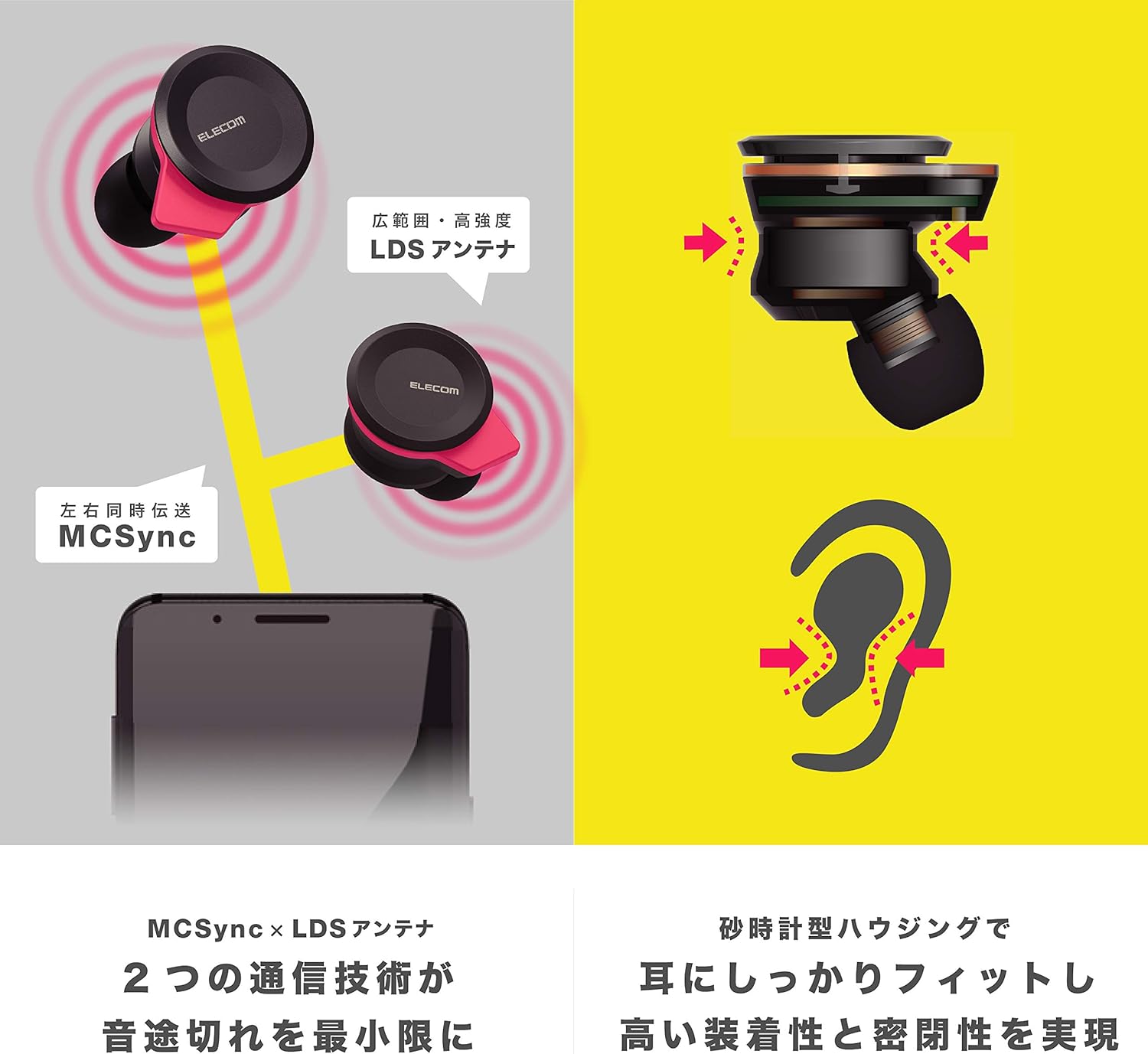
Image: An illustration showing the ergonomic hourglass shape of the earbud designed to fit securely in the ear, alongside a diagram explaining the MCSync and LDS antenna technologies for stable communication.
- Select the ear caps that provide the best seal and comfort from the four included sizes (XS, S, M, L). The M size is pre-installed.
- דזשענטלי אַרייַנלייגן די עאַרבוד אין דיין אויער קאַנאַל.
- Adjust the earbud so that the hourglass shape is firmly seated between your ear tragus and anti-tragus for a stable fit.
6. אַפּערייטינג ינסטרוקטיאָנס
The Elecom LBT-TWS05BK earphones offer various functions for audio playback, calls, and smart assistant interaction.
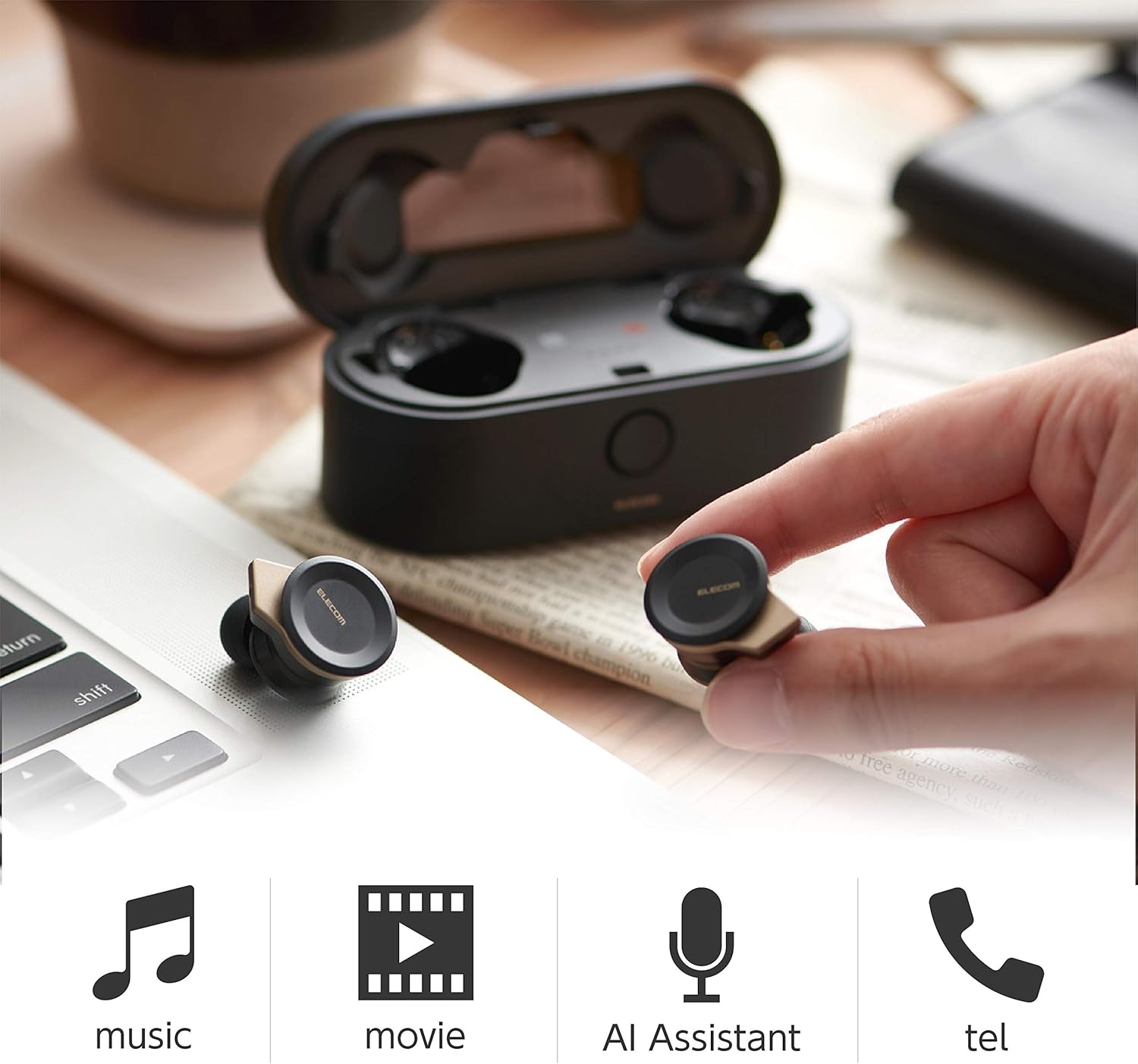
Image: The Elecom LBT-TWS05BK earbuds displayed with icons representing their versatile uses: music playback, movie watching, AI assistant activation, and phone calls.
6.1. מאַכט אויף / אויסגעלאשן
- מאַכט אויף: נעמט ארויס די אויערפאָנען פֿון דער טשאַרדזשינג קעסטל. זיי וועלן זיך אויטאָמאַטיש אָנצינדן.
- מאַכט אַוועק: Place the earphones back into the charging case. They will power off automatically.
6.2. מוזיק פּלייבאַק
Use the buttons on the earphones to control music playback (specific button functions may vary, refer to quick start guide for exact mapping):
- שפּיל / פּויזע: איין דריק אויף יעדן אויערקנעפל.
- ווייַטער שפּור: דריקט צוויי מאָל אויף די רעכטע אויערקנעפּל.
- פֿריִערדיקע שפּור: דריקט צוויי מאָל אויף די לינקע אויערקנעפל.
- באַנד קאָנטראָל: Adjust via your connected device or voice assistant.
6.3. רוף האַנדלינג
The right earbud supports calls and voice AI functions.
- ענטפֿערן / סוף רופן: Single press on the right earbud.
- אָפּוואַרפן רופן: דריקן און האַלטן די רעכט עאַרבוד פֿאַר 2 סעקונדעס.
6.4. Voice AI Activation
Compatible with voice AI assistants like Siri and Google Assistant.
- Activate Voice AI: דריק דריי מאל אויף די רעכטע אויערקנעפל.
6.5. External Sound Capture Function
This function allows you to hear surrounding sounds while wearing the earphones.
- אַקטאַווייט / דיאַקטיווייט: דריקן און האַלטן די לינקס עאַרבוד פֿאַר 2 סעקונדעס.
7. וישאַלט
געהעריקע אויפהאלטונג גאראנטירט די לאנגעוויטי און פאָרשטעלונג פון אייערע אויערפאָונז.
- רייניקונג: ניצט אַ ווייכע, טרוקענע שטאָף צו רייניקן די אויערפאָונז און די טשאַרדזשינג קעסטל. ניצט נישט קיין שרײַבנדיקע רייניגער אָדער סאָלווענטן.
- אויער קאַפּס: Remove and clean ear caps regularly with water and mild soap. Ensure they are completely dry before reattaching.
- סטאָרידזש: ווען נישט אין באַנוץ, לייגט די אויערפאָונז אין זייער טשאַרדזשינג קעסטל צו באַשיצן זיי פון שטויב און שעדיקן.
- באַטערי זאָרגן: פֿאַרמײַדט צו פֿולשטענדיק אויסלאָדן די באַטעריע אָפֿט. לאָדט עס רעגולער אויף כּדי צו האַלטן די באַטעריע געזונט.
8. טראָובלעשאָאָטינג
If you encounter issues with your Elecom LBT-TWS05BK earphones, refer to the following common solutions:
- קיין קלאַנג/קאַנעקשאַן פּראָבלעמען:
- Ensure earphones are charged and powered on.
- קאָנטראָלירן צי בלועטאָאָטה איז ענייבאַלד אויף דיין מיטל.
- Try re-pairing the earphones with your device.
- Ensure earphones are within the 10m transmission distance.
- אויערפאָונז לאָדן זיך נישט אויף:
- באַשטעטיקן אַז דער טשאַרדזשינג קאַבל איז זיכער פארבונדן צו ביידע דעם קעסטל און די מאַכט מקור.
- Check if the charging case has sufficient battery.
- Ensure the earphones are correctly seated in the charging case.
- נעבעך געזונט קוואַליטעט:
- Ensure ear caps provide a good seal in your ear.
- רייניקט יעדן דעבריס פון די אויערקנעפל נאַזאַלז.
- ריקט זיך נענטער צו אייער פארבונדענעם אפאראט צו פארבעסערן דעם סיגנאל שטארקייט.
- Voice AI/Calls Not Working on Left Earbud:
- Note that calls and voice AI functions are only compatible with the right earbud.
9. ספּעסאַפאַקיישאַנז
| שטריך | באַשרייַבונג |
|---|---|
| מאָדעל נומער | LBT-TWS05BK |
| קאָמוניקאַציע אופֿן | בלועטוט סטאַנדאַרט ווערסיע 5.0 |
| רעזולטאַט | בלועטאָאָטה מאַכט קלאַס 1 |
| מאַקסימום טראַנסמיסיע דיסטאַנסע | בעערעך 10 ם |
| אָפטקייַט באַנד | 2.4 גהז |
| מאָדולאַטיאָן מעטאַד | FHSS (פאַרשפּרייטן ספּעקטרום פֿאַר אָפטקייַט כאַפּינג) |
| שטיצט בלועטאָאָטה פּראָfiles | A2DP, AVRCP, HFP, HSP |
| A2DP Compatible Codec | SBC, AAC |
| A2DP Compatible Content Protection | SCMS-T |
| Maximum Registration Capacity | 8 דעוויסעס |
| Multipoint (Simultaneous Standby) | ניט קאַמפּאַטאַבאַל |
| דרייווער טיפּ | 6.0mm diameter external magnetic dynamic driver (ETEMDriver) |
| קאָמוניקאַציע טעכנאָלאָגיע | MCSync (MultiCast Synchronization), LDS Antenna |
| מיקראָפאָן | High-quality MEMS microphone with HDVoice |
| קעסיידערדיק רעדן צייט | בעערעך. 4.5 שעה |
| Continuous Music Playback Time | בעערעך. 5 שעה |
| גאַנץ שפּיל צייט (מיט טשאַרדזשינג קעסטל) | בעערעך. 17.5 שעה |
| טשאַרדזשינג פּאָרט | וסב טיפּ-C |
| שנעל טשאַרדזש | 15 min charge for 1 hour playback |
| וואָג | 61 Grams (total package weight) |
| מאַטעריאַל | פּלאַסטיק |
| וואַסער קעגנשטעל מדרגה | וואַסער קעגנשטעליק |
| קאַמפּאַטאַבאַל דעוויסעס | Smartphones, Tablets, iOS Devices, Android Devices |
10. וואָראַנטי און שטיצן
For warranty information and customer support, please refer to the official ELECOM webזייטל אדער קאָנטאַקט אייער לאקאלן הענדלער. האַלט אייער קויפן-באַווייַז פֿאַר וואָראַנטי-קליימז.


