הקדמה
This manual provides comprehensive instructions for the safe and efficient use of your TUINYO TP19 Bluetooth Wireless Over-Ear Headphones. Please read this manual thoroughly before operating the device and retain it for future reference.

Image: TUINYO TP19 Bluetooth Wireless Over-Ear Headphones, showcasing the sleek design in black and blue.
זיכערקייַט אינפֿאָרמאַציע
- ויסמיידן פּראַלאָנגד ויסשטעלן צו הויך באַנד לעוועלס צו פאַרמייַדן געהער שעדיקן.
- ניצט נישט קיין כעדפאָונז בשעת'ן דרייוון, פארן מיט א וועלאָסיפּעד, אדער אין סיטואַציעס וואו די אוממעגלעכקייט צו הערן אַמביאַנטע קלאַנגען קען זיין געפערלעך.
- האַלטן די מיטל אַוועק פון וואַסער, נעץ און עקסטרעם טעמפּעראַטורעס.
- פרובירט נישט צו צענעמען אדער מאדיפיצירן די כעדפאָונז. דאס קען בטל מאכן די גאראנטיע און שאפן שאדן.
- Clean the headphones with a soft, dry cloth. Avoid using harsh chemicals.
פּעקל אינהאַלט
- TUINYO TP19 Bluetooth Wireless Over-Ear Headphones
- מיקראָ וסב טשאַרדזשינג קאַבלע
- 3.5 מם אַודיאָ קאַבלע
- פּראַטעקטיוו קאַסע
- באַניצער מאַנואַל (דעם דאָקומענט)

Image: All items included in the TUINYO TP19 headphone package: the headphones, a protective case, a micro USB charging cable, and a 3.5mm audio cable.
פּראָדוקט איבערview
The TUINYO TP19 headphones feature a comfortable over-ear design with soft memory-protein earmuffs and an adjustable stainless steel headband for a perfect fit. Controls are intuitively placed on the earcup.

בילד: דעטאַלירט view of the headphone's ergonomic features: leather-padded headband, adjustable headband mechanism, soft memory-protein earmuffs, and the equalizer (EQ) button.
שליסל פֿעיִקייטן:
- High Fidelity Stereo Sound: Powered by 40mm neodymium drivers for immersive audio.
- באַקוועם פּלאַן: Memory-protein ear cushions and adjustable headband for extended wear.
- צוויי מאָדע: Supports both wireless Bluetooth and wired 3.5mm audio connections.
- לאנג באַטאַרייע לעבן: אַרויף צו 40 שעה פון שפּיל צייט אויף אַ איין אָפּצאָל.
- געבויט-אין מיקראָפאָן: For hands-free calls and voice commands.
- פאָלדאַבלע פּלאַן: פֿאַר גרינג פּאָרטאַביליטי און סטאָרידזש.
סעטאַפּ
1. טשאַרדזשינג די כעדפאָונז
- פֿאַרבינדט דעם מיקראָ USB טשאַרדזשינג קאַבל צום טשאַרדזשינג פּאָרט אויף די כעדפאָונז.
- פֿאַרבינדט דעם אַנדערן עק פֿונעם קאַבל צו אַ USB מאַכט אַדאַפּטער (נישט אַרייַנגערעכנט) אָדער אַ קאָמפּיוטער'ס USB פּאָרט.
- The LED indicator will show charging status (typically red while charging, off or blue when fully charged).
- A full charge takes approximately 2-2.5 hours and provides up to 40 hours of music playtime.

Image: Graphic illustrating the impressive battery duration, highlighting up to 35 hours of battery life and a quick charge feature where 15 minutes of charging provides 3 hours of playtime.
2. מאַכט אויף / אויסגעלאשן
- מאַכט אויף: Press and hold the Power button (usually the multi-function button) for a few seconds until the LED indicator lights up and you hear a power-on prompt.
- מאַכט אַוועק: Press and hold the Power button again for a few seconds until the LED indicator turns off and you hear a power-off prompt.
3. בלועטאָאָטה פּערינג
- מאַכן זיכער אַז די כעדפאָונז זענען פּאַוערד אַוועק.
- Press and hold the Power button for approximately 5-7 seconds until the LED indicator flashes red and blue alternately, indicating pairing mode.
- אויף אייער דעווייס (סמאַרטפאָן, טאַבלעט, פּיסי), אַקטיווירט בלועטוט און זוכט פֿאַר פֿאַראַן דעווייסעס.
- Select "TP 19" from the list of devices.
- Once paired, the LED indicator will flash blue slowly, and you will hear a connection confirmation.
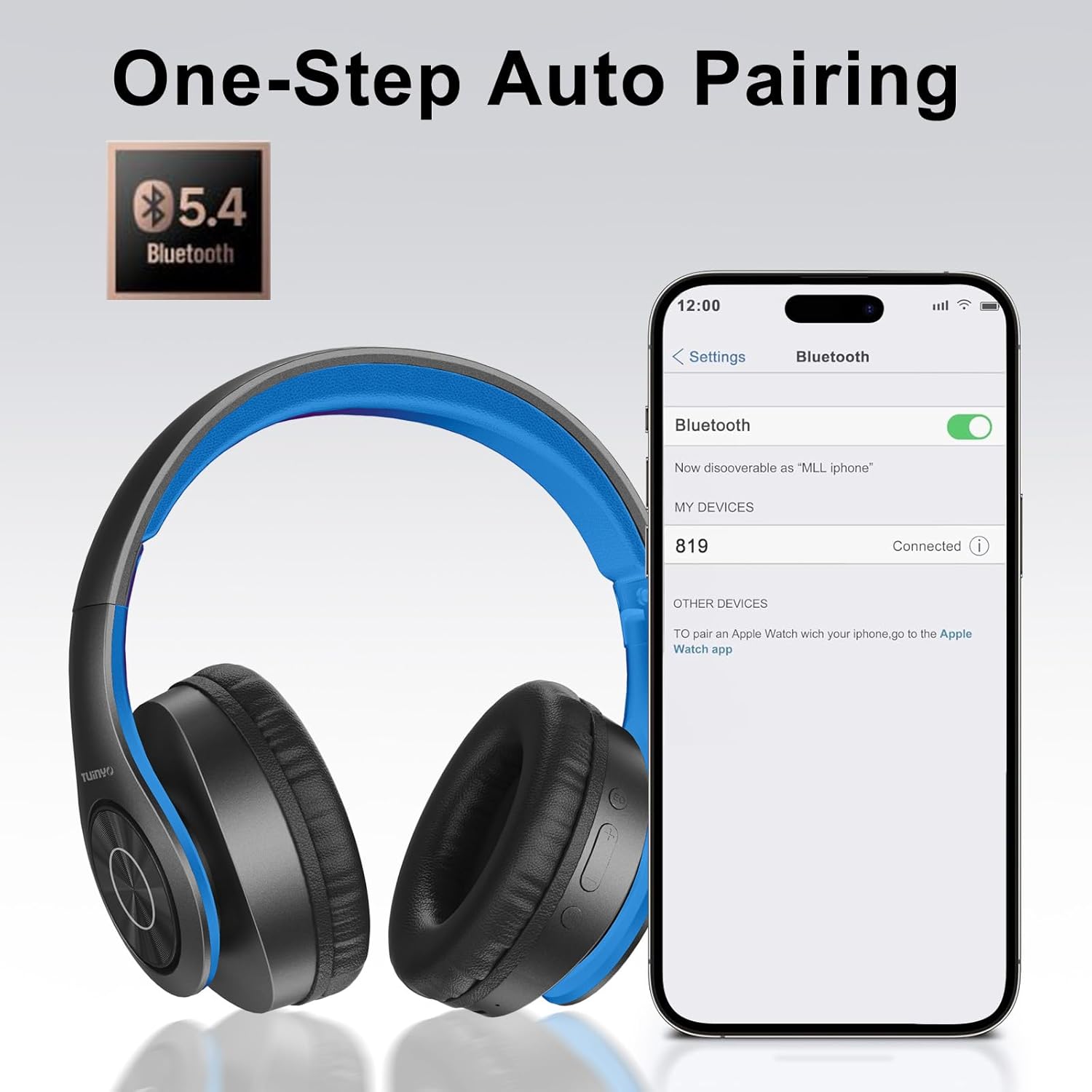
Image: A smartphone screen displaying the Bluetooth settings, showing the "819" (representing the TP19 headphones) successfully connected, illustrating the one-step auto pairing feature.
Video: An official TUINYO video demonstrating the Bluetooth pairing process and showing the headphones in use. This video highlights the ease of connecting the headphones to a device.
אַפּערייטינג ינסטראַקשאַנז
1. Wireless Mode
- שפּיל / פּויזע: דרוק אַ מאָל אויף די מולטי-פונקציאָנירן.
- באַנד אַרויף: דריק דעם "+" קנעפל.
- באַנד אַראָפּ: דריק דעם "-" קנעפּל.
- ווייַטער שפּור: דריק און האלט דעם "+" קנעפל.
- פֿריִערדיקע שפּור: דריק און האַלט דעם "-" קנעפּל.
2. ווייערד מאָדע
When the battery is low or if you prefer a wired connection, you can use the included 3.5mm audio cable.
- Connect one end of the 3.5mm audio cable to the audio input port on the headphones.
- Connect the other end to your audio device's 3.5mm jack.
- In wired mode, controls on the headphones may be limited, and playback will be controlled by your connected device.
3. רוף פונקציעס
- ענטפֿערן / סוף רופן: דרוק אַ מאָל אויף די מולטי-פונקציאָנירן.
- אָפּוואַרפן רופן: דריקן און האַלטן די מולטי-פונקציע קנעפּל פֿאַר 2 סעקונדעס.
- ריאַל די לעצטע נומער: טאָפּל דריקן די מולטי-פונקציע קנעפּל.
4. קול אַססיסטאַנט
The headphones support voice-enabled assistants like Siri. Press the Multi-function button twice to activate your device's voice assistant.
5. Sound Effects (EQ Mode)
The headphones feature multiple sound effects (EQ modes) to customize your listening experience. Press the EQ button (often labeled "EQ" or a similar icon) to cycle through available modes such as Normal, Rock, Pop, Classic, Jazz, and Country.
Video: An official TUINYO video showcasing the various sound modes and controls on the headphones, demonstrating how to switch between different equalizer settings.
וישאַלט
- Store the headphones in the protective case when not in use to prevent damage.
- האַלט דעם טשאַרדזשינג פּאָרט און אַודיאָ דזשעק פריי פון שטויב און דעבריס.
- Avoid exposing the headphones to direct sunlight or extreme heat for extended periods.
- Do not use abrasive cleaners or solvents on the headphones.
טראָובלעשאָאָטינג
| פּראָבלעם | לייזונג |
|---|---|
| די קאָפּהערער וועלן זיך נישט אָנצינדן. | זיכער מאַכן אַז די כעדפאָונז זענען גאָר אָנגעלאָדן. פאַרבינדן צו אַ מאַכט מקור און פּרובירן ווידער. |
| קען נישט צופּאַסן מיטן דעווייס. |
|
| קיין קלאַנג אין וויירלעס מאָדע. |
|
| קיין קלאַנג אין דראָט מאָדע. |
|
ספּעסאַפאַקיישאַנז
| שטריך | דעטאַל |
|---|---|
| מאָדעל נאָמען | TP 19 |
| קאַנעקטיוויטי טעכנאָלאָגיע | ווירעלעסס (בלועטאָאָטה) |
| ווירעלעסס קאָמוניקאַציע טעכנאָלאָגיע | בלועטאָאָטה 5.1 |
| בלועטאָאָטה קייט | 10 מעטער |
| אַודיאָ דרייווער טיפּ | דינאַמיש דרייווער |
| אַודיאָ דרייווער גרייס | 40 מילאַמיטערז |
| אָפטקייַט ענטפער | 20 KHz |
| ימפּידאַנס | 32 אָהמס |
| באַטערי לעבן | 40 שעה |
| טשאַרדזשינג צייט | 2.5 שעה |
| כעדפאָונז דזשאַק | 3.5 מם דזשאַק |
| קאָנטראָל טיפּ | שטימע קאנטראל, בארירונג |
| ספּעציעלע שטריך | פאָלדאַבלע |
| פּונקט וואָג | 8.9 אונסעס (251 גראַם) |
| פּראָדוקט דימענשאַנז | 6.85 X 3.9 X 9.72 אינטשעס |
| מאַטעריאַל | פּלאַסטיק |
| אַרייַנגערעכנט קאַמפּאָונאַנץ | Cable, Protective Case, micro usb cable |
וואָראַנטי און שטיצן
By choosing TUINYO, you are covered by a 30-day hassle-free return policy and a one-year warranty. For any inquiries or assistance, please contact our prompt and friendly customer service, available 24/7.
For further support, visit the official TUINYO store: TUINYO Store


