הקדמה
א דאנק פארן קויפןasing the Helix True Wireless Earbuds. This manual provides essential information for setting up, operating, and maintaining your earbuds. Please read it carefully before use and retain it for future reference.

Image: Helix True Wireless Earbuds, black and white, resting inside their open black charging case. One earbud is also shown outside the case, indicating its design.
וואָס איז אין די קעסטל
- אמתע וויירלעס אויערקנעפּלעך (לינקס און רעכטס)
- טשאַרדזשינג קאַסע
- וסב טשאַרדזשינג קאַבלע
- באַניצער מאַנואַל
סעטאַפּ
1. ערשטע אויפלאָדונג
Before first use, fully charge the earbuds and the charging case. Connect the USB charging cable to the charging case and a power source. The LED indicators on the case will show charging status.

Image: An open charging case with two earbuds inside. Three blue LED lights are visible on the case, indicating power status. Text overlays highlight "Superior HD Audio", "Hands-Free Calling", and "Power LED Indicators".
2. Power On/Off and Auto-Pairing
The earbuds feature auto on/off and pairing. Simply remove the earbuds from the charging case to power them on. They will automatically enter pairing mode or reconnect to the last paired device. Place them back into the case to power off and begin charging.
3. בלועטאָאָטה פּערינג
- Ensure the earbuds are charged and removed from the charging case.
- אויף אייער דעווייס (סמאַרטפאָן, טאַבלעט, אאז"וו), גייט צו די בלועטוט סעטטינגס.
- זוכן פֿאַר new devices and select "Helix TW" from the list.
- אַמאָל פארבונדן, וועט אייער דעווייס אָנווייַזן אַ געראָטן פּאָרינג.
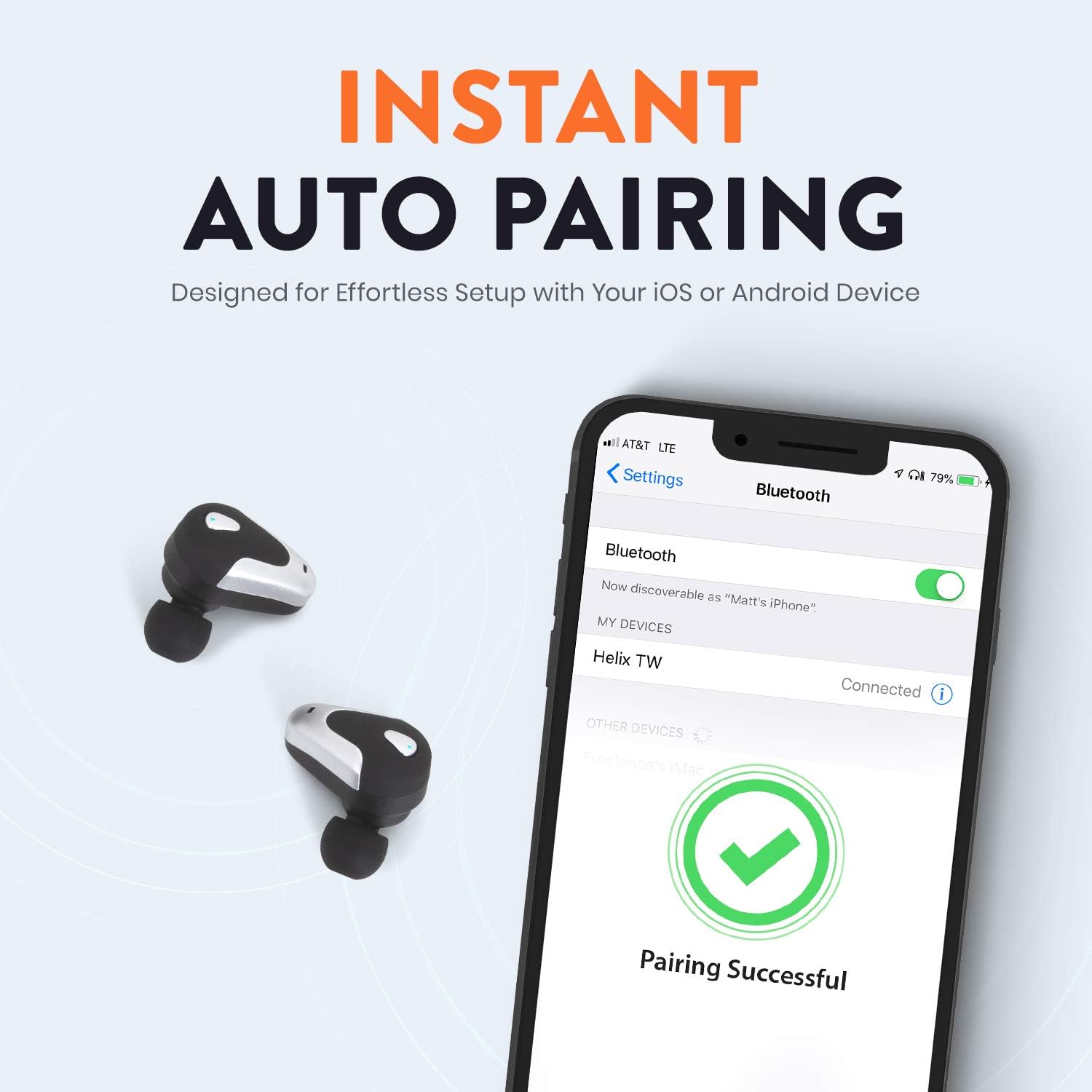
Image: A smartphone screen displaying Bluetooth settings, showing "Helix TW" as a connected device and a "Pairing Successful" message with a green checkmark. Two Helix earbuds are shown next to the phone.
4. SecureLock Fit
The Helix True Wireless Earbuds are designed with an ergonomic SecureLock Fit for comfort and stability during various activities. Gently insert the earbuds into your ears and twist slightly to secure them.

Image: A diagram illustrating the ergonomic SecureLock Fit of the earbuds, showing how they twist into the ear for a secure hold. In the background, people are exercising, suggesting the earbuds' suitability for active use.
אַפּערייטינג ינסטראַקשאַנז
אַודיאָ פּלייַבאַקק
- שפּיל / פּויזע: Tap the control area on either earbud once.
- ווייַטער שפּור: Double-tap the control area on the right earbud.
- פֿריִערדיקע שפּור: Double-tap the control area on the left earbud.
הענט-פריי פאַך
- ענטפֿערן / סוף רופן: Tap the control area on either earbud once.
- אָפּוואַרפן רופן: Press and hold the control area on either earbud for 2 seconds.
קול אַססיסטאַנט קאָנטראָל
Triple-tap the control area on either earbud to activate your device's voice assistant (e.g., Siri, Google Assistant).
באַטערי לעבן
The earbuds provide up to 4 hours of run time on a single charge. The charging case extends total listening time to approximately 16 hours.

Image: A graphic illustrating the battery life of the Helix earbuds. It shows "4 HOURS" for a single charge of the earbuds and "16 HOURS" when combined with the charging case.
הד אַודיאָ
Experience HD audio with unrivaled bass, midtones, and treble frequencies for a rich listening experience.

Image: A graphic titled "NEXT-LEVEL HD AUDIO" with sound wave patterns in blue, representing high-definition audio quality. Two Helix earbuds are depicted in the foreground.
וישאַלט
- רייניקונג: Use a soft, dry cloth to clean the earbuds and charging case. Do not use abrasive cleaners or immerse in water.
- סטאָרידזש: ווען נישט אין באַנוץ, לייגט די אויערן-קנעפּלעך אין זייער טשאַרדזשינג קעסטל צו באַשיצן זיי און האַלטן זיי טשאַרדזשד.
- וואַסער קעגנשטעל: The earbuds are water resistant, but not waterproof. Avoid prolonged exposure to water or submersion.
טראָובלעשאָאָטינג
| פּראָבלעם | לייזונג |
|---|---|
| די אויערקנעפּלעך פאַרבינדן זיך נישט מיטן אַפּאַראַט. |
|
| קיין געזונט פון איין עאַרבוד. |
|
| די אויערקנעפּלעך לאָדן זיך נישט אויף. |
|
| נעבעך אַודיאָ קוואַליטעט. |
|
ספּעסאַפאַקיישאַנז
| שטריך | דעטאַל |
|---|---|
| מאָדעל נאָמען | העליקס |
| מאָדעל נומער | ETHTWB |
| קאַנעקטיוויטי טעכנאָלאָגיע | בלועטאָאָטה |
| בלועטאָאָטה ווערסיע | 5.0 |
| בלועטאָאָטה קייט | 10 מעטער |
| באַטעריע לעבן (אויערקנעפּלעך) | אַרויף צו 4 שעה |
| גאַנץ באַטאַרייע לעבן (מיט קעסטל) | אַרויף צו 16 שעה |
| אַודיאָ דרייווער טיפּ | באַלאַנסט אַרמאַטורע דרייווער |
| אָפטקייַט ראַנגע | 20 הז צו 20,000 הז |
| קאָנטראָל טיפּ | Media Control, Voice Assistant |
| מיקראָפאָן | Included for Hands-Free Calling |
| וואַסער קעגנשטעל מדרגה | וואַסער קעגנשטעליק |
| עאַרפּיעסע פאָרעם | אין אויער |
| מאַטעריאַל | פּלאַסטיק |
| קאָליר | שוואַרץ |
| פּונקט וואָג | 3.2 אונסעס |
| פאַבריקאַנט | העליקס |
| UPC | 816983019126 |
וואָראַנטי אינפֿאָרמאַציע
Specific warranty details are typically provided with your product packaging or available on the manufacturer's official webזייטל. ביטע זעט די דאקומענטאציע וואס איז אריינגערעכנט מיט אייער קויפן פאר פולשטענדיגע גאראנטיע באדינגונגען.
שטיצן
For further assistance, technical support, or customer service inquiries, please visit the official Helix website or contact their customer support channels as listed in your product documentation.
איר קענט אויך באַזוכן די יו Helix Store on Amazon פֿאַר מער פּראָדוקט אינפֿאָרמאַציע.


