הקדמה
The REXING Woodlens H2-4K Wi-Fi Trail Camera is designed for high-quality outdoor surveillance, capturing detailed photos and videos of wildlife or for security purposes. This manual provides essential information for setting up, operating, and maintaining your camera to ensure optimal performance.
פּראָדוקט איבערview
The REXING H2-4K Trail Camera features advanced technology for reliable outdoor monitoring. Key features include:
- 4K רעזאָלוציע: Captures video in 4K, 2.7K, and 1080p HD with simultaneous audio recording.
- 20MP Image Quality: Produces high-resolution still images with an 8 million CMOS motion sensor.
- Wi-Fi קאַנעקטיוויטי: Allows instant viewing and download of recordings via a dedicated mobile app.
- Ultra Night Vision: Double 850nm high-power infrared lights illuminate subjects up to 65 feet for clear night recordings.
- שנעלע טריגער גיכקייט: Activates in as quickly as 0.2 seconds after motion detection within a 105° angle.
- דוראַבאַל און וואָטערפּרוף: Sturdy IP66-rated case protects against rain and dust.
- פארלענגערטע סטאַנדביי: Up to 12 months of standby time with efficient power consumption.
סעטאַפּ
Follow these steps to prepare your REXING H2-4K Trail Camera for use:
- ינסטאַלירן באַטעריז: עפֿנט די קאַמעראַ casing and insert 8 AA batteries into the designated compartment. Ensure correct polarity.
- אַרייַנלייגן SD קאָרט: Locate the SD card slot inside the camera. Insert a compatible SD card (up to 512GB) until it clicks into place.
- פֿאָרמאַטירונג סד קאָרט: Turn on the camera. Navigate to the menu settings and select the option to format the SD card. This prepares the card for recording and ensures compatibility.
- מאַכט אויף: Use the ON/OFF switch to power on the camera. The built-in 2.4-inch LCD screen will activate.
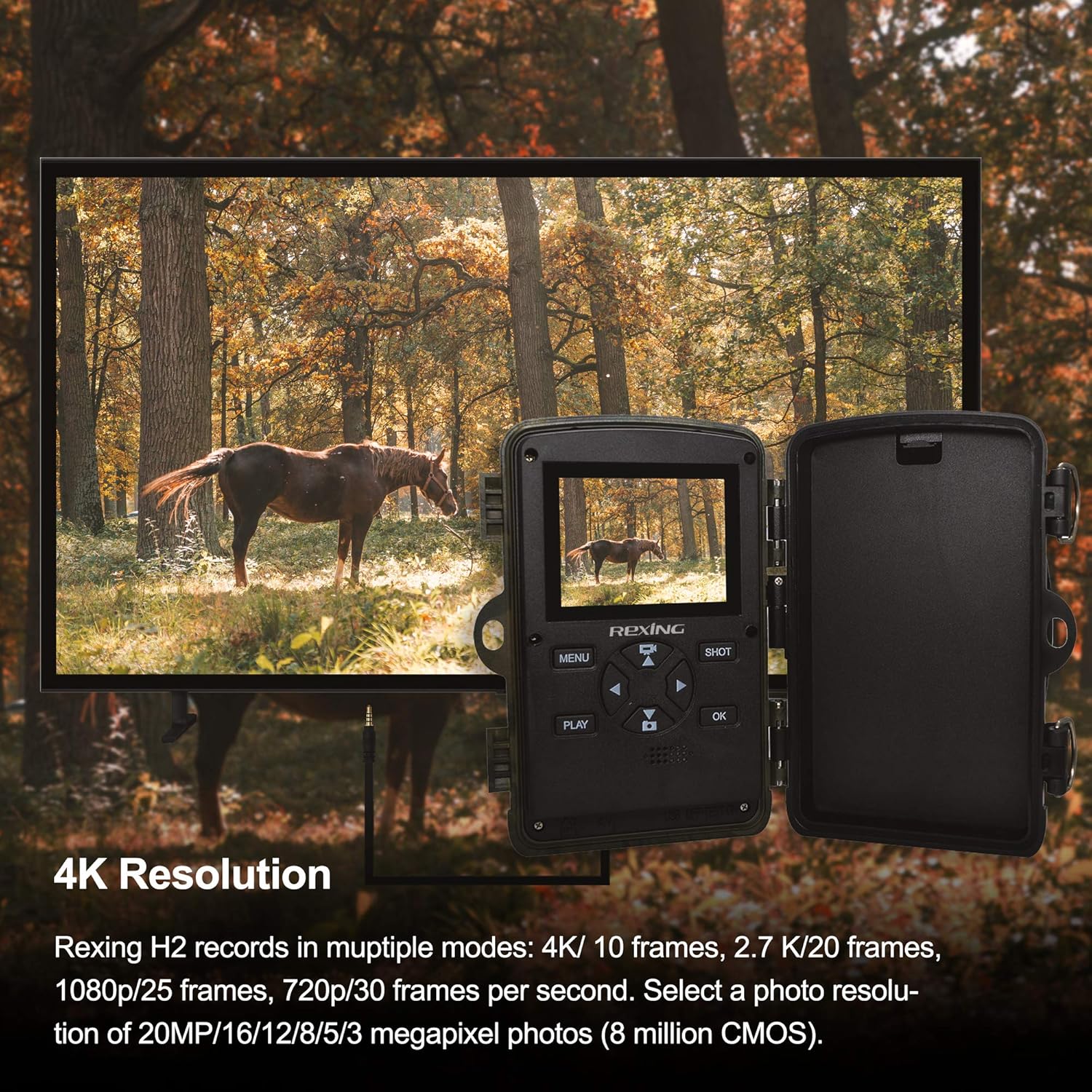
Image: The REXING H2-4K Trail Camera's screen showing 4K video resolution, with an external monitor displaying the same footage of a horse in a forest. This illustrates the camera's high-resolution video capabilities.
אַפּערייטינג ינסטראַקשאַנז
Familiarize yourself with the camera's controls and settings:
- נאַוויגאַציע: Use the MENU button to access settings and the directional (up/down/left/right) buttons to navigate. Press OK to confirm selections.
- מאָדע סעלעקציע: Choose between photo, video, or photo+video modes in the settings.
- האַכלאָטע סעטטינגס: Adjust photo resolution up to 20MP and video resolution up to 4K.
- אַודיאָ רעקאָרדינג: Enable or disable simultaneous audio recording for videos in the settings.
- טריגער גיכקייַט: The camera features a rapid 0.2-second trigger speed to capture fast-moving subjects.
- PIR סענסאָרס: The 105° angle of detection ensures wide coverage for motion sensing.
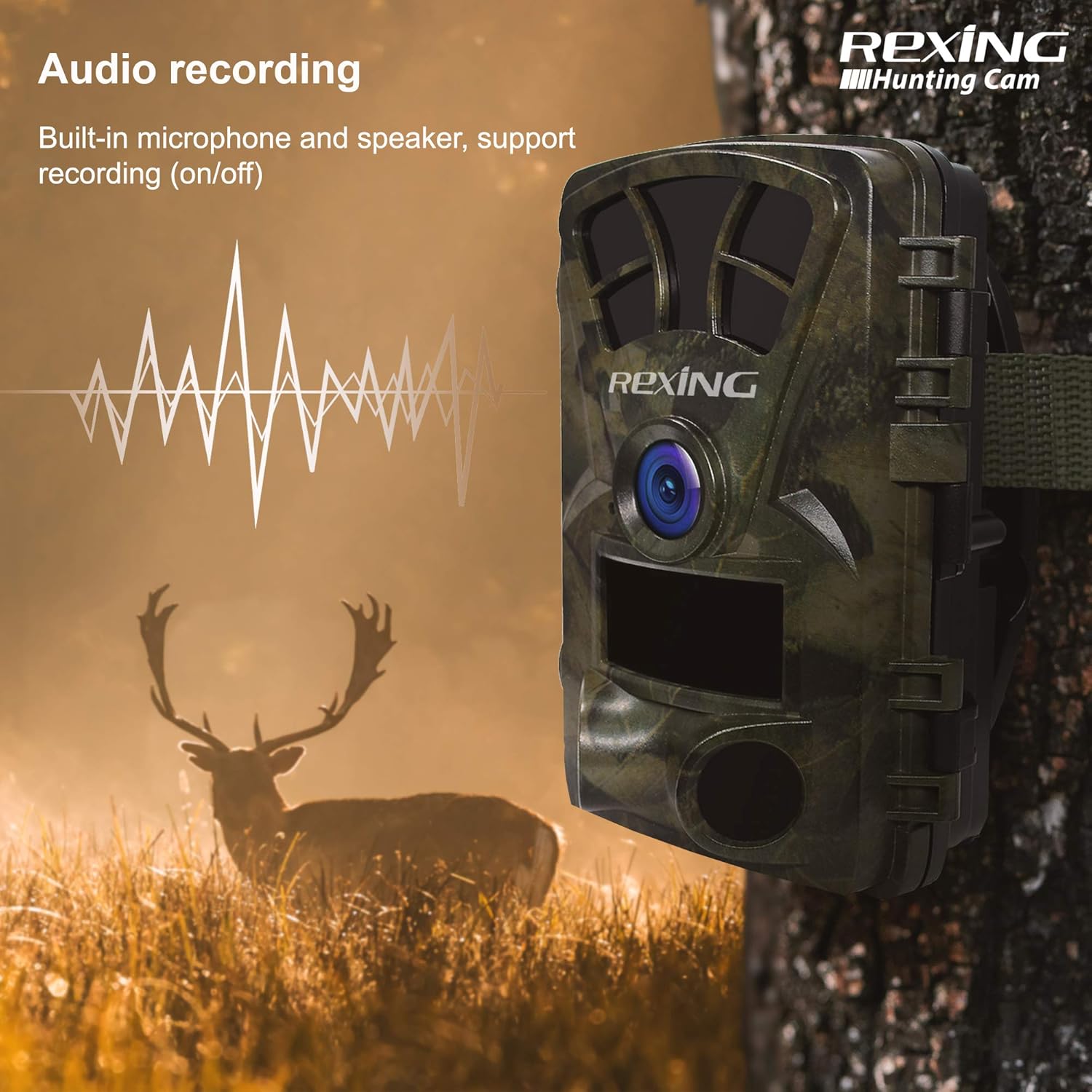
Image: The REXING H2-4K Trail Camera mounted on a tree, with a graphic overlay showing a sound wave, indicating its audio recording feature. A deer is visible in the background.
Wi-Fi Connection & App Usage
Manage your camera and view recordings conveniently with the mobile app:
- אראפקאפיע אַפּ: Download the official REXING app to your smartphone.
- פאַרבינדן דורך Wi-Fi: Enable Wi-Fi on your camera and connect your smartphone to the camera's Wi-Fi network as prompted by the app.
- רעגע Viewינג: אַמאָל קאָננעקטעד, איר קענען view לעבן פאָאָtage, playback recorded videos and photos, and adjust settings directly from your phone.
- AV רעזולטאַט: For direct viewing on a television, connect the camera using an AV cable (not included).

Image: A smartphone screen shows a gallery of images captured by the REXING H2-4K Trail Camera, featuring various wildlife like deer and tigers in natural habitats, demonstrating the Wi-Fi connection feature for instant viewing.
נאַכט זעאונג
The REXING H2-4K is equipped with advanced night vision technology for clear recordings in low-light conditions:
- ינפרערעד יללומינאַטיאָן: Utilizes double 850nm high-power infrared lights.
- עקסטענדעד קייט: Illuminates subjects up to 65 feet (20 meters) away.
- Clear Night Images: Produces sharp and detailed black-and-white images and videos during nighttime or in dark environments.

Image: A deer is captured in a dark forest environment by the REXING H2-4K Trail Camera, showcasing its advanced night vision capabilities with infrared illumination.
מאַכט מאַנאַגעמענט
Optimize your camera's battery life and power options:
- לאַנגע סטאַנדביי: The camera offers up to 12 months of standby time, minimizing the need for frequent battery changes.
- פונדרויסנדיק מאַכט: Supports an external power supply and can be connected to a 6V 1.5A solar panel for continuous operation.
- טעמפּעראַטור קייט: Operates effectively in temperatures ranging from -4°F to 140°F (-20°C to 60°C).
Mounting and Security
Securely deploy your REXING H2-4K Trail Camera in various environments:
- מאַונטינג אָפּציעס: Use the included strap to attach the camera to trees or poles. The camera also features a standard tripod thread for alternative mounting solutions.
- וועטער שוץ: The sturdy, IP66-rated case protects the camera from rain and dust, making it suitable for outdoor use.
- שפּריכוואָרט שוץ: Set a password to prevent unauthorized access to your camera's settings and recordings.
- לאַקינג מעקאַניזאַם: Utilize the built-in loops for a cable lock to secure the camera against theft.

Image: A collage of four images demonstrating the multipurpose use of the REXING H2-4K Trail Camera for hunting, home security, wildlife monitoring, and farm surveillance.
וישאַלט
Regular maintenance ensures the longevity and performance of your camera:
- באַטערי טשעק: Periodically check battery levels, especially before extended deployment. Replace or recharge batteries as needed.
- סד קאַרד מאַנאַגעמענט: Regularly download and clear your SD card to prevent it from becoming full, which can stop recording.
- רייניקונג: Keep the camera lens and PIR sensors clean and free from debris to ensure optimal image quality and motion detection.
- ענוויראָנמענטאַל שוץ: Ensure the camera's latches are securely closed to maintain its waterproof and dustproof integrity.
טראָובלעשאָאָטינג
Refer to these common issues and solutions:
- קאַמעראַ רעקאָרדירט נישט: Check if the SD card is full or improperly formatted. Ensure batteries have sufficient charge.
- Wi-Fi קאַנעקטיוויטי ישוז: Ensure the camera's Wi-Fi is enabled and your smartphone is within range. Restart both devices if necessary.
- שלעכטע נאכט זעאונג: Verify that the infrared lights are not obstructed. Ensure batteries are fully charged as low power can affect IR performance.
- Motion Sensor Not Triggering: Check PIR sensor sensitivity settings in the app or camera menu. Ensure sensors are not obstructed.
- אַפּ פאַנגקשאַנאַליטי: If the app is not connecting or displaying images correctly, try resetting the camera and reinstalling the app.
ספּעסאַפאַקיישאַנז
| שטריך | באַשרייַבונג |
|---|---|
| ווידעא האַכלאָטע | 4K, 2.7K, 1080p |
| נאָך האַכלאָטע | 20 מפּ |
| פאָטאָ סענסאָר טעכנאָלאָגיע | קמאָס |
| קאַנעקטיוויטי | Wi-Fi, AV Output |
| סטאָרידזש | אַרויף צו 512 גיגאבייט סד קאָרט |
| נאַכט וויזשאַן ראַנגע | 65 פֿיס (20 מעטער) |
| צינגל ספּיד | 0.2 סעקונדעס |
| PIR דעטעקטיאָן ווינקל | 105° |
| מאַכט מקור | 8 AA Batteries, 6V 1.5A External (Solar Panel compatible) |
| סטאַנדביי צייט | 12 חדשים |
| וואָטערפּרוף רייטינג | IP66 |
| אַפּערייטינג טעמפּעראַטור | -4°F צו 140°F (-20°C צו 60°C) |
| דימענשאַנז | 7 X 4 X 4 אינטשעס |
| וואָג | 10.8 אונסעס |
וואָראַנטי און שטיצן
The REXING Woodlens H2-4K Trail Camera is certified with CE, FCC, and ROHS standards. For detailed warranty information and customer support, please refer to the manufacturer's official website or scan the QR code provided in the product packaging.
Video: Official REXING H2 Commercial Video. This video provides an overview of the REXING H2-4K Trail Camera's features and capabilities, demonstrating its use in various scenarios.


