1. הקדמה
Thank you for choosing the FeinTech LED Desk Lamp LTL00600. This high-quality desk lamp is designed to provide optimal lighting for your workspace while offering convenient features such as a USB charging port, adjustable brightness, and customizable color temperature. Please read this manual thoroughly before use to ensure proper operation and to maximize the lifespan of your product.
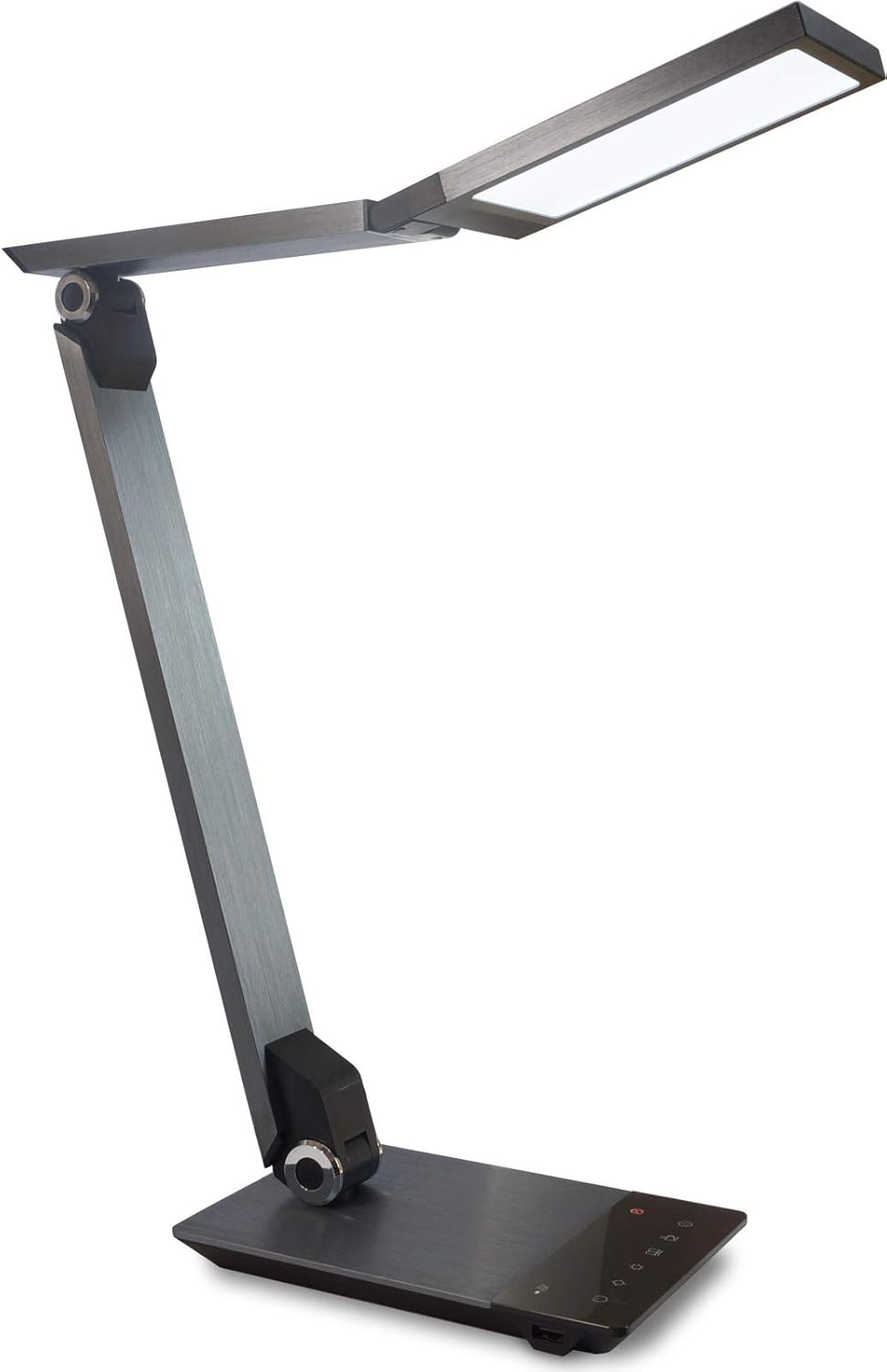
Image 1.1: FeinTech LED Desk Lamp LTL00600. This image displays the lamp in its upright position, showcasing its brushed aluminum finish and sleek design.
2. זיכערקייַט אינסטרוקציעס
כדי צו פאַרמייַדן שאָדן אָדער שאָדן, ביטע אָבסערווירן די פאלגענדע זיכערהייט מיטלען:
- זיכער מאַכן אַז דער מאַכט אַדאַפּטער איז פארבונדן צו אַ פּאַסיק מאַכט ווענטיל.
- צי ניט ויסשטעלן די לamp צו וואַסער אָדער איבערגעטריבענע הומידיטי.
- Avoid disassembling or modifying the lampרעפּאַראַציעס זאָלן נאָר דורכגעפירט ווערן דורך קוואַליפֿיצירטע פּערסאָנעל.
- האַלטן די לamp אַוועק פון היץ קוואלן און דירעקט זונשייַן.
- ריין די לamp נאָר מיט אַ ווייכן, טרוקענעם שטאָף. ניצט נישט קיין שרײַבנדיקע רייניגערס אדער סאָלווענטן.
- קוק נישט גלייך אין די LED ליכט מקור פאר לענגערע צייטן.
3. פּעקל אינהאַלט
ביטע קאָנטראָלירט אַז אַלע זאכן זענען פאַראַן אין דעם פּעקל:
- פיינטעק על-אי-די טיש לamp (Model: LTL00600)
- מאַכט אַדאַפּטער (12V/2A)
4. פּראָדוקט איבערview
Familiarize yourself with the components of your FeinTech LED Desk Lamp:
- Lamp קאָפּ: אנטהאלט די LED ליכט מקור.
- אַדזשאַסטאַבאַל געווער: Multiple joints for flexible positioning.
- באַזע: גיט סטאַביליטעט און האַלט די קאָנטראָל פּאַנעל און USB פּאָרט.
- קאָנטראָל פּאַנעל: Touch-sensitive buttons for power, brightness, color temperature, and timer.
- וסב טשאַרדזשינג פּאָרט: Located on the side of the base for device charging.

בילד 4.1: פון אויבן אַראָפּ view פון די לamp's base and control panel. This image highlights the touch-sensitive buttons for various functions.

בילד 4.2: זייט view פון די לamp's base, showing the integrated USB charging port. This port allows for convenient charging of compatible devices.
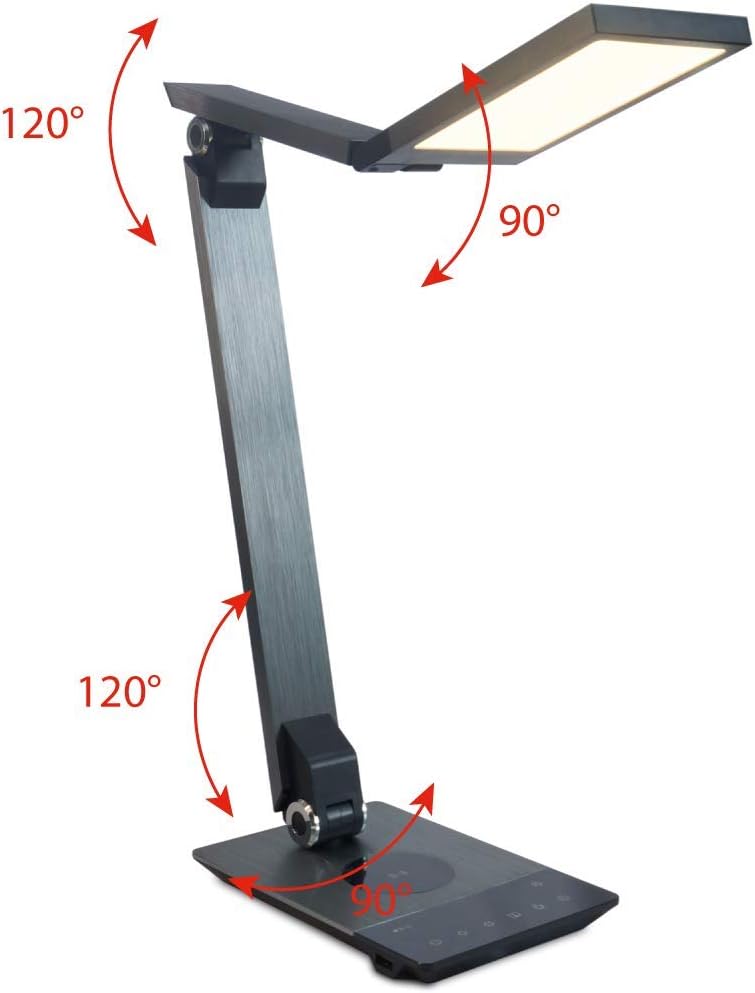
Image 4.3: Diagram illustrating the articulation angles of the lamp's joints. The lamp head can rotate 90 degrees, the upper arm 120 degrees, and the lower arm 120 degrees, allowing for flexible positioning.
5. סעטאַפּ
גיי די סטעפּס פֿאַר ערשט סעטאַפּ:
- אַנפּאַק: קערפאַלי באַזייַטיקן אַלע קאַמפּאָונאַנץ פון די פּאַקקאַגינג.
- אָרט: שטעלן די לamp base on a stable, flat surface. Ensure there is enough space for the lamp to be adjusted without obstruction.
- פאַרבינדן מאַכט: Insert the power adapter cable into the DC input port on the back of the lamp base. Plug the power adapter into a standard electrical outlet.
6. אַפּערייטינג ינסטרוקטיאָנס
The FeinTech LED Desk Lamp features intuitive touch controls on its base.
6.1 מאַכט אויף / אַוועק
- ריר די מאַכט קנעפּל on the control panel (refer to Image 4.1) to turn the lamp אויף אָדער אַוועק.
6.2 העלקייט אַדזשאַסטמענט (דימינג)
- מיט די לamp on, touch and hold the ברייטנאַס אַרויף or ברייטנאַס אַראָפּ buttons (refer to Image 4.1) to steplessly adjust the light intensity.
- די לamp base will vibrate slightly when the minimum or maximum brightness level is reached.
6.3 קאָליר טעמפּעראַטור אַדזשאַסטמאַנט
- מיט די לamp on, touch and hold the Color Temperature Up or Color Temperature Down buttons (refer to Image 4.1) to steplessly adjust the light color from warm white (2700K) to cool white (6500K).
- די לamp base will vibrate slightly when the minimum or maximum color temperature is reached.
6.4 Favorite Settings
- די לamp allows you to store and recall 3 favorite light settings (brightness and color temperature).
- To save a setting: Adjust the brightness and color temperature to your desired level. Then, touch and hold one of the באַליבסטע קנעפּלעך (refer to Image 4.1) until the lamp flashes briefly, indicating the setting is saved.
- To recall a setting: Simply touch the corresponding באַליבסטע קנעפּל.
- The last used brightness and color temperature settings are automatically saved even after the lamp איז אויסגעלאשן.
6.5 וסב טשאַרדזשינג פֿונקציע
- Connect your smartphone or other compatible device to the USB charging port on the side of the lamp base (refer to Image 4.2) using a suitable USB cable.
- The intelligent USB port delivers up to 2.4A for fast charging.
- An LED indicator will signal ongoing and completed charging status.
6.6 טייַמער פֿונקציע
- ריר די טייַמער קנעפּל (refer to Image 4.1) to activate the timer function.
- The first touch activates a 3-minute timer.
- A second touch activates a 1-hour timer.
- די לamp will automatically turn off after the selected time period.
7. וישאַלט
צו האַלטן דיין לamp's appearance and functionality:
- שטענדיק דיסקאַנעקט די לamp פון די מאַכט צושטעלן איידער רייניקונג.
- ווישן די לamp מיט אַ ווייך, טרוקן, לינט-פֿרייַ שטאָף.
- Do not use liquid or aerosol cleaners, as they may damage the finish or internal components.
- Avoid scratching the brushed aluminum surface.
8. טראָובלעשאָאָטינג
אויב איר טרעפט פראבלעמען מיט אייער לamp, באַציט זיך צו די פאלגענדע געוויינטלעכע פּראָבלעמען און לייזונגען:
| פּראָבלעם | מעגלעך סיבה | לייזונג |
|---|---|---|
| Lamp טוט נישט קער אויף. | קיין מאַכט צושטעלן. | Check if the power adapter is securely connected to the lamp and the electrical outlet. Test the outlet with another device. |
| USB טשאַרדזשינג אַרבעט נישט. | די דעווייס איז נישט קאמפאטיבל אדער די קאבל איז דעפעקטיוו. | Ensure your device is compatible with USB charging. Try a different USB cable. Verify the lamp איז פּאַוערד אויף. |
| ריר קאָנטראָלס זענען אַנריספּאַנסיוו. | צייטווייליגע ווייכווארג פראבלעם אדער עלעקטרישע מאַכט פּראָבלעם. | Disconnect the power adapter for 30 seconds, then reconnect it. Ensure your fingers are clean and dry when operating the touch controls. |
9. ספּעסאַפאַקיישאַנז
| מאָדעל נומער | LTL00600 |
| דימענסיעס (L X W X H) | 36 x 13.5 x 44 ס״מ (אומגעפער 14.2 x 5.3 x 17.3 אינטשעס) |
| וואָג | 1.84 קג (בעערעך 4.06 לבס) |
| מאַטעריאַל | בראַשט אַלומינום |
| ליכט מקור | געפירט |
| Max. Light Output | 500 lumens (1000 lux at 40 cm distance) |
| קאָליר טעמפּעראַטור (CCT) | 2700 K (Warm White) to 6500 K (Cool White) |
| Power Consumption (Lamp נאָר) | מאַקס. 10 וו |
| Power Consumption (Lamp & Charging) | מאַקס. 22 וו |
| וסב רעזולטאַט | אַרויף צו 2.4 אַ |
| אַרייַנשרייַב וואָלtage (אַדאַפּטער) | 12 וו / 2 א |
| באַשטימען טיפּ | ריר |

Image 9.1: Diagram showing the dimensions of the FeinTech LED Desk Lamp. די לamp measures approximately 36 cm in length, 13.5 cm in width, and 44 cm in height.
10. וואָראַנטי און שטיצן
FeinTech products are designed for reliability and performance. For warranty information or technical support, please refer to the warranty card included with your purchase or visit the official FeinTech webזייטל. ביטע באַהאַלטן אייער קויפן באַווייַז פֿאַר וואָראַנטי קליימז.


