1. פּראָדוקט איבערview
The BoomPods BOOMBUDS XR are wireless in-ear earphones designed for active lifestyles. They feature Bluetooth 5.0 connectivity for stable audio transmission and an IPX7 waterproof rating, making them suitable for various environments including workouts and outdoor activities. The earbuds are engineered for a secure and comfortable fit, and offer customizable sound profiles.

פיגורע 1.1: BoomPods BOOMBUDS XR Earbuds and Charging Case. The image displays the black earbuds and their compact charging case, highlighting their sleek design.
2. וואָס איז אין דער קעסטל
Upon unboxing your BoomPods BOOMBUDS XR, verify that all the following components are included:
- BoomPods BOOMBUDS XR in-ear earphones (Left and Right)
- טשאַרדזשינג פאַל
- מיקראָ וסב טשאַרדזשינג קאַבלע
- Spare ear cups (multiple sizes for optimal fit)
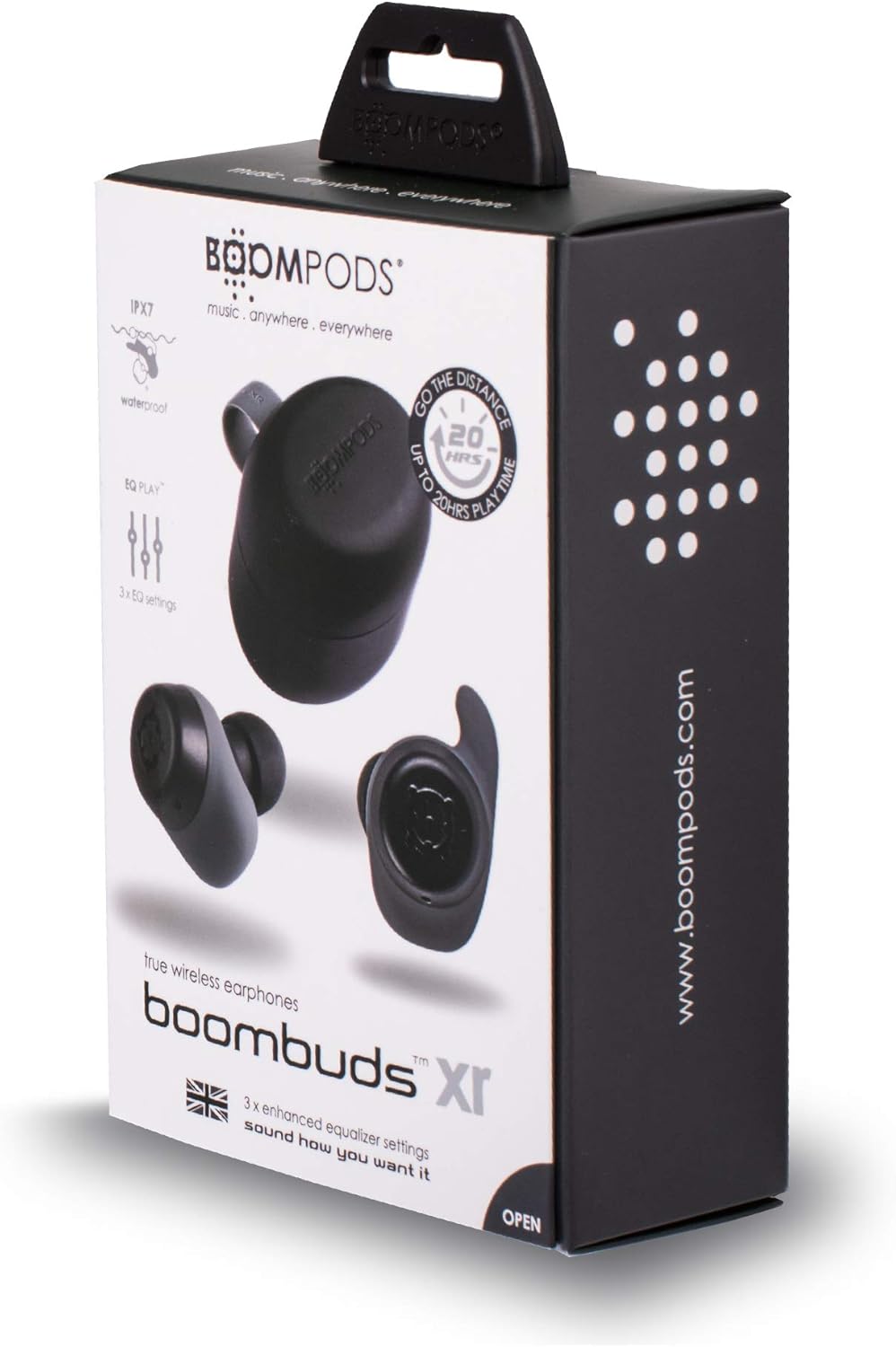
פיגורע 2.1: BoomPods BOOMBUDS XR Retail Packaging. The image shows the product box, indicating the contents and key features like IPX7 waterproof rating and EQ settings.
3. סעטאַפּ גייד
3.1. אויפלאָדן די אויערקנעפּלעך און קעסטל
Before first use, fully charge the earbuds and the charging case. The charging case provides approximately 20 hours of additional playback time, while the earbuds offer up to 4.5 hours on a single charge. A full charge takes approximately 1.5 hours.
- Place the earbuds into their respective slots in the charging case. Ensure they are seated correctly for the charging contacts to align.
- Connect the Micro USB charging cable to the charging port on the case and plug the other end into a USB power source (e.g., wall adapter, computer USB port).
- Indicator lights on the case will show the charging status. Refer to the product's specific LED indicators for detailed information (not provided in source).
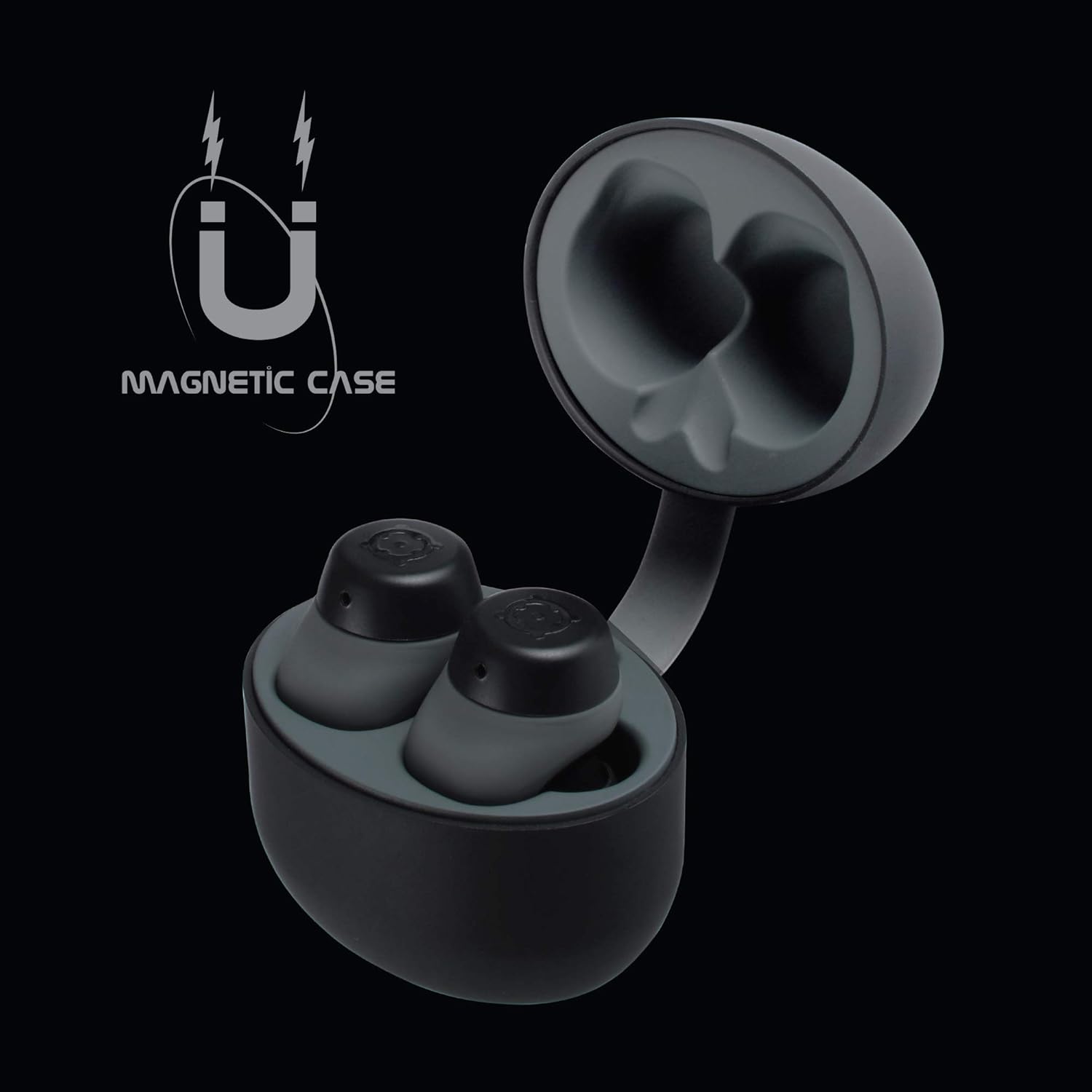
פיגורע 3.1: Charging Case with Earbuds. The image shows the open charging case with the earbuds placed inside, ready for charging.

פיגורע 3.2: Magnetic Case. This graphic illustrates the magnetic feature of the charging case, ensuring earbuds are securely held in place during charging and transport.
3.2. פּערינג מיט אַ מיטל
The BOOMBUDS XR utilize Bluetooth 5.0 for a quick and stable connection.
- זיכער מאַכן אַז די אויערקנעפּלעך זענען אויפגעלאָדן און אַרויסגענומען פֿון דער טשאַרדזשינג קעסטל. זיי זאָלן אויטאָמאַטיש אַרייַן אין פּערינג מאָדע.
- אויף אייער סמאַרטפאָון אָדער בלועטוט-ענייבאַלד מיטל, נאַוויגירט צו די בלועטוט סעטטינגס.
- זוכן פֿאַר available devices and select "BOOMBUDS XR" from the list.
- Once connected, the earbuds will indicate successful pairing (e.g., an audio prompt or LED change).

פיגורע 3.3: Bluetooth 5.0 Connectivity. This graphic highlights the instant and secure connection provided by Bluetooth 5.0 technology.
3.3. Achieving the Perfect Fit
A proper fit is crucial for both comfort and optimal sound quality, especially for bass response and noise isolation. The BOOMBUDS XR come with multiple sizes of ear cups to ensure a secure fit for various ear shapes.
- Experiment with the different sizes of ear cups provided.
- Gently insert the earbud into your ear canal and twist slightly to secure it. The ergonomic design (Ergofit) helps keep them in place during activity.
- Test the fit by moving your head and performing light activities. If the earbuds feel loose or the sound quality is poor, try a different size ear cup.
פיגורע 3.4: Ergofit Design. This graphic illustrates the ergonomic design of the earbuds, engineered for a secure and comfortable fit within the ear.
4. אַפּערייטינג ינסטרוקטיאָנס
4.1. Music and Call Controls
The BOOMBUDS XR feature integrated controls on the earbuds for managing audio playback and calls. These controls include volume adjustment, play/pause, and track skipping.
| קאַמף | קאָנטראָל |
|---|---|
| שפּיל / פּויזע | Double-click the earbud button. |
| ווייַטער שפּור | (Specific control not detailed in source, typically triple-click or long press) |
| פֿריִערדיקע שפּירט | (Specific control not detailed in source) |
| באַנד אַרויף | (Specific control not detailed in source, but volume control is present) |
| באַנד אַראָפּ | (Specific control not detailed in source, but volume control is present) |
| ענטפֿערן / סוף רופן | (Specific control not detailed in source) |
| אַקטיווירן שטימע אַסיסטאַנט (סירי/גוגל אַסיסטאַנט) | (Specific control not detailed in source) |
| מאַכט אַוועק | Hold button for five seconds. |
Note: For detailed control gestures, refer to the full user manual provided with your product.
4.2. EQ Play Settings
The BOOMBUDS XR allow you to customize your listening experience with three distinct equalizer (EQ) settings:
- באַס באָאָסט: Enhances low-frequency sounds for a more powerful bass.
- וואָקאַל בוסט: Optimizes mid-range frequencies to make vocals clearer and more prominent.
- BoomPods Studio: פּראָווידעס אַ באַלאַנסט געזונט פּראָfile, designed for general listening.
To switch between EQ settings, use the designated control on the earbuds (specific control not detailed in source).

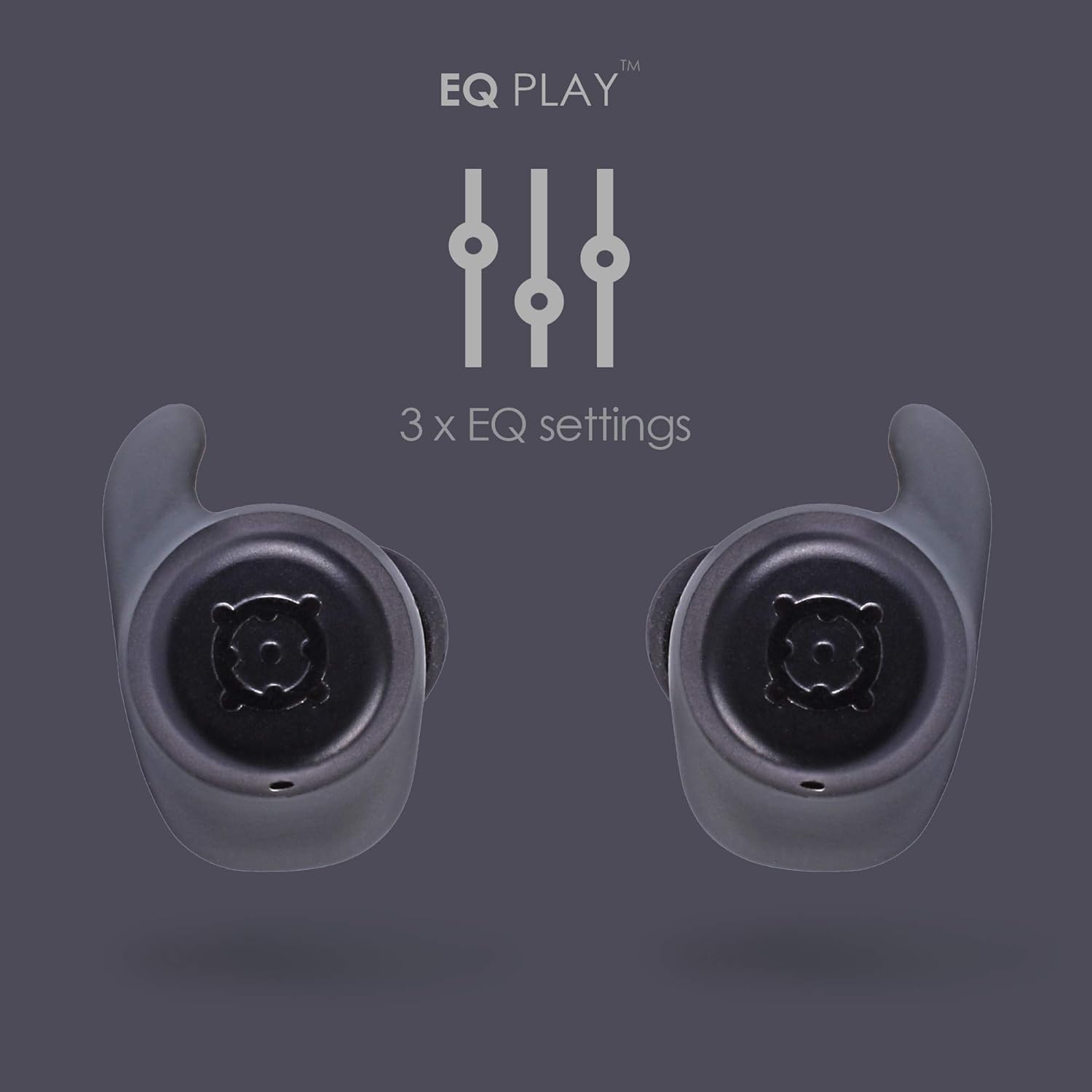
פיגורע 4.1: EQ Play Settings. This graphic illustrates the three available equalizer settings for customized audio output.
5. קער און וישאַלט
5.1. Waterproofing (IPX7 Rating)
The BOOMBUDS XR are rated IPX7 waterproof, meaning they can withstand immersion in water up to 1 meter for 30 minutes. This makes them resistant to sweat, rain, and splashes, and suitable for use in showers or by the pool.
וויכטיק באַמערקונג: While the earbuds are waterproof, Bluetooth technology has limitations when transmitting through water. Therefore, continuous audio streaming underwater is not recommended as the connection may be interrupted.

פיגורע 5.1: IPX7 Waterproofing in Use. The image shows a person showering while wearing the earbuds, demonstrating their water-resistant capabilities.
5.2. רייניקונג און סטאָרידזש
- רייניקט רעגולער די אויערקנעפּלעך און די טשאַרדזשינג קעסטל מיט אַ ווייכן, טרוקענעם, לינט-פֿרייע שטאָף.
- Remove the ear cups and clean them separately with mild soap and water if necessary. Ensure they are completely dry before reattaching.
- פֿאַרמײַדן די נוצן פֿון אַברייסיוו רייניגער, סאָלוואַנץ, אָדער אַעראָסאָל ספּרײַס.
- סטאָר די עאַרבודז אין זייער טשאַרדזשינג פאַל ווען ניט אין נוצן צו באַשיצן זיי און האַלטן זיי טשאַרדזשינג.
- Keep the charging contacts on both the earbuds and the case clean and free of debris to ensure proper charging.
6. טראָובלעשאָאָטינג
If you encounter issues with your BoomPods BOOMBUDS XR, refer to the following common troubleshooting steps:
| פּראָבלעם | מעגלעך סיבה / לייזונג |
|---|---|
| עאַרבודס נישט טשאַרדזשינג |
|
| Earbuds not pairing / connecting |
|
| Poor sound quality / Low volume |
|
| Microphone issues / Call quality poor |
|
| אויערקנעפּלעך פאַלן אַרויס |
|
7. טעכניש ספּעסאַפאַקיישאַנז
| שטריך | דעטאַל |
|---|---|
| מאָדעל נאָמען | BXRBLK |
| קאַנעקטיוויטי טעכנאָלאָגיע | בלועטוט 5, וויירלעס |
| ווירעלעסס קאָמוניקאַציע טעכנאָלאָגיע | בלועטאָאָטה |
| מאַטעריאַל | סיליקאָנע |
| ספּעציפיש ניצט פֿאַר פּראָדוקט | Sports and Exercise, Studio |
| טשאַרדזשינג צייט | 1.5 שעה |
| קאַמפּאַטאַבאַל דעוויסעס | סמאַרטפאָנעס |
| קאָנטראָל טיפּ | Volume Control, Remote with Mic |
| פּונקט וואָג | 48 גראַמז (1.69 אונסעס) |
| וואַסער קעגנשטעל מדרגה | IPX7 (וואַסער קעגנשטעליק) |
| אָפטקייַט ראַנגע | 50Hz-15KHz |
| באַטעריע לעבן (אויערקנעפּלעך) | 4.5 שעה |
| באַטעריע לעבן (מיט טשאַרדזשינג קעסטל) | Up to 20 Hours additional playback |
| בלועטאָאָטה ווערסיע | 5.0 |
| ספּעציעלע פֿעיִקייטן | Microphone Included, Sweatproof, USB connectivity, Volume Control, Ergonomic Design, EQ Play (3 settings) |
| פּראָדוקט דימענשאַנז | 0.2 X 3.11 X 1.34 אינטשעס |
| פאַבריקאַנט | באָאָמפּאָדס |
| קאָליר | שוואַרץ |
| אויער פּלייסמאַנט | אין אויער |
| פאָרם פאַקטאָר | אין אויער |
8. וואָראַנטי און שטיצן
8.1. לימיטעד וואָראַנטי
The BoomPods BOOMBUDS XR are covered by a 2-יאָר לימיטעד וואָראַנטי פֿון דעם קויפֿדאַטום. די וואָראַנטי דעקט פֿאַבריקאַציע חסרונות און אַרבעט אונטער נאָרמאַל נוצן. עס דעקט נישט שעדיקן געפֿירט דורך אומרעכט נוצן, אַקסאַדענטן, נישט-אָטעריזירטע מאָדיפֿיקאַציעס, אָדער נאָרמאַל טראָגן און טרער.
For specific terms and conditions of the warranty, please refer to the warranty card included with your product or visit the official BoomPods webפּלאַץ.
8.2. קונה שטיצן
For further assistance, technical support, or warranty claims, please contact BoomPods customer service through their official channels. You can typically find contact information on the product packaging, the official BoomPods website, or the brand store on Amazon.
באַזוכן די באַאַמטער BoomPods Store on Amazon פֿאַר מער פּראָדוקט אינפֿאָרמאַציע און שטיצע רעסורסן.