1. פּראָדוקט איבערview
The NZXT Kraken X63 is a high-performance 280mm All-in-One (AIO) liquid CPU cooler designed to provide efficient cooling for your processor while offering customizable aesthetics. It features a re-designed cap with a larger infinity mirror ring LED, allowing for vivid RGB lighting effects and flexible pump head orientation. Integrated with NZXT CAM software, users can precisely manage performance settings and personalize RGB lighting to match their system's theme. The Aer P radiator fans are engineered for silent operation, durability, and powerful cooling capabilities, ensuring optimal thermal management even during intense computing sessions. The robust construction includes fine nylon mesh sleeves strengthening the rubber tubing, enhancing durability and protecting against wear.

Image 1: The NZXT Kraken X63 Black AIO CPU Liquid Cooler, showcasing the radiator, fans, and pump head.
2. פּעקל אינהאַלט
באַשטעטיקט אַז אַלע קאָמפּאָנענטן וואָס זענען ליסטעד אונטן זענען פאַראַן אין אייער פּעקל:
- Kraken X63 Liquid Cooler (Pre-assembled with pump and radiator)
- Aer P 140mm Radiator Fans (x2)
- Mounting Hardware for Intel and AMD Sockets
- USB Internal Cable
- פאָכער ספּליטטער קאַבלע
- ינסטאַללאַטיאָן גייד

Image 2: All components included with the NZXT Kraken X63 cooler.
3. ינסטאַללאַטיאָן גייד
3.1. איידער איר אָנהייבן
Ensure your system is compatible with the Kraken X63. This cooler supports a wide range of Intel and AMD sockets:
- אינטעל סאָקעטס: LGA 1151, 1150, 1155, 1156, 1366, 2011, 2011-3, 2066, 1200
- AMD סאָקעטס: AM4, sTRX4*, TR4*
*Note: TR4/sTRX4 brackets are not included and must be purchased separately.
3.2. שריט-ביי-שריט אינסטאַלאַציע
Follow these general steps for installing your NZXT Kraken X63. Refer to the detailed graphical instructions provided in the physical installation guide for your specific CPU socket type.
- צוגרייטן די מוטערבאָרד: Install the appropriate backplate and standoffs for your CPU socket type onto the motherboard.
- Mount Radiator Fans: Attach the two Aer P 140mm fans to the radiator using the provided screws. Ensure the fan airflow direction is correct for your case's cooling configuration (intake or exhaust).
- אינסטאַלירן ראַדיאַטאָר: Secure the radiator assembly to an available 280mm mounting location in your PC case (e.g., front, top).
- צולייגן טערמאַל פּאַפּ: If not pre-applied, apply a thin, even layer of thermal paste to the center of your CPU's integrated heat spreader (IHS).
- מאָנטירן פּאָמפּע/קאַלט פּלאַטע: Carefully place the pump/cold plate assembly onto the CPU, aligning it with the standoffs. Secure it with the thumb screws or mounting bracket. The pump head's orientation can be adjusted without affecting the logo direction.
- פאַרבינדן קאַבלעס: Connect the pump's power cable to the CPU_FAN or AIO_PUMP header on your motherboard. Connect the fans to the fan splitter cable, then connect the splitter to a fan header or the pump's fan output. Connect the USB internal cable from the pump to an available USB 2.0 header on your motherboard for CAM software control.
- קאַבלע פאַרוואַלטונג: Route all cables neatly to ensure optimal airflow and a clean build.

Image 3: The Kraken X63 radiator and pump unit before fan installation.

Image 4: The Kraken X63 radiator with both Aer P fans mounted.

Image 5: Underside of the Kraken X63 pump head, showing the copper cold plate for CPU contact.
4. אָפּעראַציע
4.1. CAM Software Integration
The NZXT Kraken X63 is fully integrated with the NZXT CAM software. After installing the cooler and booting your system, download and install the CAM software from the official NZXT website. CAM allows you to:
- Monitor CPU and cooler temperatures.
- Adjust pump speed for optimal cooling performance or quiet operation.
- Control radiator fan speeds and create custom fan curves.
- Customize the RGB lighting effects of the infinity mirror pump head.
4.2. RGB לייטינג קאַסטאַמייזיישאַן
The Kraken X63 features a dynamic infinity mirror design with a larger LED ring, offering enhanced RGB lighting. Through the CAM software, you can select from various preset lighting modes, create custom effects, and synchronize lighting with other NZXT HUE 2 compatible devices. The rotating cap design ensures the NZXT logo remains upright regardless of the pump's mounting orientation.
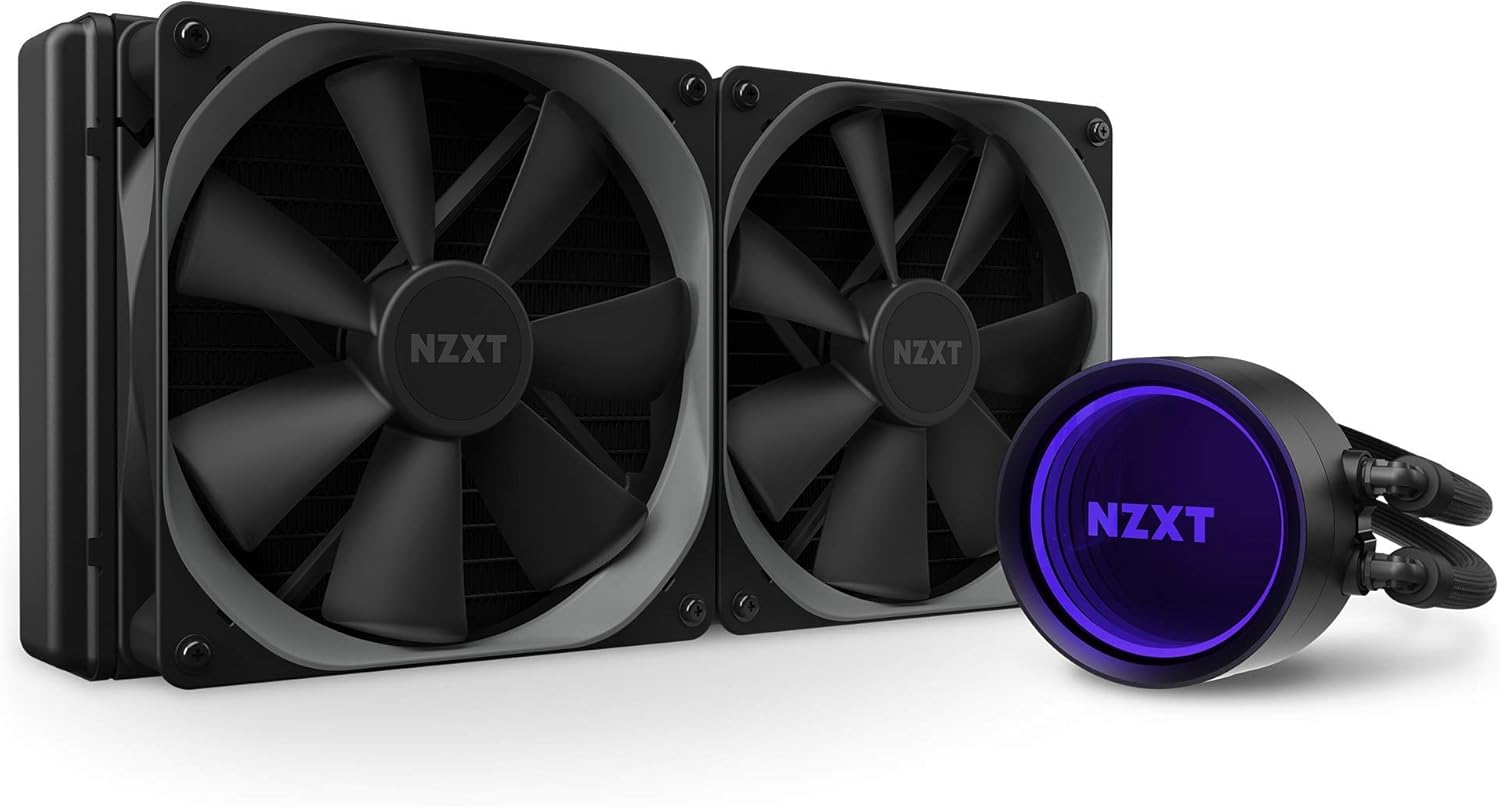
Image 6: The Kraken X63 pump head showcasing its vibrant RGB infinity mirror effect.
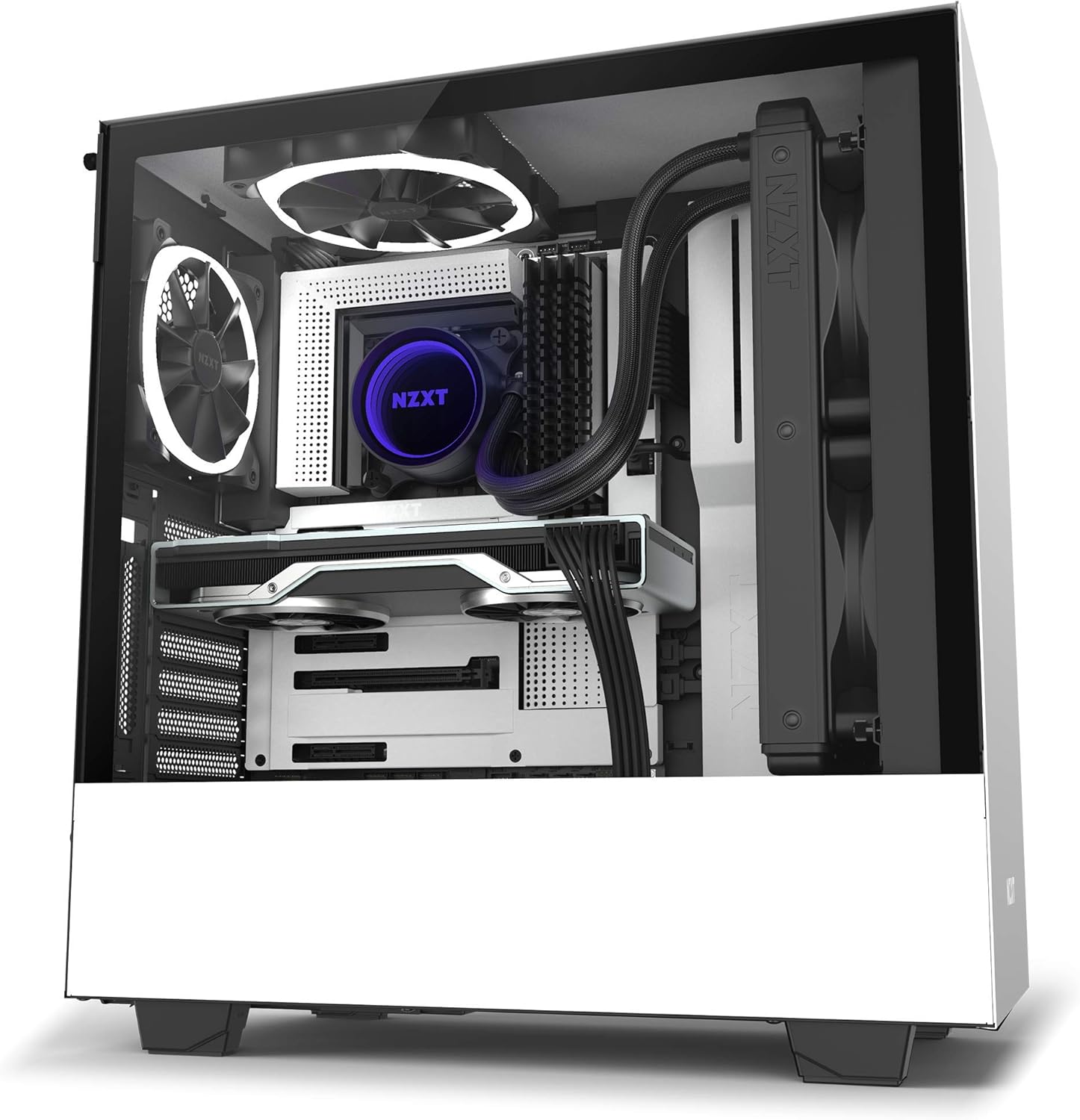
Image 7: A complete view of the Kraken X63 with RGB fans and pump head illuminated.
5. וישאַלט
Regular maintenance helps ensure the longevity and optimal performance of your Kraken X63 cooler:
- באַזייַטיקונג פון שטויב: Periodically clean the radiator fins and fan blades with compressed air to prevent dust buildup, which can impede airflow and cooling efficiency.
- דורכקוקן די רערן: Check the rubber tubing for any signs of kinks, leaks, or damage. The nylon mesh sleeves provide protection, but regular inspection is recommended.
- Monitor Coolant Levels: While AIO coolers are sealed systems, it's good practice to monitor performance through CAM software. Significant drops in cooling performance might indicate an issue.
- ווייכווארג דערהייַנטיקונגען: Keep your NZXT CAM software updated to benefit from the latest features, performance optimizations, and bug fixes.
6. טראָובלעשאָאָטינג
If you encounter issues with your Kraken X63, consider the following common troubleshooting steps:
- הויכע CPU טעמפּעראַטורן:
- Ensure the pump is securely mounted to the CPU and making good contact.
- Verify thermal paste application.
- Check that pump and fan cables are correctly connected and receiving power.
- Confirm fans are spinning and radiator is free of dust.
- Check CAM software for pump/fan speed settings. - פּאָמפּע ראַש:
- Ensure the pump is running at an appropriate speed in CAM. Excessive noise might indicate air bubbles; try gently tilting your PC case to help dislodge them.
- Verify the pump is not vibrating against other components. - RGB לייטינג נישט ארבעטן:
- Ensure the USB internal cable is securely connected to both the pump and the motherboard's USB 2.0 header.
- Check CAM software for lighting settings and ensure the device is recognized.
- Update CAM software to the latest version. - פעןס דרייען זיך נישט:
- Check fan cable connections to the splitter and motherboard/pump.
- Verify fan speed settings in CAM software.
If problems persist after attempting these steps, please contact NZXT customer support.
7. ספּעסאַפאַקיישאַנז
| שטריך | דעטאַל |
|---|---|
| מאָדעל נומער | RL-KRX63-01 |
| פּראָדוקט דימענשאַנז | 5.51"L x 1.02"W x 5.51"H (Pump/Cold Plate) |
| נומער דימענשאַנז לקסווקסה | 13.66 x 6.18 x 8.39 inches (Radiator with fans) |
| פּונקט וואָג | 4.6 פונט |
| סאָרט | NZXT |
| קאָאָלינג אופֿן | Liquid (Fan assisted) |
| קאָמפּאַטיבלע סאָקעטס | Intel LGA 1200, 115X, 1366, 2011, 2011-3, 2066; AMD AM4, sTRX4*, TR4* |
| ראַש מדרגה | 21 Decibels (Aer P fans) |
| מאַקסימום ראָוטיישאַנאַל גיכקייַט | 2100 רפּם (פען) |
| מאַטעריאַל | Brass, Plastic, Copper, Aluminum, Rubber with Nylon Sleeve |
| מאַכט קאַנעקטער טיפּ | 2-פּין |
| Voltage | 5 וואלטס |
| וואָסtage | 4.56 וואטס |
| UPC | 815671015273 |
8. וואָראַנטי און שטיצן
8.1. וואָראַנטי אינפֿאָרמאַציע
The NZXT Kraken X63 AIO CPU Liquid Cooler is backed by a 6 יאָר וואָראַנטידי וואָראַנטי דעקט חסרונות אין מאַטעריאַלן און אַרבעט אונטער נאָרמאַל נוצן. ביטע האַלטן דיין קויפן באַווייַז פֿאַר וואָראַנטי קליימז.
8.2. קונה שטיצן
For technical assistance, troubleshooting, or warranty inquiries, please visit the official NZXT support website or contact their customer service team. You can find contact information and FAQs on the NZXT webפּלאַץ.


