הקדמה
The Philips PH805 Active Noise Canceling (ANC) Over-Ear Wireless Bluetooth Performance Headphones are designed to deliver high-quality audio with advanced noise cancellation. Enjoy your music without distractions, whether you're traveling or in a busy environment. These headphones offer a comfortable fit, long battery life, and intuitive controls for an enhanced listening experience.
וואָס איז אין די קעסטל
- Philips PH805 Wireless Headphones
- פּראַטעקטיוו קאַסע
- Audio Cable (2.5 mm to 3.5 mm)
- וסב טשאַרדזשינג קאַבלע
- ערקראַפט אַדאַפּטער
- באַניצער מאַנואַל
פּראָדוקט איבערview
Familiarize yourself with the key components and features of your Philips PH805 headphones.
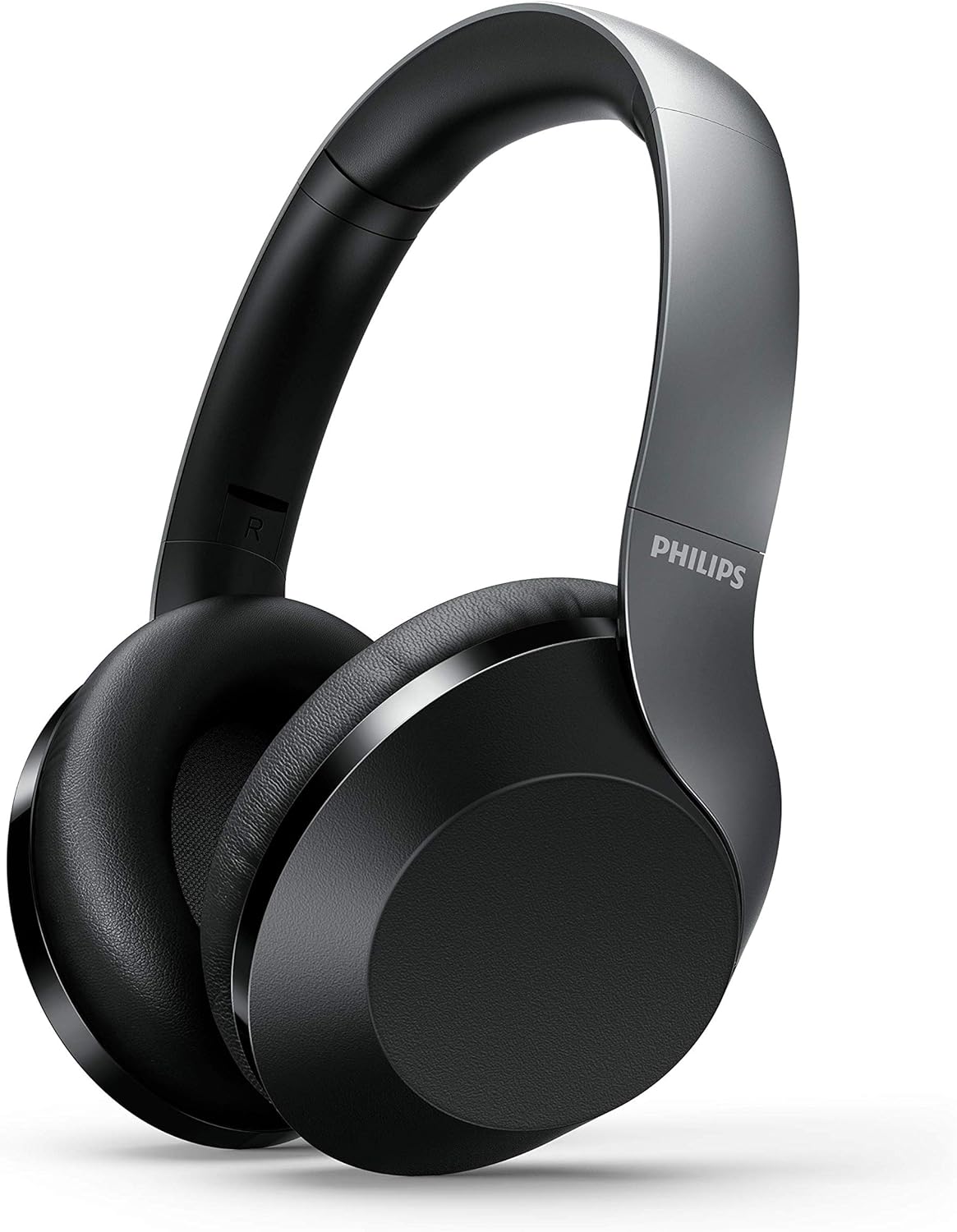
Figure 1: Philips PH805 Active Noise Canceling Wireless Headphones.
קאָמפאָרט און דיזיין
- Soft Ear-Cup Cushions: Designed with soft leatherette padding for comfortable wearing and superior noise isolation.
- Smooth Adjustable Headband: Lightweight and easily adjustable to prevent tangling with your hair and ensure a secure fit.
- Flat and Compact Folding: The headphones can be folded flat and compactly for easy storage in your desk drawer or the included carrying case, making them ideal for travel.

Figure 2: Headphones shown in their flat and compact folded state.
קאָנטראָלס און פּאָרץ
The headphones feature intuitive controls for power, volume, track navigation, and Active Noise Canceling (ANC) management.

פיגורע 3: נאָענט-אַרויף view of the control buttons and ports on the ear cup.
- מאַכט קנעפּל: Used to turn the headphones on/off and initiate Bluetooth pairing mode.
- ANC/Awareness Mode Button: Toggles Active Noise Canceling on/off or activates Awareness Mode to hear your surroundings.
- ריר קאָנטראָל פּאַנעל: Located on the ear-housing, allows swiping up/down for volume control and tapping for play/pause or call management.
- USB-C טשאַרדזשינג פּאָרט: פֿאַר טשאַרדזשינג די כעדפאָונז.
- 2.5 מ״מ אַודיאָ דזשעק: For wired connection to audio sources.
- געבויט-אין מיקראָפאָן: Features echo cancellation for clear calls.
סעטאַפּ
טשאַרדזשינג די כעדפאָונז
- Connect the provided USB charging cable to the USB-C port on the headphone.
- Connect the other end of the USB cable to a compatible USB power source.
- A full charge takes approximately 2 hours, providing up to 30 hours of playtime (25 hours with ANC on).
בלועטאָאָטה פּערינג
- מאַכן זיכער אַז די כעדפאָונז זענען באפוילן.
- דריק און האלט דעם פּאַוער קנעפּל ביז דער LED אינדיקאַטאָר בלינקט, וואָס ווײַזט אויף פּערינג מאָדע.
- On your Bluetooth-enabled device (phone, tablet, computer), go to Bluetooth settings and select "Philips PH805" from the list of available devices.
- Once paired, the LED indicator will stop flashing and remain solid. The headphones have a Bluetooth range of up to 10 meters.
ווייערד קאַנעקשאַן
For a wired connection, use the included 2.5 mm to 3.5 mm audio cable. This allows for Hi-Res Audio playback when connected to a compatible source, providing lossless audio quality.
אַפּערייטינג ינסטראַקשאַנז
אַקטיוו ראַש קאַנסאַלינג (ANC) און וויסיקייַט מאָדע
Control your listening environment with the dedicated ANC/Awareness Mode button.
- אַקטאַווייט ANC: Press the ANC button to reduce ambient noise, ideal for travel or noisy offices.
- Activate Awareness Mode: Press the ANC button again to allow some ambient sound to pass through, keeping you aware of your surroundings while still enjoying your audio.
- דיאַקטיווייט ANC: Press the ANC button a third time to turn off both ANC and Awareness Mode.

Figure 4: Active Noise Canceling (ANC) in action, blocking out external noise.
ריר קאָנטראָלס
Manage your audio and calls with simple gestures on the ear cup.
- באַנד קאָנטראָל: Swipe up or down on the right ear cup to adjust the volume.
- שפּיל / פּויזע: Tap the center of the right ear cup to play or pause music.
- ענטפֿערן / סוף רופן: Tap the center of the right ear cup to answer or end a phone call.
- האָפּקען שפּור: Swipe forward or backward on the right ear cup to skip tracks.

Figure 5: Demonstrating the touch control functionality on the ear cup.
וישאַלט
- רייניקט די כעדפאָונז רעגולער מיט אַ ווייכן, טרוקענעם שטאָף.
- Avoid exposing the headphones to extreme temperatures, moisture, or dust.
- לייגט די קאָפּהערער אין זייער שוץ־קעסטל ווען זיי ווערן נישט גענוצט, כדי צו פאַרמייַדן שאָדן.
- Do not attempt to disassemble or repair the headphones yourself. Contact customer support for assistance.
טראָובלעשאָאָטינג
| פּראָבלעם | לייזונג |
|---|---|
| קאָפּהערער ווערן נישט אָנגעצינדן | זיכער מאַכן אַז די כעדפאָונז זענען גאָר אויפגעלאָדן. |
| קען נישט צוזאמענשטעלן דורך בלוטוט | Ensure headphones are in pairing mode (flashing LED). Check your device's Bluetooth settings and try re-pairing. Ensure headphones are within 10 meters of the device. |
| קיין געזונט | Check volume levels on both headphones and connected device. Ensure headphones are properly paired or wired. |
| ANC אַרבעט נישט עפֿעקטיוו | Ensure ear cups fit snugly over your ears. Check if ANC is activated. |
ספּעסאַפאַקיישאַנז
- מאָדעל: TAPH805BK/00
- ראַש קאָנטראָל: אַקטיוו ראַש קאַנסאַליישאַן
- קאַנעקטיוויטי: בלועטאָאָטה 5.0
- בלועטאָאָטה ראַנגע: 10 מעטער
- אַודיאָ דריווערס: 40mm Neodymium Acoustic Drivers
- באַטאַרייע לעבן: Up to 30 hours (25 hours with ANC on)
- טשאַרדזשינג צייט: בעערעך 2 שעה
- כעדפאָונז דזשאַק: 2.5 מם דזשאַק
- קאָנטראָל טיפּ: Touch, Physical Buttons
- ספּעציעלע פֿעיִקייטן: Foldable, Lightweight, Microphone Included, Hi-Res Audio (wired mode)
- נומער וואָג: 9.8 אונס
- פּראָדוקט דימענשאַנז: 10.67 X 10.63 X 3.39 אינטשעס
אפיציעלע פּראָדוקט ווידעאָ
ווידעא 1: אן איבערview of the Philips 8000 series noise canceling headphones (TAPH805BK) by Envision Peripherals. This video highlights key features and design aspects of the product.
וואָראַנטי און שטיצן
For warranty information, technical support, or service inquiries, please refer to the official Philips Audio website or contact their customer service directly. Details can typically be found in the warranty card included with your product or on the manufacturer's support pages.