1. הקדמה
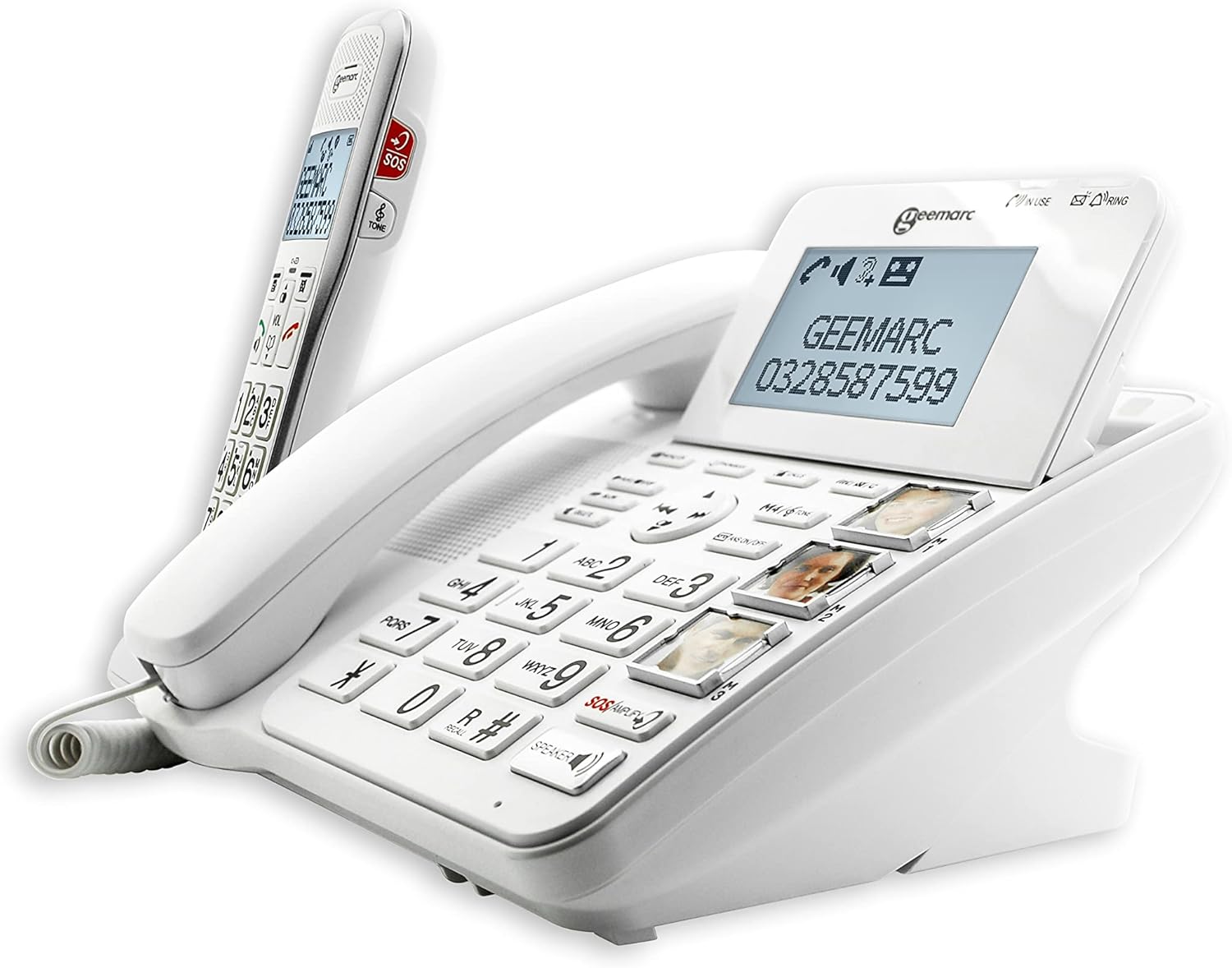
דער דזשימאַרק Amplidect 595 Combi is a comprehensive home telephone system that includes both a corded base unit and an additional cordless handset. This system is specifically designed to assist seniors and individuals with moderate to severe hearing impairments. It offers compatibility with hearing aids and features significantly amplified reception and ringer volumes, ensuring clear communication and audible alerts for incoming calls. The integrated answering machine is easily accessible directly from the corded base unit, allowing for message playback with a single button press. A 'slow playback' function is also available to enhance message comprehension. For simplified dialing, the system incorporates three customizable photo keys. Additional features include an SOS emergency function, VIP contact management, and call blocking capabilities to prevent unwanted calls.
2. פּראָדוקט איבערview
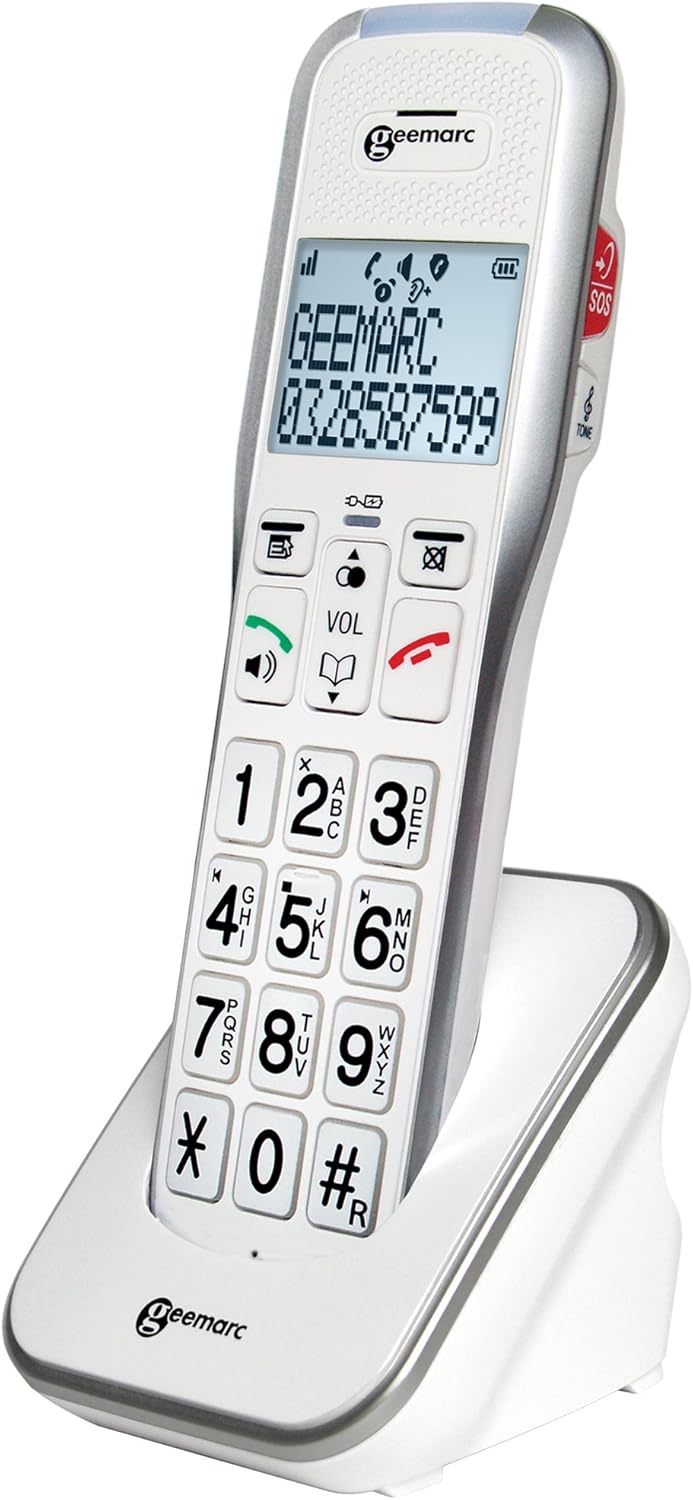
די Amplidect 595 Combi system combines the reliability of a corded telephone with the flexibility of a cordless handset. Both units are engineered for user-friendliness, featuring large buttons and clear displays.

3. סעטאַפּ
- פֿאַרבינדן די באַזע אַפּאַראַט: Plug the telephone line cord into the designated port on the corded base unit and then into your telephone wall socket.
- מאַכט קשר: Connect the power adapter to the base unit and then to an electrical outlet.
- Handset Battery Installation: Open the battery compartment on the cordless handset, insert the provided rechargeable batteries, and close the compartment.
- ערשט טשאַרדזשינג: Place the cordless handset on its charging cradle. Allow it to charge for at least 12-15 hours before initial use to ensure optimal battery performance.
- דאַטע און צייט באַשטעטיקן: Follow the on-screen prompts or consult the detailed manual for setting the correct date and time on the base unit and handset.
4. אַפּערייטינג ינסטרוקטיאָנס
4.1 קאָמפּאַטאַביליטי מיט הערן-אַפּאַראַטן
These telephones are designed for compatibility with hearing aids. If you use hearing aids, activate their 'T' position (telecoil mode) during calls to optimize audio reception and minimize interference.
4.2 Amplified Ringer Volume
The system features a powerful ringer that can reach up to 80dB, ensuring that incoming calls are easily heard throughout your home. Adjust the ringer volume settings via the menu on the base unit or handset to your preferred level.
4.3 Amplified Reception Volume
די Amplidect 595 Combi offers 6 distinct levels of reception volume amplification. During a call, a dedicated 'boost' button allows for an immediate increase in reception volume by up to 50dB for enhanced clarity.
4.4 Photo Memory Keys
The corded base unit includes three customizable photo memory keys (M1, M2, M3). To program these keys, assign a contact's phone number and insert a corresponding photo into the designated slot. Pressing the key will then automatically dial the associated number.

4.5 ענטפֿער מאַשין
The integrated digital answering machine can record up to 30 minutes of messages. Messages can be accessed and played back directly from the base unit or the cordless handset. For messages that are difficult to understand, activate the 'slow playback' function to hear them at a reduced speed.
4.6 SOS נויטפאַל פונקציע
A prominent red SOS emergency button is located on both the side of the cordless handset and on the main corded base unit. When activated, this function will automatically dial up to four pre-programmed emergency numbers in sequence until one of the contacts answers the call.

4.7 VIP Directory
The system allows you to store up to 50 telephone numbers in a dedicated 'VIP' directory. You can configure the phone to only accept incoming calls from numbers listed in this directory, providing an added layer of security and control over who can contact you.
4.8 Call Blocking Function
Utilize the call blocking feature to block up to 100 unwanted or nuisance numbers. This function helps to prevent unsolicited calls, telemarketing, and potential scams.
4.9 Large Buttons and Backlit Display
Both the corded base unit and the cordless handset feature large, widely spaced buttons with 10mm high digits, designed to minimize dialing errors. The backlit display on both units enhances visibility, especially in low-light conditions.
5. וישאַלט
- רייניקונג: ניצן אַ ווייך, דamp cloth to clean the surfaces of the base unit and handset. Avoid using abrasive cleaners or solvents.
- באַטערי זאָרגן: Ensure the cordless handset is regularly placed on its charging cradle when not in use to maintain battery life. Replace batteries when their performance significantly degrades.
- ינווייראַנמענאַל טנאָים: Keep the telephone system away from extreme temperatures, direct sunlight, and moisture.
6. טראָובלעשאָאָטינג
| פּראָבלעם | מעגלעך סיבה | לייזונג |
|---|---|---|
| קיין רעדל טאָן | Telephone line cord disconnected or power issue. | Check all cable connections. Ensure the power adapter is securely plugged in. |
| האַנדסעט לאָדט זיך נישט אויף | Handset not correctly placed on cradle or dirty charging contacts. | Ensure the handset is properly seated. Clean charging contacts on both handset and cradle with a dry cloth. |
| נעבעך רופן קוואַליטעט | Interference or low battery. | Move the handset closer to the base unit. Charge the handset battery. Avoid placing the base unit near other electronic devices. |
| ענטפֿער מאַשין רעקאָרדירט נישט | Memory full or answering machine off. | Delete old messages. Ensure the answering machine function is activated. |
7. ספּעסאַפאַקיישאַנז
- סאָרט: Geemarc
- מאָדעל נומער: CL595_WH_VDE
- קאָליר: ווייַס
- טעלעפאָן טיפּ: Corded and Cordless (DECT)
- ספּעציעלע פֿעיִקייטן: Answering Machine, Amplified Sound, Large Buttons, SOS Function, Photo Memory Keys, Call Blocking, VIP Directory
- קאַמפּאַטאַבאַל דעוויסעס: Hearing Aids (T-position)
- אָפּטראָג Ampליפיקאַטיאָן: Up to 50dB (with boost)
- רינגער באַנד: אַרויף צו 80 דב
- ענטפער סיסטעם טיפּ: דיגיטאַל
- ענטפֿער מאַשין רעקאָרדינג צייט: אַרויף צו 30 מינוט
- Battery Composition (Handset): NiMH (rechargeable)
- מאַכט מקור: קאָרדעד עלעקטריק
- מאַטעריאַל: פּלאַסטיק
- נומער דימענשאַנז (L x W x H): בעערעך 20 X 12 X 21 סענטימעטער
- נומער וואָג: אומגעפער 900 גראַם
- לאַנד פון אָריגין: כינע
8. וואָראַנטי און שטיצן
For information regarding warranty coverage, duration, and terms, please refer to the documentation provided with your purchase or contact your retailer. For technical support or further assistance, please visit the official Geemarc webפּלאַץ אָדער קאָנטאַקט זייער קונה סערוויס אָפּטיילונג.


