הקדמה
The GENAI Wireless Bluetooth Headset B112 provides a convenient and hands-free communication experience. This manual offers detailed instructions for setting up, operating, maintaining, and troubleshooting your headset to ensure optimal performance and longevity.
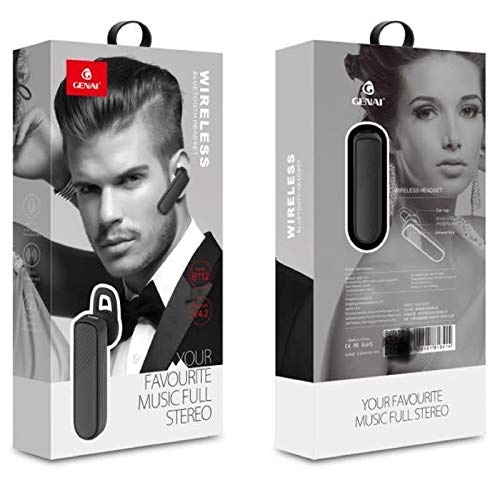
Image: GENAI Wireless Bluetooth Headset B112, main unit with ear hook.
וואָס איז אין די קעסטל
דער פּראָדוקט פּעקל כולל די פאלגענדע זאכן:
- GENAI Wireless Bluetooth Headset B112
- אויער קושאַנז
- טשאַרדזשינג קאַבל (מיקראָ וסב)
סעטאַפּ
1. טשאַרדזשינג די העאַדסעט
- פֿאַרבינדט דעם מיקראָ USB טשאַרדזשינג קאַבל צום טשאַרדזשינג פּאָרט אויף דעם כעדסעט.
- Connect the other end of the charging cable to a compatible USB power source (e.g., computer USB port, USB wall adapter).
- The indicator light will illuminate during charging.
- א פולע אויפלאדונג נעמט געווענליך בערך 2 שעה.
- אַמאָל גאָר אויפגעלאָדן, קען די אינדיקאַטאָר ליכט טוישן קאָליר אָדער זיך אויסלעשן, לויטן מאָדעל. אָפּשטעקן דעם טשאַרדזשינג קאַבל.
2. פּערינג מיט אַ בלועטאָאָטה דיווייס
- מאַכן זיכער אַז די כעדסעט איז גאָר באפוילן.
- מאַכט אויף: Press and hold the multi-function button (usually the main button) on the headset until the indicator light flashes, typically alternating blue and red, indicating pairing mode.
- אַקטאַווייט בלועטאָאָטה: On your mobile phone or other Bluetooth-enabled device, go to the Bluetooth settings and ensure Bluetooth is turned on.
- זוכן פֿאַר מכשירים: Your device will scan for available Bluetooth devices. Look for "B112" or "GENAI B112" in the list.
- פאַרבינדן: Select "B112" or "GENAI B112" to initiate the pairing process. If prompted for a password, enter "0000" (four zeros).
- Once successfully paired, the indicator light on the headset will typically flash blue slowly, and you may hear a voice prompt confirming the connection.
3. ווערינג די העאַדסעט
The GENAI B112 headset is designed for comfortable wear. Attach the ear hook if desired, and adjust it to fit securely over your ear. The ear cushions can be changed for a better fit.
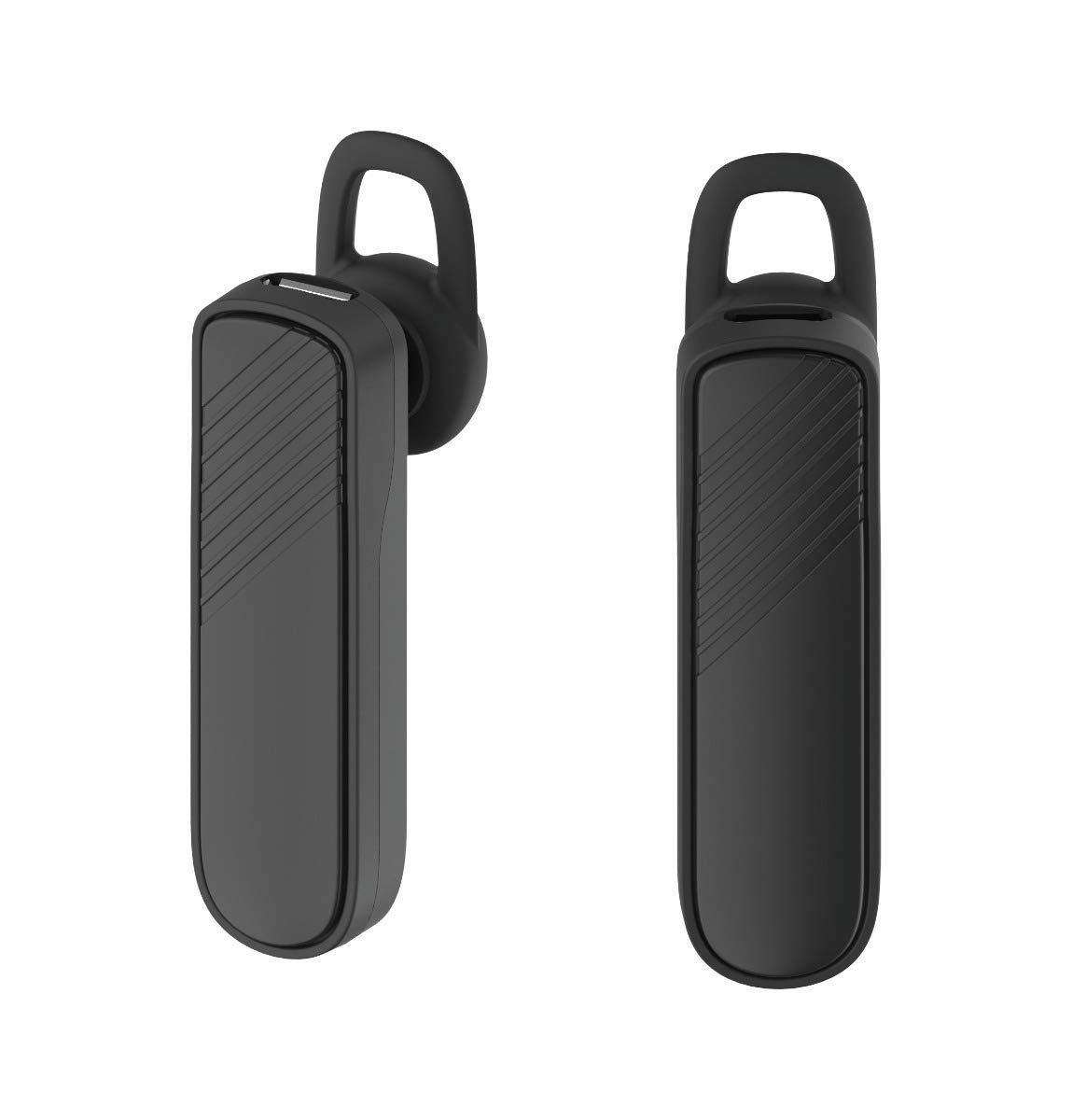
בילד: צוויי views of the GENAI Wireless Bluetooth Headset B112, illustrating its design.
אַפּערייטינג ינסטראַקשאַנז
- מאַכט אויף / אַוועק: Press and hold the multi-function button for approximately 3-5 seconds to power on or power off the headset. A voice prompt will confirm the action.
- ענטפֿערן / סאָף רופט: Press the multi-function button once to answer an incoming call. Press it again to end an active call.
- רידזשעקטינג רופט: דריק און האלט דעם מולטי-פונקציע קנעפל פאר בערך 2 סעקונדעס צו אפווארפן אן אנקומענדיקן רוף.
- ריאַל די לעצטע נומער: דריקט צוויי מאָל דעם מולטי-פונקציע קנעפּל צו ווידער-דייאַלן די לעצט געדייאַלטע נומער.
- באַנד קאָנטראָל: Use the dedicated volume buttons (if present) or the multi-function button (depending on model variation) to adjust the call or music volume. Refer to your device's manual for specific button functions.
- מוזיק פּלייבאַק: When connected, you can play music from your paired device. The multi-function button may also control play/pause.
- קול פּראַמפּס: The headset provides voice alerts for power on/off and pairing status.
וישאַלט
- רייניקונג: Use a soft, dry, lint-free cloth to clean the headset. Do not use harsh chemicals, cleaning solvents, or strong detergents.
- סטאָרידזש: When not in use, store the headset in a cool, dry place, away from extreme temperatures and direct sunlight.
- באַטערי זאָרגן: כדי צו פארלענגערן די לעבן פון די באַטעריע, זאָלט איר נישט אָפט אויסלאָדן די באַטעריע. לאָדט די כעדסעט רעגולער אויף, אפילו אויב איר ניצט עס נישט פאר לענגערע צייטן.
- וואַסער ויסשטעלן: This headset is not waterproof. Avoid exposure to water, moisture, or rain.
טראָובלעשאָאָטינג
- כעדסעט גייט נישט אן:
- Ensure the headset is fully charged. Connect it to a power source and allow it to charge for at least 30 minutes before attempting to power on again.
- Cannot pair the headset with my device:
- Ensure the headset is in pairing mode (indicator light flashing blue/red).
- מאַכן זיכער אַז בלועטאָאָטה איז ענייבאַלד אויף דיין מיטל.
- Keep the headset and your device within close proximity (within 1 meter) during pairing.
- Turn off and on both the headset and your device, then try pairing again.
- If previously paired, try "forgetting" or "unpairing" the headset from your device's Bluetooth list and then re-pair.
- קיין קלאַנג אָדער נידעריקע באַנד:
- Check the volume levels on both the headset and your paired device.
- Ensure the headset is properly connected to your device. Sometimes, the audio output might switch to the phone speaker.
- Try restarting both devices.
- Headset disconnects frequently:
- זיכער מאַכן אַז עס זענען נישטאָ קיין שטערונגען צווישן דעם כעדסעט און דיין דעווייס.
- ריקט זיך נענטער צו אייער פארבונדענע דעווייס צו רעדוצירן אריינמישונג.
- Check for other active Bluetooth devices that might be causing interference.
- זיכער מאַכן אַז די כעדסעט איז גענוג אויפגעלאָדן.
ספּעסאַפאַקיישאַנז
| מאָדעל נאָמען | B112 |
| קאַנעקטיוויטי טעכנאָלאָגיע | בלועטאָאָטה וו4.2 |
| טשאַרדזשינג פּאָרט | מיקראָ וסב |
| טשאַרדזשינג צייט | בעערעך 2 שעה |
| רעדן צייט | אַרויף צו 20 שעה |
| מוזיק שפּיל צייט | בעערעך 20 שעה |
| סטאַנדביי צייט | אַרויף צו 1000 שעה |
| פּונקט וואָג | 30 ג |
| מאַטעריאַל | פּלאַסטיק |
| ספּעציעלע שטריך | עאַרהאָאָק |
| אַרייַנגערעכנט קאַמפּאָונאַנץ | אויער קושאַנז |
| קאַמפּאַטאַבאַל דעוויסעס | Android, iOS, Mi devices (Bluetooth-enabled smartphones) |
וואָראַנטי אינפֿאָרמאַציע
This GENAI Wireless Bluetooth Headset B112 comes with a 3 חדשים פאַרבייַט וואָראַנטי from the date of purchase. Please retain your proof of purchase for warranty claims. This warranty covers manufacturing defects. Please note that this warranty does not include refunds.
שטיצן
For further assistance, technical support, or warranty claims, please contact your retailer or the GENAI customer service department. Refer to the product packaging or the official GENAI webפּלאַץ פֿאַר קאָנטאַקט דעטאַילס.


